https://github.com/app-generator/django-templates
Django Templates - Open-Source Sample Project | AppSeed
https://github.com/app-generator/django-templates
appseed-sample django django-templates
Last synced: 3 months ago
JSON representation
Django Templates - Open-Source Sample Project | AppSeed
- Host: GitHub
- URL: https://github.com/app-generator/django-templates
- Owner: app-generator
- Created: 2021-06-08T10:50:44.000Z (about 5 years ago)
- Default Branch: main
- Last Pushed: 2025-11-16T11:56:28.000Z (7 months ago)
- Last Synced: 2025-11-16T13:19:43.054Z (7 months ago)
- Topics: appseed-sample, django, django-templates
- Language: HTML
- Homepage: https://app-generator.dev/product/?search=django#
- Size: 47.9 KB
- Stars: 11
- Watchers: 1
- Forks: 3
- Open Issues: 0
-
Metadata Files:
- Readme: README.md
Awesome Lists containing this project
README
# [Django Templates](https://app-generator.dev/product/?search=django)
Cheat-sheat project for **[Django Template](https://app-generator.dev/product/?search=django)** system to showcase the configuration and dynamic HTML page rendering. For newcomers, **Django** is a high-level Python Web framework that encourages rapid development by reusing modules and libraries built by experienced programmers. **Django Templates** help us to build dynamic pages, reuse components, and code faster web applications.
## [Getting Started with Django](https://app-generator.dev/docs/technologies/django/index.html)
Django is an opinionated framework that provides a complete set of tools for web development, from URL routing to form handling and user authentication. It promotes best practices in web development through its structure and conventions, encouraging developers to write maintainable and scalable code. Django’s middleware system allows for global processing of requests and responses, enabling the implementation of complex features like session handling and caching with minimal effort.
```bash
$ pip install django
```
### Free Django Templates
> A curated list with Django Dashboards actively supported by the **App-Generator** Platform.
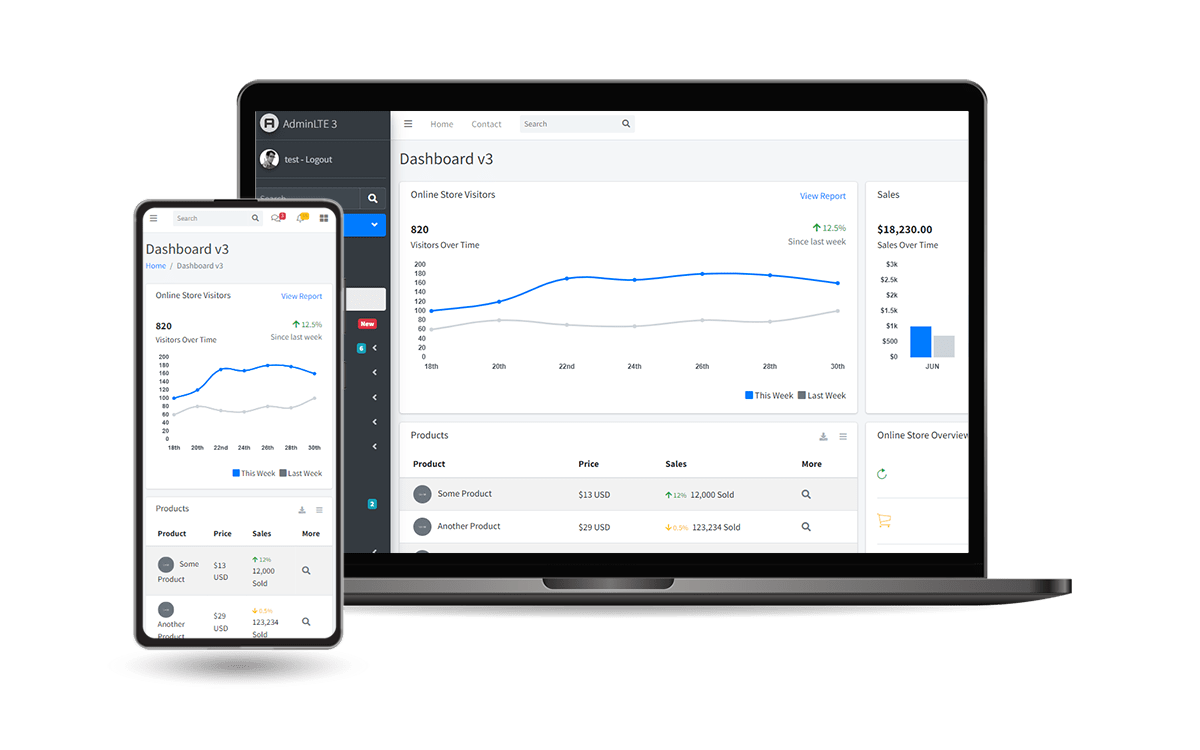
### [Django AdminLTE](https://app-generator.dev/product/adminlte/django/)
**Open-source Django Starter** crafted on top of **[AdminLTE](https://app-generator.dev/product/adminlte/)**, an open-source `Bootstrap` Design. The product is designed to deliver the best possible user experience with highly customizable, feature-rich pages.
- 👉 [Django AdminLTE](https://app-generator.dev/product/adminlte/django/) - `Product Page`
- 👉 [Django AdminLTE](https://django-adminlte.onrender.com) - `LIVE Demo`
---
- Simple, Easy-to-Extend Codebase
- [AdminLTE](https://app-generator.dev/product/adminlte/) Design Integration
- [Bootstrap](https://app-generator.dev/docs/templates/bootstrap.html) CSS Styling
- Session-based Authentication, Password recovery
- DB Persistence: SQLite (default), can be used with MySql, PgSql
- Apps:
- [DEMO](https://django-adminlte.onrender.com/dynamic-dt/product/) **Dynamic DataTables** - generate server-side datatables without coding
- [DEMO](https://django-adminlte.onrender.com/api/) **Dynamic APIs** - Expose secure APIs without coding
- [DEMO](https://django-adminlte.onrender.com/charts/) **Charts** - powered by ApexCharts
- [Django CLI Package](https://app-generator.dev/docs/developer-tools/django-cli/index.html)
- `Commit/rollback Git Changes`
- `Backup & restore DB`
- `Interact with Django Core`
- `Manage Environment`
- `Manage Dependencies`
- [Deployment](https://app-generator.dev/docs/deployment.html)
- Docker/Docker Compose Scripts
- CI/CD for [Render](https://app-generator.dev/docs/deployment/render/index.html)
### [Django Datta Able](https://app-generator.dev/product/datta-able/django/)
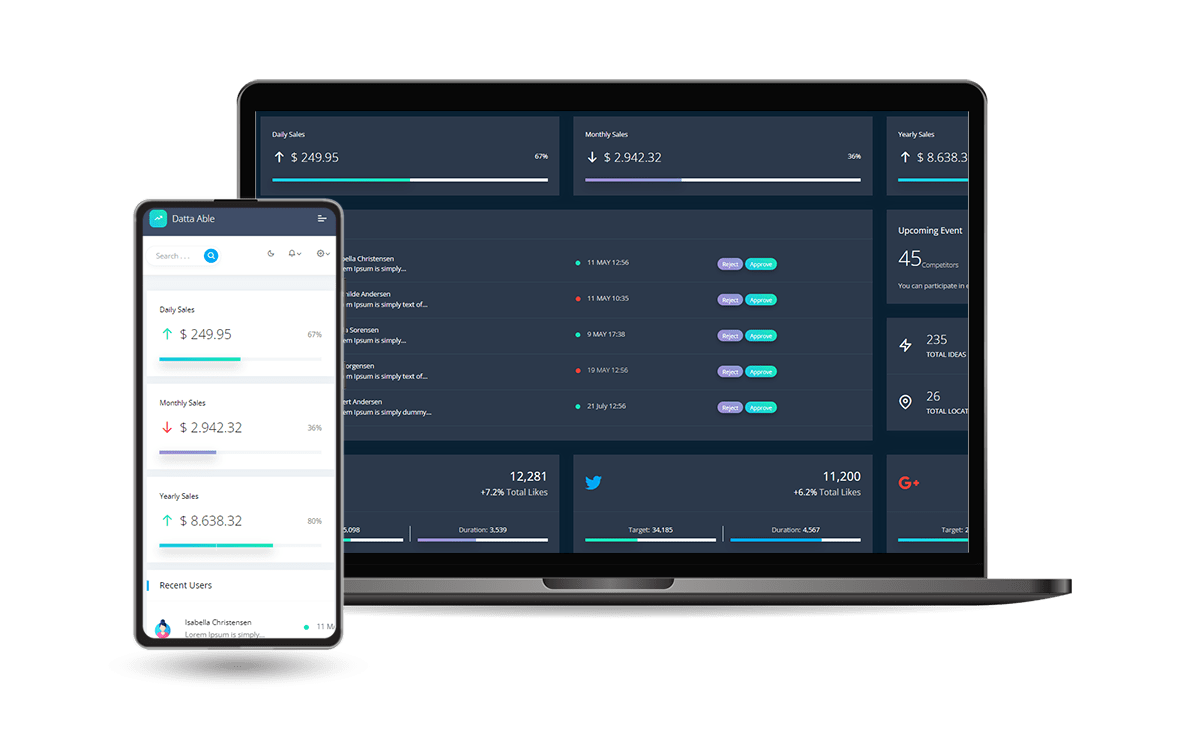
Open-source **Django** project crafted on top of **[Datta Able](https://app-generator.dev/product/datta-able/)**, an open-source `Bootstrap` design released by [CodedThemes](https://app-generator.dev/agency/codedthemes/).
The product is designed to deliver the best possible user experience with highly customizable, feature-rich pages.
- 👉 [Django Datta Able](https://app-generator.dev/product/datta-able/django/) - `Product Page`
- 👉 [Django Datta Able](https://django-datta.onrender.com) - `LIVE Demo`
---
- Simple, Easy-to-Extend Codebase
- **[Datta Able](https://app-generator.dev/product/datta-able/)** Design Integration
- **Dynamic Tables** - generate data tables without coding
- **Dynamic API** - expose secure APIs without coding
- **CLI for Coding Tasks**
- `Commit/rollback Git Changes`
- `Backup & restore DB`
- `Interact with Django Core` via CLI
- `Update Environment variables`
- `Update Dependencies`
- Bootstrap 5 Styling
- Session-based Authentication, Password recovery
- DB Persistence: SQLite (default), can be used with MySql, PgSql
- Docker, CI/CD for Render
- Vite for assets management
**How to build the project**
> **Step #1** - Clone the sources
```bash
$ git clone https://github.com/app-generator/django-templates.git
$ cd django-templates
```
> **Step #2** - Create and activate a virtual environment
```bash
$ # Virtualenv modules installation (Unix based systems)
$ virtualenv env
$ source env/bin/activate
$
$ # Virtualenv modules installation (Windows based systems)
$ # virtualenv env
$ # .\env\Scripts\activate
```
> **Step #3** - Install Django
```bash
$ pip install django
```
## Project Configuration
The `config` directory contains at least two relevant files:
- `config/settings.py` - global project settings
- `config/urls.py` - project routing rules
`Sample_app` directory, created with `python manage.py startapp` will serve the `html` files from `templates` directory. According to the product configuration, **HTML pages** are located in the `templates` directory.
```python
# Contents of config/settings.py
...
TEMPLATES_DIR = os.path.join(BASE_DIR, "templates") # <- Specify where the directory is located
TEMPLATES = [
{
'BACKEND': 'django.template.backends.django.DjangoTemplates',
'DIRS': [TEMPLATES_DIR], # <- Informs Django about it
'APP_DIRS': True,
'OPTIONS': {
'context_processors': [
'django.template.context_processors.debug',
'django.template.context_processors.request',
'django.contrib.auth.context_processors.auth',
'django.contrib.messages.context_processors.messages',
],
},
},
]
...
```
## Template Samples
> **index.html** - showcases a simple file
On access the `ROOT` of the app or simply `index.html` a simple file is served from `templates` directory.
> **variables.html** - Display in the HTML page a simple variable sent by the Django backend
```html
{{ variable }}
```
> **lists.html** - iterate over a simple list with integers
```html
The List:
- {{ i }}
{% for i in list %}
{% endfor %}
```
> **Footer Component** - a common footer is used by all sample pages
```html
{% include "includes/footer.html" %}
```
**Thanks for reading!** Feel free to suggest more topics related to Django Templates using the `issues tracker`.
## Resources
- [Django Templates](https://djangobook.com/mdj2-django-templates/) - a free chapter from `The Django Book`
- [Django Templates](https://www.geeksforgeeks.org/django-templates/) - a really nice article provided by `GeeksForGeeks` platform
---
**[Django Templates](https://app-generator.dev/product/?search=django)** - Open-source project provided by [App Generator](https://app-generator.dev)