https://github.com/appsolves/pylocalauth
Cross-platform local authentication library for Python applications.
https://github.com/appsolves/pylocalauth
abstraction api authentication cross-platform localauthentication native python python3
Last synced: 9 months ago
JSON representation
Cross-platform local authentication library for Python applications.
- Host: GitHub
- URL: https://github.com/appsolves/pylocalauth
- Owner: AppSolves
- License: apache-2.0
- Created: 2025-10-04T13:29:20.000Z (9 months ago)
- Default Branch: main
- Last Pushed: 2025-10-04T14:43:02.000Z (9 months ago)
- Last Synced: 2025-10-04T15:24:56.885Z (9 months ago)
- Topics: abstraction, api, authentication, cross-platform, localauthentication, native, python, python3
- Language: Python
- Homepage: https://www.appsolves.dev
- Size: 12.7 KB
- Stars: 0
- Watchers: 0
- Forks: 0
- Open Issues: 0
-
Metadata Files:
- Readme: README.md
- Funding: .github/FUNDING.yml
- License: LICENSE
Awesome Lists containing this project
README
# `pylocalauth`
Cross-platform local authentication library for Python applications.
[](https://github.com/AppSolves/pylocalauth/actions)
[](https://badge.fury.io/py/pylocalauth)
[](https://pepy.tech/project/pylocalauth)
---
**Documentation**: README
**Source Code**: Repository
---
Add local authentication to your Python applications with ease. `pylocalauth` provides a simple and secure way to authenticate users using platform-specific methods such as passwords, biometrics, and PINs.
## Features
| Feature | Status |
|---------|:------:|
| **Cross-platform**: Works on Windows, macOS, and Linux. (*macOS is still in beta, but it should work reliably*) | ✅ |
| **Multiple authentication methods**: Supports password-based, biometric (Windows Hello, Touch ID, etc.), and PIN-based authentication. | ✅ |
| **Easy integration**: Simple API for integrating local authentication into your Python applications. | ✅ |
| **Secure**: Utilizes platform-specific security features to ensure user data is protected. | ✅ |
| **Lightweight**: Minimal dependencies and easy to install. | ✅ |
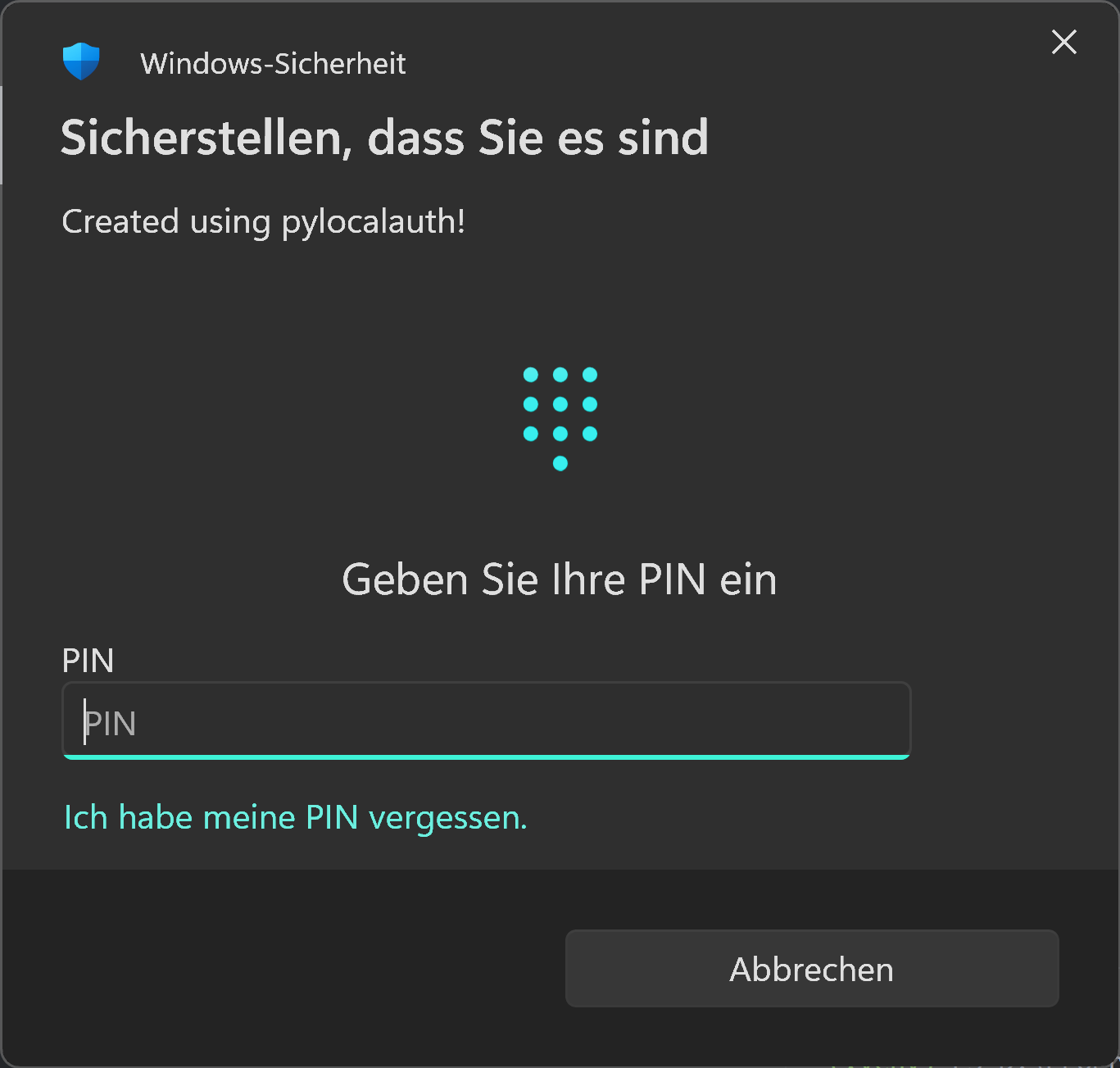
Windows Example
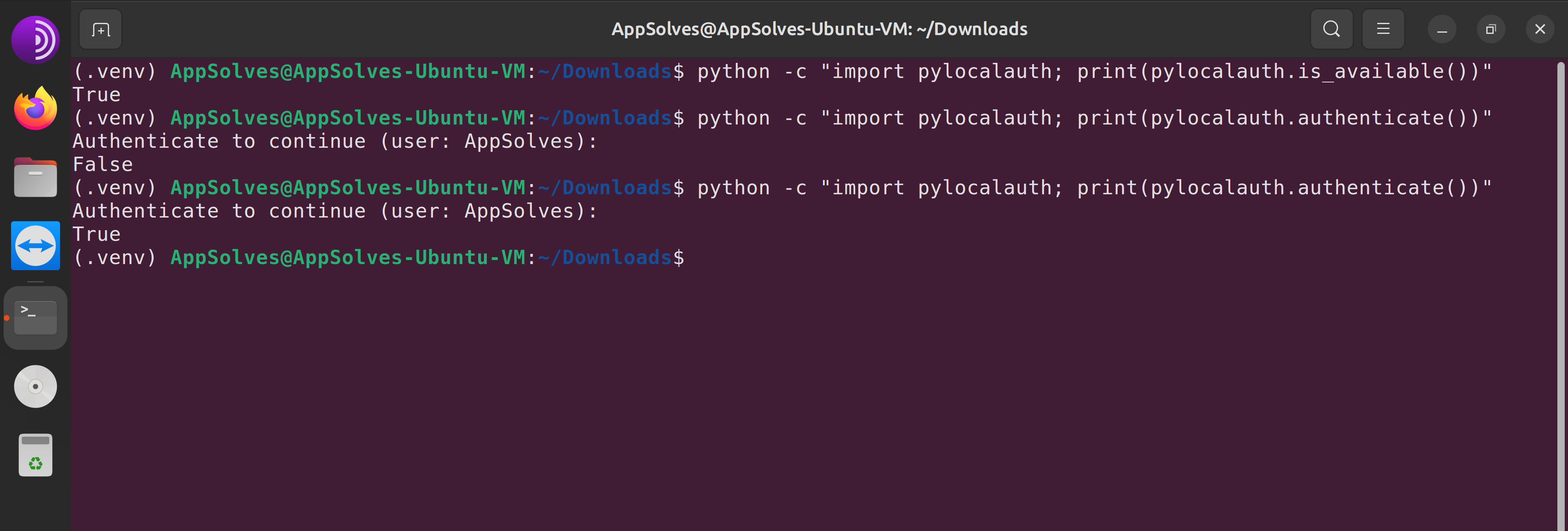
Linux Example
## Installation
You can install `pylocalauth` via pip:
```bash
pip install pylocalauth --upgrade
```
## Usage
Here's a very simple example of how to use `pylocalauth` to authenticate a user:
```python
from pylocalauth import authenticate # Import the authenticate function for your platform
result = authenticate()
if result:
print("Authentication successful!")
else:
print("Authentication failed.")
```
You can also customize the message displayed during authentication:
```python
from pylocalauth import authenticate
result = authenticate(message="Please authenticate to proceed.")
```
By default, `pylocalauth` will raise an `AuthUnavailableError` if authentication is not available on the current platform. You can disable this behavior by setting the `check_availability` parameter to `False` (You should only do this if you plan to handle the unavailability yourself):
```python
from pylocalauth import authenticate, is_available
from pylocalauth.exceptions import AuthError, AuthUnavailableError
# Let it handle availability automatically
try:
result = authenticate(check_availability=True) # default
print(f"Authentication successful?: {result}")
except AuthUnavailableError:
print("Authentication is not available on this platform.")
except AuthError as e:
print(f"An error occurred: {e}")
# Handle availability yourself
try:
if not is_available():
print("Authentication is not available on this platform.")
else:
result = authenticate(check_availability=False)
print(f"Authentication successful?: {result}")
except AuthError as e:
print(f"An error occurred: {e}")
```
## Contributing
We welcome contributions from the community! If you'd like to contribute, please follow the steps explained in the [CONTRIBUTORS](CONTRIBUTORS.md) file.
#### Contributions Needed
We are especially looking for help with the following:
- **macOS support:** Testing, bug reports, and improvements for the macOS backend.
- **Documentation & Tests:** Examples, API docs, tests (using `pytest` and `pytest-asyncio`) and usage guides.
- **CI/CD:** Enhancements to cross-platform test automation.
- **New authentication methods:** Suggestions or PRs for additional local authentication backends.
- **Issue triage:** Help us reproduce and resolve open issues.
If you want to help, please see [CONTRIBUTORS](CONTRIBUTORS.md) and open an issue or pull request!
## Development
### Setup environment
We use [Hatch](https://hatch.pypa.io/latest/install/) to manage the development environment and production build. Ensure it's installed on your system.
### Run unit tests
You can run all the tests with:
```bash
hatch run test
```
### Format the code
Execute the following command to apply `isort` and `black` formatting:
```bash
hatch run lint
```
## License
This project is licensed under the terms of the Apache 2.0 license.
See the [LICENSE](LICENSE) file for more information.