https://github.com/apsl/react-native-navigator-wrapper
A React Native Navigator component wrapper that implements nested navigators for both push and modal transitions
https://github.com/apsl/react-native-navigator-wrapper
Last synced: about 1 year ago
JSON representation
A React Native Navigator component wrapper that implements nested navigators for both push and modal transitions
- Host: GitHub
- URL: https://github.com/apsl/react-native-navigator-wrapper
- Owner: APSL
- License: mit
- Created: 2015-11-05T10:13:32.000Z (over 10 years ago)
- Default Branch: master
- Last Pushed: 2017-10-20T13:31:06.000Z (over 8 years ago)
- Last Synced: 2024-10-31T17:36:32.045Z (over 1 year ago)
- Language: JavaScript
- Size: 70.3 KB
- Stars: 30
- Watchers: 10
- Forks: 2
- Open Issues: 7
-
Metadata Files:
- Readme: README.md
- License: LICENSE
Awesome Lists containing this project
README
# react-native-navigator-wrapper
A React Native Navigator component wrapper that implements nested navigators for
both push and modal transitions.
## ⚠️ DEPRECATED ⚠️
This component has been deprecated. Use it at your own risk.
## Installation
You can install this component through ``npm``:
```shell
npm i react-native-navigator-wrapper --save
```
Configure the awesome
[``react-native-vector-icons``](https://github.com/oblador/react-native-vector-icons#installation)
from Joel Oblador to display the back button icons. Remember to include the
``Ionicons.ttf`` font in your project. All the components of the library are
written in ES6/ES7 style.
## Motivation
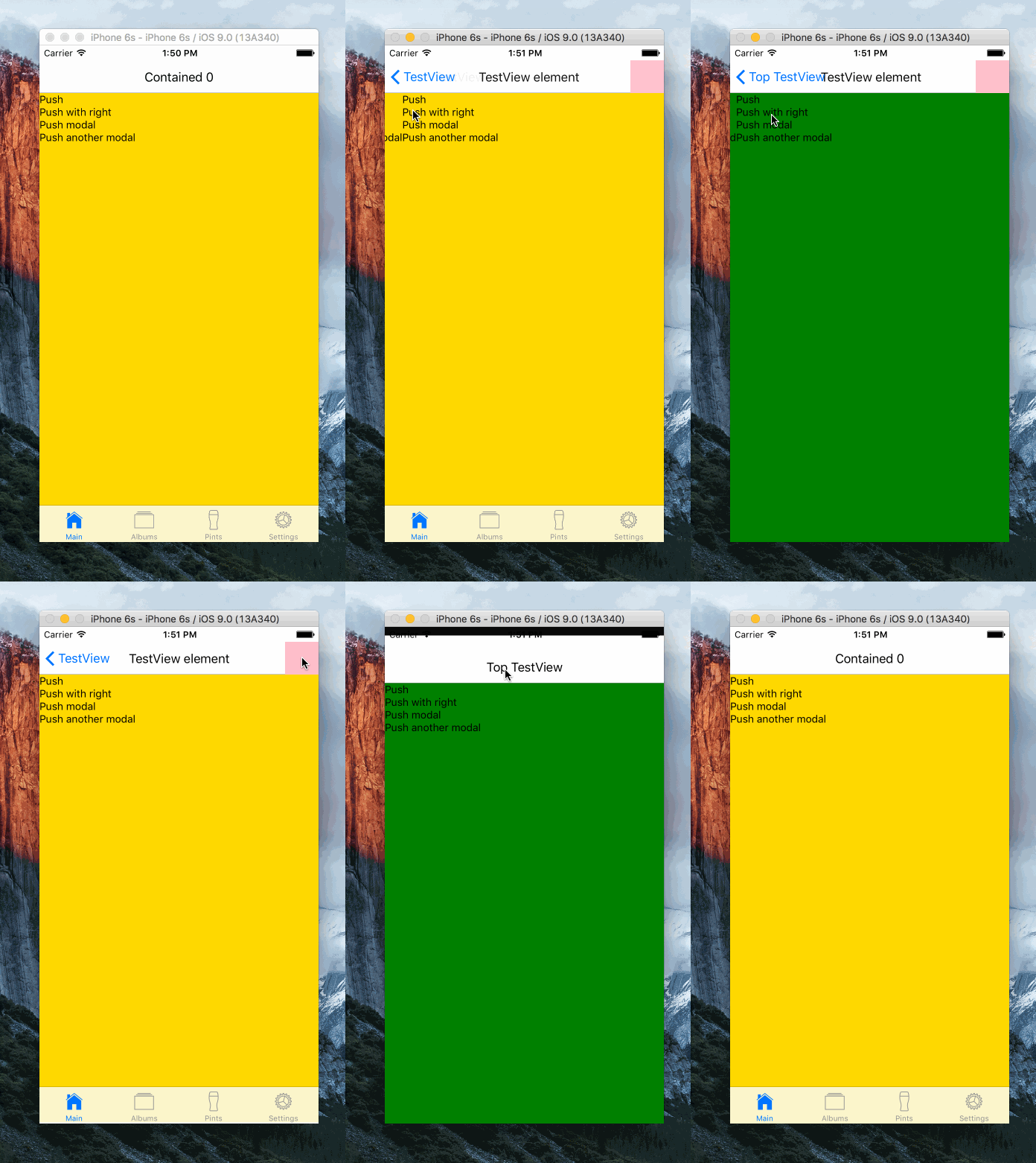
This library implements the nested ``Navigator`` strategy to let the developer
to use both push-like transitions and modal transitions that can also handle
push navigation inside them. Think about a login/signup process. You can let the
user to browse your app and then present a modal when they want to register.
Once the modal is open, you can provide push navigation between signup or register
screens. This is what tries to solve this component.
Take this pseudo-jsx code as an example:
```js
{
if (route.id === 'innerNavigator') {
// This navigator uses push-like transitions
return
}
// This navigator also uses push-like transitions, but it is opened using
// FloatFromBottom scene config
return
}}
/>
```
The parent navigator will push new components using ``FloatFromBottom``. Both
inner navigators will use ``FloatFromRight``, but the inner navigator will keep
the default navigation history and the other navigator is going to be used when
presenting a modal component. With this you can have push navigation inside a
modal component.
## Usage
This library can be used in several ways. It's composed from a couple of different
components that interact with each other. In short, it has a navigation bar that
mimics the iOS and Android navigation bar and two navigation wrappers.
### Nested navigation with ``TopNavigatorWrapper``
You can use ``TopNavigatorWrapper`` component to bring the nested navigator
strategy just importing the component and wrapping whatever you want to render
inside it:
```js
import React from 'react'
import { TopNavigatorWrapper } from 'react-native-navigator-wrapper'
import MyComponent from './MyComponent'
class MyApp extends React.Component {
render () {
return (
)
}
}
```
You component ``MyComponent`` will have a **topNavigator** prop. It will let you to push new components in a modal-style, opening from bottom to top.
### Navigation with ``NavigatorWrapper``
If you just want to use the navigation bar inside a navigator, use the
``NavigatorWrapper`` component:
```js
import React from 'react'
import { NavigatorWrapper } from 'react-native-navigator-wrapper'
class MyComponent extends React.Component {
render () {
return (
)
}
}
```
Every time you push a component that's inside the ``NavigatorWrapper`` component
you will have a **navigator** prop, just like the top navigation option before,
that will let you to keep pushing components in the stack.
### Custom ``routeMapper``
The React Native ``Navigator.NavigatorBar`` component has an object called
``routeMapper`` that configures the three components that can be displayed
inside the navigation bar: ``LeftButton``, ``RightButton`` and ``Title``.
This library auto-generates a default route mapper object that displays an iOS & Android style back button, a title and accepts a right element to render.
It also provides functions to generate each of the route mapper components so
you can build a completely custom navigation bar for each ``NavigatorWrapper``.
See the source code for more information.
## 🚧 Roadmap
- [ ] Handle several hardware back button actions with multiple navigators (Android).
## License
MIT.