https://github.com/ardeman/project-profile-nextjs
A personal website built with Next.js and Tailwind CSS
https://github.com/ardeman/project-profile-nextjs
dark-mode github-actions github-pages light-mode next-js pnpm tailwind-css tanstack-query
Last synced: about 1 month ago
JSON representation
A personal website built with Next.js and Tailwind CSS
- Host: GitHub
- URL: https://github.com/ardeman/project-profile-nextjs
- Owner: ardeman
- License: mit
- Created: 2024-09-30T08:13:31.000Z (over 1 year ago)
- Default Branch: main
- Last Pushed: 2025-01-14T10:14:25.000Z (over 1 year ago)
- Last Synced: 2025-03-29T09:15:55.806Z (about 1 year ago)
- Topics: dark-mode, github-actions, github-pages, light-mode, next-js, pnpm, tailwind-css, tanstack-query
- Language: TypeScript
- Homepage: https://ardeman.com/
- Size: 2.96 MB
- Stars: 0
- Watchers: 1
- Forks: 0
- Open Issues: 0
-
Metadata Files:
- Readme: README.md
- License: LICENSE
Awesome Lists containing this project
README
project-nextjs-profile
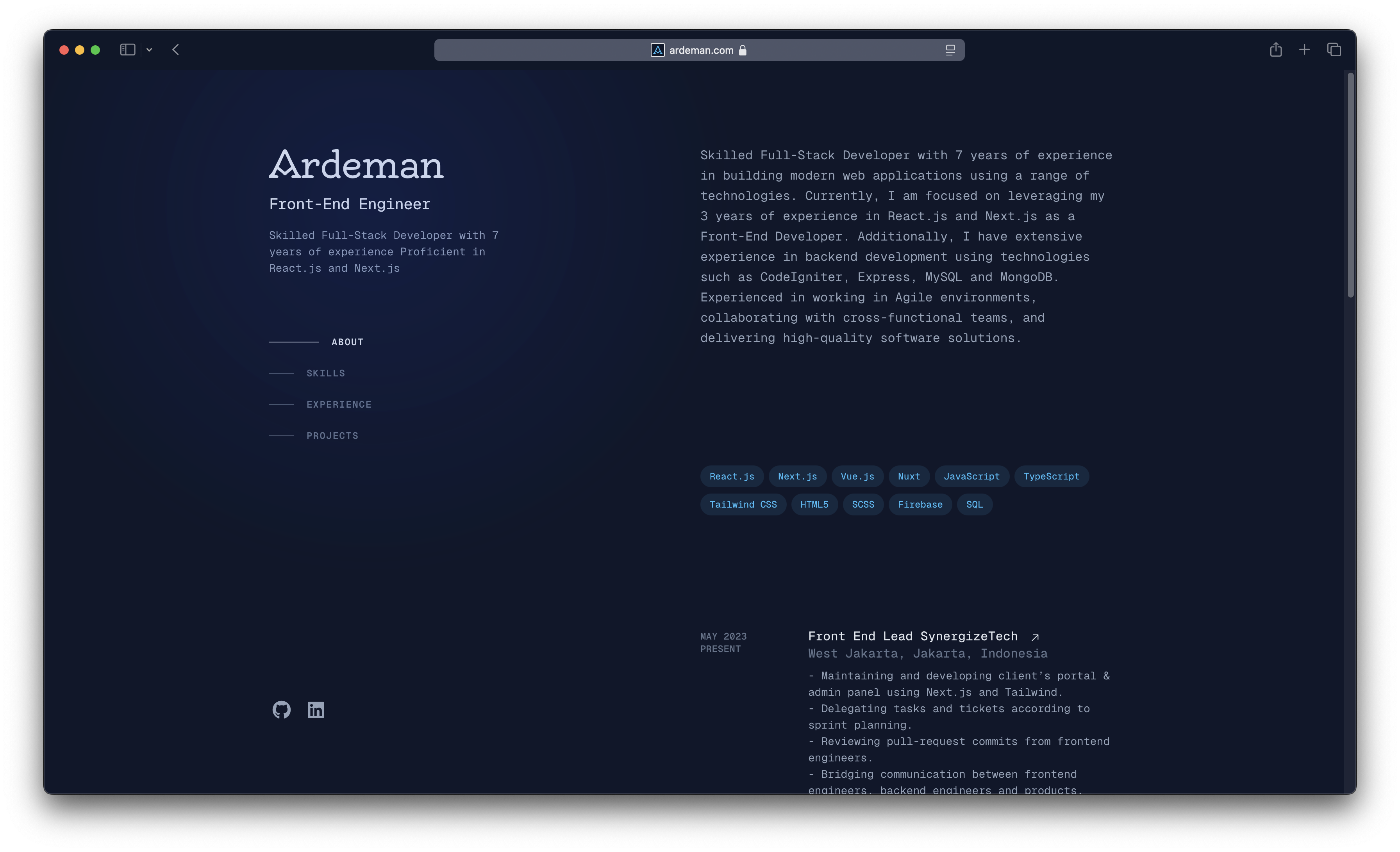
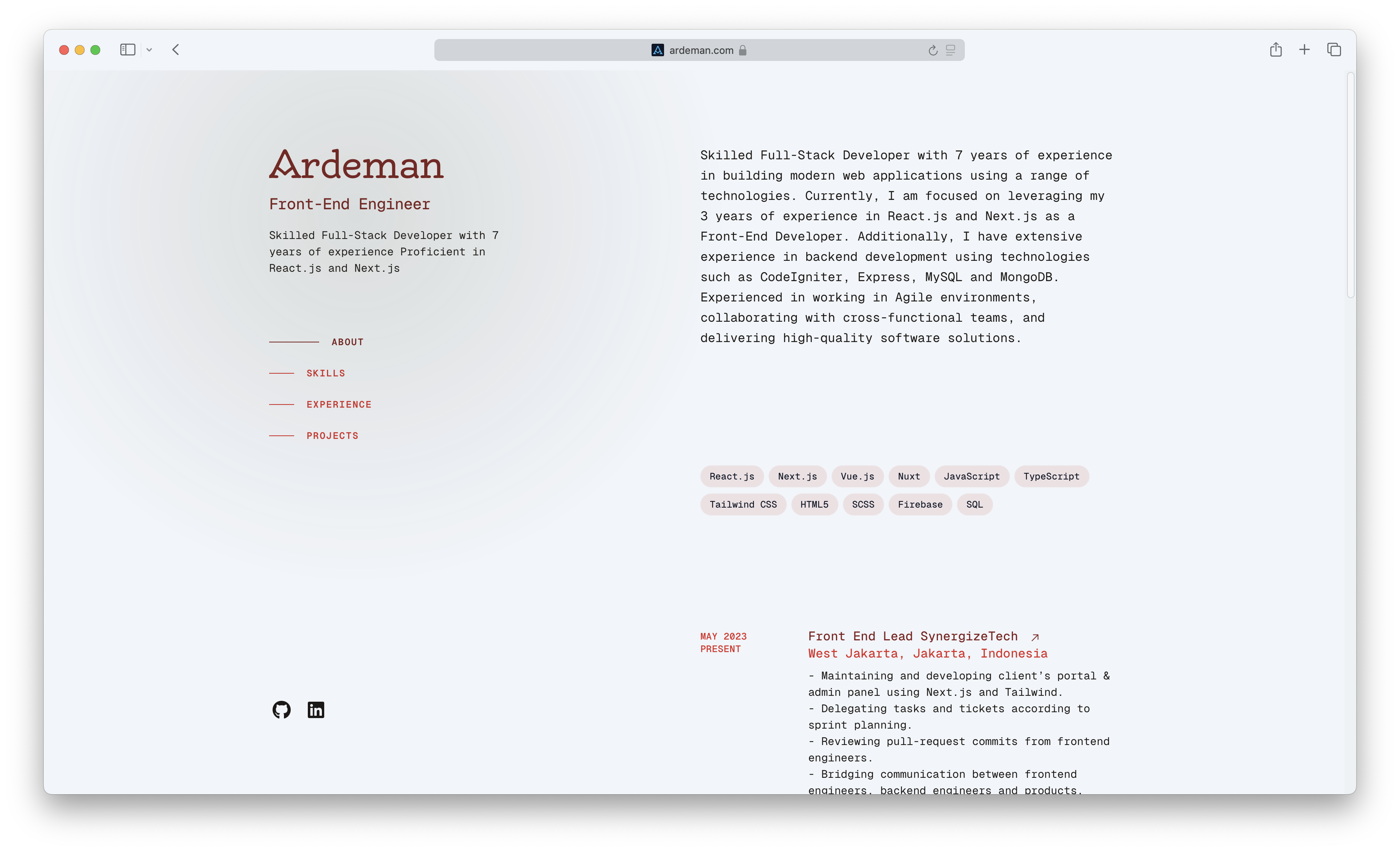
Ardeman's personal website built with Next.js and Tailwind CSS, deployed via GitHub Actions on GitHub Pages.



## 🍴 Forking This Repo
Feel free to fork this repository. If you do, please give proper credit by linking back to [ardeman.com](https://ardeman.com/). Thank you!
## 🎛️ Installation & Setup
### Prerequisites
- Node.js v20+
- pnpm v8.10.5+
### Steps
1. Clone the repository:
```bash
git clone https://github.com/ardeman/project-nextjs-profile.git
```
2. Navigate to the project directory:
```bash
cd project-nextjs-profile
```
3. Install dependencies:
```bash
pnpm install
```
4. Start the development server:
```bash
pnpm dev
```
Then, open [http://localhost:3000](http://localhost:3000) in your browser to view the app.
### Additional Commands
- **Install Husky Git Hooks**:
```bash
pnpm prepare
```
- **Lint the code**:
```bash
pnpm lint
```
- **Format the code**:
```bash
pnpm format
```
- **Build for production**:
```bash
pnpm build
```
- **Start the production server**:
```bash
pnpm start
```
### Using LinkedIn Data
This project uses LinkedIn data, which should be placed in the `public/linkedin/` folder. You can download your LinkedIn data from [here](https://www.linkedin.com/mypreferences/d/download-my-data).
## 🎨 Color Palette
| Color Name | Hex Code |
| -------------- | ------------------------------------------------------------------ |
| Gray 900 |  `#111827` |
| Red 600 |  `#dc2626` |
| Red 700 |  `#b91c1c` |
| Red 900 |  `#7f1d1d` |
| Sky 400 |  `#38bdf8` |
| Sky 900 |  `#0c4a6e` |
| Slate 100 |  `#f1f5f9` |
| Slate 200 |  `#e2e8f0` |
| Slate 400 |  `#94a3b8` |
| Slate 500 |  `#64748b` |
| Slate 600 |  `#475569` |
| Slate 900 |  `#0f172a` |
| Stone 900 |  `#1c1917` |
| White |  `#ffffff` |