https://github.com/arithran/old-vimrc
My vimrc and VIM settings for PHP based Fullstack Web Developoers
https://github.com/arithran/old-vimrc
Last synced: 3 months ago
JSON representation
My vimrc and VIM settings for PHP based Fullstack Web Developoers
- Host: GitHub
- URL: https://github.com/arithran/old-vimrc
- Owner: arithran
- Created: 2014-07-29T12:43:45.000Z (almost 12 years ago)
- Default Branch: master
- Last Pushed: 2017-05-06T23:27:43.000Z (about 9 years ago)
- Last Synced: 2024-04-16T00:21:01.896Z (about 2 years ago)
- Language: Vim script
- Homepage: https://www.linkedin.com/in/arithran/
- Size: 263 KB
- Stars: 2
- Watchers: 3
- Forks: 0
- Open Issues: 1
-
Metadata Files:
- Readme: README.md
Awesome Lists containing this project
README
# DEPRECATION WARNING
This repo has been deprecated in favour of https://github.com/arithran/dotfiles
vimrc
=====
My vimrc and VIM settings for PHP based Fullstack Web Developoers
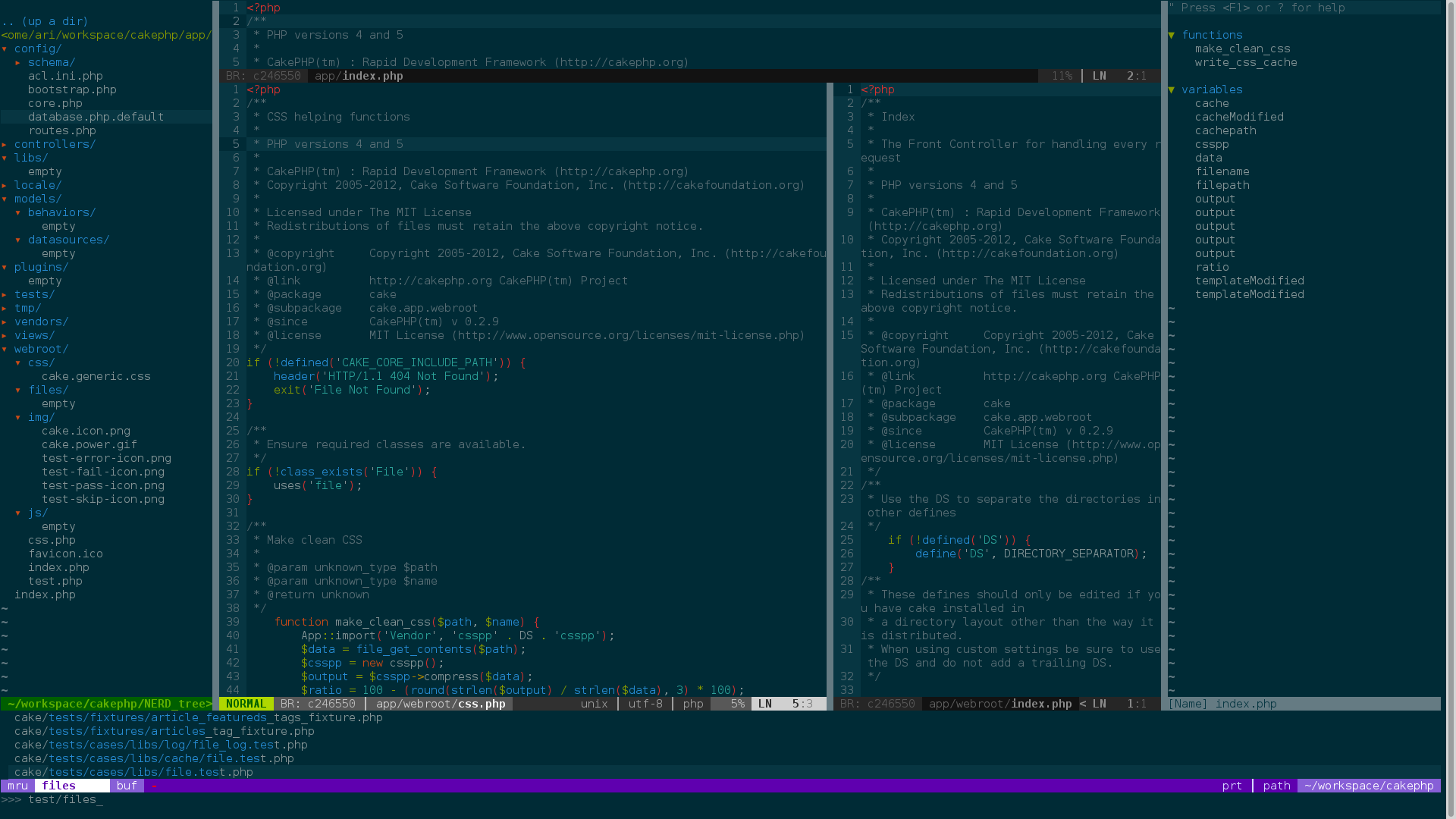
Screenshots
===========
Installation Instructions
=========================
> These instructions assume that you store this repo at: ~/workspace/
1) Download this Repo
```
mkdir ~/workspace/
cd ~/workspace/
git clone https://github.com/arithran/php-ide-vim.git
```
2) Install vim vundle (Package Manager).
> https://github.com/gmarik/Vundle.vim
```
git clone https://github.com/VundleVim/Vundle.vim.git ~/.vim/bundle/Vundle.vim
```
3) Copy the .vimrc from this repo
> (Symlink recommended for regular updates)
```
cd ~
ln -s ~/workspace/php-ide-vim/.vimrc .
```
4) Open VIM and Install Plugins/Dependencies
```
:PluginInstall
```
5) Copy Assets for Snippets and Function Headers
> (Symlink recommended for regular updates)
```
cd ~/.vim/
ln -s ~/workspace/php-ide-vim/UltiSnips/ .
cd ~/.vim/bundle/pdv/
ln -s ~/workspace/php-ide-vim/templates_snip/ .
```
6) Restart vim!
Dependencies
============
1) ctags is needed for the tagbar plugin to work.
http://ctags.sourceforge.net/
If you have yum run this.
```
sudo yum install ctags
```
2) Follow the installation for YouCompleteMe to enable code completion
https://github.com/Valloric/YouCompleteMe#installation
./install.sh --clang-completer
Extras
======
You can run gvim in the terminal and get access to the xwindows clipboard.
add this to your ~/.bashrc
```
alias vim='gvim -v'
alias vi='gvim -v'
```
Solarized color scheme for most editors including most terminals.
http://www.if-not-true-then-false.com/2012/solarized-linux/