https://github.com/arlk/robot-trajectory-tracking
Path generation with a cleaner and more beautiful interface with Processing & Python
https://github.com/arlk/robot-trajectory-tracking
Last synced: about 1 year ago
JSON representation
Path generation with a cleaner and more beautiful interface with Processing & Python
- Host: GitHub
- URL: https://github.com/arlk/robot-trajectory-tracking
- Owner: arlk
- License: apache-2.0
- Created: 2015-02-24T06:05:24.000Z (over 11 years ago)
- Default Branch: master
- Last Pushed: 2020-01-05T07:49:57.000Z (over 6 years ago)
- Last Synced: 2025-03-29T16:23:28.745Z (over 1 year ago)
- Language: Python
- Homepage:
- Size: 254 MB
- Stars: 11
- Watchers: 2
- Forks: 3
- Open Issues: 0
-
Metadata Files:
- Readme: README.md
- License: LICENSE
Awesome Lists containing this project
README
# Robot trajectory tracking
**User-defined path generation :** *COMPLETED*
**L1 Navigation:** *COMPLETED*
**Obstacle Avoidance:** *PENDING*
### Path Generation:
This code provides a cleaner and more beautiful interface to work with than its MATLAB [equivalent](https://github.com/arunlakshmanan/path-generation). It is written in the [Python](http://py.processing.org/) and blended with [Processing](https://processing.org/), a development environment. It can be used in laboratories to define user-generated trajectories for individual robots. Implementation for swarm robots is still a work in progress.
This is currently on available to *Linux* (Debian) users - I am working on implementing this on other platforms including Windows. Before executing this program, you will need to download the Python module for Processing, which is avaiable in both a [32-bit](http://py.processing.org/processing.py-0202-linux32.tgz) and [64-bit](http://py.processing.org/processing.py-0202-linux64.tgz) versions.
You need to set the following environment variables before you run the script:
```
export PATH=$PATH:/PATH/TO/REPOSITORY/robot-trajectory-tracking
export PATH=$PATH:/PATH/TO/PROCESSING/processing.py-xxxx-linuxvv
```
Write these changes directly to `~/.bashrc` and restart the terminal or source bashrc.
You're all set! Once all your variables have been correctly defined, all you need to do is execute the run script.
```
./run.sh
```
`run.sh` is a bash script that executes the required files, so the user does not need to run each of the files seperately. But the user-defined variables will need to be changed in each python script.
`udps.py` can simulate data instead of your mocap software, which is extremely useful if you need to debug your code before implementing them with real robots.
`pathgen.py`:
Much like it couterpart this code assumes that you are receiving the following motion capture data via [UDP](https://wiki.python.org/moin/UdpCommunication#UDP_Communication):
>1. `x` coordinate location of the robot in meters.
1. `y` coordinate location of the robot in meters.
1. `yaw` or orientation of the robot in radians, using the standard convention.
1. `robot id` specific for each robot.
1. `status`: 1 if tracked or 0 if untracked.
1. `frame` of the mocap data being sent.
Of course, the communication protocol can be changed to allow more variable such as `z`, `pitch`,`roll` to be obtained as well.
Specifications of the motion capture environment - room sizes, robot dimensions and colors can be specified at the beginning of code. And other UI-related customizations such as grid spacing, font sizes, spline smoothness etc. can also be found in the code.
**Functionality:**
1\. Real-time reproduction of the scene from the motion capture system:

2\. Drawing a trajectory with the cursor with immediate [Catmull-Rom](https://en.wikipedia.org/wiki/Cubic_Hermite_spline#Catmull.E2.80.93Rom_spline) spline interpolation.

3\. Clear trajectories whenever you need to and start again.
**Output**: The trajectories generated are stored as a comma separated values in files, referenced by their `robot id`.
###L1 Navigation:
`multiL1.py` can control multiple robots and make them track their trajectories independently and simultaneously.
**Videos:**
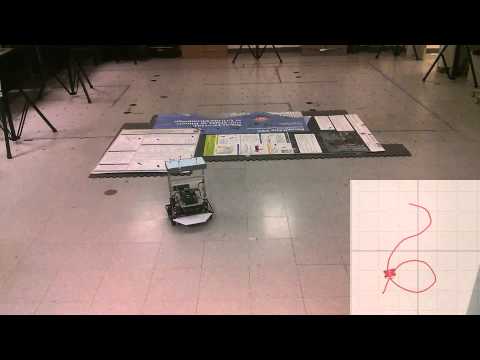
1\. Single robot following a user-defined path.
[](http://www.youtube.com/watch?v=A6yXqAjve4w)
*Future work involves using these files for obstacle avoidance using L1 navigation.*