https://github.com/artcodestudio/facebook-events-october-plugin
An October CMS Plugin which pulls Events form Facebook Pages
https://github.com/artcodestudio/facebook-events-october-plugin
Last synced: 10 months ago
JSON representation
An October CMS Plugin which pulls Events form Facebook Pages
- Host: GitHub
- URL: https://github.com/artcodestudio/facebook-events-october-plugin
- Owner: ArtCodeStudio
- License: mit
- Created: 2020-08-06T09:51:57.000Z (almost 6 years ago)
- Default Branch: master
- Last Pushed: 2020-11-11T14:40:58.000Z (over 5 years ago)
- Last Synced: 2025-02-25T22:59:26.646Z (over 1 year ago)
- Language: PHP
- Size: 3.06 MB
- Stars: 2
- Watchers: 2
- Forks: 1
- Open Issues: 0
-
Metadata Files:
- Readme: README.md
Awesome Lists containing this project
README
## I.) Documentation
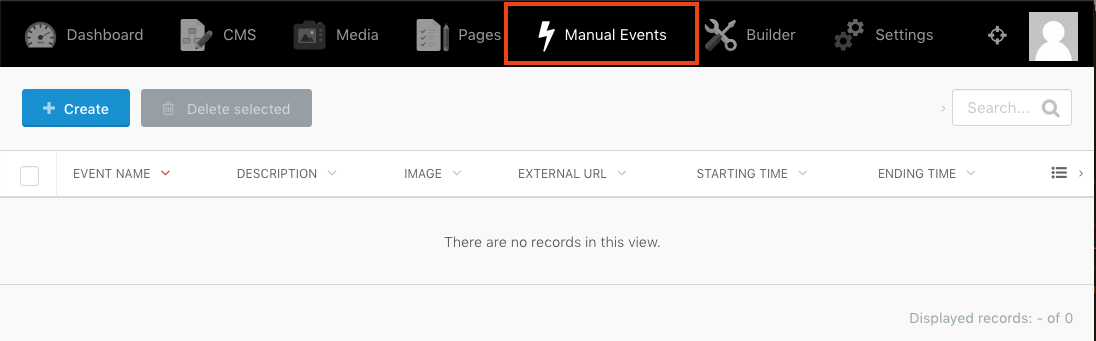
After installing the plugin you will find settings for the Facebook Events in **Settings -> Misc -> Facebook Events** and an additional item "Manual Events" in the backend top navigation.
#### Facebook Settings Tab
This tab offers the choice to display Facebook page events, manual entered events or both.
Manual events can be maintained under the Manual Events top-menu section.
*see II.) Manual Events Topic below*
If you want to include events from a Facebook page, you have to register a Facebook 'app' for it and enter certain credentials, to authorize your app with the Facebook API server.
The steps to complete for this are as follows:
##### 1.) Create a new App
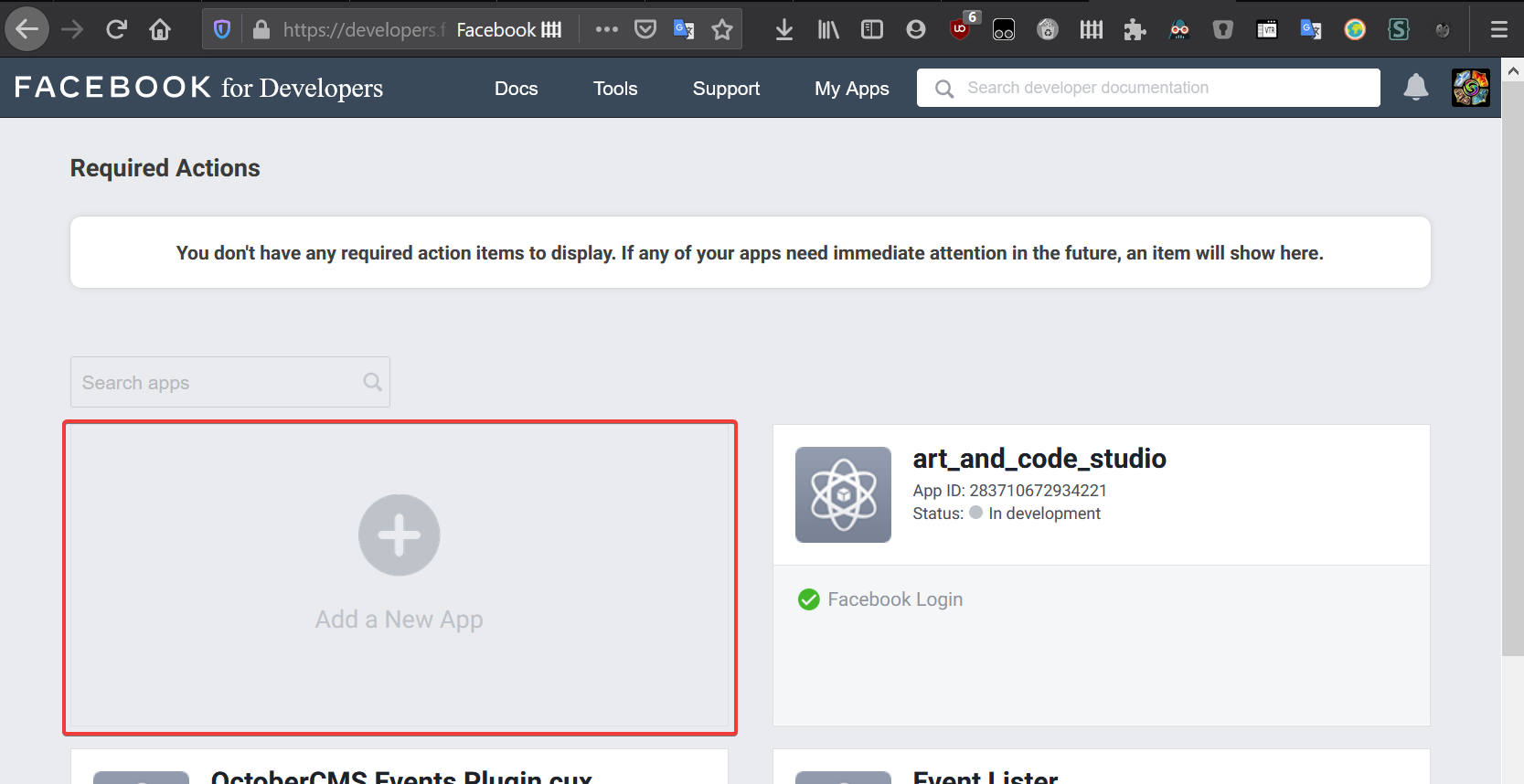
First, we need to create a new Facebook app.
Create an account at https://developers.facebook.com, if you don't have one.
Then follow the [Facebook documentation](https://developers.facebook.com/apps/) on how to add a new app.
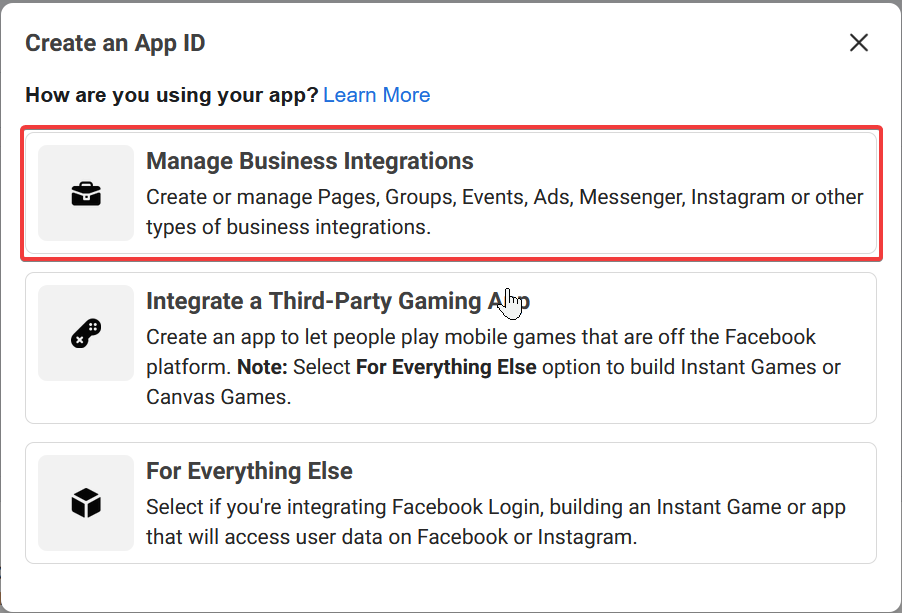
Choose **Manage Business Integrations** as the app type:
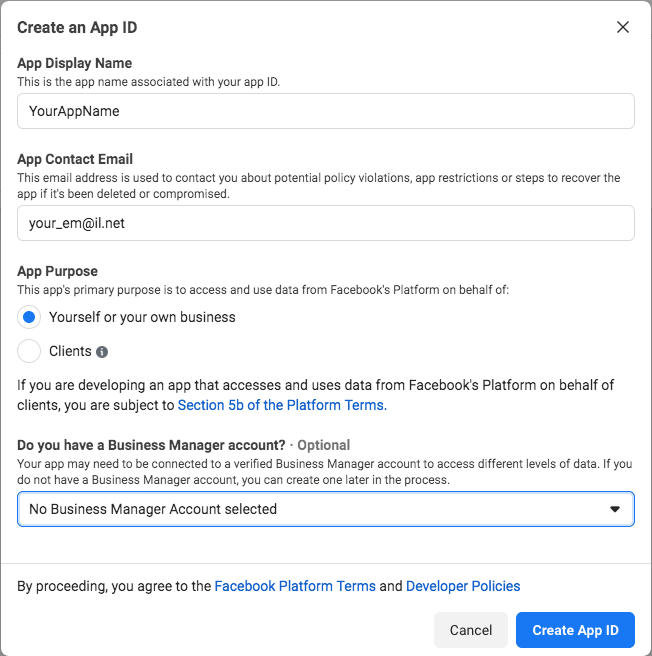
The **App Display Name** is up to you.
Enter your **App Contact Email** and set **App Purpose** to **Yourself or your own business**
Congratulation, now you are ready to click the the **Create App ID button** !
###### 2.) Setup Facebook Login
Once you created the app, navigate to the **Facebook Login Setting**:
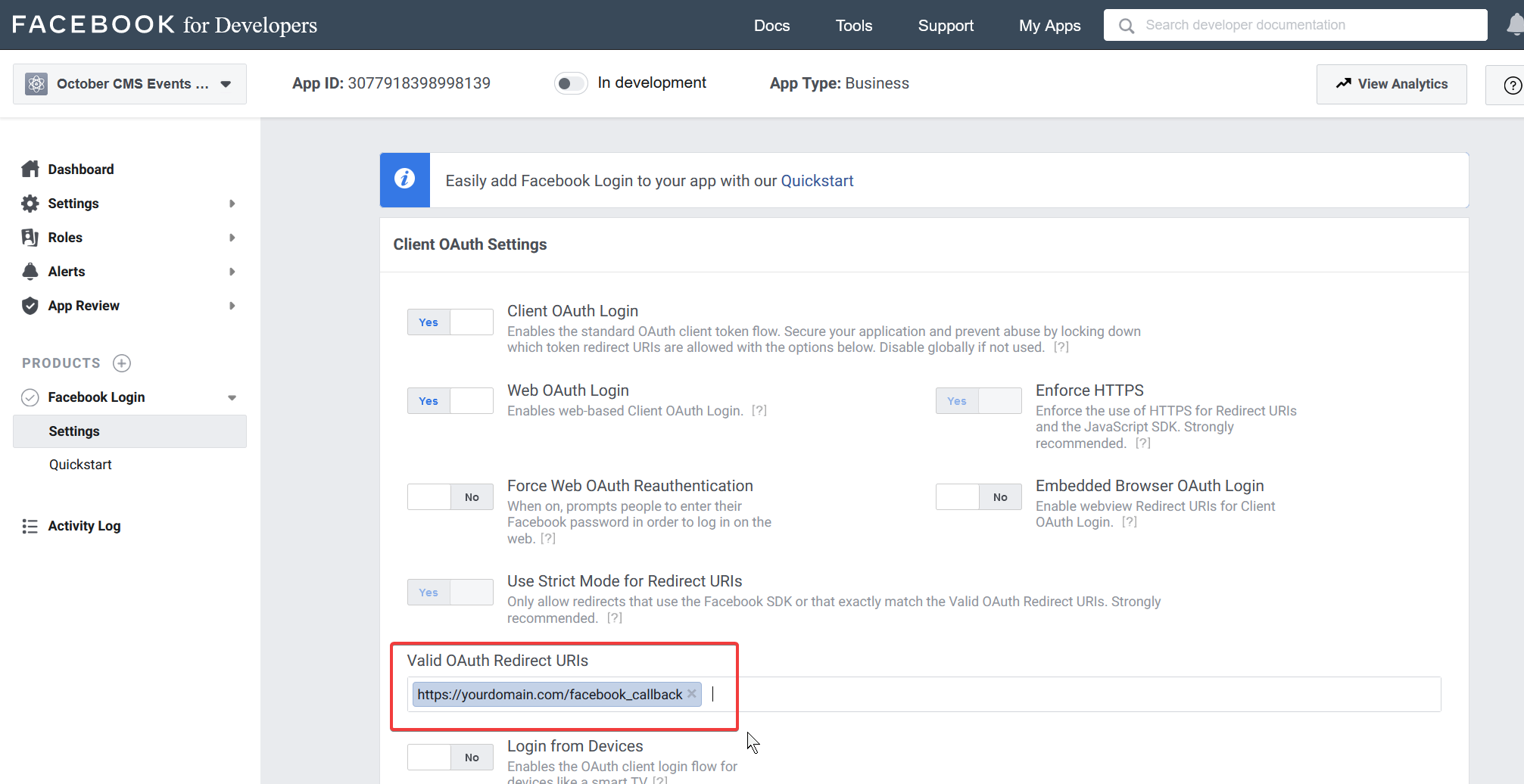
The only thing we need to add here is the callback URL on your server.
https://yourdomain.net/facebook_callback
Save Changes
###### 3.) Obtain Credentials
Navigate to Settings / Basic:
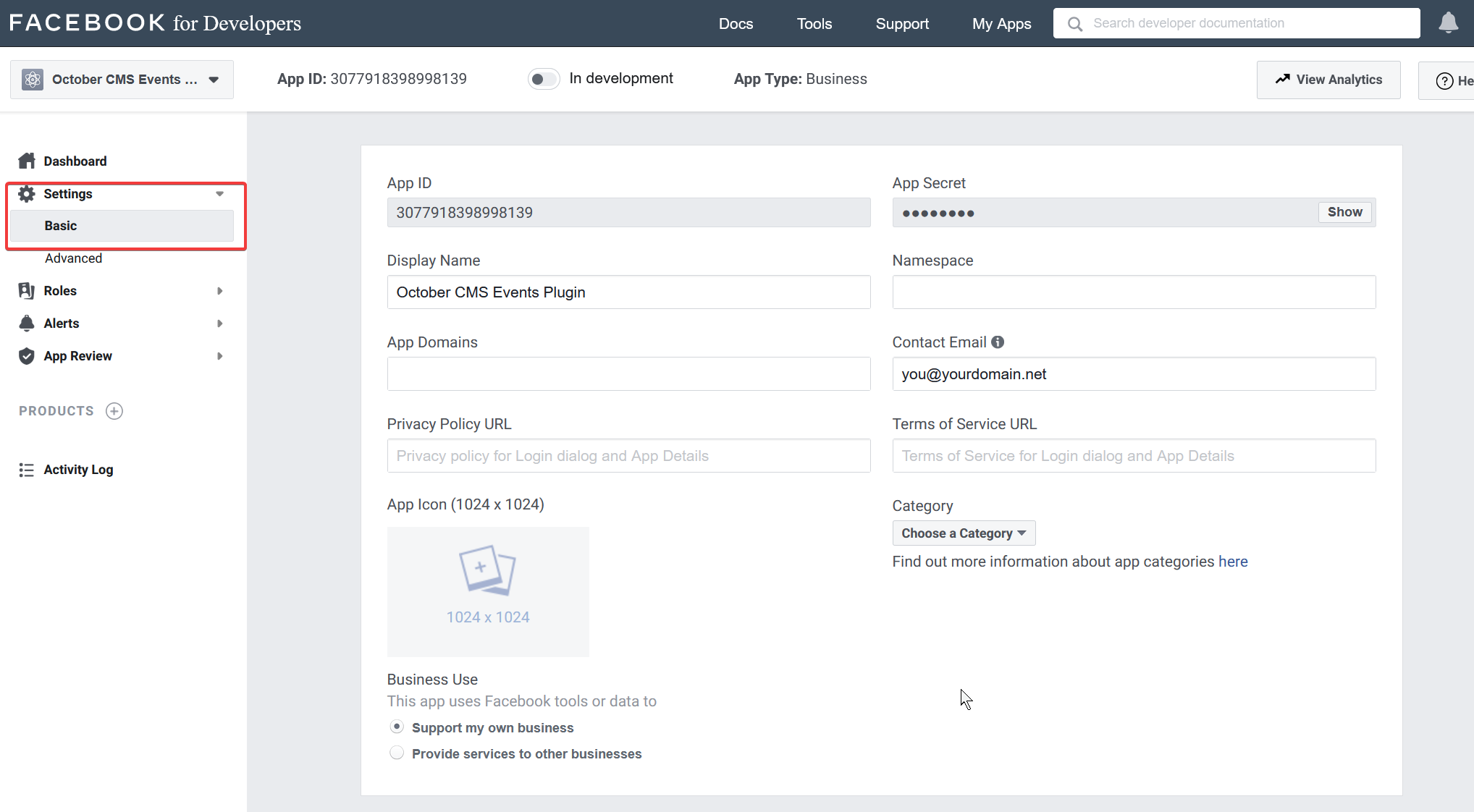
There you find the required credentials.
Copy the **App ID** and **App Secret**'to the OctoberCMS Facebook Events Plugin's (Setting -> Misc -> Facebook Events) appropriate inputs and add your Event Page name and click **Save**.
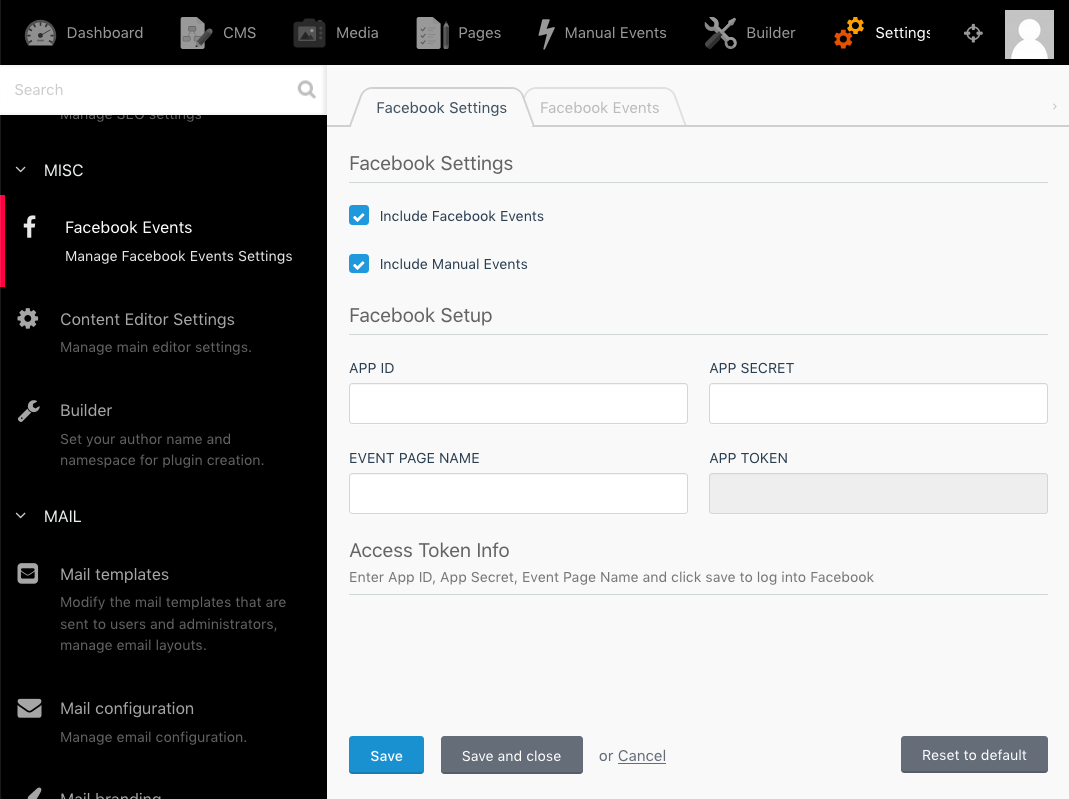
Once you pressed the **Save** button you will be redirected to Facebook to review the permissions you about to acquire.
After completion you'll get redirected to the Facebook Event Settings Page, where you can verify that the *App Token* field has been populated.
The *App Token* Info Section displays if the token is valid and when it expires.
Here you can also renew the current token as well as change permissions.
###### 4.) Obtain Credentials
Since the configuration is now done, you are ready to Login to Facebook and authorize your app.
Click 'Click here to login' this will take you to Facebook.
Here you select the page you like to use and click 'next'.
Confirm the process by clicking 'done' and 'OK' on the following pages.
After that, you get redirected to your 'Facebook Events' Plugin Settings.
Here you can verify that the APP TOKEN field is now populated as well as the Access and Data Access Token details.
##### Facebook Events Tab
The Event Cache TTL setting defines how long Facebook page events should be cached to reduce the number of API requests to Facebook - (default: 600s = 10m)
The 'Fields to include section' lets you select which data should be rendered in the eventlist component.
## II.) Manual Events
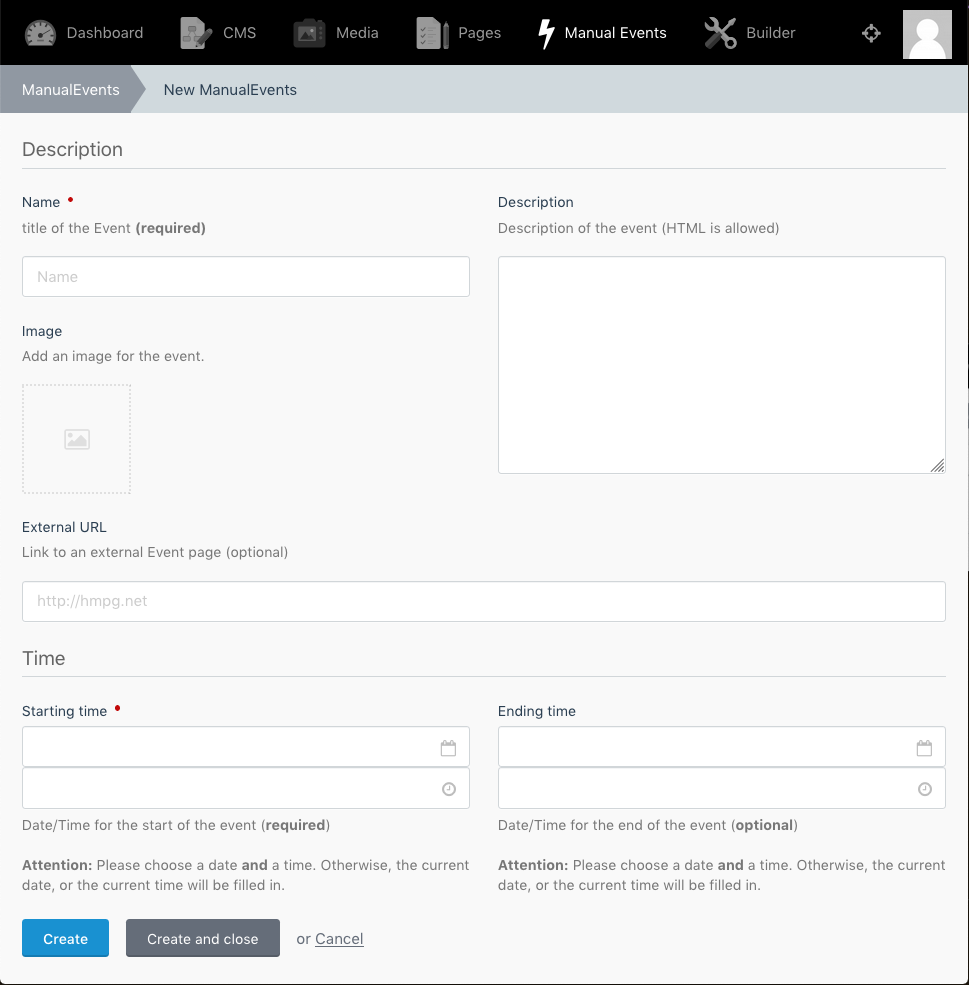
These Events are created under the Manaual Events Top Navigation Section. Here you can create new Events or edit existing:
## III.) Custom Event Component
To override the Plugin default component view,
copy the ```default.html``` from ```plugins/artandcodestudio/facebookevents/components/eventlist/default.htm``` to ```/themes/yourtheme/partials/eventlist/default.htm``` and change the markup according to your needs and wishes.
see 
## IV.) Routes
Facebook Callback Route: /facebook_callback
-------
At some point you may encounter a message like this:
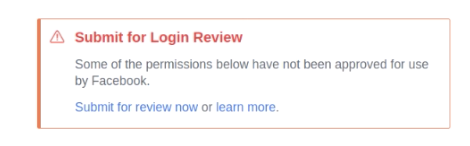
Apps only need to be sent into review if you plan to make it public and usable by others, so this can be ignored in our case.