https://github.com/artlabss/open-data-anonymizer
Python Data Anonymization & Masking Library For Data Science Tasks
https://github.com/artlabss/open-data-anonymizer
anonymization data-anonymization data-encoding data-science machine-learning pandas pdf pdf-anonymization python python-data-anonymization
Last synced: 4 months ago
JSON representation
Python Data Anonymization & Masking Library For Data Science Tasks
- Host: GitHub
- URL: https://github.com/artlabss/open-data-anonymizer
- Owner: ArtLabss
- License: bsd-3-clause
- Created: 2021-11-03T13:37:27.000Z (over 4 years ago)
- Default Branch: main
- Last Pushed: 2023-07-12T09:58:07.000Z (about 3 years ago)
- Last Synced: 2026-02-15T15:56:22.676Z (5 months ago)
- Topics: anonymization, data-anonymization, data-encoding, data-science, machine-learning, pandas, pdf, pdf-anonymization, python, python-data-anonymization
- Language: Python
- Homepage: https://www.artlabs.tech
- Size: 40.2 MB
- Stars: 295
- Watchers: 7
- Forks: 35
- Open Issues: 6
-
Metadata Files:
- Readme: README.md
- Contributing: CONTRIBUTING.md
- License: LICENSE
- Code of conduct: CODE_OF_CONDUCT.md
- Authors: AUTHORS.md
Awesome Lists containing this project
README

anonympy 🕶️










With ❤️ by ArtLabs
Overview
General Data Anonymization library for images, PDFs and tabular data. See ArtLabs/projects for more or similar projects.
Main Features
Ease of use - this package was written to be as intuitive as possible.
Tabular
- Efficient - based on pd.DataFrame
- Numerous anonymization methods
- Numeric data
- Generalization - Binning
- Perturbation
- PCA Masking
- Generalization - Rounding
- Categorical data
- Synthetic Data
- Resampling
- Tokenization
- Partial Email Masking
- Datetime data
- Synthetic Date
- Perturbation
Images
- Anonymization techniques
- Personal Images (faces)
- Blurring
- Pixaled Face Blurring
- Salt and Pepper Noise
- General Images
- Blurring
- Find sensitive information and cover it with black boxes
Text, Sound
- In Development
Installation
Dependencies
- Python (>= 3.7)
- cape-dataframes
- faker
- pandas
- OpenCV
- pytesseract
- transformers
- . . . . .
Install with pip
Easiest way to install anonympy is using pip
```
pip install anonympy
```
Install from source
Installing the library from source code is also possible
```
git clone https://github.com/ArtLabss/open-data-anonimizer.git
cd open-data-anonimizer
pip install -r requirements.txt
make bootstrap
```
Downloading Repository
Or you could download this repository from pypi and run the following:
```
cd open-data-anonimizer
python setup.py install
```
Usage Example
[](https://colab.research.google.com/drive/1wg4g4xWTSLvThYHYLKDIKSJEC4ChQHaM?usp=sharing)
More examples here
Tabular
```python
>>> from anonympy.pandas import dfAnonymizer
>>> from anonympy.pandas.utils_pandas import load_dataset
>>> df = load_dataset()
>>> print(df)
```
| | name | age | birthdate | salary | web | email | ssn |
|--:|------:|----:|-----------:|---------:|-------------------------------------:|---------------------:|----------:|
| 0 | Bruce | 33 | 1915-04-17 | 59234.32 | http://www.alandrosenburgcpapc.co.uk | josefrazier@owen.com | 343554334 |
| 1 | Tony | 48 | 1970-05-29 | 49324.53 | http://www.capgeminiamerica.co.uk | eryan@lewis.com | 656564664 |
```python
# Calling the generic function
>>> anonym = dfAnonymizer(df)
>>> anonym.anonymize(inplace = False) # changes will be returned, not applied
```
| | name | age | birthdate | age | web | email | ssn |
|------|-----------------|--------|------------|---------|------------|---------------------|-------------|
| 0 | Stephanie Patel | 30 | 1915-05-10 | 60000.0 | 5968b7880f | pjordan@example.com | 391-77-9210 |
| 1 | Daniel Matthews | 50 | 1971-01-21 | 50000.0 | 2ae31d40d4 | tparks@example.org | 872-80-9114 |
```python
# Or applying a specific anonymization technique to a column
>>> from anonympy.pandas.utils_pandas import available_methods
>>> anonym.categorical_columns
... ['name', 'web', 'email', 'ssn']
>>> available_methods('categorical')
... categorical_fake categorical_fake_auto categorical_resampling categorical_tokenization categorical_email_masking
>>> anonym.anonymize({'name': 'categorical_fake', # {'column_name': 'method_name'}
'age': 'numeric_noise',
'birthdate': 'datetime_noise',
'salary': 'numeric_rounding',
'web': 'categorical_tokenization',
'email':'categorical_email_masking',
'ssn': 'column_suppression'})
>>> print(anonym.to_df())
```
| | name | age | birthdate | salary | web | email |
|--:|------:|----:|-----------:|---------:|-------------------------------------:|---------------------:|
| 0 | Paul Lang | 31 | 1915-04-17 | 60000.0 | 8ee92fb1bd | j*****r@owen.com |
| 1 | Michael Gillespie | 42 | 1970-05-29 | 50000.0 | 51b615c92e | e*****n@lewis.com |
Images
```python
# Passing an Image
>>> import cv2
>>> from anonympy.images import imAnonymizer
>>> img = cv2.imread('salty.jpg')
>>> anonym = imAnonymizer(img)
>>> blurred = anonym.face_blur((31, 31), shape='r', box = 'r') # blurring shape and bounding box ('r' / 'c')
>>> pixel = anonym.face_pixel(blocks=20, box=None)
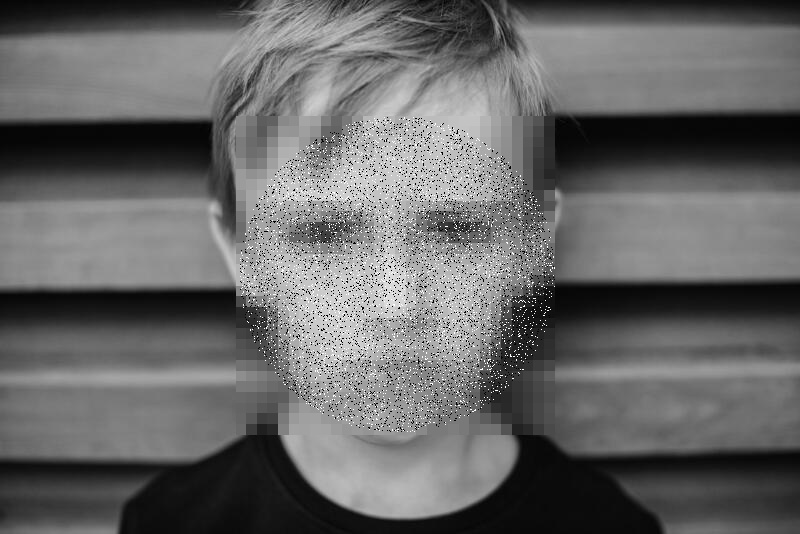
>>> sap = anonym.face_SaP(shape = 'c', box=None)
```
blurred | pixel | sap
:-------------------------:|:-------------------------:|:-------------------------:
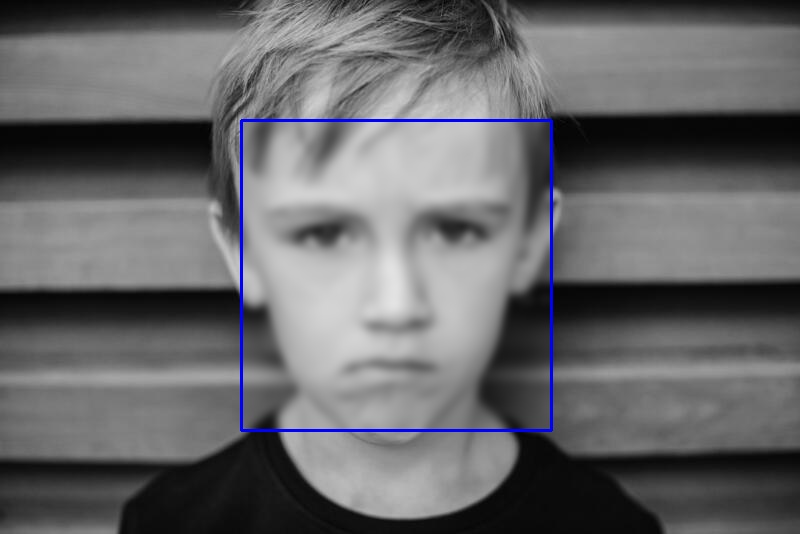 | 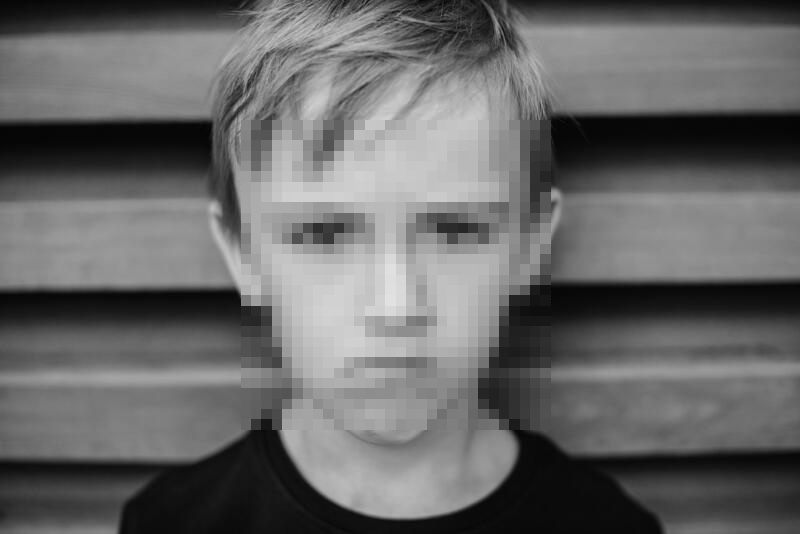 | 
```python
# Passing a Folder
>>> path = 'C:/Users/shakhansho.sabzaliev/Downloads/Data' # images are inside `Data` folder
>>> dst = 'D:/' # destination folder
>>> anonym = imAnonymizer(path, dst)
>>> anonym.blur(method = 'median', kernel = 11)
```
This will create a folder Output in dst directory.
```python
# The Data folder had the following structure
| 1.jpg
| 2.jpg
| 3.jpeg
|
\---test
| 4.png
| 5.jpeg
|
\---test2
6.png
# The Output folder will have the same structure and file names but blurred images
```
In order to initialize pdfAnonymizer object we have to install pytesseract and poppler, and provide path to the binaries of both as arguments or add paths to system variables
```python
>>> from anonympy.pdf import pdfAnonymizer
# need to specify paths, since I don't have them in system variables
>>> anonym = pdfAnonymizer(path_to_pdf = "Downloads\\test.pdf",
pytesseract_path = r"C:\Program Files\Tesseract-OCR\tesseract.exe",
poppler_path = r"C:\Users\shakhansho\Downloads\Release-22.01.0-0\poppler-22.01.0\Library\bin")
# Calling the generic function
>>> anonym.anonymize(output_path = 'output.pdf',
remove_metadata = True,
fill = 'black',
outline = 'black')
```
`test.pdf` | `output.pdf` |
:-------------------------:|:-------------------------:|
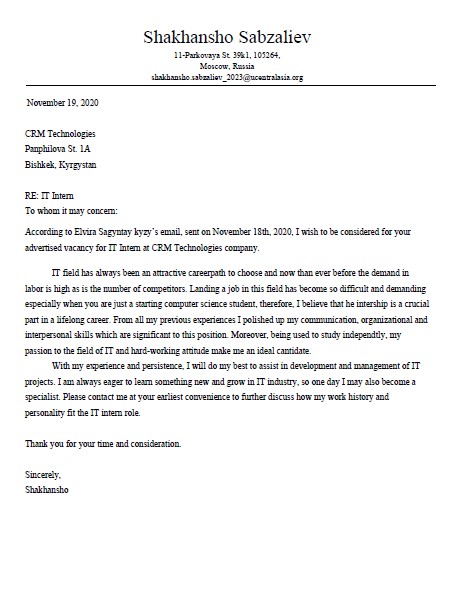 | 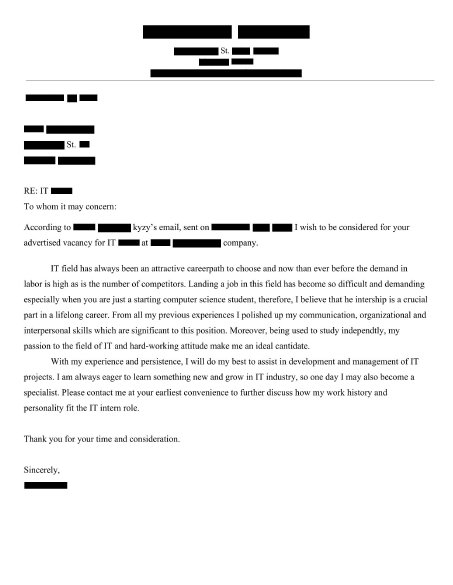 |
In case you only want to hide specific information, instead of anonymize use other methods
```python
>>> anonym = pdfAnonymizer(path_to_pdf = r"Downloads\test.pdf")
>>> anonym.pdf2images() # images are stored in anonym.images variable
>>> anonym.images2text(anonym.images) # texts are stored in anonym.texts
# Entities of interest
>>> locs: dict = anonym.find_LOC(anonym.texts[0]) # index refers to page number
>>> emails: dict = anonym.find_emails(anonym.texts[0]) # {page_number: [coords]}
>>> coords: list = locs['page_1'] + emails['page_1']
>>> anonym.cover_box(anonym.images[0], coords)
>>> display(anonym.images[0])
```
Development
Contributions
The Contributing Guide has detailed information about contributing code and documentation.
Important Links
- Official source code repo: https://github.com/ArtLabss/open-data-anonimizer
- Download releases: https://pypi.org/project/anonympy/
- Issue tracker: https://github.com/ArtLabss/open-data-anonimizer/issues
License
Code of Conduct
Please see Code of Conduct.
All community members are expected to follow it.