https://github.com/artstorm/blender-to-unity
Provides functionality for a streamlined export workflow to Unity.
https://github.com/artstorm/blender-to-unity
blender blender-addon unity
Last synced: 3 months ago
JSON representation
Provides functionality for a streamlined export workflow to Unity.
- Host: GitHub
- URL: https://github.com/artstorm/blender-to-unity
- Owner: artstorm
- License: gpl-3.0
- Created: 2021-04-19T08:22:00.000Z (about 5 years ago)
- Default Branch: main
- Last Pushed: 2021-04-20T03:34:31.000Z (about 5 years ago)
- Last Synced: 2025-02-09T02:41:31.375Z (over 1 year ago)
- Topics: blender, blender-addon, unity
- Language: Python
- Homepage:
- Size: 16.6 KB
- Stars: 1
- Watchers: 2
- Forks: 0
- Open Issues: 0
-
Metadata Files:
- Readme: README.md
- License: LICENSE
Awesome Lists containing this project
README
# Blender to Unity Toolkit
A Blender add-on that provides a multi-artist friendly workflow to get structured assets from Blender to Unity using custom properties.
* Per project and per artist configuration.
* Export multiple objects at the same time.
* Each object can have its location in the Unity project stored in Blender to export in a structured hierarchy.
* Corrects the coordinate system from Blender to Unity and retains origin/pivot.
* Plays well with version control.
Feedback? I'm [@artstorm](https://twitter.com/artstorm) on Twitter.
This add-on is heavily tailored towards my personal workflow needs, where I need to let multiple artists do work on the same blend file and export objects to Unity with the assets automatically stored at the correct location in the Unity's asset hierarchy.
## Table of Contents
* [Usage](#usage)
* [Unity Root](#unity-root)
* [Using Config File](#using-config-file)
* [Using an Object](#using-an-object)
* [Priority](#priority)
* [Per Object Path](#per-object-path)
* [Installation](#installation)
## Usage
Once the project is configured, the workflow is straightforward.
1. Store a relative path to each asset that should be exported.
2. Open the Unity Export Toolkit Panel.
3. Select objects to export.
4. And voilà, export.
To view a log of the process, consider having the Blender Info Editor opened during the export.
The add-on adds a Unity tab to the sidebar that opens the export panel.
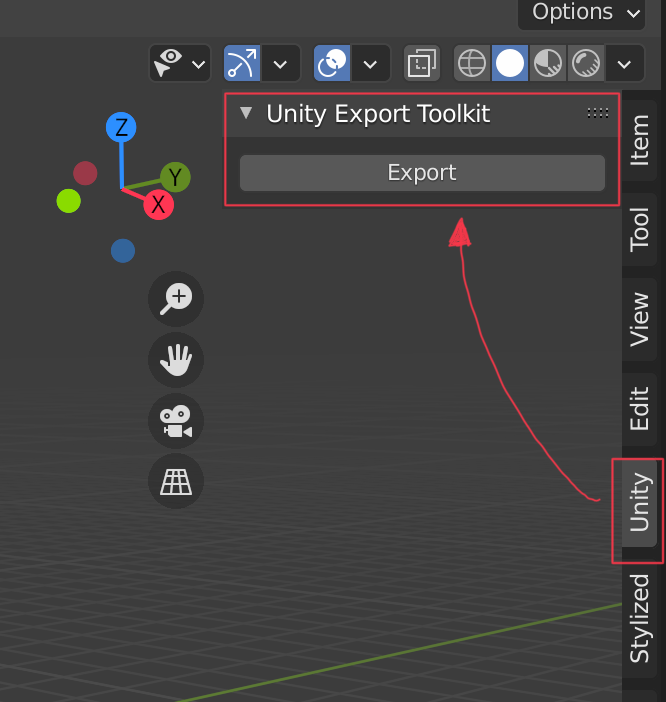
Currently all options to export to Unity is set automatically, so no options are exposed. That might change in future revisions of the add-on.
### Unity Root
The add-on needs to know the path to the root in the Unity project where assets will be relatively exported to. The root is not set inside the add-on or as a value in Blender's configuration as it should remain unique for each project if working on multiple projects, and also unique per artist if required.
#### Using Config File
The add-on first tries to find a config file called `unity.txt` contains the full absolute path to the Unity project.
Using a file for the path is a convenient setup when multiple artists works on the same projects and same blend files
so each artist can set up their own path for their system.
The file `unity.txt` should be located in the same directory as the blend file(s) and it should only contain one line
with the full absolute path to the Unity project, ending with a trailing slash.
Don't commit this file to version control, as it should be unique per artist.
unity.txt example:
```
/Users/johan/Projects/SomeUnityProject/Assets/Art/
```
#### Using an Object
The other option is to create an empty object in the blend file named `unity`.
This is a convenient option to use if the blend file is only used by one artist
where it would be fine to store the root path in the blend file.
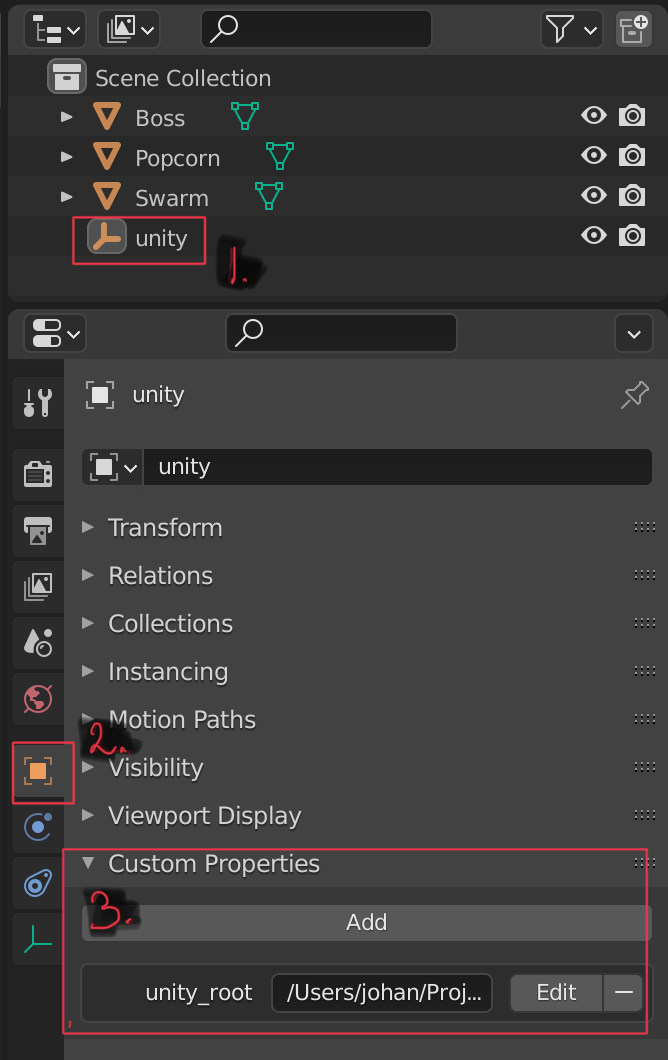
The screenshot below shows the procedure to set this up.
1. Create an empty `unity` object.
2. Open the Object Properties panel.
3. Add a Custom Property with the name `unity_root` and the absolute full path with a trailing slash to the Unity project as value. (See additional screenshot below).
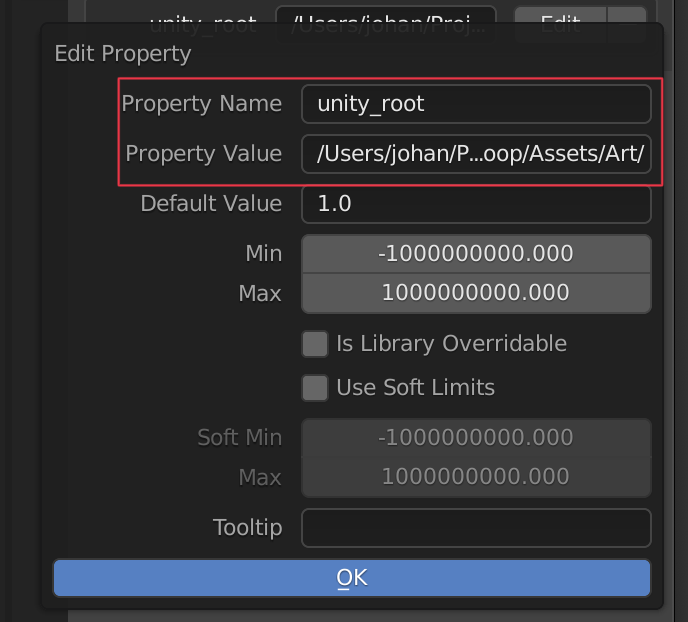
In the edit custom property panel (below)
1. Set name to `unity_root`.
2. Set value to the full path to the Unity project. The path should end with a trailing slash.
#### Priority
If the blend file has a unity object with unity_root set and also a config file exists, the config file will have priority over the object. This behavior provides the opportunity that a blend file can define a root_path used by most artists but still allow individual artists to override it with a unity.txt file without having to modify the propety in the blend file.
### Per Object Path
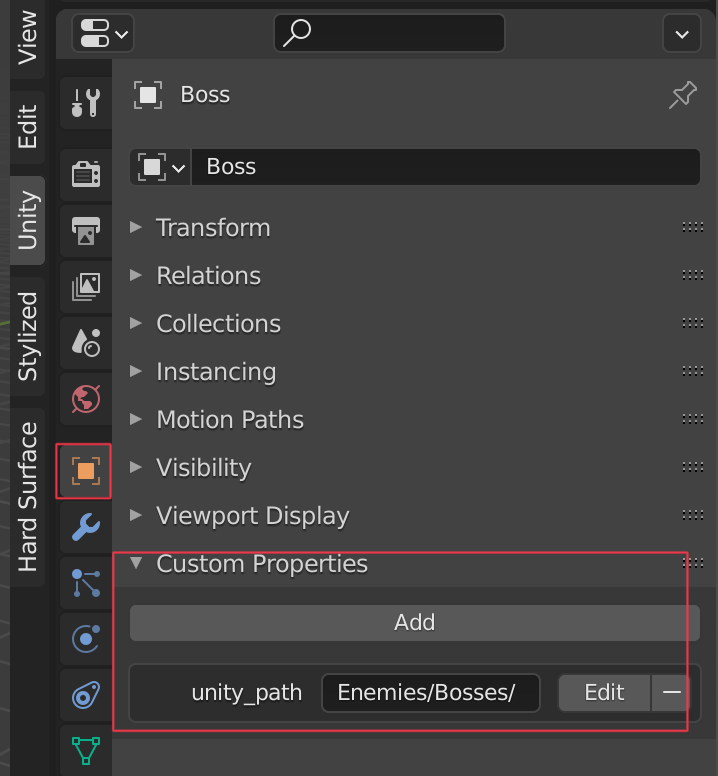
Each object in the scene can have it's relative path where it should be stored in Unity set as a custom attribute.
This attribute is called `unity_path` and is set in the same way as `unity_root` if using that by adding a custom Object Property to the object.
The value for unity_path should be a relative to the unity_root and be defined without a leading slash but with a trailing slash.
if no unity_path custom property is set, the object will be exported to the unity_root folder.
if the directories to the relative path does not exist on disk, they will be created on export.
## Installation
1. Clone the repository to where you keep your add-ons or [download the archive](https://github.com/artstorm/blender-to-unity/archive/refs/heads/main.zip).
2. Open Blender > Preferences > Add-ons.
3. If you downloaded the add-on, choose install and select the downloaded zip file.
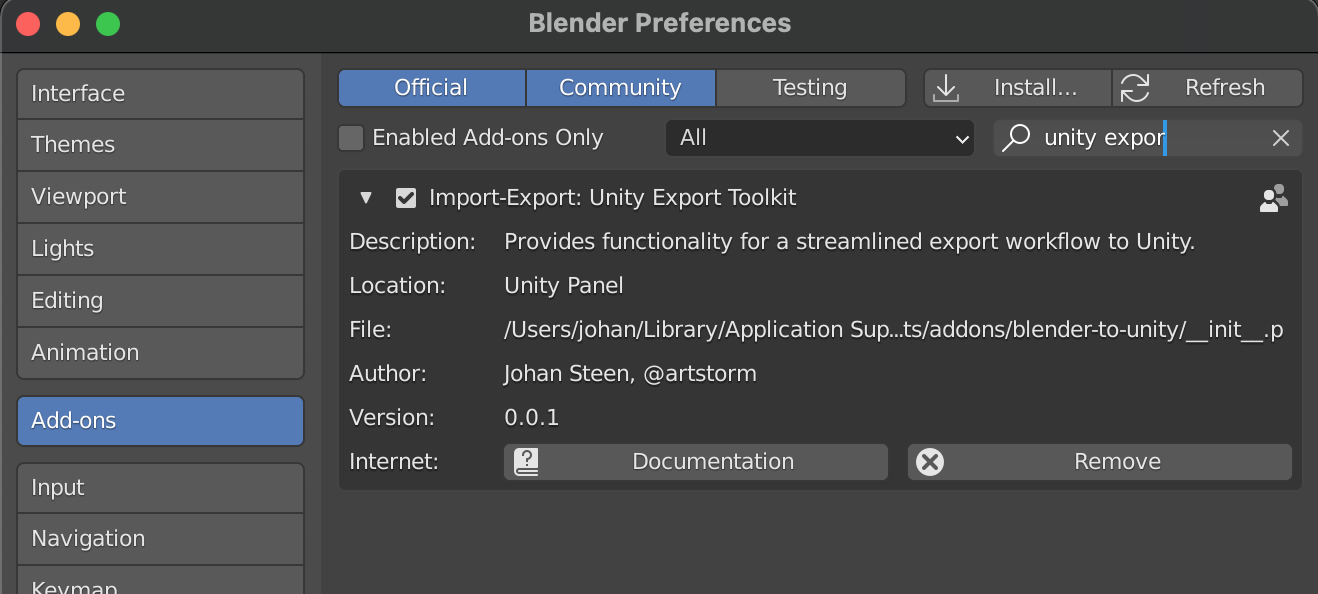
4. Enable the add-on "Import-Export: Unity Export Toolkit".