https://github.com/artur24814/kinomania2_rest_api
Rest api application for manage work in the cinema 🎦
https://github.com/artur24814/kinomania2_rest_api
django-rest-framework rest-api
Last synced: over 1 year ago
JSON representation
Rest api application for manage work in the cinema 🎦
- Host: GitHub
- URL: https://github.com/artur24814/kinomania2_rest_api
- Owner: artur24814
- Created: 2022-07-16T15:44:52.000Z (almost 4 years ago)
- Default Branch: main
- Last Pushed: 2022-07-21T08:21:38.000Z (almost 4 years ago)
- Last Synced: 2024-11-21T03:54:26.920Z (over 1 year ago)
- Topics: django-rest-framework, rest-api
- Language: Python
- Homepage:
- Size: 64.7 MB
- Stars: 0
- Watchers: 1
- Forks: 0
- Open Issues: 0
-
Metadata Files:
- Readme: README.md
Awesome Lists containing this project
README
# Kinomania2_REST_api

-
Info
Information about the resources used in this project -
KNOMANIA REST API
Website for looking translation of words and create your self vocabulary and train your knowledge in a card game -
Clone and Run a Django Project
how run projects in your computer
Contents
INFO
Information about the additional library, external Api used in this project and general information
-
wikipedia ApiUsed when user add movie and
when he didn't writen description, application found itself appropriate description using wikipedia Api, if title will be wrong and application couldn't did this, in label 'description' will be put information from label 'tiltle' -
GeoIP2
Used when user add cinema and didn't writen 'city', in this case application check your public ip (you can check your public ip yourself in website https://www.whatismyip.com/) and with using api GeoIP2 found city where user is, and put name of city in label 'city' -
django-crontabusing for delete screening when screening is out-of date.
Every 5 seconds crontab check screening datetime, and when actual date and time is more than date and time in screening it will be deletedon't forget write this command
python manage.py crontab add -
ViewsI write it with using API views, it's my own personal choice because I think in this case you can better see what is going on underneath
(in further I will use generic views and mixing because it's less writing code 😏) -
Testsi used pytest-django to testing my application
run test using command
pytests
KINOMANIA REST API 🆕
it is additional rest api application to my previous website KINOMANIA
in this api we have 6 endpoints
-
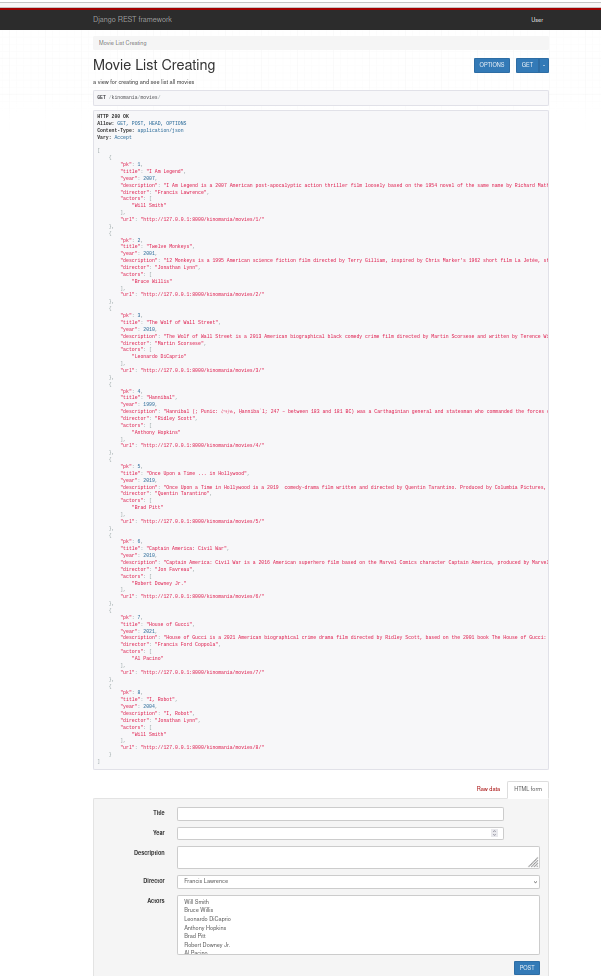
/kinomania/movies/for creating and see list all movies -
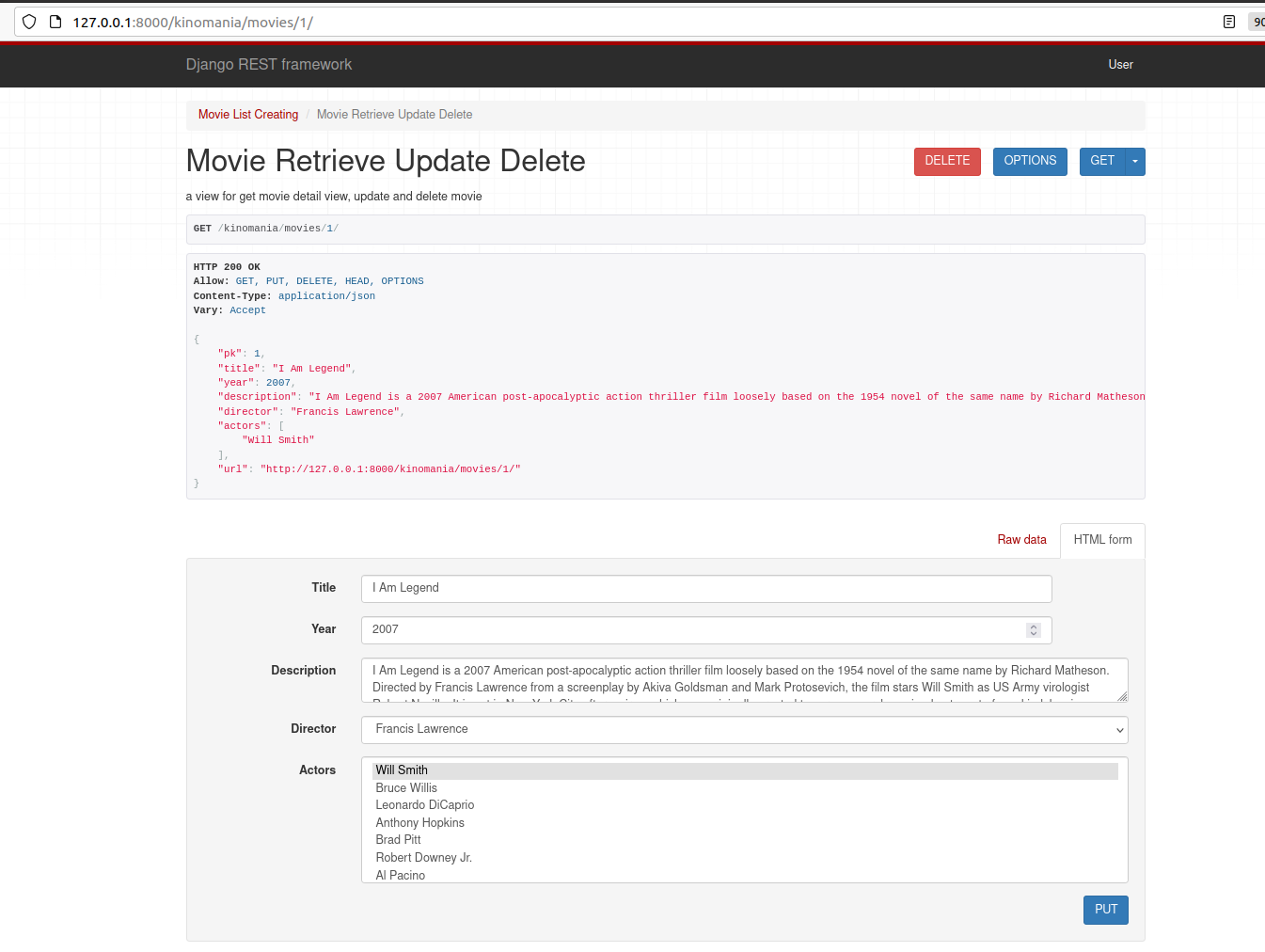
/kinomania/movies/'some Id'/for get movie detail view, update and delete movie -
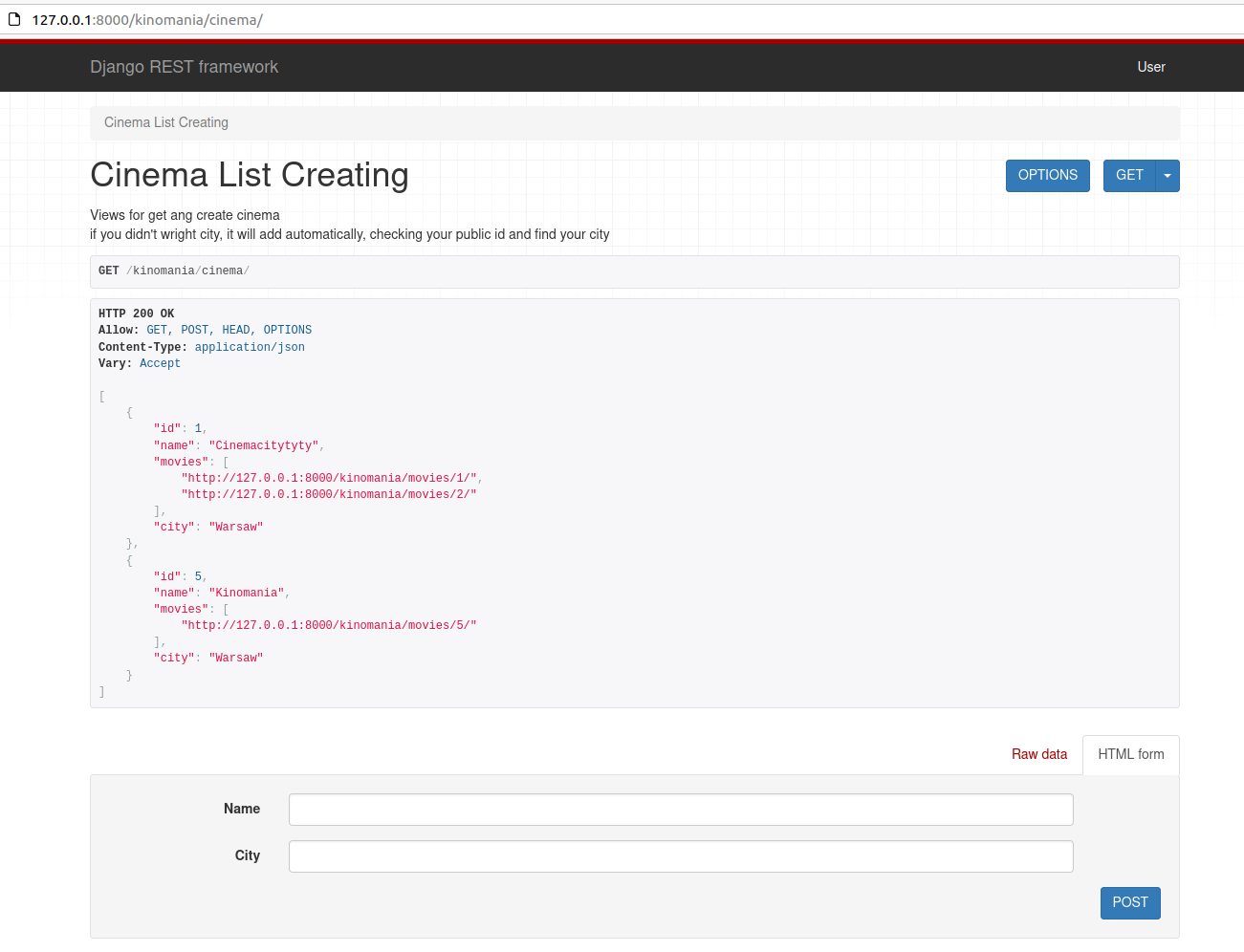
/kinomania/cinema/for get ang create cinema -
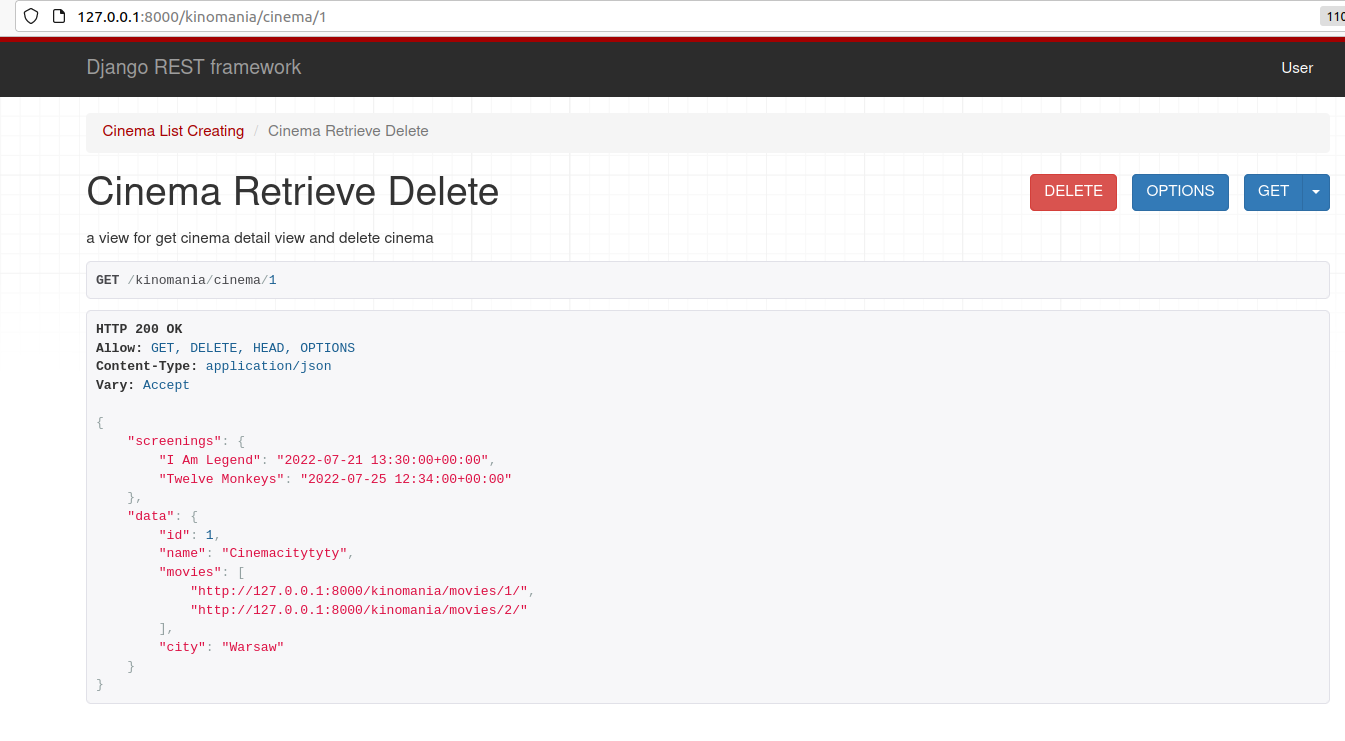
/kinomania/cinema/'some Id/for get cinema detail view and delete cinema -
/kinomania/screening/get and create screening -
/kinomania/screening/'some Id'/for get screening detail and delete screening
when user hit in endpoint /kinomania/movies/ he will get list of all movies, every movie has information of this particular url
In this endpoint we have methods like
- GET
- POST
when user hit on this url /kinomania/movies/'some Id'/ he will see information about this film, title, description, director and actors (movie can have many actor, but one director)
In this endpoint we have methods like
- GET
- PUT
- DELETE
next user can hit in endpoint /kinomania/cinema/ and he will get list of all cinema with url to films which shown in this cinema
In this endpoint we have methods like
- GET
- POST
next he go to endpoint /kinomania/cinema/'some Id/ and wow, he can get all screenings in this cinema with date and time 😎. cinema can have many film in it and screenings in it
In this endpoint we have methods like
- GET
- DELETE
In endpoint /kinomania/screening/ we have list of all screenings with date time movie and cinema, particular screening can has only one movie and only one cinema one
In this endpoint we have methods like
- GET
- POST
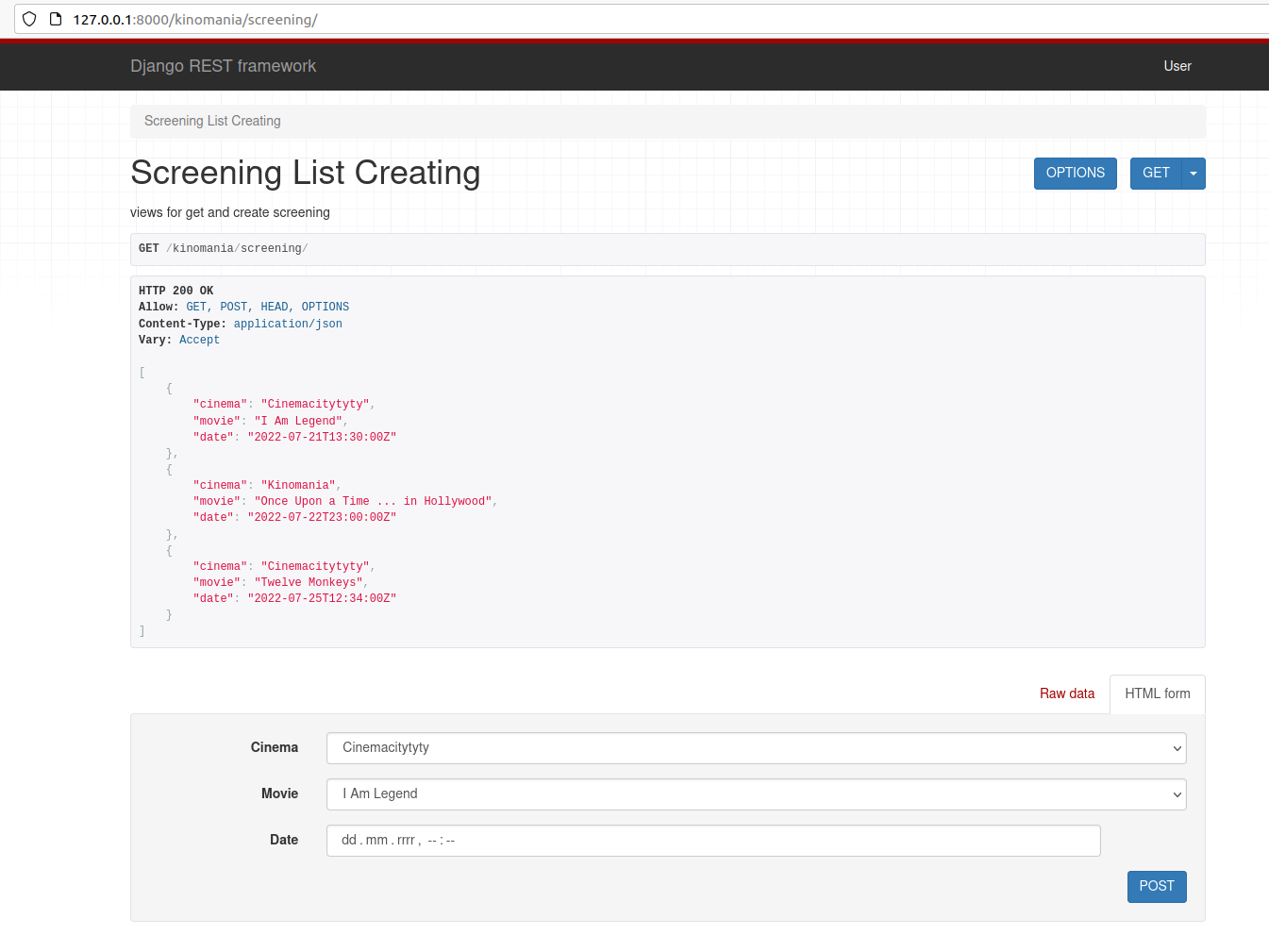
and something go wrong and screening must be deleted before it play(because after it play at the cinema this will do for as crontab) at the cinema, we can do this in endpoint /kinomania/screening/'some Id'/
In this endpoint we have methods like
- GET
- DELETE
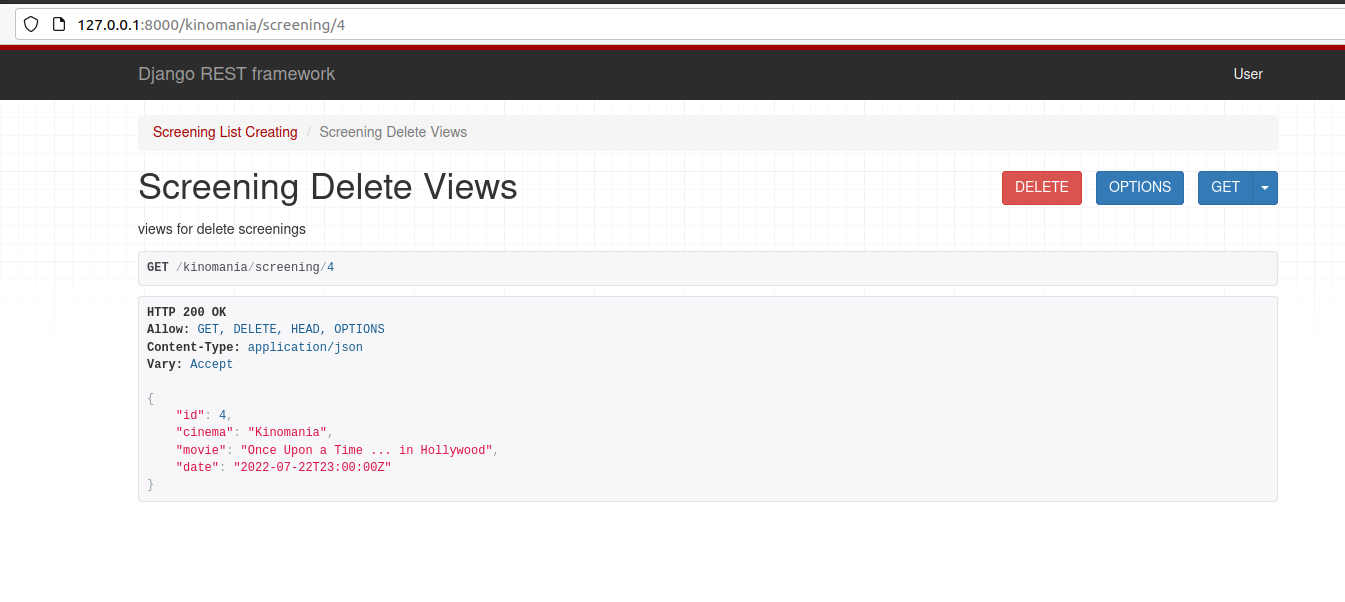
run this code python manage.py addactorsdirectorsfilms to add in database actors movies and directors and bee in one wave with me 😉
Clone and Run a Django Project
Before diving let’s look at the things we are required to install in our system.
To run Django prefer to use the Virtual Environment
`pip install virtualenv`
Making and Activating the Virtual Environment:-
`virtualenv “name as you like”`
`source env/bin/activate`
Installing Django:-
`pip install django`
Now, we need to clone project from Github:-
Above the list of files, click Code.
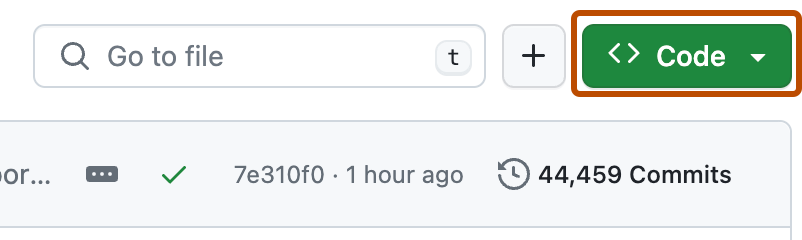
Copy the URL for the repository.
- To clone the repository using HTTPS, under "HTTPS", click
- To clone the repository using an SSH key, including a certificate issued by your organization's SSH certificate authority, click SSH, then click
- To clone a repository using GitHub CLI, click GitHub CLI, then click
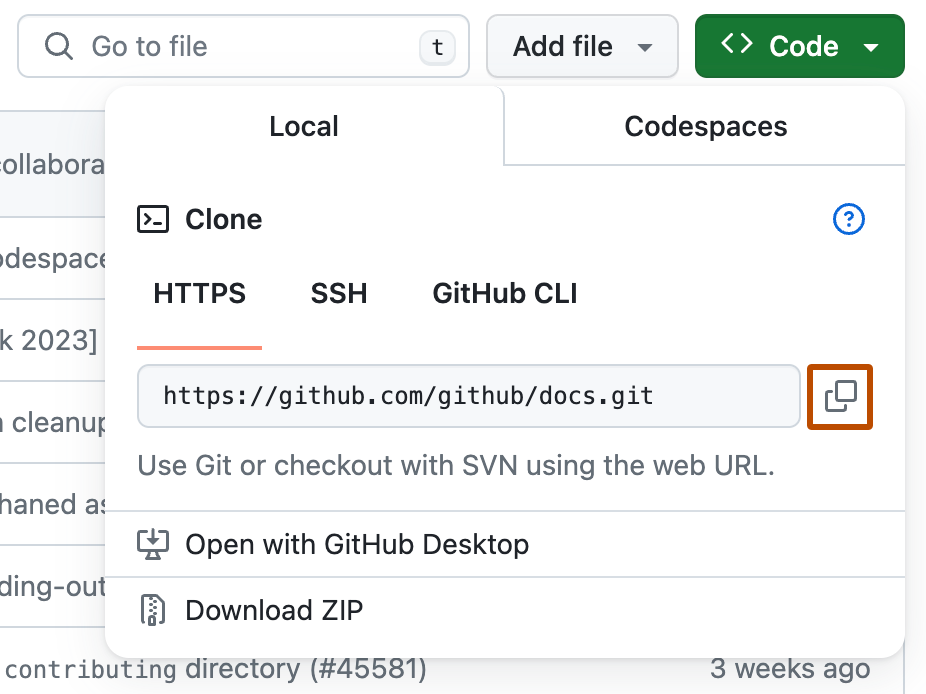
Open Terminal.
Change the current working directory to the location where you want the cloned directory.
Type git clone, and then paste the URL you copied earlier.
`$ git clone https://github.com/YOUR-USERNAME/YOUR-REPOSITORY`
Press Enter to create your local clone.
```
$ git clone https://github.com/YOUR-USERNAME/YOUR-REPOSITORY
> Cloning into `Spoon-Knife`...
> remote: Counting objects: 10, done.
> remote: Compressing objects: 100% (8/8), done.
> remove: Total 10 (delta 1), reused 10 (delta 1)
> Unpacking objects: 100% (10/10), done.
```
Install the project dependencies:
`pip install -r requirements.txt`
Now go to the setting.py and change the SECRET_KEY.
from
`SECRET_KEY = os.environ.get('SECRET_KEY')`
to
`SECRET_KEY = 'your own secret key'`
and `DEBUG = True`
create admin account (**remember you must be at the main application folder with file manage.py, and do this steps for
each application in this repository!!!!**)
`python manage.py createsuperuser`
then
`python manage.py makemigrations`
then again run
`python manage.py migrate`
run this command to start periodic tasks in application
`python manage.py crontab add`
run this code to add in database actors movies and directors and bee in one wave with me
`python manage.py addactorsdirectorsfilms`
to start the development server
`python manage.py runserver`
and open localhost:8000 on your browser to view the app.
Have fun
🦁