https://github.com/arvind-4/notepad-in-pyqt5
Simple Notepad Application in PyQt5
https://github.com/arvind-4/notepad-in-pyqt5
gui gui-application notepad pyqt5 pyqt5-desktop-application pyqt5-gui-application python python3
Last synced: 9 months ago
JSON representation
Simple Notepad Application in PyQt5
- Host: GitHub
- URL: https://github.com/arvind-4/notepad-in-pyqt5
- Owner: arvind-4
- License: mit
- Created: 2021-06-03T03:07:22.000Z (about 5 years ago)
- Default Branch: main
- Last Pushed: 2024-08-18T13:27:05.000Z (almost 2 years ago)
- Last Synced: 2025-04-08T14:11:21.666Z (over 1 year ago)
- Topics: gui, gui-application, notepad, pyqt5, pyqt5-desktop-application, pyqt5-gui-application, python, python3
- Language: Python
- Homepage:
- Size: 379 KB
- Stars: 3
- Watchers: 2
- Forks: 1
- Open Issues: 0
-
Metadata Files:
- Readme: README.md
- License: LICENSE
Awesome Lists containing this project
README
# Notepad in Python
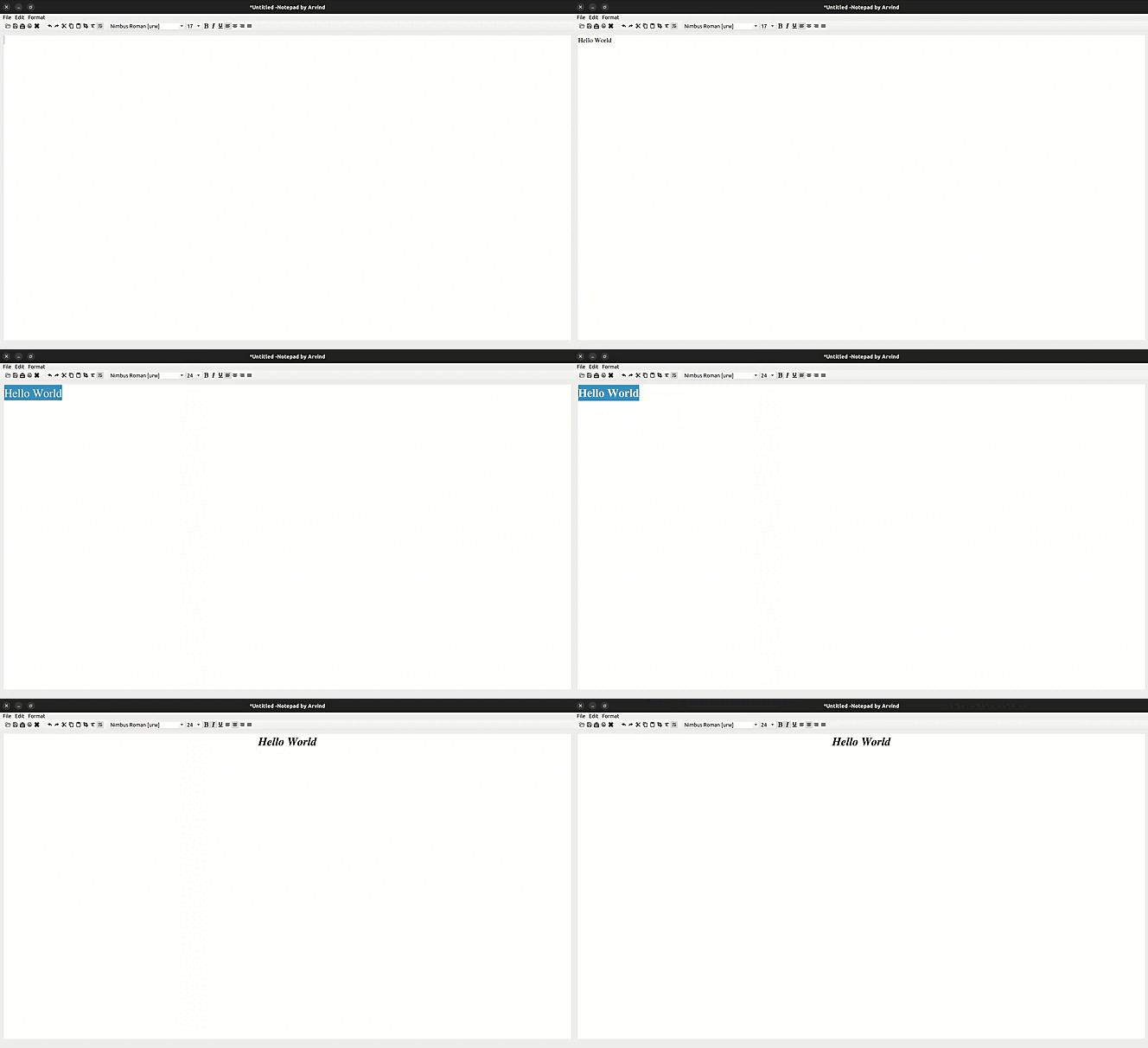
Take Notes and Save the as .txt file using Python and PyQt5 Framework.
### Demo:
### Motive:
The purpose of this project is to create a simple note-taking application using Python and the PyQt5 framework. The application will allow users to write and save notes as `.txt` files. This project demonstrates basic GUI programming in PyQt5 and file handling in Python, offering a practical example of how to build a desktop application with these technologies.
### Prerequisites:
1. [**Python:**](https://www.python.org/) Ensure you have Python 3.6 or higher installed on your system.
2. [**PyQt5:**](https://www.riverbankcomputing.com/static/Docs/PyQt5/) The PyQt5 framework will be used for creating the graphical user interface.
3. [**Git:**](https://git-scm.com/) To clone the repository and manage code versions.
## Get the Code
Follow these steps to set up the environment and run the Tetris game:
### Step 1: Create a Virtual Environment
A virtual environment allows you to manage dependencies separately for each project, avoiding conflicts with other projects.
1. **Navigate to Your Development Directory:**
```bash
cd ~/Dev
```
2. **Create a New Directory for the Notepad Project:**
```bash
mkdir ~/Dev/notepad -p
```
3. **Navigate into the Tetris Directory:**
```bash
cd ~/Dev/notepad
```
4. **Install `virtualenv` if it is not already installed:**
```bash
python3.10 -m pip install virtualenv
```
5. **Create a Virtual Environment in the Current Directory:**
```bash
python3.10 -m virtualenv .
```
6. **Activate the Virtual Environment:**
```bash
source bin/activate
```
### Step 2: Install the Dependencies
You can install the required dependencies using either **pip** or **poetry**.
#### Using `pip`
1. **Clone the Notepad Repository:**
```bash
git clone https://github.com/Arvind-4/notepad-in-pyqt5.git .
```
2. **Install the Dependencies Listed in `requirements.txt` and `requirements-dev.txt`:**
```bash
pip install -r requirements.txt -r requirements-dev.txt
```
#### Using `poetry`
1. **Clone the Notepad Repository:**
```bash
git clone https://github.com/Arvind-4/notepad-in-pyqt5.git .
```
2. **Install the Dependencies Using Poetry:**
```bash
poetry install
```
### Step 3: Run the Main File
Once the dependencies are installed, you can run the Notepad app by executing the main Python script:
```bash
python run.py
```
Follow these instructions to successfully set up and run the Notepad app. Enjoy using it!
For any issues, please raise an issue on GitHub or contribute by creating a pull request.
### Conclusion:
By following these instructions, you will have set up a note-taking application using Python and PyQt5. This application provides a basic yet functional interface for creating and saving notes. You can extend this project further by adding features like note organization, search functionality, or more advanced file handling.