https://github.com/asdf-community/asdf-flutter
flutter plugin for the asdf version manager [maintainer=@ciccioska, @ken-ty, @oae, @ugurcoskn]
https://github.com/asdf-community/asdf-flutter
asdf asdf-plugin
Last synced: 3 months ago
JSON representation
flutter plugin for the asdf version manager [maintainer=@ciccioska, @ken-ty, @oae, @ugurcoskn]
- Host: GitHub
- URL: https://github.com/asdf-community/asdf-flutter
- Owner: asdf-community
- License: mit
- Created: 2019-04-18T18:35:37.000Z (about 7 years ago)
- Default Branch: master
- Last Pushed: 2025-07-08T15:33:32.000Z (11 months ago)
- Last Synced: 2025-07-08T16:44:49.464Z (11 months ago)
- Topics: asdf, asdf-plugin
- Language: Shell
- Homepage: https://github.com/asdf-vm/asdf
- Size: 27.3 KB
- Stars: 119
- Watchers: 5
- Forks: 37
- Open Issues: 8
-
Metadata Files:
- Readme: README.md
- License: LICENSE
- Codeowners: .github/CODEOWNERS
Awesome Lists containing this project
README
# asdf-flutter [](https://travis-ci.com/oae/asdf-flutter)
[Flutter](https://flutter.dev/) plugin for the [asdf version manager](https://github.com/asdf-vm/asdf). This includes both **flutter** and **dart**.
## Dependencies
- [jq](https://jqlang.github.io/jq/download/)
## Install
```
asdf plugin add flutter
```
## Configure
If you have problems with accessing to google, you can set the `FLUTTER_STORAGE_BASE_URL` environment variable to change it but structure must be same with Google. Default value is `https://storage.googleapis.com`.
## FVM support
[FVM](https://fvm.app/) is one of major version manager for Flutter.
asdf uses a `.tool-versions` file for auto-switching between software versions. To ease migration, you can have it read an existing `.fvm/fvm_config.json` or `.fvmrc` file to find out what version of Flutter should be used. To do this, add the following to `$HOME/.asdfrc`:
```
legacy_version_file = yes
```
## Troubleshooting
### VSCode
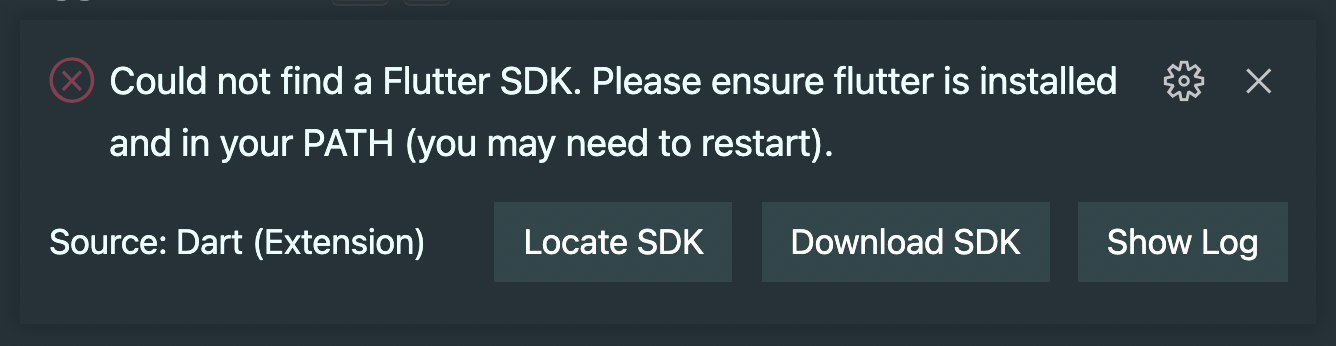
To fix the "Could not find a Flutter SDK" error, you can set the `FLUTTER_ROOT` environment variable in your `.bashrc` or `.zshrc` file:
```bash
export FLUTTER_ROOT="$(asdf where flutter)"
```
### Bad CPU type in executable
Because this plugin uses [jq](https://github.com/stedolan/jq) you have to enable [Rosetta](https://support.apple.com/en-us/HT211861) to be able to execute non arm optimized software.
Apple will prompt you to install Rosetta if you open a GUI application but not if you're using the terminal. Thus you have to enable Rosetta manually:
```bash
softwareupdate --install-rosetta
```