https://github.com/asem000/hai-project
Human AI interaction awesome project
https://github.com/asem000/hai-project
Last synced: about 1 year ago
JSON representation
Human AI interaction awesome project
- Host: GitHub
- URL: https://github.com/asem000/hai-project
- Owner: ASEM000
- License: mit
- Created: 2020-11-28T14:24:04.000Z (over 5 years ago)
- Default Branch: main
- Last Pushed: 2020-12-23T10:51:36.000Z (over 5 years ago)
- Last Synced: 2025-05-31T00:47:28.304Z (about 1 year ago)
- Language: Jupyter Notebook
- Homepage:
- Size: 275 KB
- Stars: 1
- Watchers: 1
- Forks: 1
- Open Issues: 1
-
Metadata Files:
- Readme: README.md
- License: LICENSE
Awesome Lists containing this project
README
# EMOTI
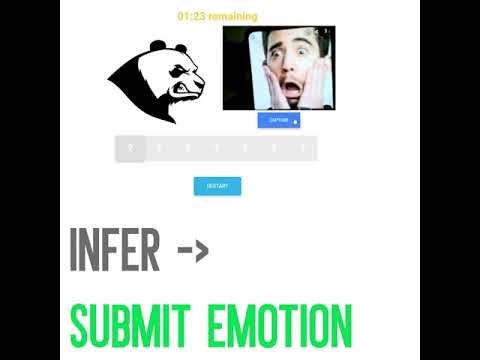
### PROTOTYPE VIDEO
[](http://www.youtube.com/watch?v=FbK_AANGz44)
------

## Instructions for downloading the trained machine learning models
#### Download the model from https://drive.google.com/file/d/1GPCzXgoVhs3Rl10_X8TtdgPkwznHg298/view?usp=sharing and move it to `backend` folder
#### Download the dlib model from https://drive.google.com/file/d/1Hj1NK954woxx8IEhvrZjTKDwX9F0kpim/view?usp=sharing and move it to `backend` folder
### Instruction for compiling dlib for linux
`https://www.learnopencv.com/install-dlib-on-ubuntu/`
### Instruction for compiling dlib for mac
`https://www.learnopencv.com/install-dlib-on-macos/`
### Instruction for compiling dlib for windows
`https://www.learnopencv.com/install-dlib-on-windows/`
### Setting up
To begin with, clone the repo: `git clone https://github.com/ASEM000/HAI-Project.git`
After cloning, change the directory to the backend folder:`cd HAI-Project/backend`
Create a python environment `python3 -m venv `
Activate the environment:
- On Windows(cmd): `\Scripts\activate.bat`
- On MacOS/Unix: `source /bin/activate`
Install all the libraries: `pip install -r requirements.txt`
Set flask application to run.py:
- On Windows(cmd): `set FLASK_APP=run.py`
- On MacOS/Unix: `export FLASK_APP=run.py`
### Running
Start the application: `flask run`
Once the application starts, it will be accessible through the default ip(unless reconfigured): `http://127.0.0.1:5000`. However it should be opened from `http://localhost:5000` (CORS). If you want the application to work on a different address hoever, apart from modyfing flask configuration, you need to replace `http://localhost:5000/process` with `http:///process` in main.js in static folder (`cd app/static`)
#### The small database with images and expected labels is located in static/imageDb.js; 16:9 images are best suited for the entries.