https://github.com/ashish10alex/vscode-dataform-tools
Dataform Tools - VS Code extension to run and visualise Dataform data pipelines and much more
https://github.com/ashish10alex/vscode-dataform-tools
bigquery data-engineering dataform gcp vscode vscode-extension
Last synced: 3 months ago
JSON representation
Dataform Tools - VS Code extension to run and visualise Dataform data pipelines and much more
- Host: GitHub
- URL: https://github.com/ashish10alex/vscode-dataform-tools
- Owner: ashish10alex
- License: mit
- Created: 2024-05-23T00:36:30.000Z (about 2 years ago)
- Default Branch: main
- Last Pushed: 2026-03-25T21:38:01.000Z (3 months ago)
- Last Synced: 2026-03-25T22:46:59.629Z (3 months ago)
- Topics: bigquery, data-engineering, dataform, gcp, vscode, vscode-extension
- Language: TypeScript
- Homepage: https://dataformtools.com
- Size: 36.6 MB
- Stars: 91
- Watchers: 2
- Forks: 11
- Open Issues: 22
-
Metadata Files:
- Readme: README.md
- Changelog: CHANGELOG.md
- Contributing: CONTRIBUTING.md
- Funding: .github/FUNDING.yml
- License: LICENSE
Awesome Lists containing this project
README
Dataform Tools
Officially recommended VS [Code extension for Dataform](https://marketplace.visualstudio.com/items?itemName=ashishalex.dataform-lsp-vscode) by Google[^1] ✨. Supports [Dataform](https://github.com/dataform-co/dataform) versions 2.9.x and 3.x in all major operating systems. Works in: VS Code, Cursor, Antigravity.


---
## Installation
1. Install the extension from the [marketplace](https://marketplace.visualstudio.com/items?itemName=ashishalex.dataform-lsp-vscode).
2. [Install Dataform cli](https://cloud.google.com/dataform/docs/use-dataform-cli)
```bash
# requires nodejs & npm - https://nodejs.org/en/download
npm i -g @dataform/cli
```
Run `dataform compile` from the root of your Dataform project to ensure that you are able to use the cli.
3. [Install gcloud cli](https://cloud.google.com/sdk/docs/install) and run
```bash
gcloud init
gcloud auth application-default login
gcloud config set project #replace with your gcp project id
```
4. [Install sqlfluff](https://github.com/sqlfluff/sqlfluff) (optional, for formatting)
```bash
# install python and run
pip install sqlfluff
```
> [!NOTE]
> Trouble installing or looking for a specific customization ? Please see [FAQ section](FAQ.md), if you are still stuck, please [raise an issue here](https://github.com/ashish10alex/vscode-dataform-tools/issues)
* ️▶️ [Installation on Windows](https://www.youtube.com/watch?v=8AsSwzmzhV4)
* ️▶️ [Installation and demo on Ubuntu](https://www.youtube.com/watch?v=nb_OFh6YgOc)
* ️▶️ [Dataform workspace run using API demo and technical details](https://youtu.be/7Tt7KdssW3I?si=MjHukF26Y19kBPkj)
---
## ✨ Features / Previews
Feature
Description
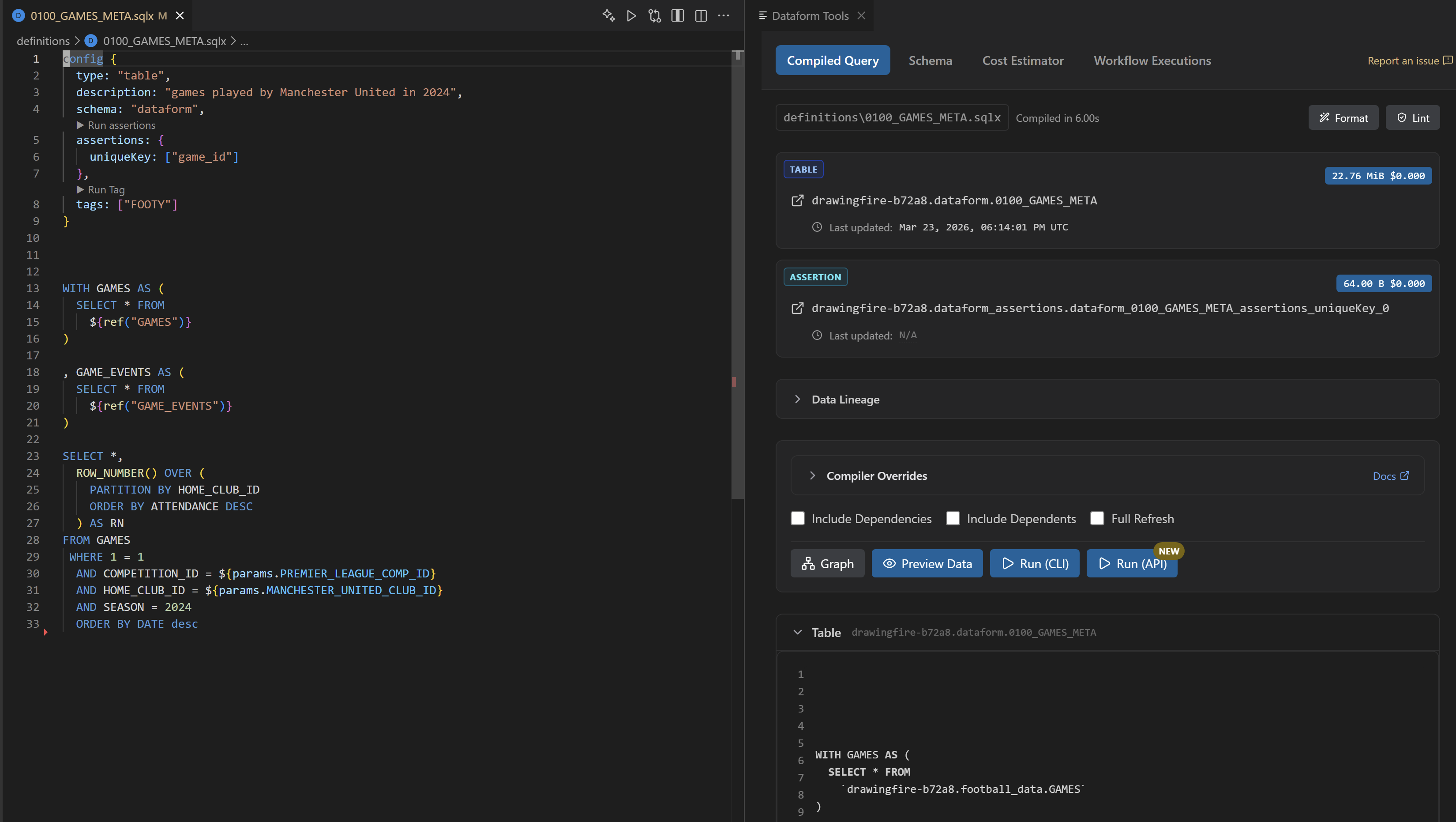
Compiled Query & Dry run stats
Compiled query with dry run stats in a vertical split
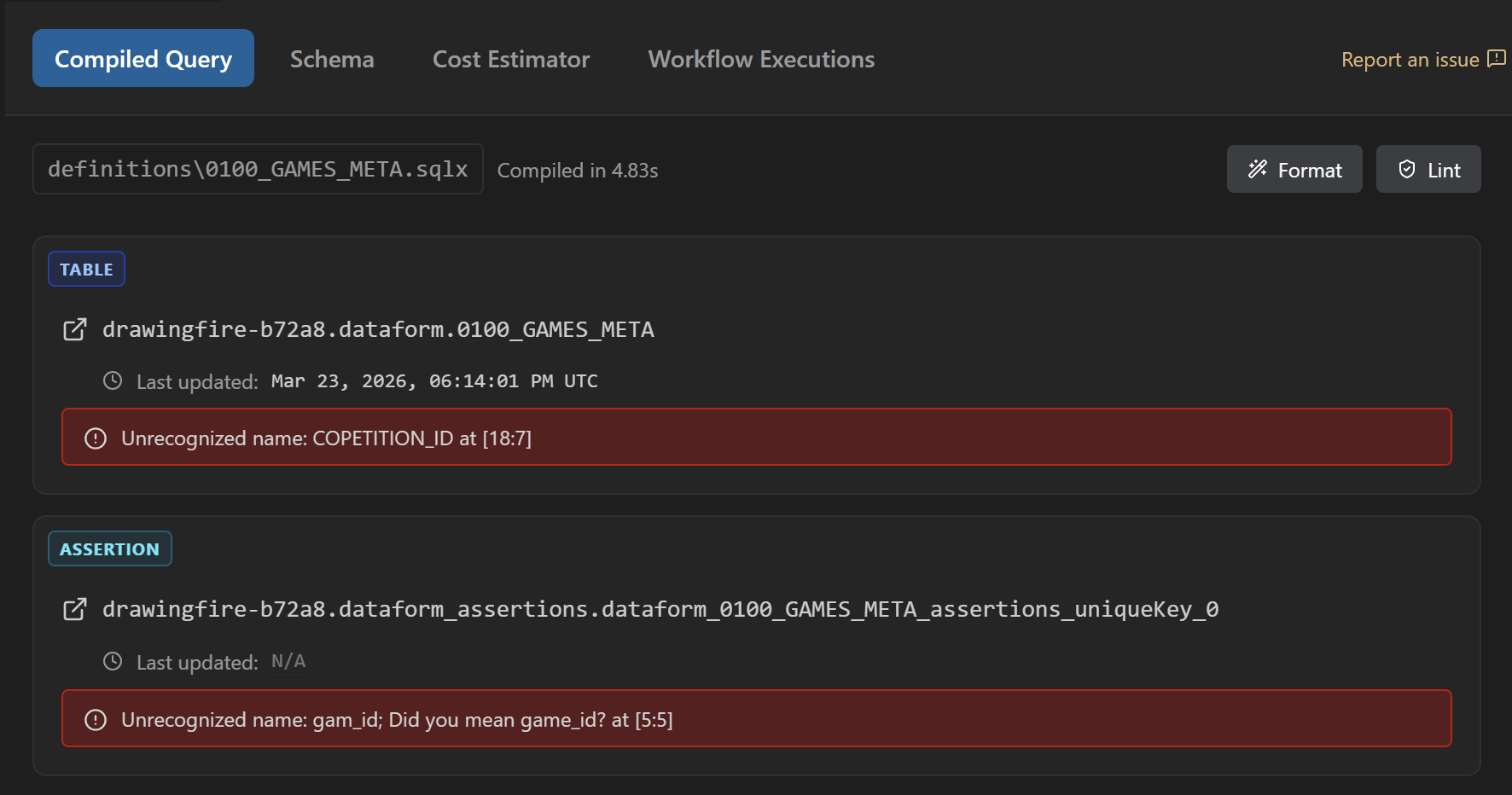
Inline diagnostics on .sqlx file 🚨
Native LSP like experience with diagnostics being directly put on sqlx file
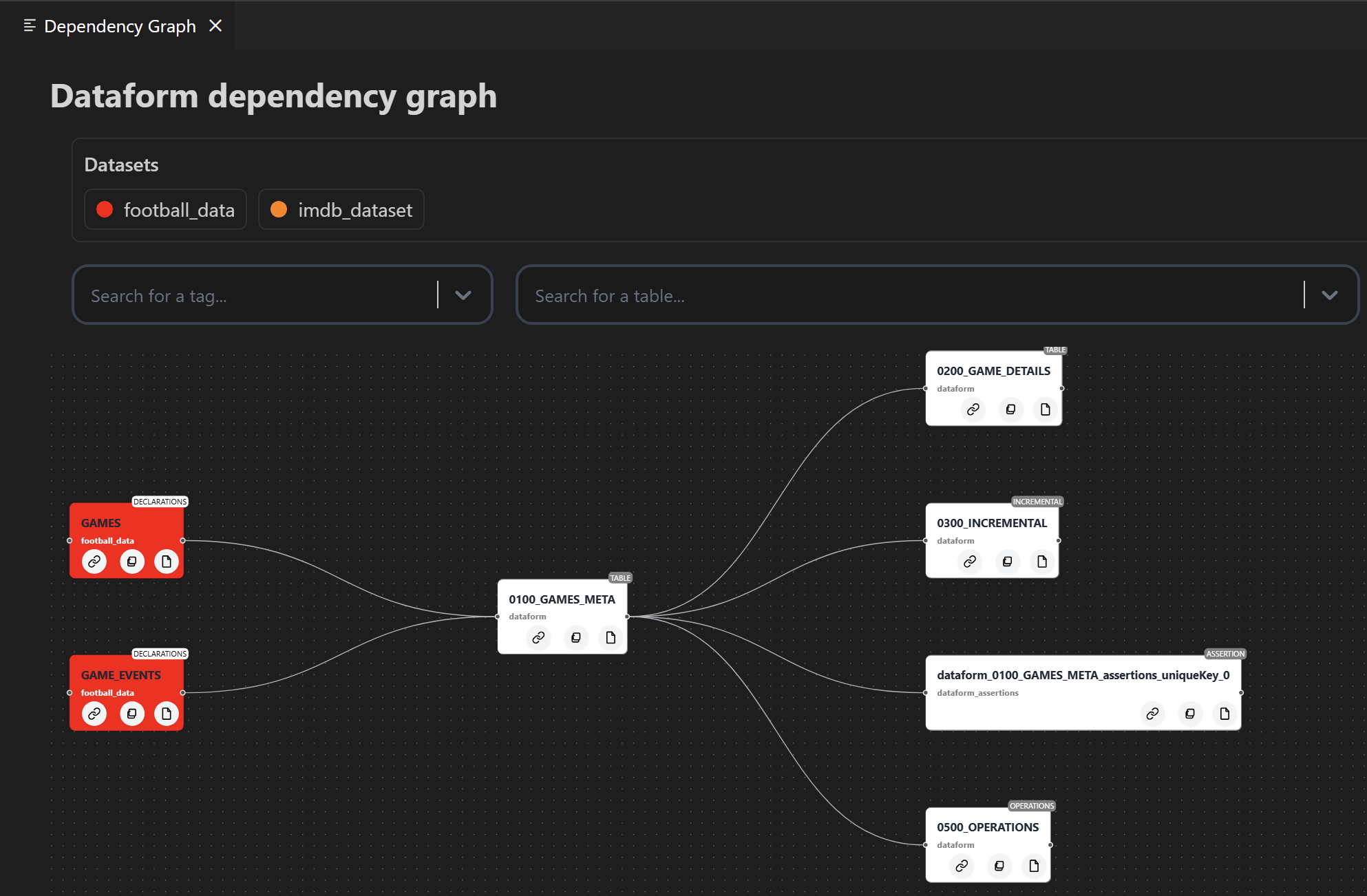
Dependancy graph
Interative dependancy graph with external sources higlighted in distinct colors
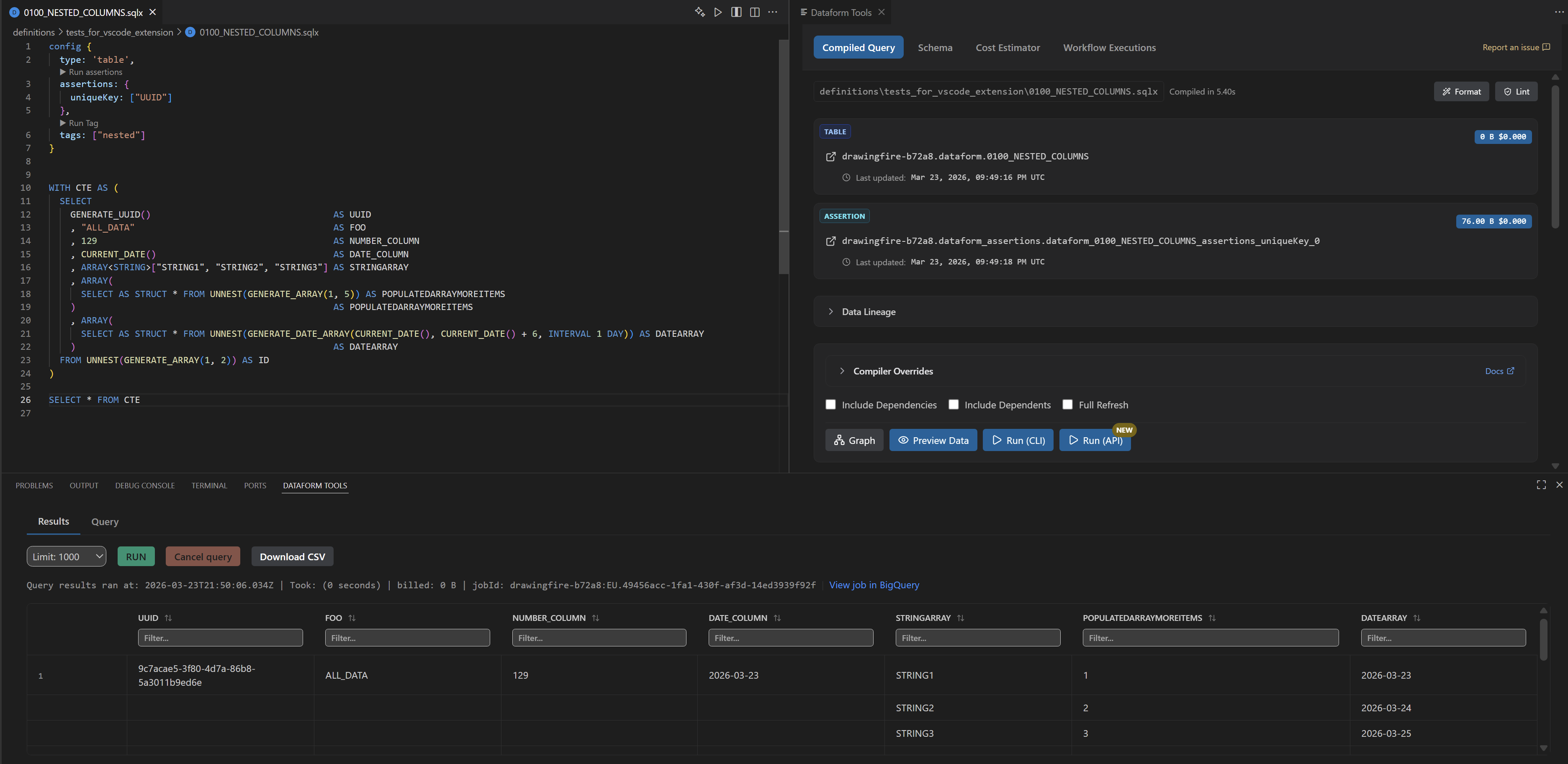
Preview query results
Preview query results in a table by running the file
BigQuery hover provider
Hover definition for tables, columns, column descriptions, types and common BigQuery functions
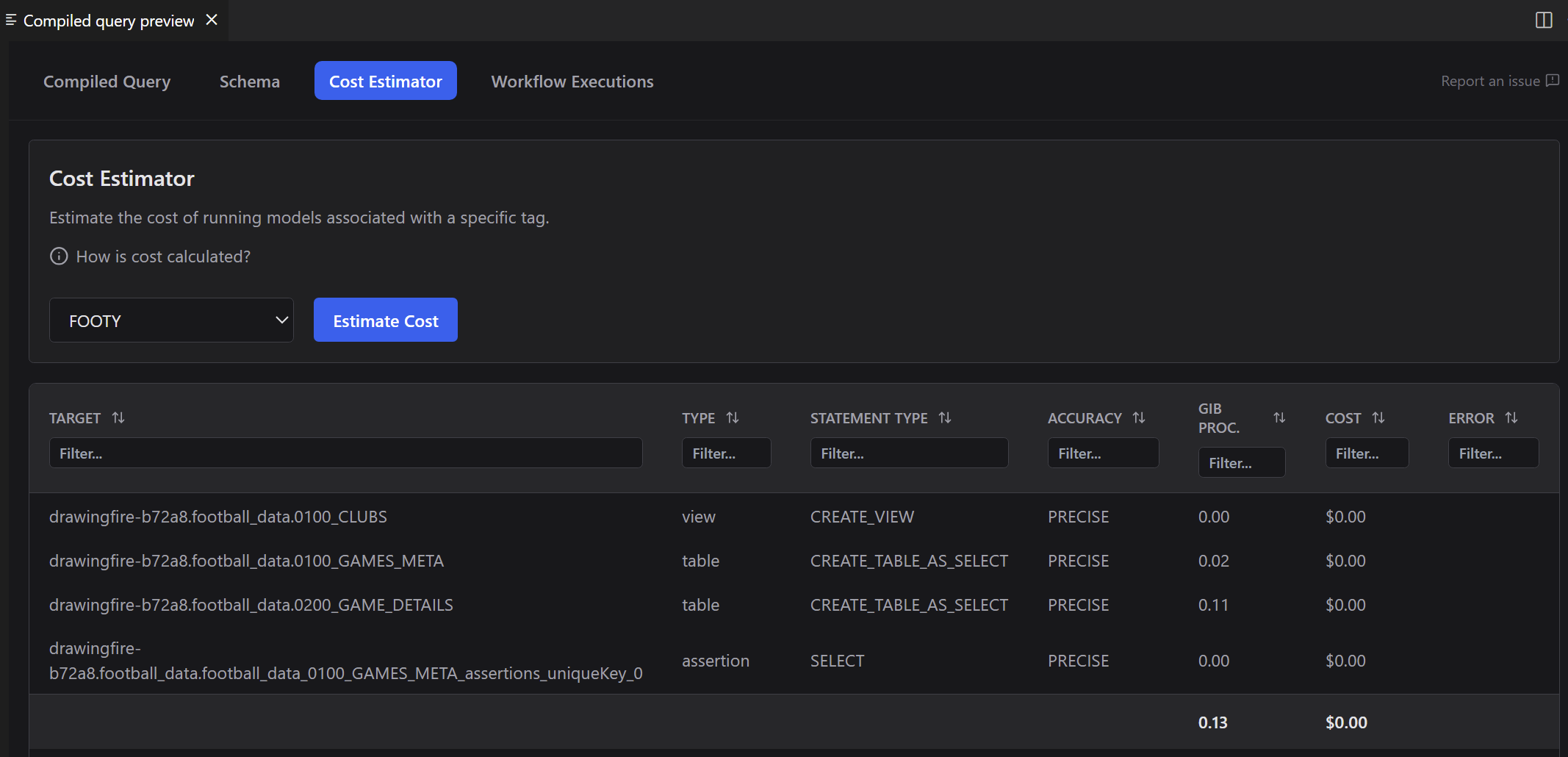
Cost estimator
Estimate the cost of running a Tag
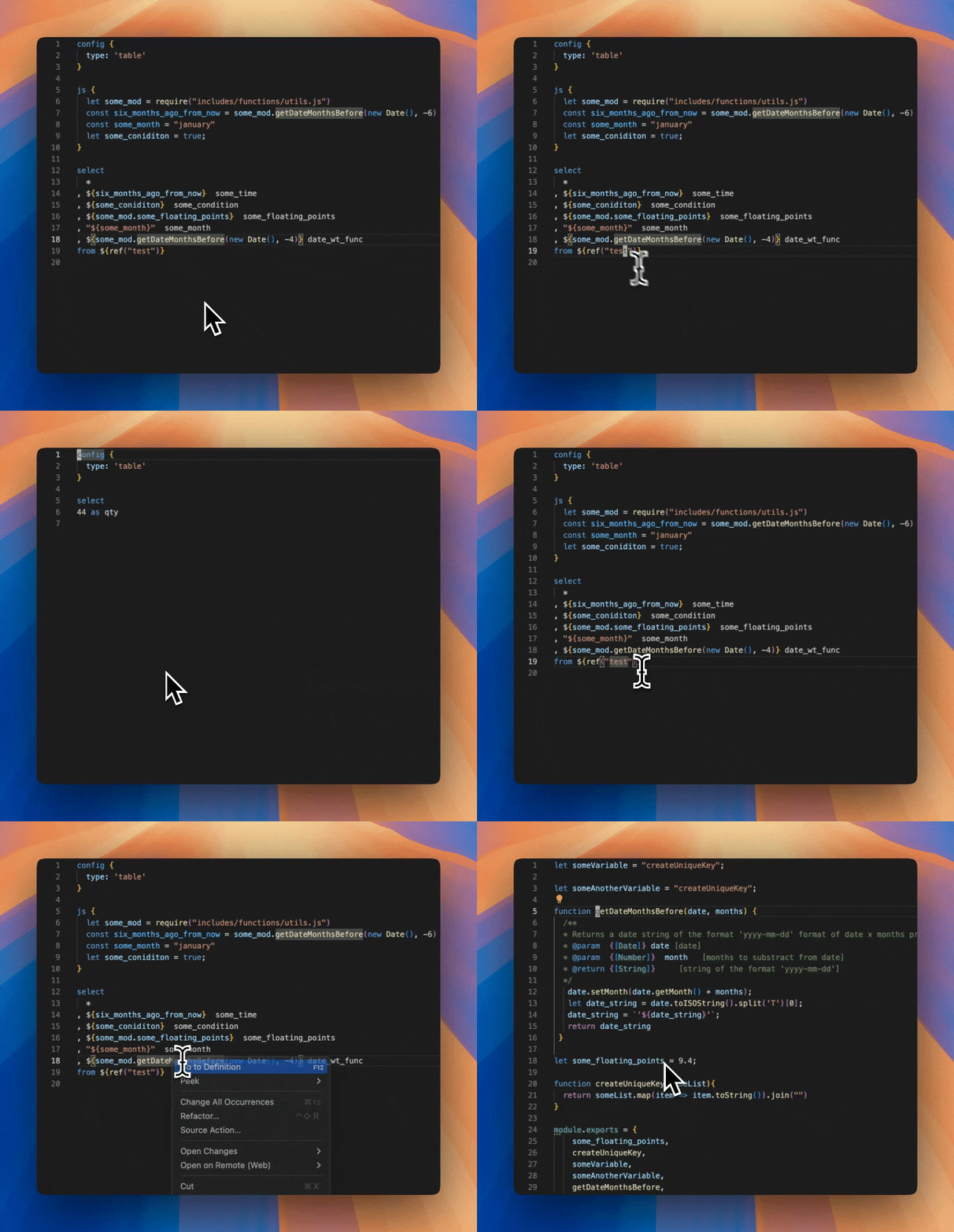
Go to definition
Go to definition for source in $ref{("my_source")} and javascript blocks in .sqlx files
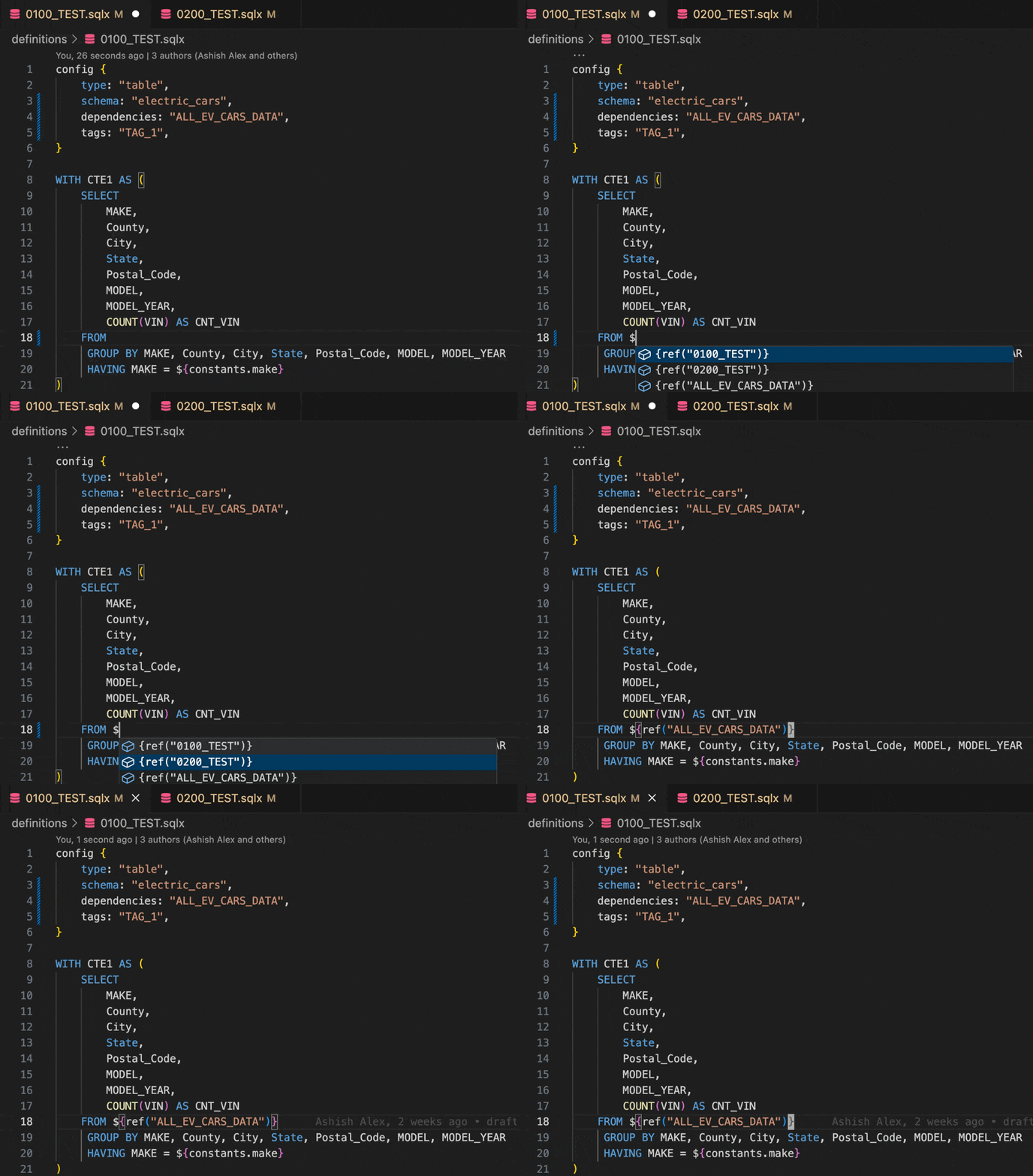
Auto-completion
- Column names of current model
- Dependencies and declarations in
${ref("..")}trigger when$character is typed - Dependencies when
"or'is typed inside the config block which hasdependencieskeyword is in the line prefix -
tagswhen"or'is typed inside the config block which hastagskeyword is in the line prefix
Code actions
Apply dry run suggestions at the speed of thought
Run file(s)/tag(s)
Run file(s)/tag(s), optionally with dependencies/dependents/full refresh using cli or Dataform API
Format using Sqlfluff 🪄
Format
.sqlx files using sqlfluff
BigQuery snippets
Code snippets for generic BigQuery functions taken from vscode-language-sql-bigquery extension
Tests
Support to view and run tests. Running test is currently only supported via Dataform CLI.
### Inline diagnostics errors on `.sqlx` files
### Dependency graph
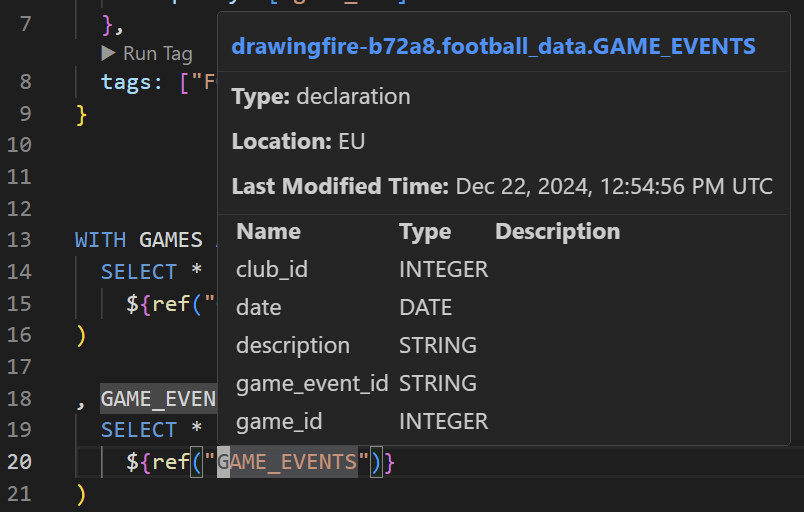
### BigQuery hover definition provider
Hover over tables, columns, column types and BigQuery functions to see their documentation, syntax, and examples making it easier to understand and use them correctly without leaving your editor.
### Estimate cost of running a Tag
### Go to definition
Go to definition for source in `$ref{("my_source")}`. Takes you to `my_source.sqlx` or `sources.js` at the line where `my_source` is defined. There is also support for go to definiton
from a javascript variable/module from a `.sqlx` file to `js` block or `.js` file where the virable or module declaration exsists
### Autocomplete model, tags, dependencies
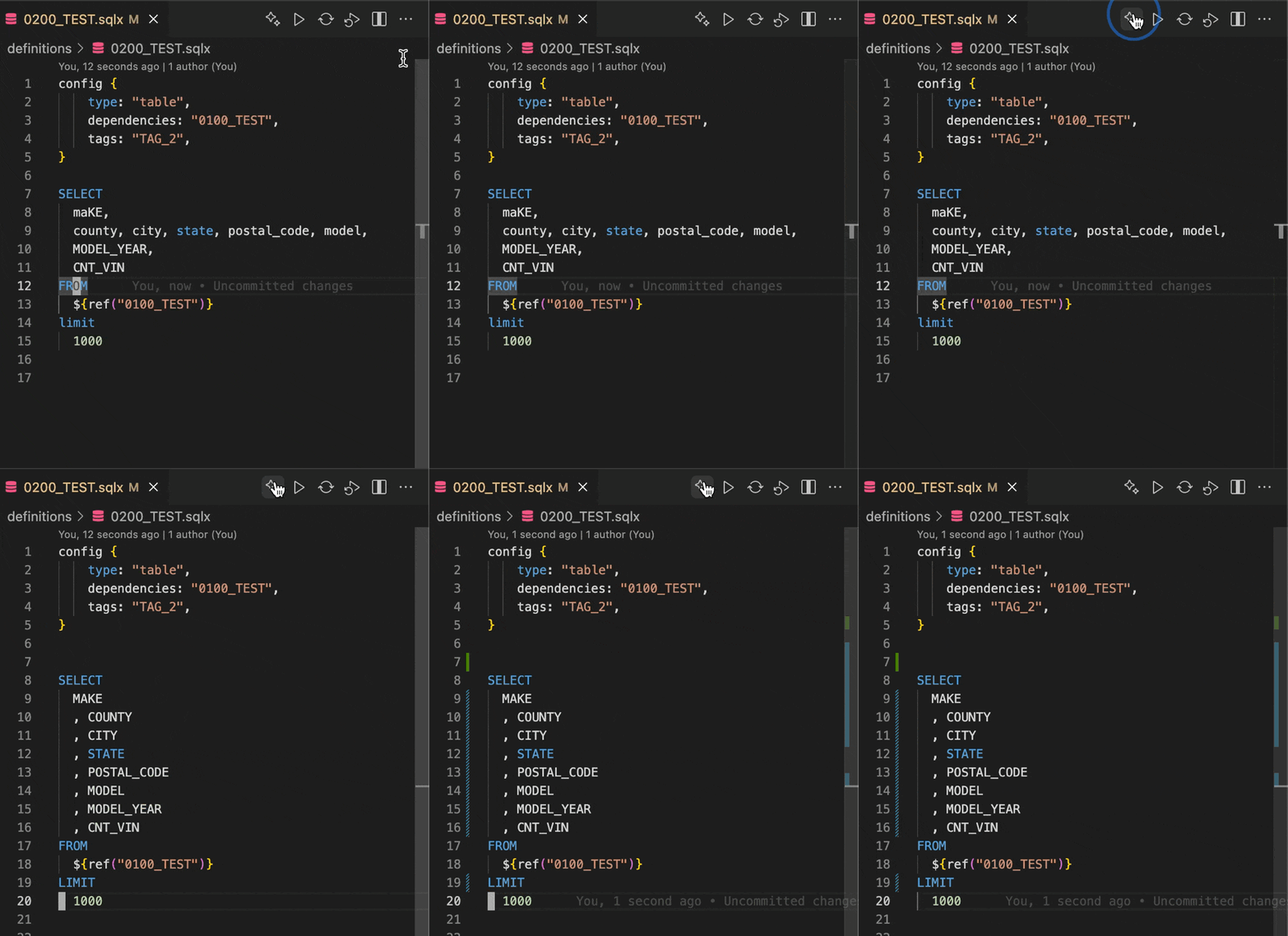
Auto completion of declarations in `${ref("..")}` trigger when $ character is typed and `dependencies` and `tags` in config block when `"` or `'` is typed.
---
## Commands
Most features can be invoked via the Command Palette by pressing CTRL + SHIFT + P or CMD + SHIFT + P on Mac and searching for the following. These key bindings can also be attached to a keybinding to further streamline your workflow.
Command
Description
vscode-dataform-tools.showCompiledQueryInWebView
Show compiled Query in web view
vscode-dataform-tools.runCurrentFile
Run current file
vscode-dataform-tools.runCurrentFileWtDeps
Run current file with dependencies
vscode-dataform-tools.runCurrentFileWtDownstreamDeps
Run current file with dependents
vscode-dataform-tools.runQuery
Preview query results
vscode-dataform-tools.runTag
Run a tag
vscode-dataform-tools.runTagWtDeps
Run a tag with dependencies
vscode-dataform-tools.runTagWtDownstreamDeps
Run a tag with dependents
vscode-dataform-tools.runFilesTagsWtOptions
Run file(s) / tag(s) with options
vscode-dataform-tools.runFilesTagsWtOptionsApi
Run file(s) / tag(s) with options using API
vscode-dataform-tools.runFilesTagsWtOptionsInRemoteWorkspace
Run file(s) / tag(s) with options using API in remote workspace [beta]
vscode-dataform-tools.dependencyGraphPanel
Show dependency graph
vscode-dataform-tools.runTagWtApi
Run a tag using API
vscode-dataform-tools.runTagWtDependenciesApi
Run tag with dependencies using API
vscode-dataform-tools.runCurrentFileWtApi
Run current file using API
vscode-dataform-tools.runCurrentFileWtDependenciesApi
Run current file with dependencies using API
vscode-dataform-tools.runCurrentFileWtDependentsApi
Run current file with dependents using API
vscode-dataform-tools.clearExtensionCache
Clear extension cache
---
## Products
Registry
Badge
Description
VS Code marketplace


Marketplace for VS Code editor
Open VSX marketplace


Marketplace for VS Code forks such as Cursor and Antigravity
PyPi

wrapper for google-cloud-dataform python package
npm

wrapper for google-cloud/dataform npm package
---
## Known Issues
* [ ] Features such as go to definition / dependancy graph might not work with consistantly with `${ref("dataset", "table")}` or when it is multiline or a different format works best with `${ref('table_name')}` format
## TODO
* [ ] Handle case where user is not connected to internet or on vpn where network request for dry run cannot be made
[^1]: [Link to confirmation of official recommendation by Google:](https://github.com/dataform-co/dataform/blob/main/vscode/README.md). Note that this is a community-led project and not an officially supported Google product.