https://github.com/asimpson/ivy-feedwrangler
🌿 📡 An ivy interface to https://feedwrangler.net
https://github.com/asimpson/ivy-feedwrangler
emacs emacs-lisp rss
Last synced: about 1 year ago
JSON representation
🌿 📡 An ivy interface to https://feedwrangler.net
- Host: GitHub
- URL: https://github.com/asimpson/ivy-feedwrangler
- Owner: asimpson
- License: gpl-3.0
- Created: 2017-11-04T00:02:08.000Z (over 8 years ago)
- Default Branch: master
- Last Pushed: 2021-06-21T15:35:53.000Z (about 5 years ago)
- Last Synced: 2025-03-25T04:51:17.453Z (over 1 year ago)
- Topics: emacs, emacs-lisp, rss
- Language: Emacs Lisp
- Homepage:
- Size: 470 KB
- Stars: 7
- Watchers: 2
- Forks: 1
- Open Issues: 0
-
Metadata Files:
- Readme: README.md
- License: LICENSE
Awesome Lists containing this project
README
# ivy-feedwrangler
[](https://melpa.org/#/ivy-feedwrangler)
[](https://stable.melpa.org/#/ivy-feedwrangler)
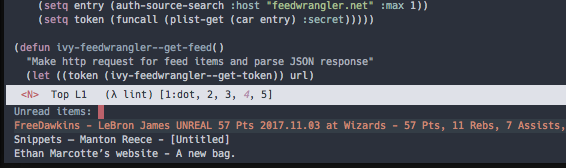
An [Ivy](http://oremacs.com/swiper/) interface to the [Feedwrangler RSS](https://feedwrangler.net) service
## Setup
This package requires that you manually retrieve your access token by using the `curl` command on this page: https://feedwrangler.net/developers/users
Once you have an access token add your credentials to your `authinfo` file with the following fields:
| Field | Value |
|---|---|
| `machine` | feedwrangler.net |
| `login` | account email address |
| `password` | token |
It should look something like this:
`machine feedwrangler.net login EMAIL password TOKEN`
## Usage
The package exposes the `ivy-feedwrangler` function, `M-x ivy-feedwrangler`.
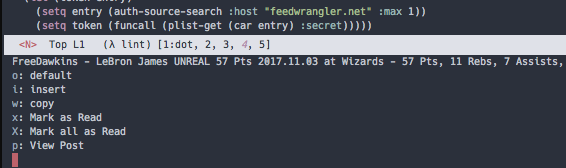
Pressing enter on a post opens the default browser. There are a couple additional key commands:
| Key | Command |
|---|---|
| `x` | Mark selected post as read |
| `X` | Mark all posts as read |
| `r` | Save as unread in pinboard |
| `p` | View [post body in a buffer](https://asimpson.github.io/ivy-feedwrangler/images/post-view.png) |
Note: that these commands should work in the default ivy interface as well as in a `ivy-occur` buffer.
### Add item to pinboard.in
To be able to save the selected item to [pinboard.in](https://pinboard.in) add another entry to `authinfo` for pinboard like so:
| Field | Value |
|---|---|
| `machine` | pinboard.in |
| `login` | pinboard username |
| `password` | pinboard API token from [here](https://pinboard.in/settings/password). |
This entry will look like:
`machine pinboard.in login username password username:API_TOKEN`.