https://github.com/atiksoftware/vue-amiral-imagelist
Vue component (Vue.js 2.0) or directive (Vue.js 1.0) allowing drag-and-drop and synchronization with view model array. This component can upload&view only your image list for now. Actualy i create this component for use myself. I will add custom upload function and events to future
https://github.com/atiksoftware/vue-amiral-imagelist
Last synced: 5 months ago
JSON representation
Vue component (Vue.js 2.0) or directive (Vue.js 1.0) allowing drag-and-drop and synchronization with view model array. This component can upload&view only your image list for now. Actualy i create this component for use myself. I will add custom upload function and events to future
- Host: GitHub
- URL: https://github.com/atiksoftware/vue-amiral-imagelist
- Owner: atiksoftware
- Created: 2019-02-02T23:32:40.000Z (over 7 years ago)
- Default Branch: master
- Last Pushed: 2020-10-13T11:59:29.000Z (almost 6 years ago)
- Last Synced: 2025-10-23T18:59:14.356Z (10 months ago)
- Language: Vue
- Homepage:
- Size: 16.7 MB
- Stars: 6
- Watchers: 1
- Forks: 2
- Open Issues: 1
-
Metadata Files:
- Readme: README.md
Awesome Lists containing this project
README
VueJS Image Upload List
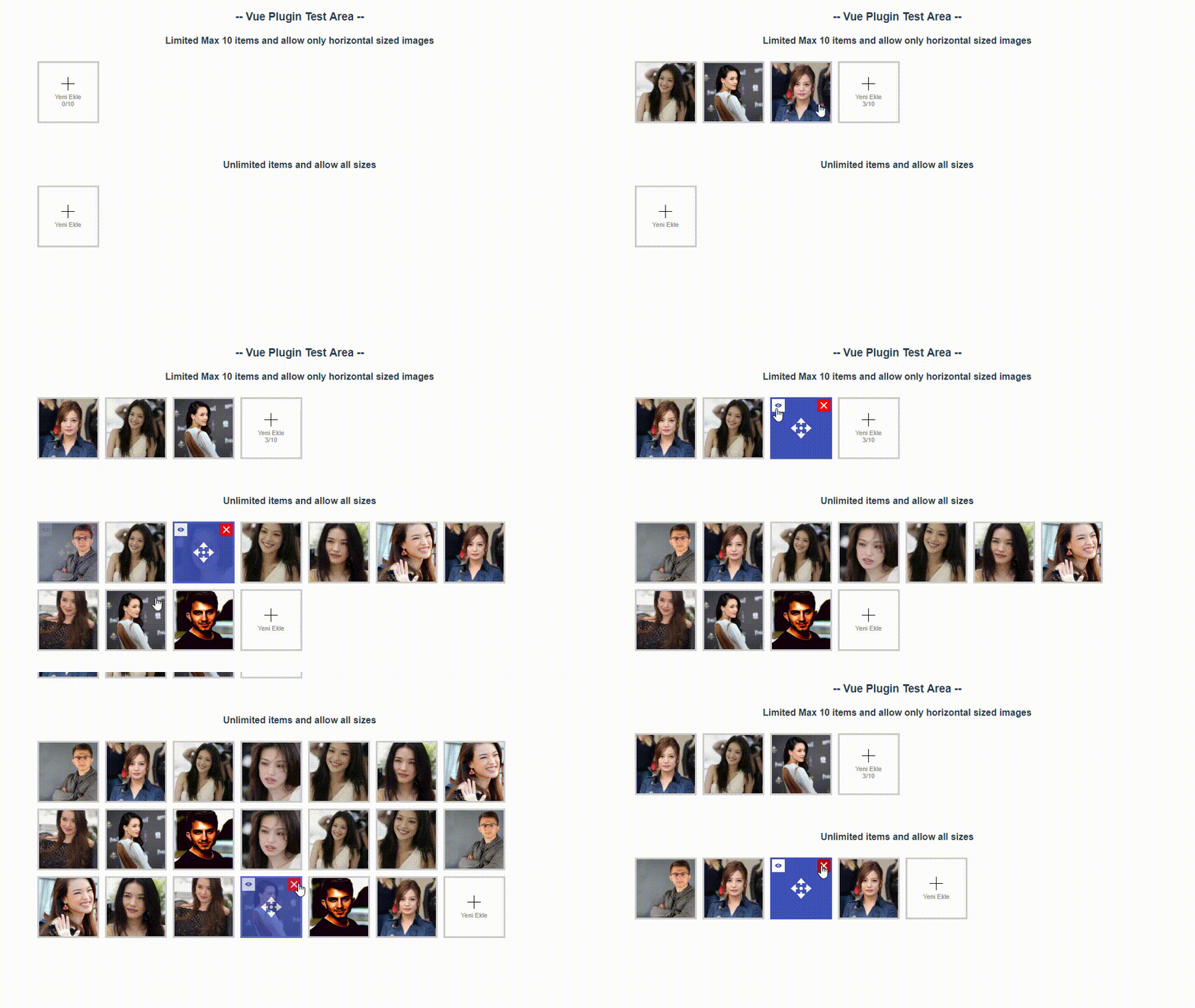
Vue component (Vue.js 2.0) or directive (Vue.js 1.0) allowing drag-and-drop and synchronization with view model array.
This component can upload&view only your image list for now.
Actualy i create this component for use myself.
I will add custom upload function and events to future
## Demo
## Installation
### With npm
```bash
npm i -S vue-amiral-imagelist
```
### main.js file:
``` js
import imagelist from "vue-amiral-imagelist"
Vue.use(imagelist, {
upload_target_url : "http://localhost/amiralimagelist/upload.php"
view_path_prefix : "http://localhost/amiralimagelist",
upload_group_method : "query",
})
```
### Use in project:
``` html
```
``` js
data: () => ({
images: [
"/media/product/1a7ee63a-fefc-42ea-84b2-b2d8bd949f2a.jpg",
"/media/product/3612fe5c-ab66-4a88-a49c-6462597fbcf6.jpg"
],
}),
```
#### Attributes
**v-model**
What: it's your image list container array variable
Type: `Array`
Required: `true`
Default: `null`
**mediagroup**
What: it's your adverb for uploading from which image list. More info bottom of page in Default Config
Type: `String`
Required: `false`
Default: `null`
**limit**
What: If you want use max image limit you can give a max limit
Type: `String` or `Number`
Required: `false`
Default: `null`
**sizetype**
What: If you wanna allow only horizontal|vertical|square pics, you can use this as "hvs" or "h" or "v" or "s"
Type: `String`
Required: `false`
Default: `null`
### Good to know
the server should JSON response like at down where you will post
``` json
{"status":"success","url":"\/media\/product\/a03d49dc-0fbe-431b-9ce6-0e90b5a2969c.jpg"}
```
### Default Config
the server should JSON response like at down where you will post
``` js
let defaults = {
/** images will send this url
* then, should return JSON data like this :
* { "status" : "success", "url" : "/images/products/image.jpg" }
*/
upload_target_url : "/api/fileupload",
/** this value for detect files which list
* example: you will use mediagroup="product" attribute on component
* and this value will append to url as path or as query
* path ex: "/api/fileupload/product"
* query ex: "/api/fileupload/?upload_group=product"
* path is recommended for MVC
*/
upload_group_method : "path",
/** this value will use as key of query if upload_group_method equal query
* example : /api/fileupload?mediagroup=profile
*/
upload_group_query_key : "mediagroup",
upload_post_field_name : "file",
upload_accept_filetype : "image/*",
/** This value for resize JPG files to maxarea
*/
upload_accept_maxsize : 1920,
/** images will view on imagelist with this prefix url
* example: your image array list ["/images/products/image1.jpg","/images/products/image2.jpg"]
* but your absolute url is "http://cdn.mysite.com/images/products/image1.jpg"
* then, you can use "http://cdn.mysite.com" as PathPrefix
*/
view_path_prefix : "/storage",
/** not need explain this keys,
* keys already look like understandable
*/
theme_color_border : "#ccc",
theme_color_border_hover : "#3f51b5",
theme_color_action_border : "#ccc",
theme_color_action_text : "#ccc",
theme_color_action_hover_border : "#555",
theme_color_action_hover_background : "#555",
theme_color_action_hover_text : "#fff",
theme_color_progress_background : "#ddd",
theme_color_progress_bar : "#3f51b5",
theme_size_slot : "100px",
theme_size_margin : "5px",
text_add_new : "Yeni Ekle",
draggable : true
}
```