https://github.com/atiqurcode/quasar-firebase-authentication-boilerplate
A firebase authentication application using vuejs and quasar. Where you can set your firbase project details and can use email/password login.
https://github.com/atiqurcode/quasar-firebase-authentication-boilerplate
firebase firebase-authentication quasar-framework vuejs
Last synced: 2 months ago
JSON representation
A firebase authentication application using vuejs and quasar. Where you can set your firbase project details and can use email/password login.
- Host: GitHub
- URL: https://github.com/atiqurcode/quasar-firebase-authentication-boilerplate
- Owner: AtiqurCode
- Created: 2024-03-03T13:03:07.000Z (over 2 years ago)
- Default Branch: master
- Last Pushed: 2024-03-23T17:48:26.000Z (over 2 years ago)
- Last Synced: 2024-03-23T18:59:53.150Z (over 2 years ago)
- Topics: firebase, firebase-authentication, quasar-framework, vuejs
- Language: Vue
- Homepage: https://quasar-firebase-authentication.netlify.app
- Size: 7.74 MB
- Stars: 0
- Watchers: 1
- Forks: 0
- Open Issues: 0
-
Metadata Files:
- Readme: README.md
Awesome Lists containing this project
README
# Authentication Login/Register boilerplate using vueJS and firebase database (vuefire)
An Authentication Login/Register boilerplate using Vuejs and Firebase database (Vuefire).
### Create Firebase project
Go to the: [Firebase Console](https://console.firebase.google.com/)
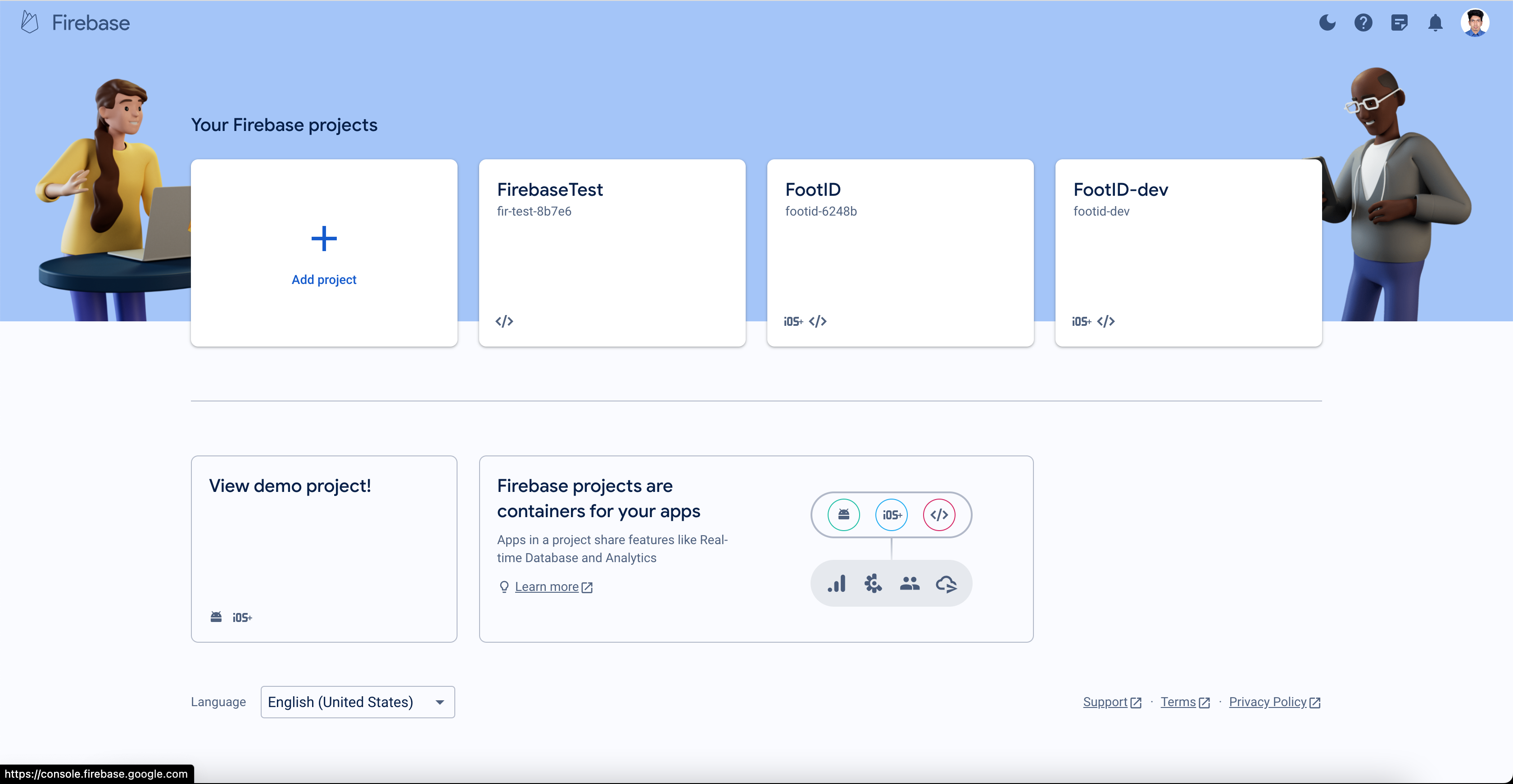
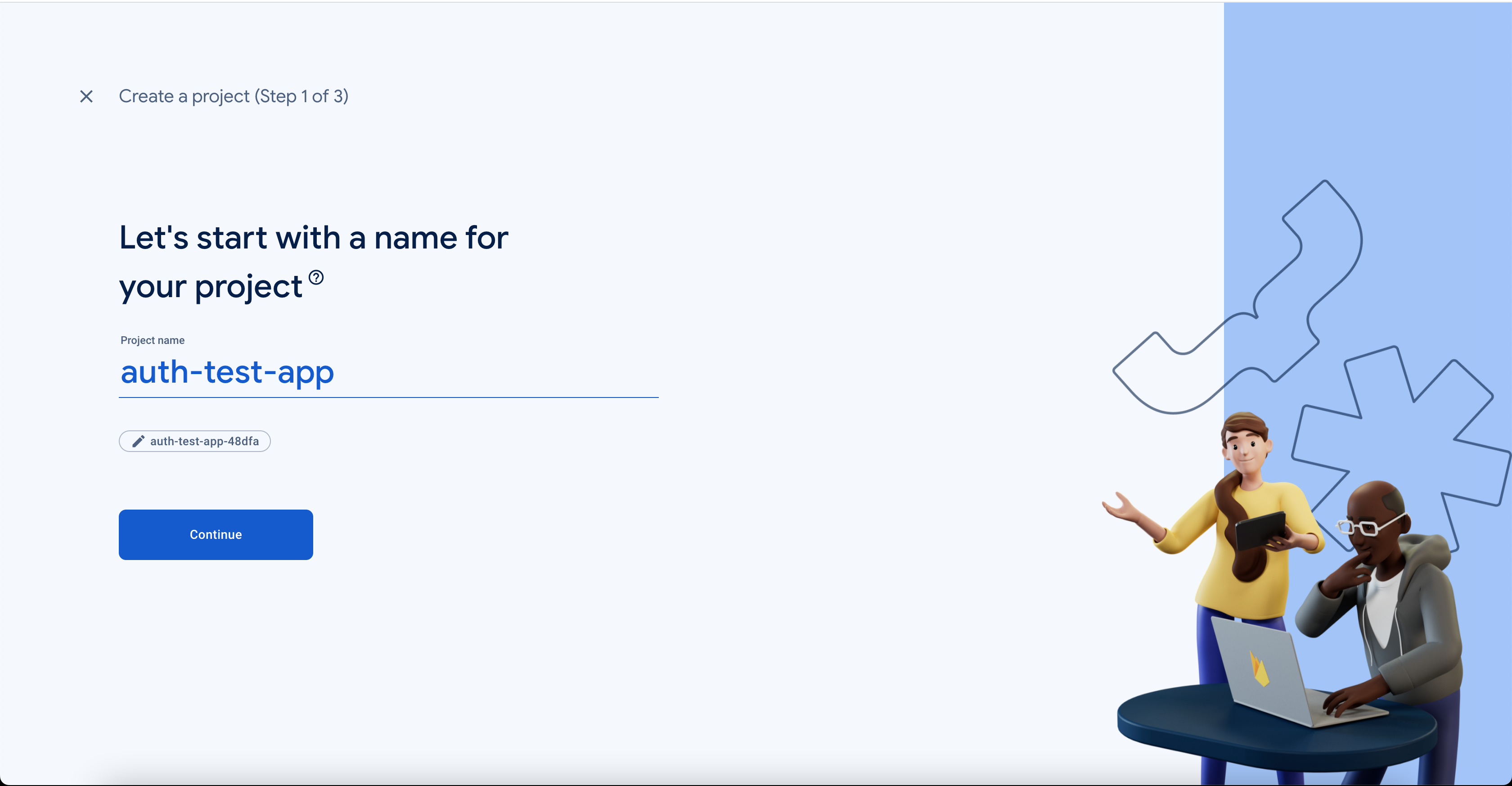
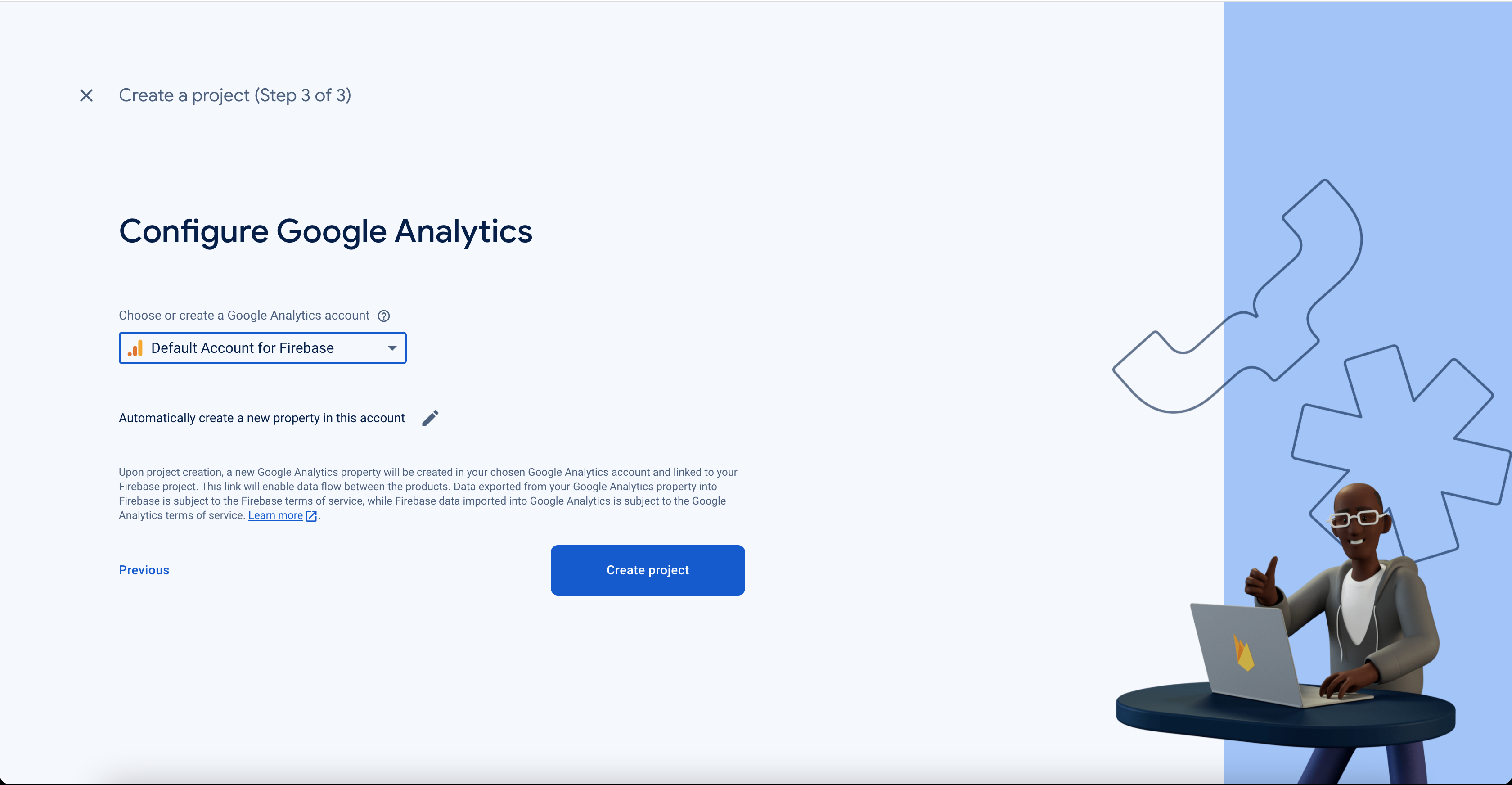
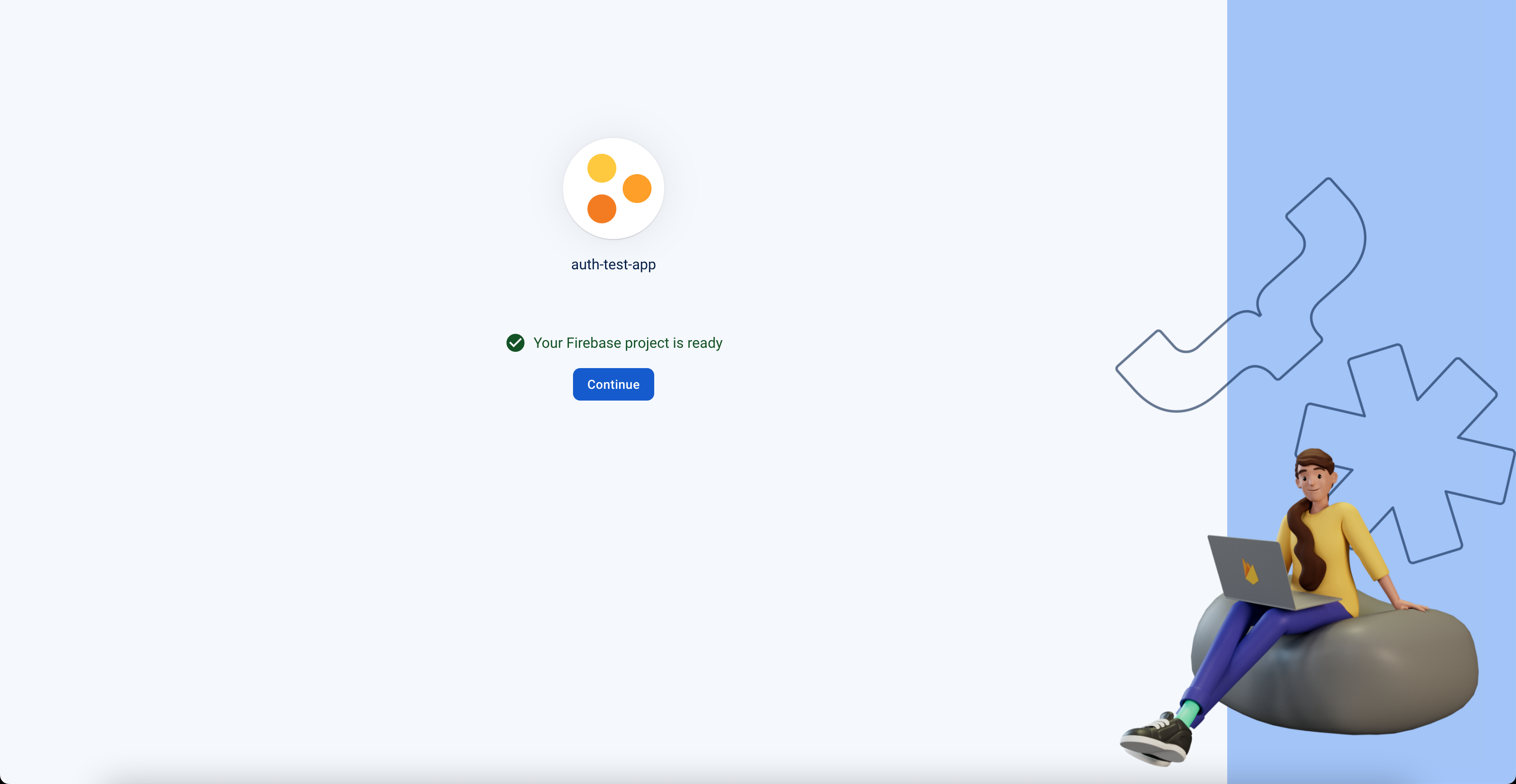
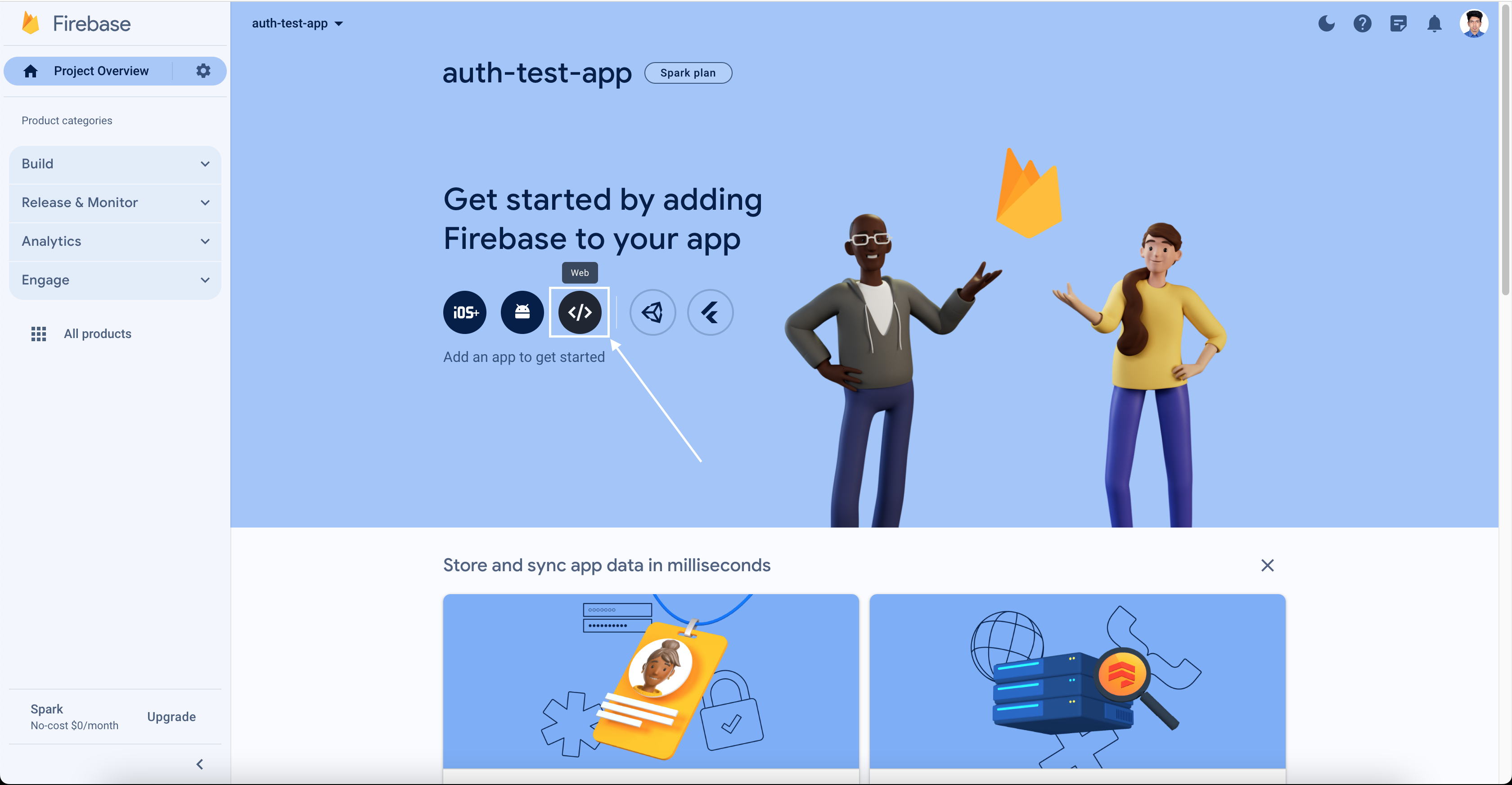
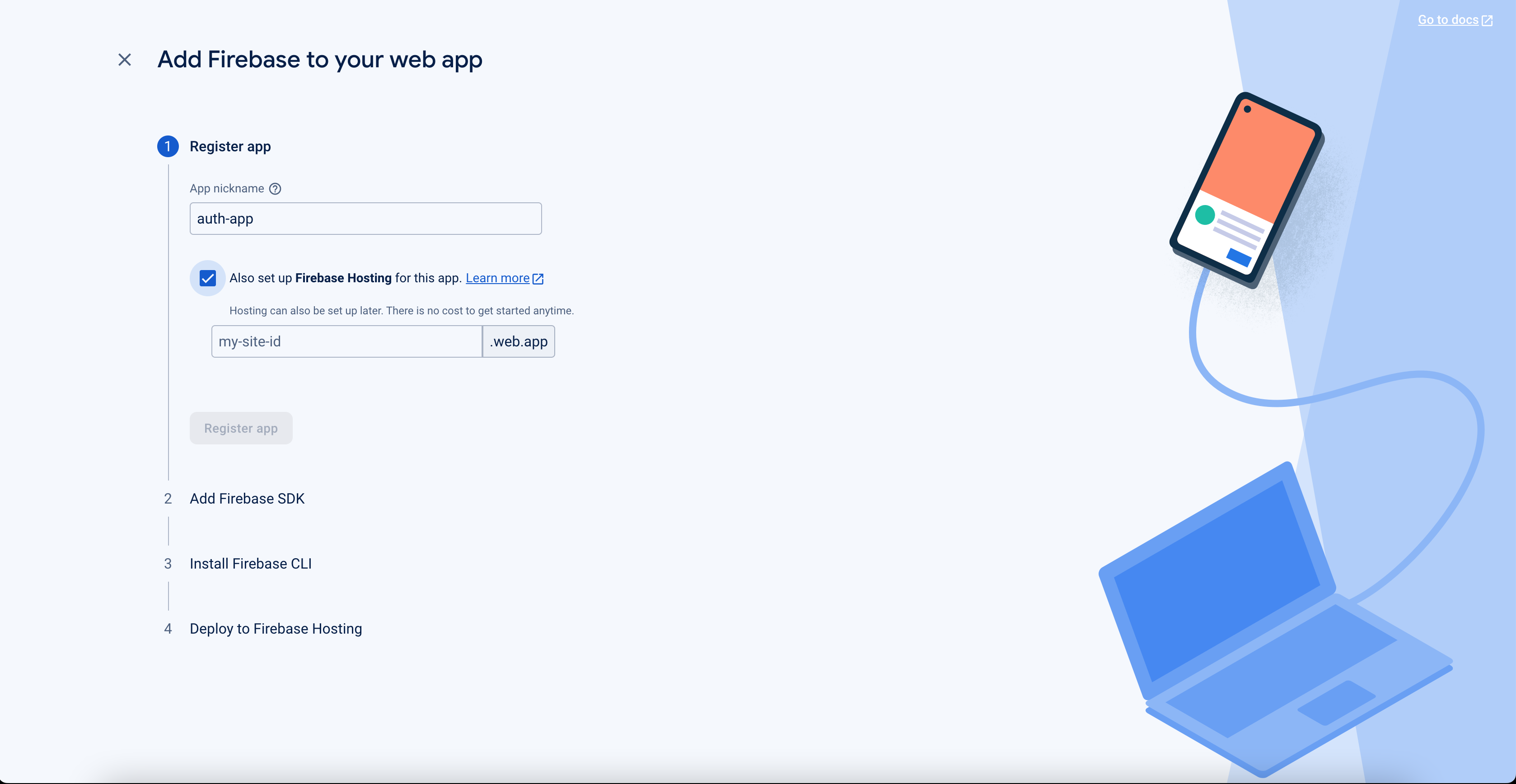
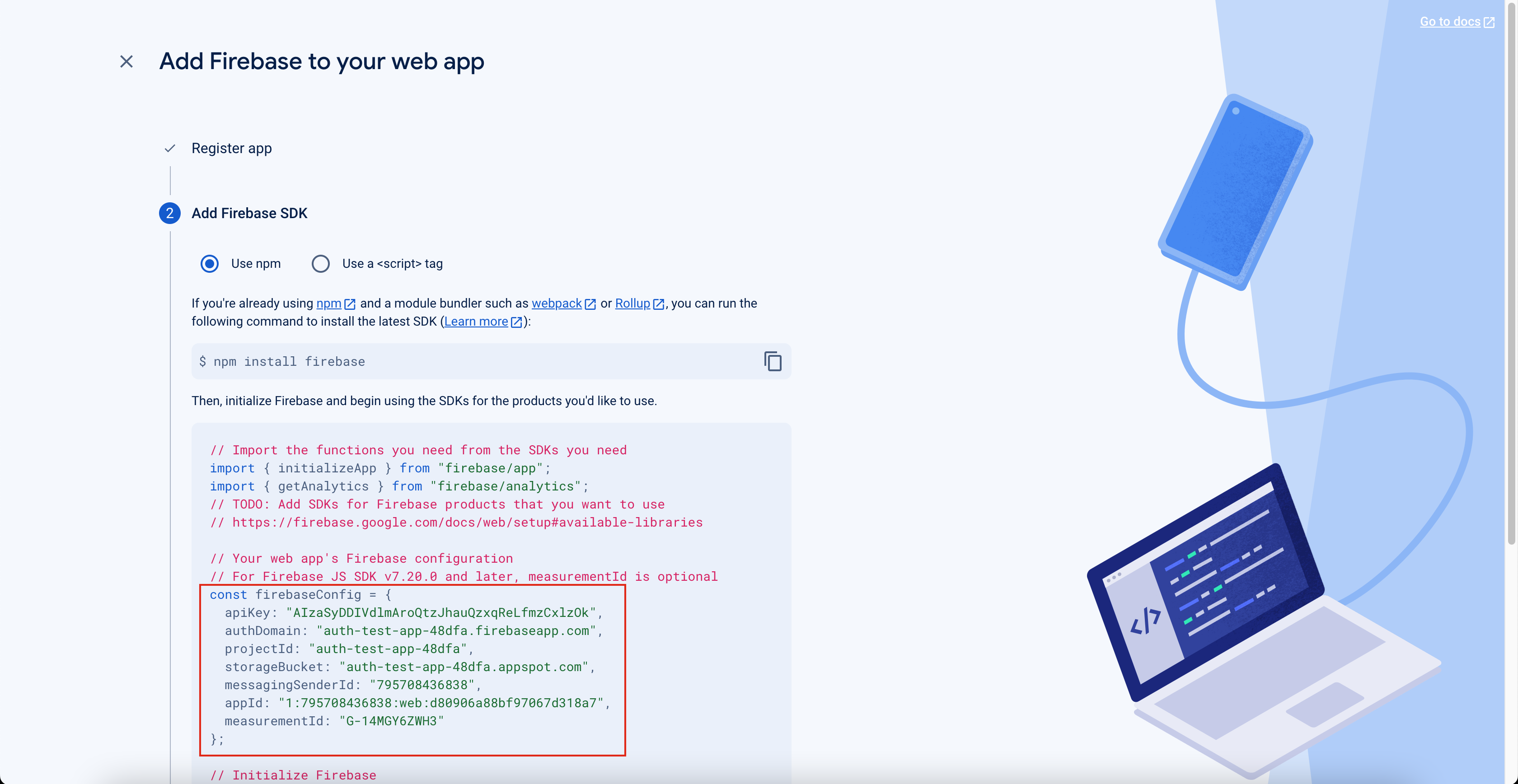
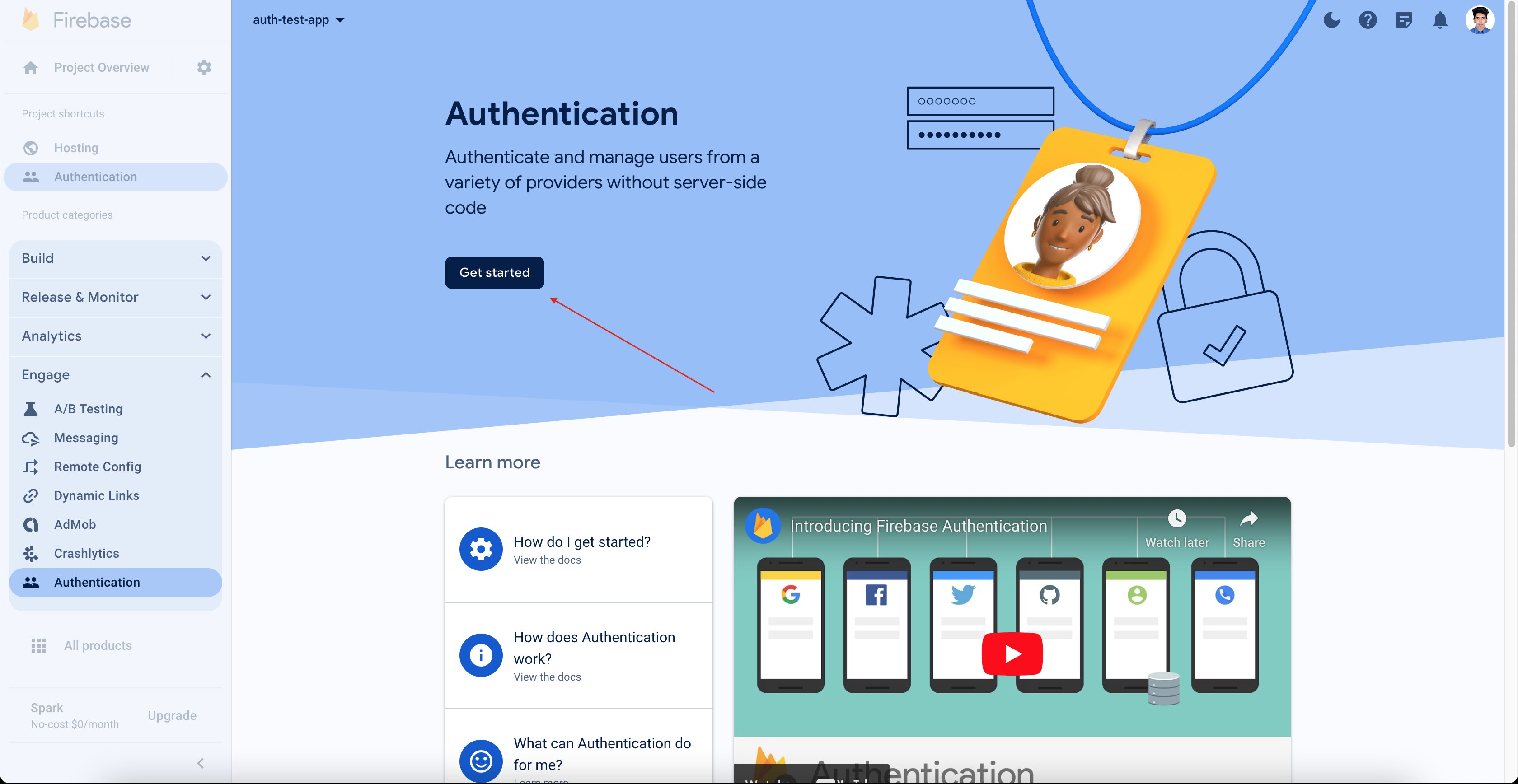
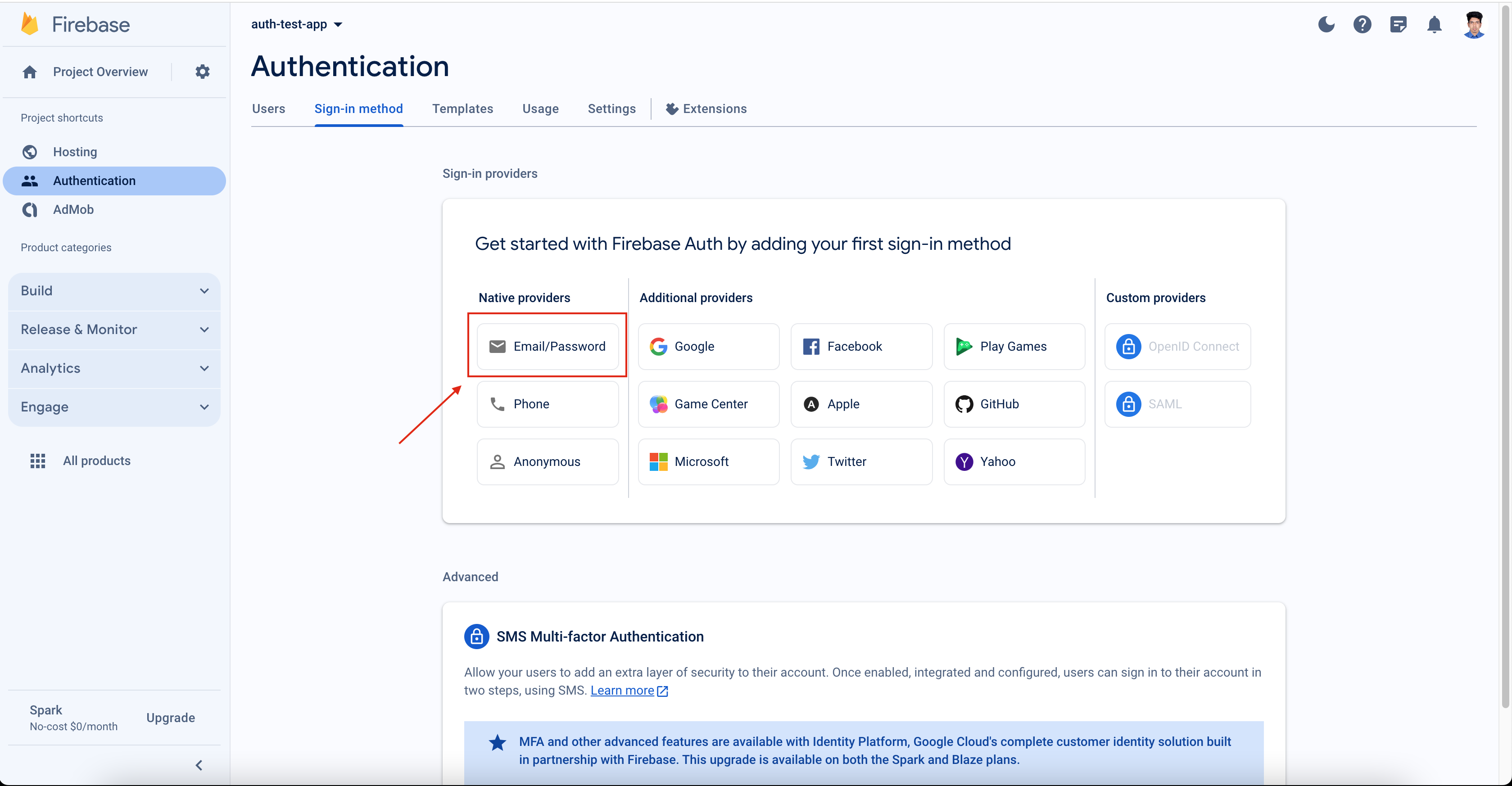
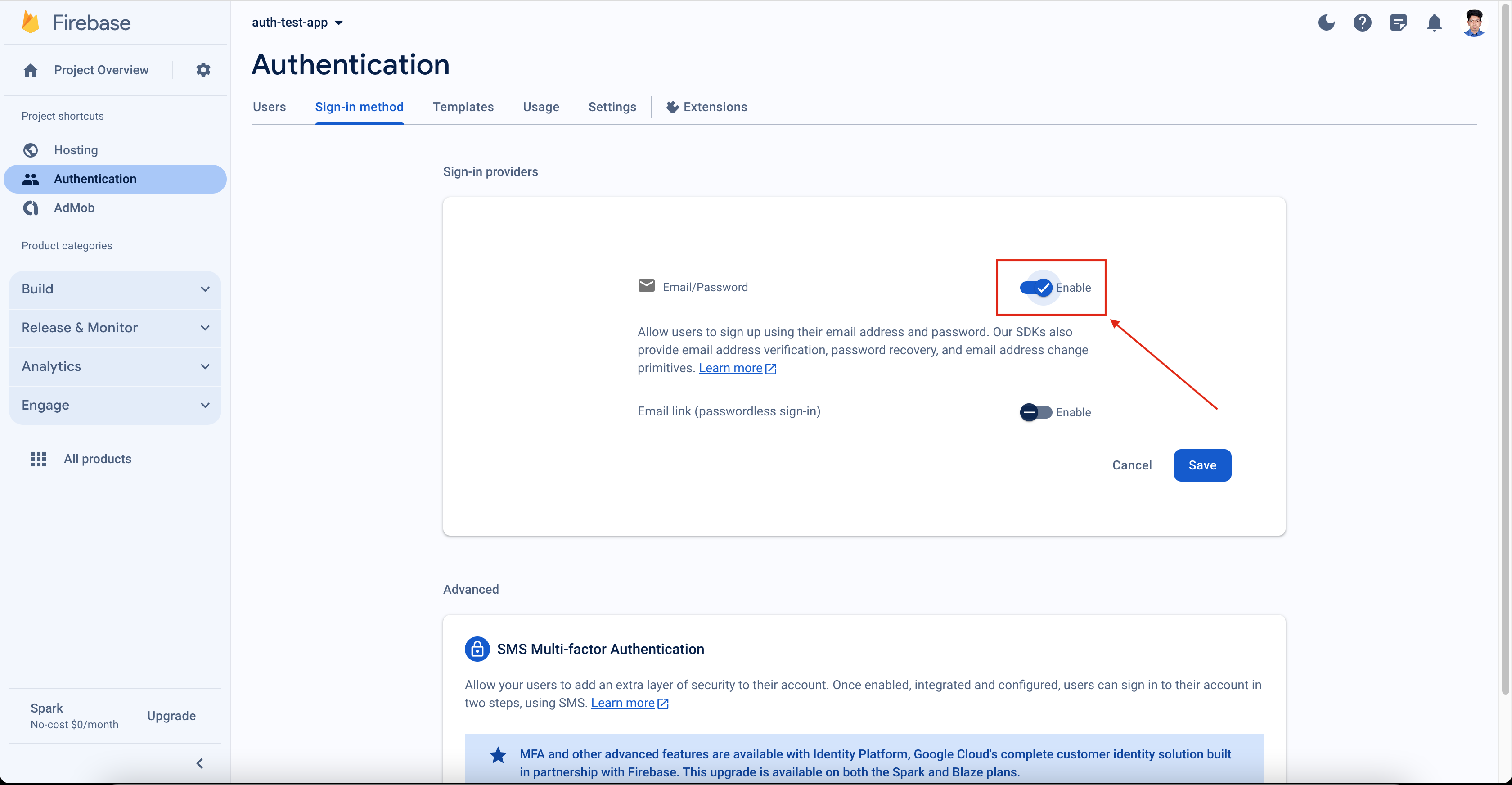
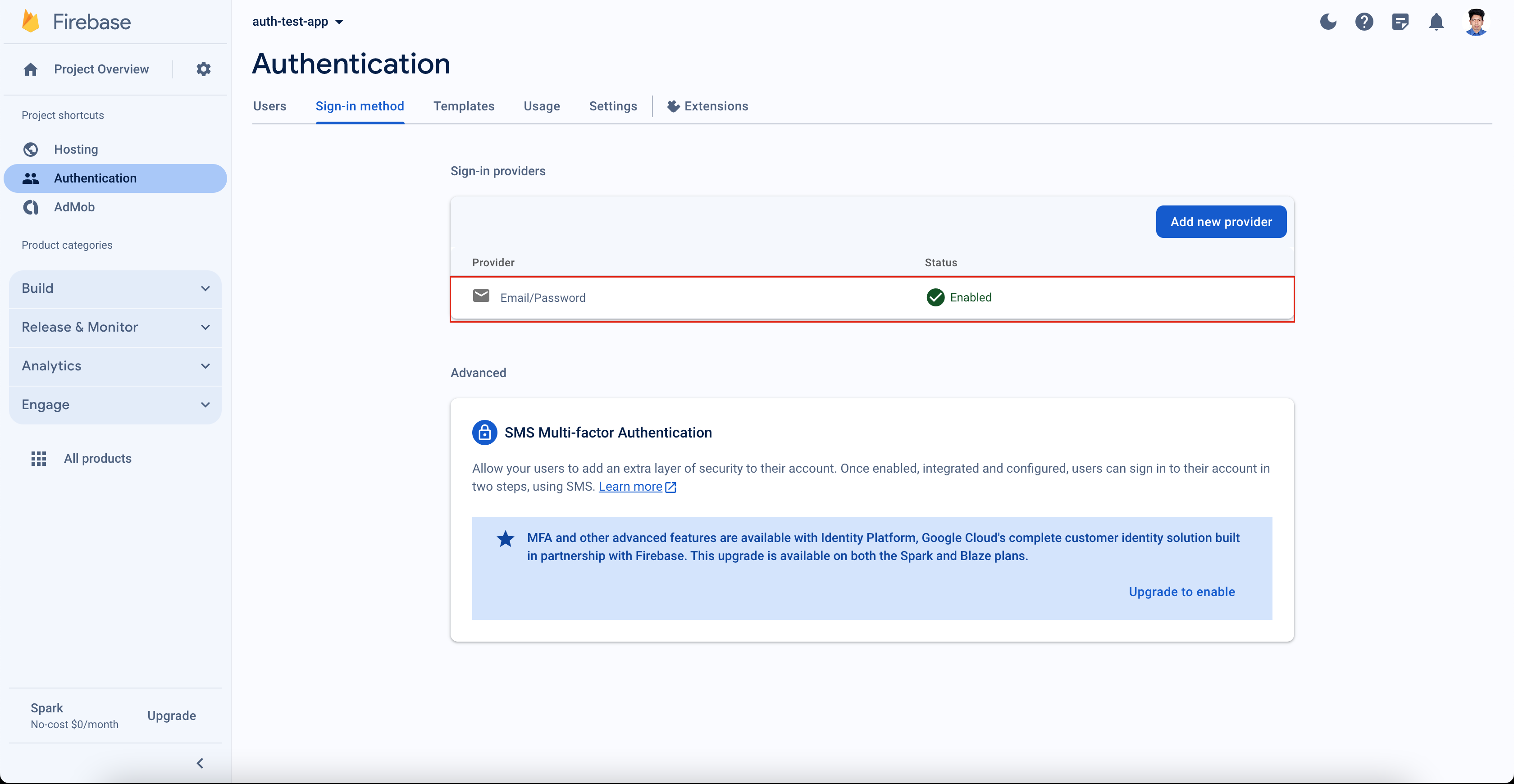
Create a new project and get the Firebase configuration. Here are the instructions on how you can create the project with a screenshot or you may find a blog/tutorial to create any project.
What you need from the project is to get the Firebase config data to config with the project .env file


### Copy the .env.example file
copy the file .env.example file as .env
or run the command in the project terminal
```
cp .env.example .env
```
### Configure your Firebase project to this clone GitHub project
```
FIREBASE_API_KEY=''
FIREBASE_AUTH_DOMAIN=''
FIREBASE_PROJECT_ID=''
FIREBASE_STORAGE_BUCKET=''
FIREBASE_MESSAGING_SENDER_ID=''
FIREBASE_APP_ID=''
```
setup all values in this key to worked with your firebase created project
## Install the dependencies
```bash
yarn
# or
npm install
```
### Start the app in development mode (hot-code reloading, error reporting, etc.)
```bash
quasar dev
```
### Lint the files
```bash
yarn lint
# or
npm run lint
```
### Format the files
```bash
yarn format
# or
npm run format
```
### Build the app for production
```bash
quasar build
```
### Customize the configuration
See [Configuring quasar.config.js](https://v2.quasar.dev/quasar-cli-vite/quasar-config-js).
### Appreciate your contribution if you have time to push any code for this project
Thanks for you time to use this project and also be happier if you could give some time to contribute to making it more functional