https://github.com/atlassubbed/play-fluid-priority
Visualizing diff scheduling in Relax. Live at:
https://github.com/atlassubbed/play-fluid-priority
codesandbox components diffing example jsx live preact progressive-web-app react relax state-management vdom webapp
Last synced: 3 months ago
JSON representation
Visualizing diff scheduling in Relax. Live at:
- Host: GitHub
- URL: https://github.com/atlassubbed/play-fluid-priority
- Owner: atlassubbed
- License: mit
- Created: 2019-03-24T08:03:00.000Z (over 7 years ago)
- Default Branch: master
- Last Pushed: 2019-03-25T07:32:44.000Z (over 7 years ago)
- Last Synced: 2025-02-15T08:24:10.432Z (over 1 year ago)
- Topics: codesandbox, components, diffing, example, jsx, live, preact, progressive-web-app, react, relax, state-management, vdom, webapp
- Language: JavaScript
- Homepage: https://codesandbox.io/s/github/atlassubbed/play-fluid-priority
- Size: 97.7 KB
- Stars: 0
- Watchers: 2
- Forks: 0
- Open Issues: 0
-
Metadata Files:
- Readme: README.md
- License: LICENSE.md
Awesome Lists containing this project
README
# play-fluid-priority
Variable diffing priority in Relax.
---
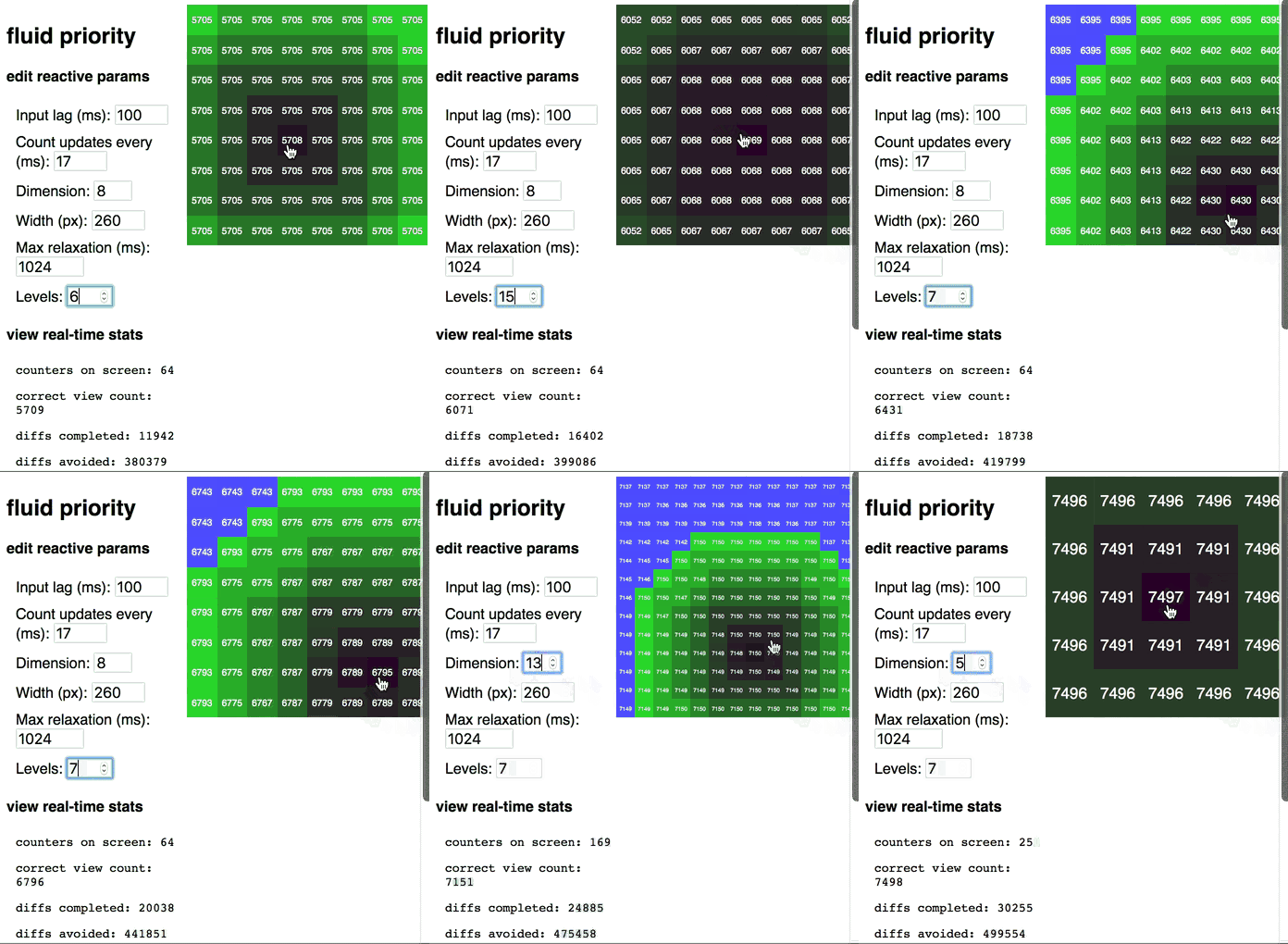
## live on codesandbox
https://codesandbox.io/s/github/atlassubbed/play-fluid-priority
### what to do
There are lots of parameters to fiddle with:
1. **Levels:** I'm not going to explain this one. Best to see it in action. Try changing this value and see what happens. Hint: this is what fluid priority is about!
2. **Input lag:** This defines the debouncing period for entering input. There is no special code to make this work -- it's supported out-of-the-box in Relax with "inner diffs". Input lag might be desired if you have an intense calculation that depends on input, and that input can change very fast. Input lag is often used with textareas to make sure that every single keypress doesn't result in an entire calculatation being re-run on the entire text body.
3. **Update rate:** This app simulates subscribing to a "view count" number that is getting updated every M milliseconds. You can specify what M is here.
4. **Dimension:** How many counter views are there on the board? There are `dim^2` counters, since the 4oard is a square.
5. **Width:** How wide is the board? You can specify a different width if you want.
6. **Max relaxation:** What is the acceptable refresh rate for the lowest priority counters? You can specify that. Part of the inspiration behind Relax is that sometimes data changes way too fast for users to see those changes. In this case, the UI should not necessarily update for every single little change.
All of these parameters are fully reactive. As soon as you update them, you'll see the changes in real time.
### hint
Try entering bigger numbers for **levels**, **dimension**, and **width** if you wanna see more action.
### made with 💜
[Relax](https://github.com/atlassubbed/atlas-relax)