https://github.com/atomiechen/vscode-handyllm
VSCode extension for HandyLLM
https://github.com/atomiechen/vscode-handyllm
llm prompt prompt-engineering
Last synced: 12 months ago
JSON representation
VSCode extension for HandyLLM
- Host: GitHub
- URL: https://github.com/atomiechen/vscode-handyllm
- Owner: atomiechen
- License: mit
- Created: 2024-04-29T06:06:58.000Z (about 2 years ago)
- Default Branch: main
- Last Pushed: 2025-03-29T06:09:06.000Z (over 1 year ago)
- Last Synced: 2025-05-12T23:43:50.167Z (about 1 year ago)
- Topics: llm, prompt, prompt-engineering
- Language: TypeScript
- Homepage: https://marketplace.visualstudio.com/items?itemName=atomiechen.handyllm
- Size: 6.32 MB
- Stars: 3
- Watchers: 1
- Forks: 0
- Open Issues: 0
-
Metadata Files:
- Readme: README.md
- Changelog: CHANGELOG.md
- License: LICENSE
Awesome Lists containing this project
README
# HandyLLM in Visual Studio Code
[](https://marketplace.visualstudio.com/items?itemName=atomiechen.handyllm) [](https://pypi.org/project/HandyLLM/)
VS Code extension for [HandyLLM](https://github.com/atomiechen/HandyLLM) (>= 0.7.0).
## Features
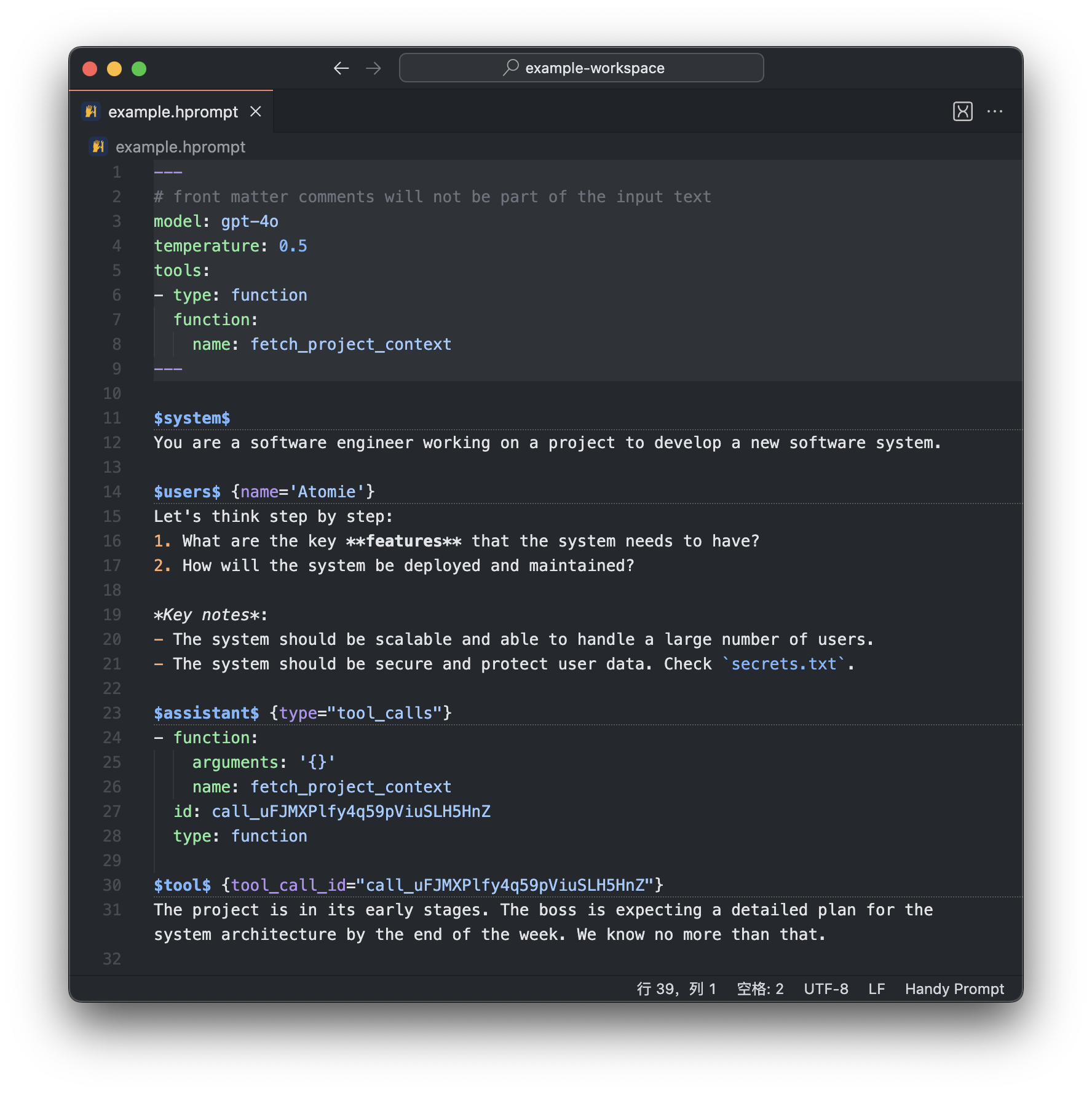
### Hprompt syntax highlight
See demo below:
### Run hprompt file
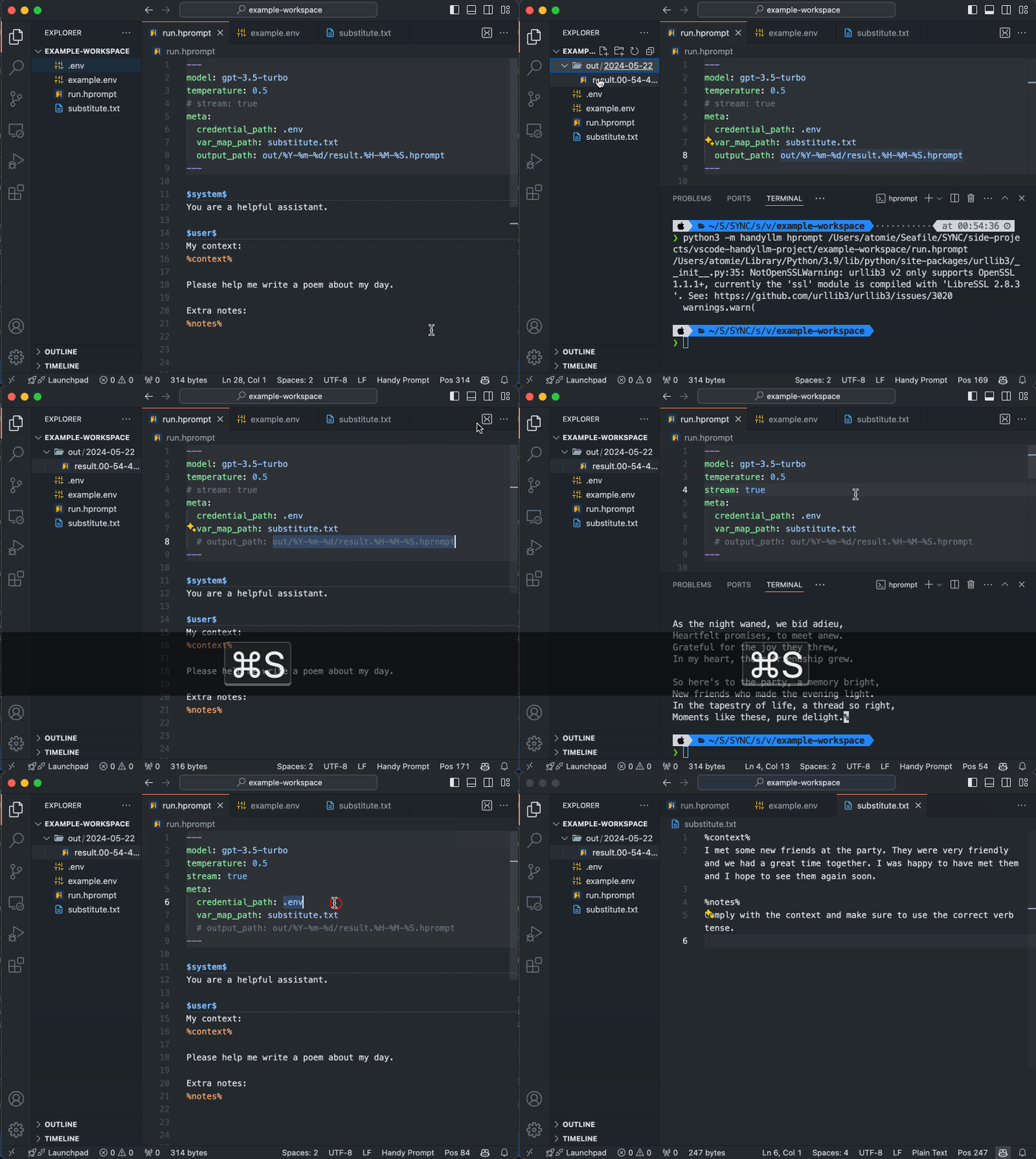
- Run the active hprompt file from the action button, or right click an `.hprompt` file, or issue from the command palette `Run Hprompt` (keyboard shortcut configured).
- You can change `handyllm` command used in the terminal by setting `handyllm.commandName` (needs installation of [HandyLLM CLI](https://github.com/atomiechen/HandyLLM)).
See gif below:
### Create starter hprompt file
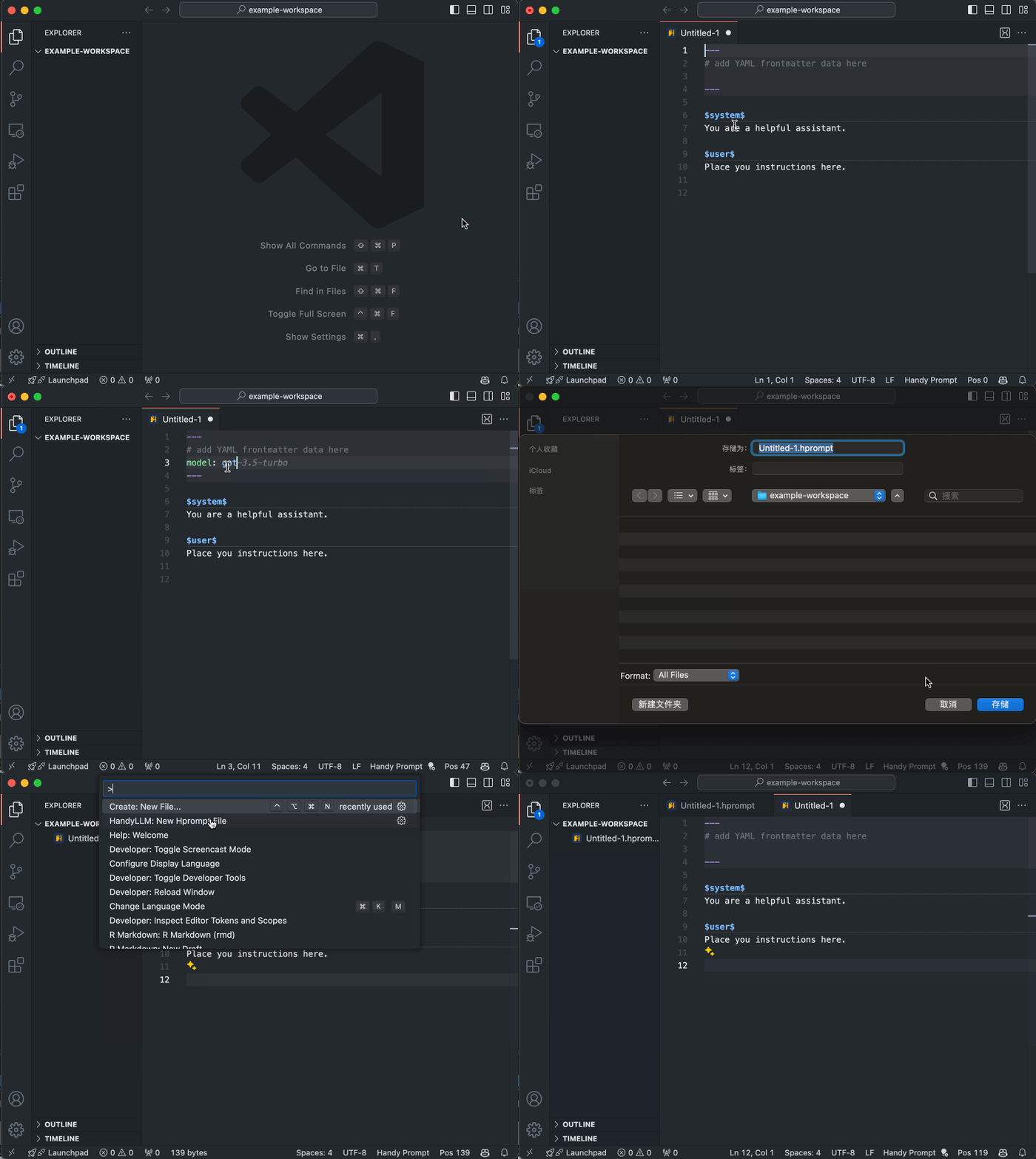
Issue from command palette `New Hprompt File`, or `New File` and then select `Hprompt File`.
See gif below: