https://github.com/attumm/lambdadb
In memory database that uses filters to get the data you need.
https://github.com/attumm/lambdadb
customization fast inmemory-db snapshot throughput-performance
Last synced: about 1 year ago
JSON representation
In memory database that uses filters to get the data you need.
- Host: GitHub
- URL: https://github.com/attumm/lambdadb
- Owner: Attumm
- License: apache-2.0
- Created: 2020-05-30T15:34:34.000Z (about 6 years ago)
- Default Branch: main
- Last Pushed: 2025-03-11T22:46:40.000Z (over 1 year ago)
- Last Synced: 2025-06-14T06:01:50.525Z (about 1 year ago)
- Topics: customization, fast, inmemory-db, snapshot, throughput-performance
- Language: Go
- Homepage:
- Size: 14 MB
- Stars: 4
- Watchers: 2
- Forks: 4
- Open Issues: 3
-
Metadata Files:
- Readme: README.md
- License: LICENSE
Awesome Lists containing this project
README
# LambdaDB
In memory database that uses filters to get the data you need.
Can be used for your needs by changing the models.go file to your needs.
Creating and registering of the functionality that is needed.
### Example
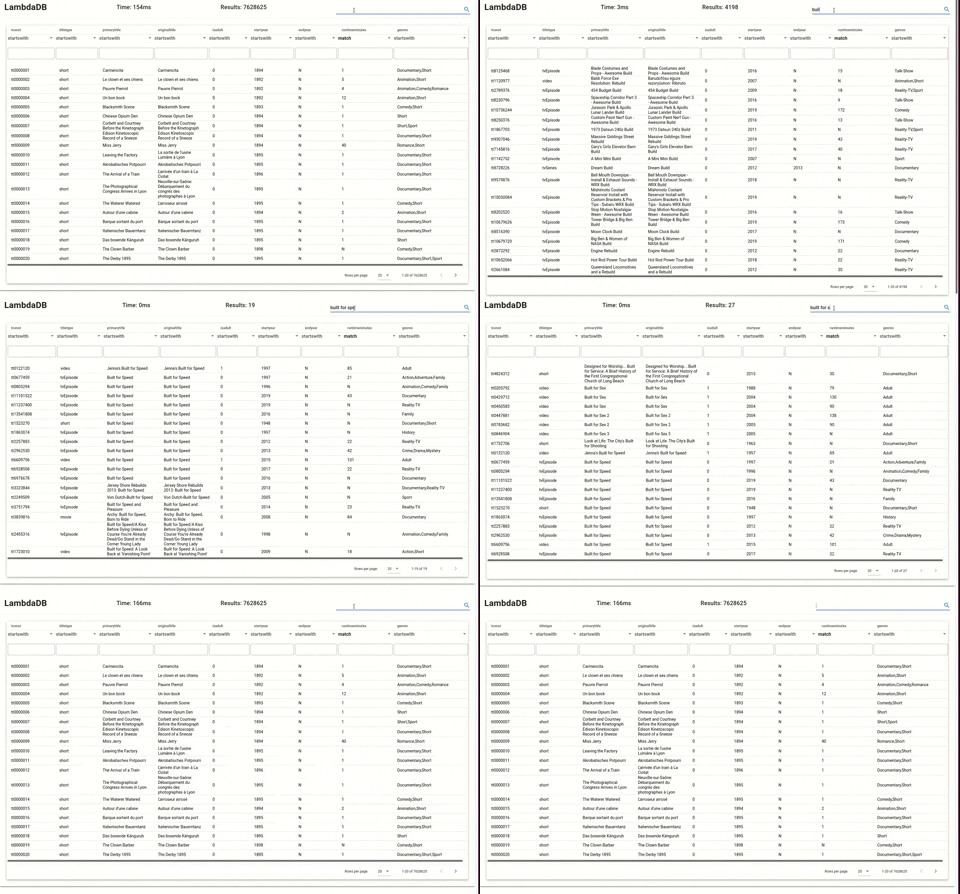
LambdaDB loaded with dataset from imdb at around 7 million items.
Frontend of LambdaDB shows the database in action.
### Steps
You can start the database with only a csv.
Go over steps below, And see the result in your browser.
1. `python3 extras/create_model.py -f ../model.go`
2. go fmt
3. go build
4. ./lambdadb --help
5. python3 extras/ingestion.py -f
6. curl 127.0.0.1:8128/help/
7. browser http://127.0.0.1:8128/
8. examples curl 127.0.0.1:8128/help/ | python3 -m json.tool
### Create Snapshot
http://127.0.0.1:8128/mgmt/save
### Load Snapshot
http://127.0.0.1:8128/mgmt/load
### Use index
Currently the index is on all the columns.
To run the index start lambdadb with indexed.
Create a snapshot of the current data compressed.
1. `http://127.0.0.1:8128/mgmt/save/bytesz`
2. `./lambda_db -indexed`
3. `http://127.0.0.1:8128/mgmt/load/bytesz`
### Run
sudo docker-compose up --no-deps --build
promql {instance="lambdadb:8000"}
python3 extras/ingestion.py -f movies_subset.tsv -format tsv -dbhost 127.0.0.1:8000