https://github.com/audiolion/dotup
Symlink your dotfiles with ease.
https://github.com/audiolion/dotup
cli dotfiles python3 symlinks updater
Last synced: 5 months ago
JSON representation
Symlink your dotfiles with ease.
- Host: GitHub
- URL: https://github.com/audiolion/dotup
- Owner: audiolion
- License: mit
- Created: 2019-02-16T18:40:45.000Z (over 7 years ago)
- Default Branch: master
- Last Pushed: 2019-02-17T22:39:09.000Z (over 7 years ago)
- Last Synced: 2025-10-10T01:34:44.943Z (9 months ago)
- Topics: cli, dotfiles, python3, symlinks, updater
- Language: Python
- Homepage:
- Size: 39.1 KB
- Stars: 3
- Watchers: 2
- Forks: 0
- Open Issues: 3
-
Metadata Files:
- Readme: README.md
- License: LICENSE
Awesome Lists containing this project
README
Dotup
Symlink your dotfiles with ease.
---
[](https://circleci.com/gh/audiolion/dotup) [](https://codecov.io/gh/audiolion/dotup)
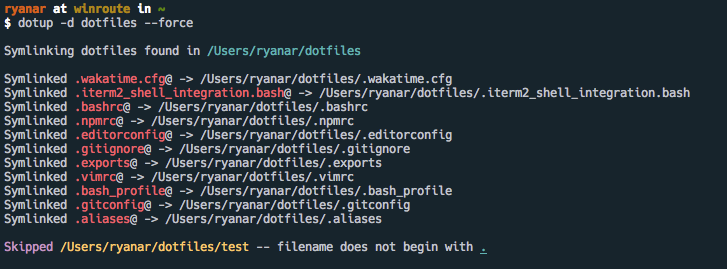
Dotup will generate symlinks to your dotfiles and place them in your home directory through a convenient CLI.
### Install
```shell
$ pip install dotup
```
### Usage
By default, _dotup_ expects to find a directory called `dotfiles` in your home directory (`~/dotfiles`).
```shell
$ dotup
# specify different dotfiles directory location at ~/dots
$ dotup --directory dots
```
To force symlink creation you can pass the `-f`, or `--force` flag.
```shell
$ dotup --force
```
Help
```shell
$ dotup --help
```
### Development
Pull requests are welcome, please consider creating an issue first about the change you would like to make.
#### Testing
Run the test suite with this command:
```shell
$ poetry run py.test tests/
```
### Deploy
To deploy a new version:
1. Make a semantic version update to `dotup/__init__.py` and `pyproject.toml` files.
2. Run `poetry-setup` see [poetry-setup](https://github.com/orsinium/poetry-setup) for installation
3. Commit updated versions
4. Run `poetry build`
5. Run `poetry publish`