https://github.com/austinrochford/webmc3
A web interface for exploring PyMC3 traces
https://github.com/austinrochford/webmc3
bayesian-inference dash mcmc probabilistic-programming python statistical-analysis visualization
Last synced: about 1 year ago
JSON representation
A web interface for exploring PyMC3 traces
- Host: GitHub
- URL: https://github.com/austinrochford/webmc3
- Owner: AustinRochford
- License: apache-2.0
- Created: 2017-12-26T19:30:49.000Z (over 8 years ago)
- Default Branch: master
- Last Pushed: 2018-02-14T11:31:08.000Z (over 8 years ago)
- Last Synced: 2023-04-09T13:32:25.016Z (about 3 years ago)
- Topics: bayesian-inference, dash, mcmc, probabilistic-programming, python, statistical-analysis, visualization
- Language: Python
- Size: 52.1 MB
- Stars: 46
- Watchers: 6
- Forks: 9
- Open Issues: 1
-
Metadata Files:
- Readme: README.md
- License: LICENSE
- Code of conduct: CODE_OF_CONDUCT.md
Awesome Lists containing this project
README
# webmc3
A web interface for exploring [PyMC3](https://github.com/pymc-devs/pymc3) traces, inspired by [ShinyStan](https://github.com/stan-dev/shinystan) and built with [Dash](https://github.com/plotly/dash).
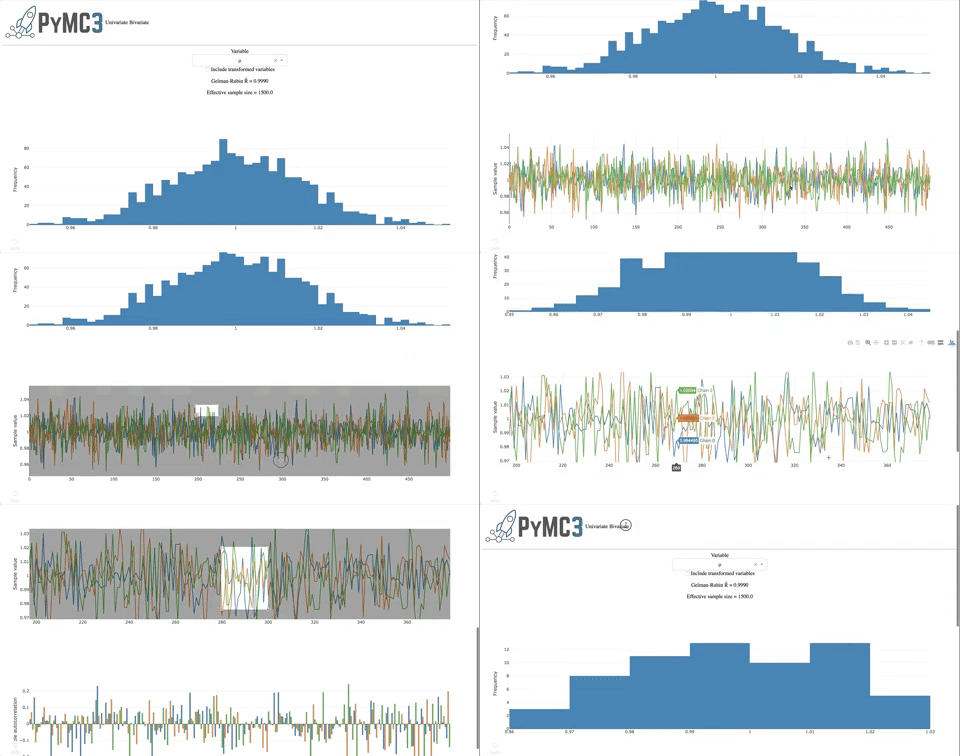
Consult the [quickstart notebook](/docs/notebooks/Quickstart.ipynb) to start using `webmc3`.
## Development
The simplest way to develop `webmc3` is to use the [Dockerfile](/Dockerfile).
First, pull the image from [Docker Hub](https://hub.docker.com/r/austinrochford/webmc3/) with
```bash
docker pull austinrochford/webmc3
```
or build the image with
```bash
docker build -t webmc3 .
```
Next launch a container using the image.
```bash
docker run -d \
-p $JUPYTER_PORT:8888 \
-p $DASH_PORT:8050 \
-v `pwd`:/home/jovyan/webmc3 \
--name webmc3 webmc3 \
start-notebook.sh --NotebookApp.token=''
```
There will not be a Jupyter notebook server available at `http://localhost:$JUPYTER_PORT/tree` and, once running, the `webmc3` app will be available at `http://localhost:$DASH_PORT`. Most importantly, your fork of `webmc3` is on the `PYTHONPATH` in the container.