https://github.com/awaiteddevelopments/rustsignpainter-app
🎨🖌️Professional automation tool for painting signs in Rust Survival.
https://github.com/awaiteddevelopments/rustsignpainter-app
art canvas facepunch free mod playrust plugin rust rust-survival sign-painter
Last synced: 2 months ago
JSON representation
🎨🖌️Professional automation tool for painting signs in Rust Survival.
- Host: GitHub
- URL: https://github.com/awaiteddevelopments/rustsignpainter-app
- Owner: AwaitedDevelopments
- Created: 2026-05-15T22:16:20.000Z (2 months ago)
- Default Branch: main
- Last Pushed: 2026-05-23T21:31:08.000Z (2 months ago)
- Last Synced: 2026-05-23T23:20:38.572Z (2 months ago)
- Topics: art, canvas, facepunch, free, mod, playrust, plugin, rust, rust-survival, sign-painter
- Homepage: https://www.awaiteddevelopments.com/rustsignpainter
- Size: 27.8 MB
- Stars: 3
- Watchers: 1
- Forks: 0
- Open Issues: 0
-
Metadata Files:
- Readme: README.md
Awesome Lists containing this project
README
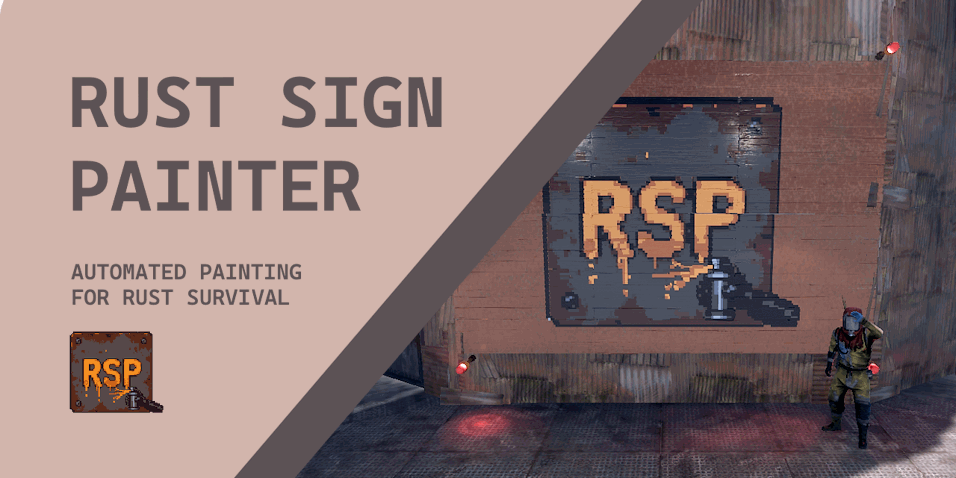
RUST SIGN PAINTER
Professional automation tool for painting signs in the survival game Rust.
Load any image → smart color quantization → optimized brush strokes → fully automatic high-quality painting.
Documentation • Download for Free
Report a Bug • Request a Feature • Discussion • Support
awaiteddevelopments.com/rustsignpainter
[ ](https://github.com/AwaitedDevelopments/rustsignpainter-app/releases)
[ ](https://github.com/AwaitedDevelopments/rustsignpainter-app/releases)
[ ](https://github.com/AwaitedDevelopments/rustsignpainter-app/issues)
[ ](https://github.com/AwaitedDevelopments/rustsignpainter-app/releases)
---

## Features
- **Broad Image Support**: PNG, JPG, JPEG, BMP, GIF, WebP, TIFF
- **Fast Quantization**: High-quality median-cut algorithm
- **Optional Dithering**: Floyd-Steinberg for smooth gradients
- **Advanced Path Optimization**: Run-length merging + boustrophedon scanning
- **Brush-Aware Painting**: Background-first logic with separate detail passes
- **Smart Rust Integration**: Automatic hex input and brush size control
- **Easy Screen Setup**: Drag-to-select canvas + click-to-pick fields with overlay
- **Live Progress HUD**: Real-time painting status
- **Keybinds**: CTRL-1 pause/resume, hold CTRL-2 emergency stop, top-left failsafe stop (move mouse)
- **Persistent Configuration**: Automatically saves all screen positions
## Download & Installation
1. Navigate to the [Releases](https://github.com/LordChunder/rustsignpainter-app/releases) tab on the right side of this
GitHub page.
2. Under the **Latest** release, download the `rsp.exe` file.
3. Run the `.exe` (No installation required).
*Note: Windows Defender or other antivirus software may flag the file because it uses mouse/keyboard automation. This is
normal behavior for macro tools.*
## Screenshots


## Rust Sign Painter Pro
Rust Sign Painter is fully functional in the free tier. An optional Pro tier is available for power users who need
additional capabilities (more colors, lower delays, priority updates). Pro is not required to use the app.
| Feature | Free Tier | Pro Tier |
|:-------------------|:---------------|:---------------------|
| **Max Colors** | Up to 8 Colors | **Up to 64 Colors** |
| **Hardware Delay** | Capped at 50ms | **Unlimited (0ms)** |
| **Color Delay** | Capped at 0.5s | **Unlimited (0.0s)** |
| **Updates** | Basic | **Priority** |
### How to activate Pro
1. Purchase a lifetime license key at **[awaiteddevelopments.com/rustsignpainter](https://www.awaiteddevelopments.com/rustsignpainter)**.
2. Open the application.
3. Click **Options → 🔑 Activate License...** in the top menu bar.
4. Enter your email and license key to unlock Pro features.
*Note: Licenses are limited to one active device per user and can be transferred. Multiple devices simultaneously
require separate licenses.*
## Quick Start
### 1. Load & Preview
- Click the preview area to load your image
- Select your sign type/size
- Choose your desired number of colors
- Enable dithering if needed
- Click **Preview Quantization**
### 2. Configure Positions
Open Rust’s sign editor, then:
- **Capture Canvas** → drag over the painting area
- **Capture Hex Field** → click the hex color input
- **Capture Brush Field** → click the brush radius input
- Save configuration
### 3. Paint
- Adjust Detail Step and Background Step (higher = faster)
- Click **Generate Plan**
- Click **Start Painting** and switch to Rust during the countdown
## Controls
| Action | Hotkey / Button |
|-----------------|-------------------------------|
| Pause / Resume | **CTRL-1** |
| Emergency Stop | **CTRL-2** (hold) |
| Global Failsafe | Move mouse to top-left corner |
## Important Notice
This software is **not open source**. The repository is public for distribution and updates only.
All rights reserved. Unauthorized copying, modification, or redistribution is prohibited.
## Disclaimer & Safety
This tool uses mouse and keyboard automation **only after you explicitly start painting**.
Always test on low-value signs first. Facepunch has commented that sign painting tools will not result in anti-cheat
bans, though you use this at your own risk.

**Built for the Rust community** ❤️
Awaited Developments