https://github.com/axel186/charts-tinymce-plugin-bower
Add charts into your content (Tinymce plugin)
https://github.com/axel186/charts-tinymce-plugin-bower
chartistjs charts data-visualisation tinymce-plugin
Last synced: 6 days ago
JSON representation
Add charts into your content (Tinymce plugin)
- Host: GitHub
- URL: https://github.com/axel186/charts-tinymce-plugin-bower
- Owner: Axel186
- License: mit
- Created: 2017-08-10T08:42:27.000Z (almost 9 years ago)
- Default Branch: master
- Last Pushed: 2017-08-10T08:42:39.000Z (almost 9 years ago)
- Last Synced: 2025-10-08T21:34:43.897Z (10 months ago)
- Topics: chartistjs, charts, data-visualisation, tinymce-plugin
- Language: JavaScript
- Homepage:
- Size: 289 KB
- Stars: 0
- Watchers: 1
- Forks: 0
- Open Issues: 1
-
Metadata Files:
- Readme: README.md
- License: LICENSE
Awesome Lists containing this project
README
# Charts TinyMCE Plugin
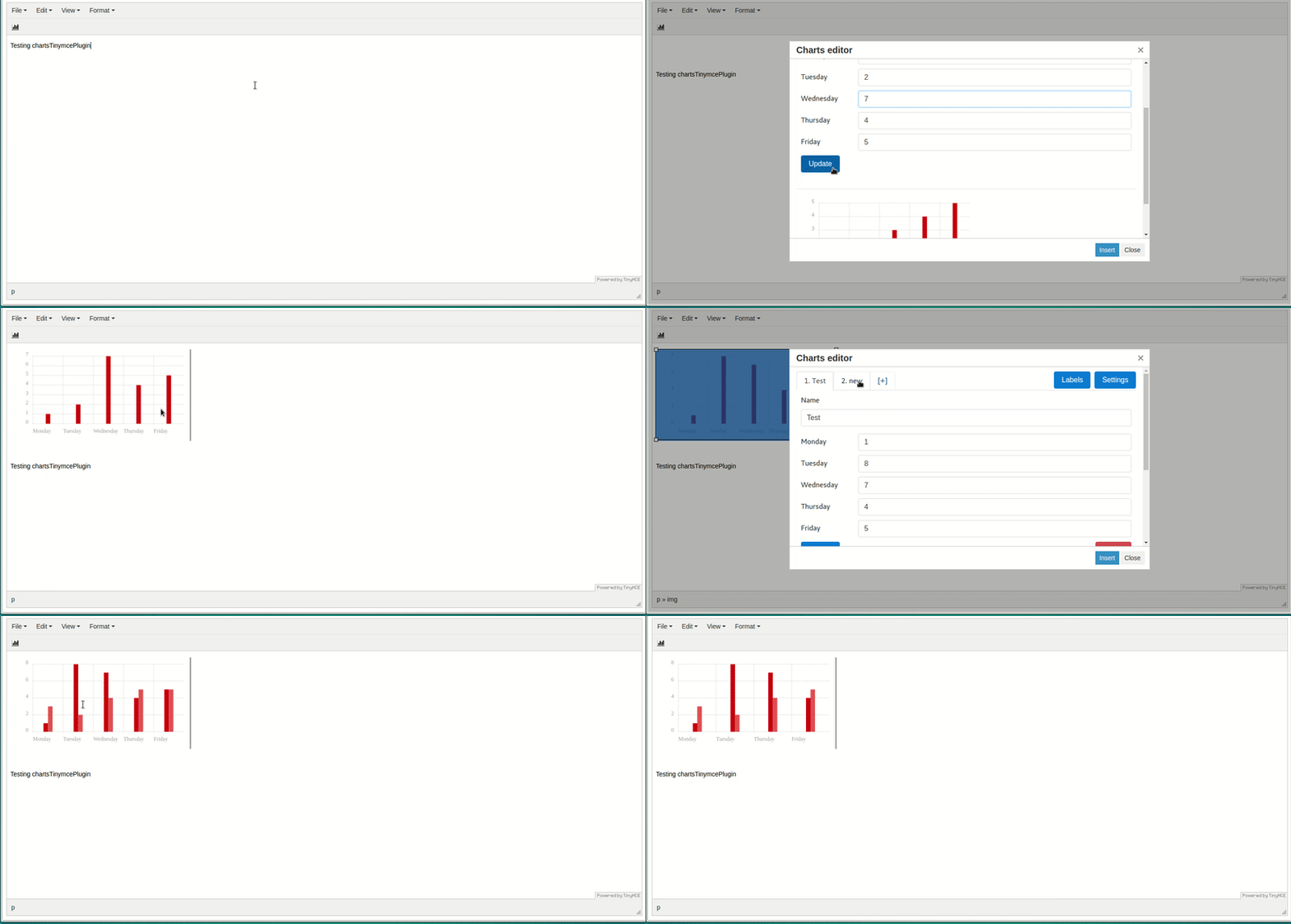
With this plugin you able to add charts into your content.
This plugin using [Chartist.js](https://gionkunz.github.io/chartist-js/) libary for rendering graphs.
This plugin compatible with TinyMce 4.
## Install
### NPM:
```
npm install charts-tinymce-plugin --save
```
### Bower:
```
bower install charts-tinymce-plugin --save
```
### Download
* [Latest build](https://github.com/Axel186/charts-tinymce-plugin-bower/archive/master.zip)
## Usage
Configure your TinyMce init settings by adding `external_plugins` and usage of `chartsTinymcePlugin`:
```Javascript
tinymce.init({
selector: 'textarea',
external_plugins: {'chartsTinymcePlugin': 'http://your-website/.../charts-tinymce-plugin/plugin.js'}, // Add plugin to Tinymce
toolbar: 'chartsTinymcePlugin',
content_css: 'http://your-website/.../charts-tinymce-plugin/app/scripts/chartist/chartist.css', // Add chartist styles or use your own.
chart_uploader: function (file, cb) {
// Here is your uploader logic, start to upload you image here like that:
// yourUploader.sendIMG(file.blob)
// .then(function(url){
// // Take a look at "class='tinymce-chart'" and "charts-data='" + file.chartsData + "'", it is really important to keep it in the tag - that's way you able to edit your graph.
// cb(" ");
");
// });
// or just put SVG-html into your content. Example:
cb(file.html);
}
});
```
There are 2 options how to use this plugin:
1. Add SVG tag width graph into your content, I found that is very hard to work with SVG into Tinymce. It's hard to align or edit because it contains a lot of tags inside.
2. Is to upload "Blob file" that plugin returns to your own server and after that add the IMG tag with path to the file. If you are using this method, you able to edit the graph and update the changes. (Take a look at the screenshot above).
## Development
This repository contains only `dist` files, if you want to get the source, check: [charts-tinymce-plugin](https://github.com/Axel186/charts-tinymce-plugin).
## License - MIT