https://github.com/axetroy/json-codemod
Modify JSON strings with a fluent chainable API while preserving formatting, comments, and whitespace.
https://github.com/axetroy/json-codemod
json json-parse json-replace jsoncst
Last synced: 2 months ago
JSON representation
Modify JSON strings with a fluent chainable API while preserving formatting, comments, and whitespace.
- Host: GitHub
- URL: https://github.com/axetroy/json-codemod
- Owner: axetroy
- License: other
- Created: 2025-12-16T06:12:43.000Z (7 months ago)
- Default Branch: master
- Last Pushed: 2026-01-04T03:37:15.000Z (6 months ago)
- Last Synced: 2026-02-15T23:52:28.002Z (5 months ago)
- Topics: json, json-parse, json-replace, jsoncst
- Language: JavaScript
- Homepage: https://www.npmjs.com/package/json-codemod
- Size: 184 KB
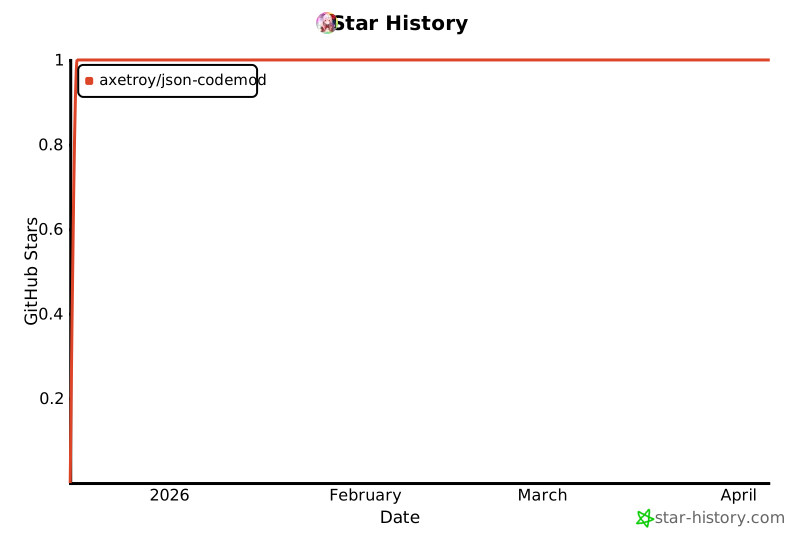
- Stars: 1
- Watchers: 0
- Forks: 0
- Open Issues: 0
-
Metadata Files:
- Readme: README.md
- Funding: .github/FUNDING.yml
- License: LICENSE
Awesome Lists containing this project
README
# json-codemod
[](https://996.icu/#/en_US)
[](https://github.com/996icu/996.ICU/blob/master/LICENSE)

[](https://badge.fury.io/js/json-codemod)
Modify JSON strings with a fluent chainable API while preserving formatting, comments, and whitespace.
## ✨ Features
- 🎨 **Format Preservation** - Maintains comments, whitespace, and original formatting
- 🔗 **Chainable API** - Fluent interface for readable modifications
- ⚡ **Sequential Operations** - Apply multiple changes in order
- 🚀 **Fast & Lightweight** - Zero dependencies, minimal footprint
- 📦 **Dual module support** - Works with both ESM and CommonJS
- 💪 **TypeScript Support** - Full type definitions included
- 🎯 **Flexible Path Syntax** - Supports both dot notation and JSON Pointer
## 📦 Installation
```bash
npm install json-codemod
```
Or using other package managers:
```bash
yarn add json-codemod
# or
pnpm add json-codemod
```
## 🚀 Quick Start
```js
import jsonmod from "json-codemod";
const source = '{"name": "Alice", "age": 30, "items": [1, 2, 3]}';
const result = jsonmod(source)
.replace("name", '"Bob"')
.replace("age", "31")
.delete("items[1]")
.insert("items", 2, "4")
.apply();
// Result: {"name": "Bob", "age": 31, "items": [1, 4, 3]}
```
### With Value Helpers
Use `formatValue` for automatic type handling:
```js
import jsonmod, { formatValue } from "json-codemod";
const source = '{"name": "Alice", "age": 30, "active": false}';
const result = jsonmod(source)
.replace("name", formatValue("Bob")) // Strings quoted automatically
.replace("age", formatValue(31)) // Numbers handled correctly
.replace("active", formatValue(true)) // Booleans too
.apply();
// Result: {"name": "Bob", "age": 31, "active": true}
```
## 📖 API Reference
### `jsonmod(sourceText)`
Creates a chainable instance for JSON modifications.
**Parameters:**
- `sourceText` (string): JSON string to modify
**Returns:** `JsonMod` instance
**Example:**
```js
const mod = jsonmod('{"name": "Alice"}');
```
### `.replace(path, value)`
Replace a value at the specified path.
**Parameters:**
- `path` (string | string[]): JSON path
- `value` (string): New value as JSON string
**Returns:** `this` (chainable)
**Examples:**
```js
// Simple replacement
jsonmod(source).replace("name", '"Bob"').apply();
// Nested path
jsonmod(source).replace("user.profile.age", "31").apply();
// Array element
jsonmod(source).replace("items[1]", "99").apply();
// Using formatValue
jsonmod(source).replace("name", formatValue("Bob")).apply();
```
### `.delete(path)` / `.remove(path)`
Delete a property or array element.
**Parameters:**
- `path` (string | string[]): JSON path
**Returns:** `this` (chainable)
**Examples:**
```js
// Delete property
jsonmod(source).delete("age").apply();
// Delete array element
jsonmod(source).delete("items[0]").apply();
// Delete nested property
jsonmod(source).delete("user.email").apply();
// Multiple deletions (remove is alias)
jsonmod(source)
.delete("a")
.remove("b")
.apply();
```
### `.insert(path, keyOrPosition, value)`
Insert into objects or arrays.
**Parameters:**
- `path` (string | string[]): Path to container
- `keyOrPosition` (string | number): Property name (object) or index (array)
- `value` (string): Value as JSON string
**Returns:** `this` (chainable)
**Examples:**
```js
// Insert into object
jsonmod(source)
.insert("", "email", '"test@example.com"')
.apply();
// Insert into array at position
jsonmod(source)
.insert("items", 0, '"first"')
.apply();
// Append to array
jsonmod(source)
.insert("items", 3, '"last"')
.apply();
// Using formatValue
jsonmod(source)
.insert("user", "age", formatValue(30))
.apply();
```
### `.apply()`
Execute all queued operations and return modified JSON.
**Returns:** Modified JSON string
**Example:**
```js
const result = jsonmod(source)
.replace("a", "1")
.delete("b")
.insert("", "c", "3")
.apply(); // Execute and return result
```
### `formatValue(value)`
Convert JavaScript values to JSON strings automatically.
**Parameters:**
- `value` (any): JavaScript value
**Returns:** JSON string representation
**Examples:**
```js
import { formatValue } from "json-codemod";
formatValue(42) // "42"
formatValue("hello") // '"hello"'
formatValue(true) // "true"
formatValue(null) // "null"
formatValue({a: 1}) // '{"a":1}'
formatValue([1, 2, 3]) // '[1,2,3]'
```
## 🎯 Examples
### Configuration File Updates
```js
import jsonmod, { formatValue } from "json-codemod";
import { readFileSync, writeFileSync } from "fs";
const config = readFileSync("tsconfig.json", "utf-8");
const updated = jsonmod(config)
.replace("compilerOptions.target", formatValue("ES2022"))
.replace("compilerOptions.strict", formatValue(true))
.delete("compilerOptions.experimentalDecorators")
.insert("compilerOptions", "moduleResolution", formatValue("bundler"))
.apply();
writeFileSync("tsconfig.json", updated);
```
### Preserving Comments and Formatting
```js
const source = `{
// User configuration
"name": "Alice",
"age": 30, /* years */
"active": true
}`;
const result = jsonmod(source)
.replace("age", "31")
.replace("active", "false")
.apply();
// Comments and formatting preserved!
```
### Complex Nested Operations
```js
const data = '{"user": {"name": "Alice", "settings": {"theme": "dark"}}}';
const result = jsonmod(data)
.replace("user.name", formatValue("Bob"))
.replace("user.settings.theme", formatValue("light"))
.insert("user.settings", "language", formatValue("en"))
.apply();
```
### Array Manipulations
```js
const source = '{"items": [1, 2, 3, 4, 5]}';
const result = jsonmod(source)
.delete("items[1]") // Remove second item
.delete("items[2]") // Remove what is now third item
.insert("items", 0, "0") // Insert at beginning
.apply();
// Result: {"items": [0, 1, 4, 5]}
```
### Conditional Operations
```js
let mod = jsonmod(config);
if (isDevelopment) {
mod = mod.replace("debug", "true");
}
if (needsUpdate) {
mod = mod.replace("version", formatValue("2.0.0"));
}
const result = mod.apply();
```
## 📚 Path Syntax
### Dot Notation
```js
jsonmod(source).replace("user.profile.name", '"Bob"').apply();
```
### Bracket Notation for Arrays
```js
jsonmod(source).replace("items[0]", "1").apply();
jsonmod(source).delete("items[2]").apply();
```
### JSON Pointer
```js
jsonmod(source).replace("/user/profile/name", '"Bob"').apply();
```
### Special Characters
For keys with special characters, use JSON Pointer:
```js
// Key with slash: "a/b"
jsonmod(source).replace("/a~1b", "value").apply();
// Key with tilde: "a~b"
jsonmod(source).replace("/a~0b", "value").apply();
```
## 💻 TypeScript Support
Full TypeScript support with type definitions:
```typescript
import jsonmod, { JsonMod, formatValue } from "json-codemod";
const source = '{"name": "Alice", "age": 30}';
const instance: JsonMod = jsonmod(source);
const result: string = instance
.replace("name", formatValue("Bob"))
.delete("age")
.apply();
```
## 🔧 How It Works
1. **Parse:** Creates a Concrete Syntax Tree (CST) preserving all formatting
2. **Queue:** Operations are queued, not executed immediately
3. **Execute:** `.apply()` runs operations sequentially, re-parsing after each
4. **Return:** Returns the modified JSON string with formatting preserved
## ❓ FAQ
### Why use formatValue?
**Without formatValue:**
```js
.replace("name", '"Bob"') // Must remember quotes
.replace("age", "30") // No quotes for numbers
.replace("active", "true") // No quotes for booleans
```
**With formatValue:**
```js
.replace("name", formatValue("Bob")) // Automatic
.replace("age", formatValue(30)) // Automatic
.replace("active", formatValue(true)) // Automatic
```
### How are comments preserved?
The library parses JSON into a Concrete Syntax Tree that includes comments and whitespace as tokens. Modifications only change value tokens, leaving everything else intact.
### What about performance?
Operations are applied sequentially with re-parsing between each. This ensures correctness but means:
- Fast for small to medium JSON files
- For large files with many operations, consider batching similar changes
### Can I reuse a JsonMod instance?
No, call `.apply()` returns a string and operations are cleared. Create a new instance for new modifications:
```js
const result1 = jsonmod(source).replace("a", "1").apply();
const result2 = jsonmod(result1).replace("b", "2").apply();
```
## 🤝 Contributing
Contributions are welcome! Please feel free to submit a Pull Request.
## 📄 License
[Anti 996 License](https://github.com/996icu/996.ICU/blob/master/LICENSE)
## 🔗 Links
- [GitHub](https://github.com/axetroy/json-codemod)
- [npm](https://www.npmjs.com/package/json-codemod)
## 🌟 Star History
[](https://star-history.com/#axetroy/json-codemod&Date)