https://github.com/axtonliu/axton-obsidian-visual-skills
Visual Skills Pack for Obsidian: generate Canvas, Excalidraw, and Mermaid diagrams from text with Claude Code
https://github.com/axtonliu/axton-obsidian-visual-skills
Last synced: 6 months ago
JSON representation
Visual Skills Pack for Obsidian: generate Canvas, Excalidraw, and Mermaid diagrams from text with Claude Code
- Host: GitHub
- URL: https://github.com/axtonliu/axton-obsidian-visual-skills
- Owner: axtonliu
- License: mit
- Created: 2026-01-10T18:01:37.000Z (6 months ago)
- Default Branch: main
- Last Pushed: 2026-01-12T20:31:21.000Z (6 months ago)
- Last Synced: 2026-01-13T01:27:16.552Z (6 months ago)
- Size: 1.11 MB
- Stars: 356
- Watchers: 3
- Forks: 32
- Open Issues: 0
-
Metadata Files:
- Readme: README.md
- License: LICENSE
Awesome Lists containing this project
- awesome-claude-skills-zh - axton-obsidian-visual-skills
- my-awesome - axtonliu/axton-obsidian-visual-skills - 06 star:3.2k fork:0.3k Visual Skills Pack for Obsidian: generate Canvas, Excalidraw, and Mermaid diagrams from text with Claude Code (Others)
- claude-code-skills-zh - axton-obsidian-visual-skills
- awesome-openclaw-skills - axtonliu/axton-obsidian-visual-skills
- awesome-agent-skills - axton-obsidian-visual-skills - Visual Skills Pack for Obsidian: generate Canvas, Excalidraw, and Mermaid diagrams from text with Claude Code. (Diagram and Visual Skills)
README
# Obsidian Visual Skills Pack
[](https://opensource.org/licenses/MIT)
[](#status)
**[中文文档](README_CN.md)**
Visual Skills Pack for Obsidian: generate Canvas, Excalidraw, and Mermaid diagrams from text with Claude Code.
## Demo
Excalidraw
Mermaid
Canvas


Hand-drawn style
Hierarchical flowchart
Colorful card layout
### Video Demo
[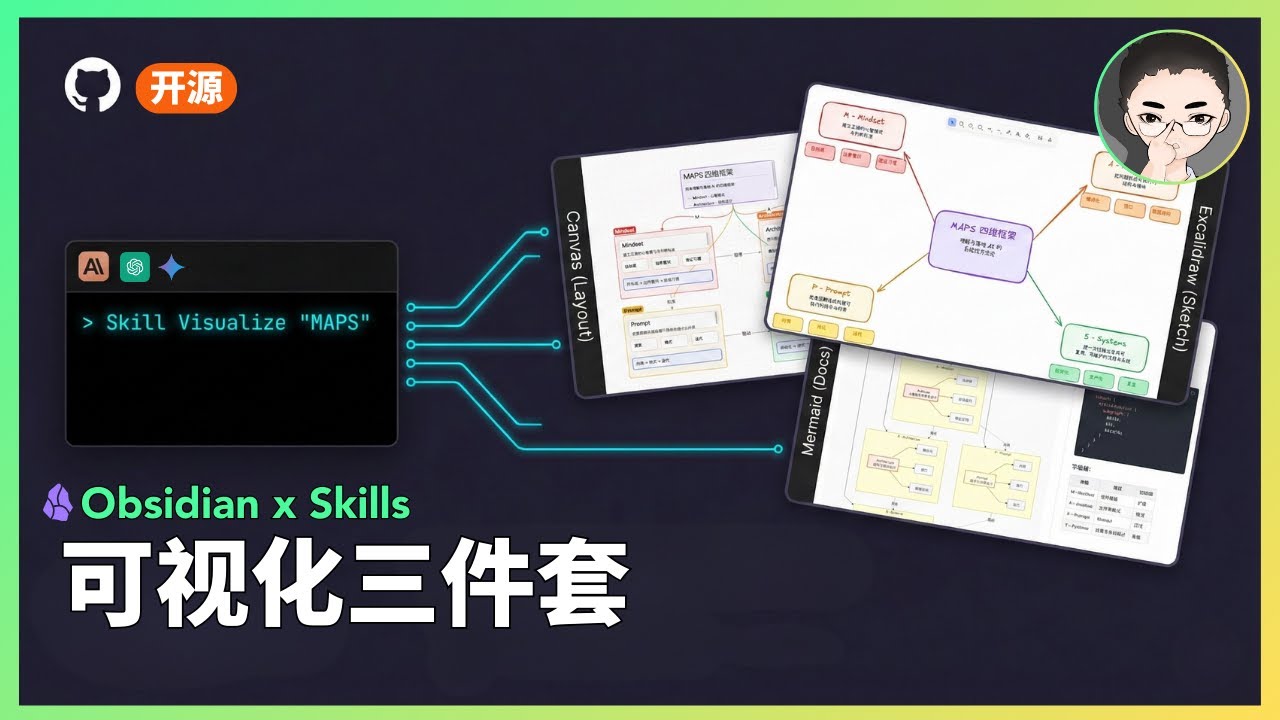](https://youtu.be/TUJ_3G1cylc)
## Status
> **Status: Experimental**
>
> - This is a public prototype that works for my demos, but does not yet cover all input scales and edge cases.
> - Output quality varies based on model version and input structure; results may fluctuate.
> - My primary focus is demonstrating how tools and systems work together, not maintaining this codebase.
> - If you encounter issues, please submit a reproducible case (input + output file + steps to reproduce).
## What Are Skills?
Skills are prompt-based extensions for [Claude Code](https://docs.anthropic.com/en/docs/claude-code) that give Claude specialized capabilities. Unlike MCP servers that require complex setup, skills are simple markdown files that Claude loads on demand.
## Included Skills
### 1. Excalidraw Diagram Generator
Generate hand-drawn style diagrams directly in Obsidian using the Excalidraw plugin. Creates `.md` files with embedded Excalidraw JSON that opens natively in Obsidian.
**Supported Diagram Types:**
| Type | Best For |
|------|----------|
| **Flowchart** | Step-by-step processes, workflows, task sequences |
| **Mind Map** | Concept expansion, topic categorization, brainstorming |
| **Hierarchy** | Org charts, content levels, system decomposition |
| **Relationship** | Dependencies, influences, interactions between elements |
| **Comparison** | Side-by-side analysis of approaches or options |
| **Timeline** | Event progression, project milestones, evolution |
| **Matrix** | 2D categorization, priority grids, positioning |
| **Freeform** | Scattered ideas, initial exploration, free-form notes |
**Key Features:**
- Auto-saves `.md` files ready for Obsidian Excalidraw plugin
- Hand-drawn aesthetic with Excalifont (fontFamily: 5)
- Full Chinese text support with proper character handling
- Consistent color palette and styling guidelines
**Trigger words:** `Excalidraw`, `diagram`, `flowchart`, `mind map`, `画图`, `流程图`, `思维导图`, `可视化`
### 2. Mermaid Visualizer
Transform text content into professional Mermaid diagrams optimized for presentations and documentation. Includes built-in syntax error prevention for common pitfalls.
**Supported Diagram Types:**
- **Process Flow** (graph TB/LR) - Workflows, decision trees, AI agent architectures
- **Circular Flow** - Cyclic processes, feedback loops, continuous improvement
- **Comparison Diagram** - Before/after, A vs B analysis, traditional vs modern
- **Mindmap** - Hierarchical concepts, knowledge organization
- **Sequence Diagram** - Component interactions, API calls, message flows
- **State Diagram** - System states, status transitions, lifecycle stages
**Key Features:**
- Built-in syntax error prevention (list conflicts, subgraph naming, special characters)
- Configurable layouts: vertical/horizontal, simple/standard/detailed
- Professional color schemes with semantic meaning
- Compatible with Obsidian, GitHub, and other Mermaid renderers
**Trigger words:** `Mermaid`, `visualize`, `flowchart`, `sequence diagram`, `可视化`
### 3. Obsidian Canvas Creator
Create interactive Obsidian Canvas (`.canvas`) files with MindMap or freeform layouts. Outputs valid JSON Canvas format that opens directly in Obsidian.
**Layout Modes:**
| Mode | Structure | Best For |
|------|-----------|----------|
| **MindMap** | Radial hierarchy from center | Brainstorming, topic exploration, hierarchical content |
| **Freeform** | Custom positioning, flexible connections | Complex networks, non-hierarchical content, custom arrangements |
**Key Features:**
- Smart node sizing based on content length
- Automatic edge creation with labeled relationships
- Color-coded nodes (6 preset colors + custom hex)
- Proper spacing algorithms to prevent overlap
- Group nodes for visual organization
**Trigger words:** `Canvas`, `mind map`, `visual diagram`, `思维导图`
## Installation
### Prerequisites
- [Claude Code CLI](https://docs.anthropic.com/en/docs/claude-code) installed
- [Obsidian](https://obsidian.md/) with relevant plugins:
- [Excalidraw plugin](https://github.com/zsviczian/obsidian-excalidraw-plugin) (for Excalidraw skill)
### Option A: Plugin Marketplace (Recommended)
Install via Claude Code's plugin system:
```
/plugin marketplace add axtonliu/axton-obsidian-visual-skills
/plugin install obsidian-visual-skills
```
Then restart Claude Code to load the skills.
### Option B: Manual Installation
Copy the skill folders to your Claude Code skills directory:
```bash
# Clone the repository
git clone https://github.com/axtonliu/axton-obsidian-visual-skills.git
# Copy skills to Claude Code directory
cp -r axton-obsidian-visual-skills/excalidraw-diagram ~/.claude/skills/
cp -r axton-obsidian-visual-skills/mermaid-visualizer ~/.claude/skills/
cp -r axton-obsidian-visual-skills/obsidian-canvas-creator ~/.claude/skills/
```
Or copy individual skills as needed.
## Usage
Once installed, Claude Code will automatically use these skills when you ask for visualizations:
```
# Excalidraw
"Create an Excalidraw flowchart showing the CI/CD pipeline"
"Draw a mind map about machine learning concepts"
"用 Excalidraw 画一个商业模式关系图"
# Mermaid
"Visualize this process as a Mermaid diagram"
"Create a sequence diagram for the API authentication flow"
"把这个工作流程转成 Mermaid 图表"
# Canvas
"Turn this article into an Obsidian Canvas"
"Create a mind map canvas for project planning"
"把这篇文章整理成 Canvas 思维导图"
```
## File Structure
```
axton-obsidian-visual-skills/
├── excalidraw-diagram/
│ ├── SKILL.md # Main skill definition
│ ├── assets/ # Example outputs
│ └── references/ # Excalidraw JSON schema
├── mermaid-visualizer/
│ ├── SKILL.md
│ └── references/ # Syntax rules & error prevention
├── obsidian-canvas-creator/
│ ├── SKILL.md
│ ├── assets/ # Template canvas files
│ └── references/ # Canvas spec & layout algorithms
├── README.md
├── README_CN.md
└── LICENSE
```
## Troubleshooting
### Excalidraw: Chinese text not showing as handwriting font
The skill correctly sets `fontFamily: 5` (Excalifont). However, **Excalifont only covers Latin characters** — CJK handwriting font (Xiaolai) is loaded dynamically from the network.
**Why it works for me:** My Chinese text displays in handwriting style because the font loads successfully from Excalidraw.com.
**Why it might not work for you:**
- Offline mode or unstable network connection
- Cannot access Excalidraw.com (firewall, etc.)
**Solutions:**
**Option A (Online):** Ensure your network can access Excalidraw.com
**Option B (Offline):**
1. Download CJK font files from [Excalidraw GitHub](https://github.com/excalidraw/excalidraw/tree/master/public/fonts)
2. Place them in your vault's `Excalidraw/CJK Fonts` folder
3. In Excalidraw plugin settings, enable "Load Chinese fonts from file at startup"
4. Restart Obsidian (required for settings to take effect)
## Contributing
Contributions welcome (low-maintenance project):
- Reproducible bug reports (input + output + steps + environment)
- Documentation improvements
- Small PRs (fixes/docs)
> **Note:** Feature requests may not be acted on due to limited maintenance capacity.
## Acknowledgments
This project builds upon these excellent open-source tools and specifications:
- [Excalidraw](https://excalidraw.com/) - Hand-drawn style whiteboard
- [Mermaid](https://mermaid.js.org/) - Diagram and chart generation
- [JSON Canvas](https://jsoncanvas.org/) - Open file format for infinite canvas (MIT License)
- [Obsidian](https://obsidian.md/) - Knowledge base application
## License
MIT License - see [LICENSE](LICENSE) for details.
---
## Author
**Axton Liu** - AI Educator & Creator
- Website: [axtonliu.ai](https://www.axtonliu.ai)
- YouTube: [@AxtonLiu](https://youtube.com/@AxtonLiu)
- Twitter/X: [@axtonliu](https://twitter.com/axtonliu)
### Learn More
- [Claude Skills 万字长文:从指令到资产的系统化构建指南](https://www.axtonliu.ai/newsletters/ai-2/posts/claude-agent-skills-maps-framework) - Complete methodology
- [AI Elite Weekly Newsletter](https://www.axtonliu.ai/newsletters/ai-2) - Weekly AI insights
- [Free AI Course](https://www.axtonliu.ai/axton-free-course) - Get started with AI
---
© AXTONLIU™ & AI 精英学院™ 版权所有