https://github.com/aydinfatih/localization_plus
Easy, Advanced and Fast Internationalization for your Flutter Apps
https://github.com/aydinfatih/localization_plus
dart flutter localization
Last synced: 4 months ago
JSON representation
Easy, Advanced and Fast Internationalization for your Flutter Apps
- Host: GitHub
- URL: https://github.com/aydinfatih/localization_plus
- Owner: aydinfatih
- License: bsd-3-clause
- Created: 2023-10-08T10:06:47.000Z (over 2 years ago)
- Default Branch: master
- Last Pushed: 2024-03-03T08:54:33.000Z (over 2 years ago)
- Last Synced: 2025-10-23T00:26:32.610Z (8 months ago)
- Topics: dart, flutter, localization
- Language: Dart
- Homepage: https://pub.dev/packages/localization_plus
- Size: 613 KB
- Stars: 5
- Watchers: 1
- Forks: 0
- Open Issues: 0
-
Metadata Files:
- Readme: README.md
- Changelog: CHANGELOG.md
- Funding: .github/FUNDING.yml
- License: LICENSE
Awesome Lists containing this project
README
# Easy, Advanced and Fast Internationalization for your Flutter Apps
[](https://flutter.dev)
[](https://dart.dev)
[](https://pub.dev/packages/localization_plus)
[](https://opensource.org/licenses/BSD-3-Clause)
## About this library
- ✅ Fully tested code (100% code coverage)
- 🌐 Easy translations for many languages
- 🛡️ Null safety
- 📂 Load translations from JSON file
- 🧩 Extension methods on BuildContext, String and Text, Enum
- 🚀 Supports plural, nesting, choice, RTL locales and more
- ↩️ Fallback locale keys redirection (Optional)
- 💾 Persistent locale storage (Optional)
- ❗ Error widget for missing translations
- 🎧 Listening to localization changes via controller
- 🔁 Context independent locale change via controller
- 🌐 Enum translations
## Installation
Add to your pubspec.yaml:
```yaml
dependencies:
localization_plus:
```
Create folder and add translation files like this
```
i18n
├── {languageCode}.{ext} // useOnlyLangCode: true
└── {languageCode}-{countryCode}.{ext} // useOnlyLangCode: false (default)
```
Example:
```
i18n
├── en.json
└── en-US.json
```
Declare your assets localization directory in `pubspec.yaml`:
```yaml
flutter:
assets:
- i18n/
```
### 🚨 Note on **iOS**
For translation to work on **iOS** you need to add supported locales to
`ios/Runner/Info.plist` as described [here](https://flutter.dev/docs/development/accessibility-and-localization/internationalization#specifying-supportedlocales).
Example:
```xml
CFBundleLocalizations
en
nb
```
## Documentation
### 📄 LocalizationPlusController properties
| Properties | Required | Default | Description |
| ----------------------- | -------- | ------------------------- |----------------------------------------------------------------------------------------------------------------------------------------------------------------------------------|
| supportedLocales | true | | List of supported locales. |
| path | true | | Path to your folder with localization files. |
| loader | false | `RootBundleAssetLoader()` | Class loader for localization files. You can create your own class. |
| saveLocale | false | `true` | Whether to save on the device after changing the language |
| useOnlyLangCode | false | `false` | Trigger for using only language code for reading localization files.Example:`en.json //useOnlyLangCode: true``en-US.json //useOnlyLangCode: false (default)` |
| useFallbackTranslations | false | `false` | If a localization key is not found in the locale file, try to use the fallbackLocale file. sets the first supported language as fallback if fallback locale is not set |
| fallbackLocale | false | | Set the locale to be used as an alternative if a localization key is not found in the locale file |
| startLocale | false | | If there is no saved language, set the language in which the system will start |
### 📄 LocalizationPlus widget properties
| Properties | Required | Default | Description |
| ----------------------- | -------- | ------------------------- | ----------------------------------------------------------------------------------------------------------------------------------------------------------------------------- |
| key | false | | Widget key. |
| child | true | | Place for your main page widget. |
| controller | true | | LocalizationPlusController instance . |
### Replacing Parameters In Translation Strings
If you wish, you may define placeholders in your translation strings. All placeholders must be between curly brackets. For example, you may define a welcome message with a placeholder name:
```json
{
"welcome": "Welcome, {name}"
}
```
If your placeholder contains all capital letters, or only has its first letter capitalized, the translated value will be capitalized accordingly:
```json
"welcome": "Welcome, {NAME}" // Welcome, USER
"welcome": "Welcome, {Name}" // Welcome, User
```
## Usage/Examples
```dart
import 'package:flutter/material.dart';
import 'package:localization_plus/localization_plus.dart';
void main() async {
WidgetsFlutterBinding.ensureInitialized();
// If you wish, you can define it so that it can be accessed
// from anywhere in the system with a package such as the getIt library
LocalizationPlusController controller = await LocalizationPlusController.init(
path: 'i18n',
);
runApp(
LocalizationPlus(
controller: controller,
supportedLocales: [
'en_US'.toLocale(),
'ar_DZ'.toLocale(),
'tr_TR'.toLocale(),
'ru_RU'.toLocale(),
],
child: const MyApp()
),
);
}
class MyApp extends StatelessWidget {
@override
Widget build(BuildContext context) {
return MaterialApp(
// Localizations
localizationsDelegates: context.localizationDelegates,
supportedLocales: context.supportedLocales,
locale: context.locale,
home: MyHomePage()
);
}
}
```
[**Full example**](https://github.com/aydinfatih/localization_plus/blob/master/example/lib/main.dart)
### 🔥 Change locale
You can change the locale with the help of BuildContext extension method or controller.
```dart
// via context
context.setLocale('en_US'.toLocale());
// via controller
controller.setLocale('en_US'.toLocale());
```
### 🔥 Reset locale `resetLocale()`
Reset locale to initial locale. Sets startLocale to `startLocale` if `startLocale` is defined, to `deviceLocale` if not defined
```dart
// via context
context.resetLocale()
// via controller
controller.resetLocale();
```
### 🔥 Delete saved locale `deleteSavedLocale()`
Clears a saved locale from local storage
```dart
// via context
context.deleteSavedLocale()
// via controller
controller.deleteSavedLocale();
```
### 🔥 Get locale `currentLocale`
Returns the current locale in the application
```dart
// via context
context.currentLocale;
// via controller
controller.currentLocale;
```
### 🔥 Get device locale `deviceLocale`
Returns the device locale
```dart
// via context
context.deviceLocale
// via controller
controller.deviceLocale
```
### 🔥 Get fallback locale `fallbackLocale`
Returns the fallback locale. Returns null if `useFallbackTranslations` is `false`
```dart
// via context
context.fallbackLocale
// via controller
controller.fallbackLocale
```
### 🔥 Translate `trans()`
Main function for translate your language keys
You can use extension methods of `[String]` or `[Text]` widget, you can also use `trans()` as a helper function.
Example:
``` json
{
"notations": "Default: {arg}, Capital: {Arg}, Uppercase: {ARG}",
}
```
```dart
'notations'.trans(arguments: {'arg': 'test'}) // String
// Result: Default: test, Capital: Test, Uppercase: TEST
const Text('notations').trans(arguments: {'arg': 'test'}) // Text
// Result: Text instance
trans('notations', arguments: {'arg': 'test'}) // Helper function
// Result: Default: test, Capital: Test, Uppercase: TEST
```
#### Arguments:
| Name | Type | Description |
| --------- | --------------------- | ----------------------------------------------------------------------------------- |
| arguments | `Map` | Map of localized strings. Replaces the name keys `{key_name}` according to its name |
### 🔥 Plurals `plural()`
Pluralization is a complex problem, as different languages have a variety of complex rules for pluralization; however, Localization Plus can help you translate strings differently based on pluralization rules that you define.
You can use extension methods of `[String]` or `[Text]` widget, you can also use `plural()` as a helper function.
🚨 Key "other" required!
Example:
``` json
{
"clicked": {
"zero": "Today",
"one": "Tomorrow",
"two": "2 days later",
"few": "A few days later",
"many": "Weeks later",
"other": "After a long time"
}
}
```
```dart
// String
'clicked'.plural(0) // Today
'clicked'.plural(1) // Tomorrow
'clicked'.plural(2) // 2 days late
'clicked'.plural(3) // A few days later (Depends on the language)
'clicked'.plural(11) // Weeks later (Depends on the language)
'clicked'.plural(1250) // After a long time (Depends on the language)
// Text
Text('clicked').plural(0) // Today
Text('clicked').plural(1) // Tomorrow
Text('clicked').plural(2) // 2 days late
Text('clicked').plural(3) // A few days later (Depends on the language)
Text('clicked').plural(11) // Weeks later (Depends on the language)
Text('clicked').plural(1250) // After a long time (Depends on the language)
plural('clicked', 0) // Today
plural('clicked', 1) // Tomorrow
plural('clicked', 2) // 2 days late
plural('clicked', 3) // A few days later (Depends on the language)
plural('clicked', 11) // Weeks later (Depends on the language)
plural('clicked', 1250) // After a long time (Depends on the language)
```
#### Arguments:
| Name | Type | Description |
| --------- | --------------------- | ----------------------------------------------------------------------------------- |
| arguments | `Map` | Map of localized strings. Replaces the name keys `{key_name}` according to its name |
### 🔥 Trans Choice `transChoice()`
You may create more complex pluralization rules which specify translation strings for multiple ranges of values.
You can use extension methods of `[String]` or `[Text]` widget, you can also use `transChoice()` as a helper function.
Example:
``` json
{
"price": {
"0": "Free",
"1:5": "Cheap",
"6:10": "Normal",
"*": "Expensive"
}
}
```
```dart
// String
'price'.transChoice(0) // Free
'price'.transChoice(1) // Cheap
'price'.transChoice(3) // Cheap
'price'.transChoice(6) // Normal
'price'.transChoice(10) // Normal
'price'.transChoice(1250) // Expensive
// Text
('price').transChoice(0) // Free
('price').transChoice(1) // Cheap
('price').transChoice(3) // Cheap
('price').transChoice(6) // Normal
('price').transChoice(10) // Normal
('price').transChoice(1250) // Expensive
transChoice('price', 0) // Free
transChoice('price', 1) // Cheap
transChoice('price', 3) // Cheap
transChoice('price', 6) // Normal
transChoice('price', 10) // Normal
transChoice('price', 1250) // Expensive
```
#### Arguments:
| Name | Type | Description |
| --------- | --------------------- | ----------------------------------------------------------------------------------- |
| arguments | `Map` | Map of localized strings. Replaces the name keys `{key_name}` according to its name |
### 🔥 Listening for locale change
You can listen to locale changes with the help of the controller.
```dart
controller.addListener(() {
// Locale changed
// Refetch language dependent remote data etc.
});
```
### 🔥 Linked translations:
If there's a translation key that will always have the same concrete text as another one you can just link to it. To link to another translation key, all you have to do is to prefix its contents with an @: sign followed by the full name of the translation key including the namespace you want to link to.
``` json
{
"hello": "Hello",
"world": "World",
"hello_world": "@:hello @:world"
}
```
You can also do nested anonymous and named arguments inside the linked messages.
#### Formatting linked translations:
If the language distinguishes cases of character, you may need to control the case of the linked locale messages. Linked messages can be formatted with modifier `@.modifier:key`
The below modifiers are available currently.
- `upper`: Uppercase all characters in the linked message.
- `lower`: Lowercase all characters in the linked message.
- `capitalize`: Capitalize the first character in the linked message.
xample:
```json
{
...
"hello": "Hello",
"world": "World",
"hello_world": "@.upper:hello @.lower:world" // HELLO world
...
}
```
### 🔥 Check translation exists `transExists()`
You can check if a key has a translation
```dart
'notations'.transExists() // String
// Result: true
transExists('not_exists') // Helper function
// Result: false
```
## 🧩 Extensions
### String Extension
```dart
'en_US'.toLocale(); // Locale('en', 'US')
//with custom separator
'en|US'.toLocale(separator: '|') // Locale('en', 'US')
```
### Enum Extension
You can quickly add translations to your enum values.
``` json
{
"enums": {
"response_status_type": {
"successful": "Successful",
"server_error": "Server Error"
}
},
}
```
```dart
ResponseStatusType.successful.description; //Successful
ResponseStatusType.serverError.description; //Server Error
```
### Build Context Extension
```dart
context.currentLocale // get current locale
context.deviceLocale // get device locale
context.fallbackLocale // get fallback locale
context.supportedLocales // get supported locales
context.localizationDelegates // get localization delegates
```
## Screenshots
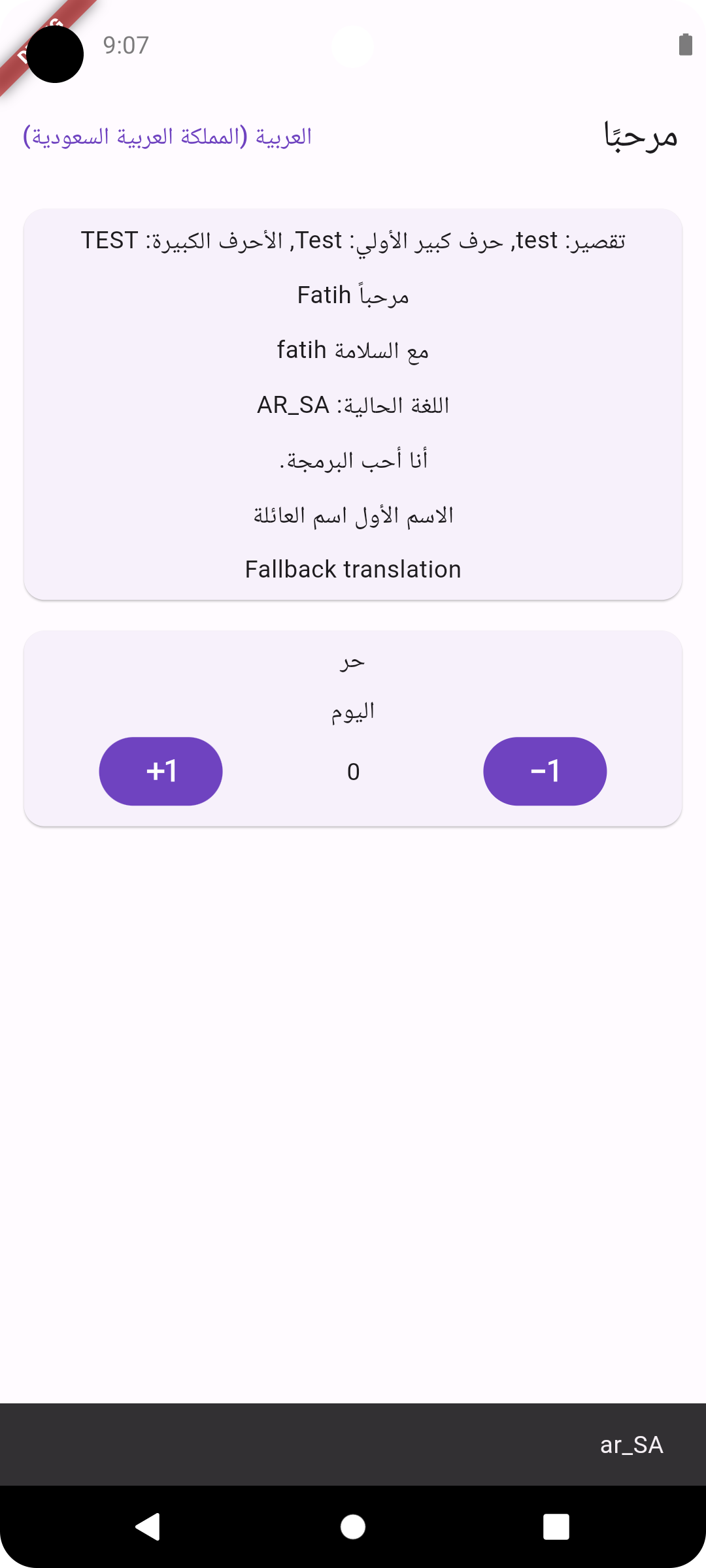
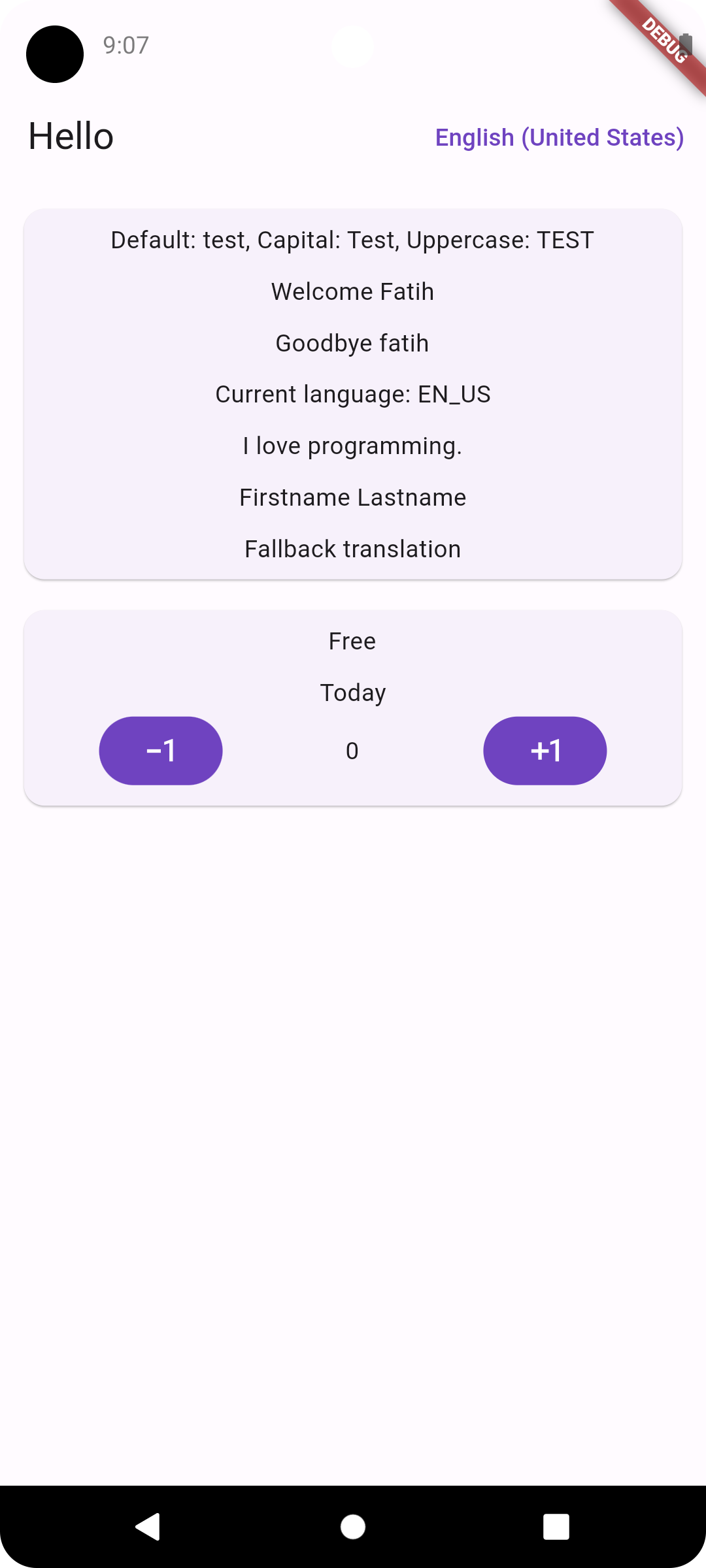
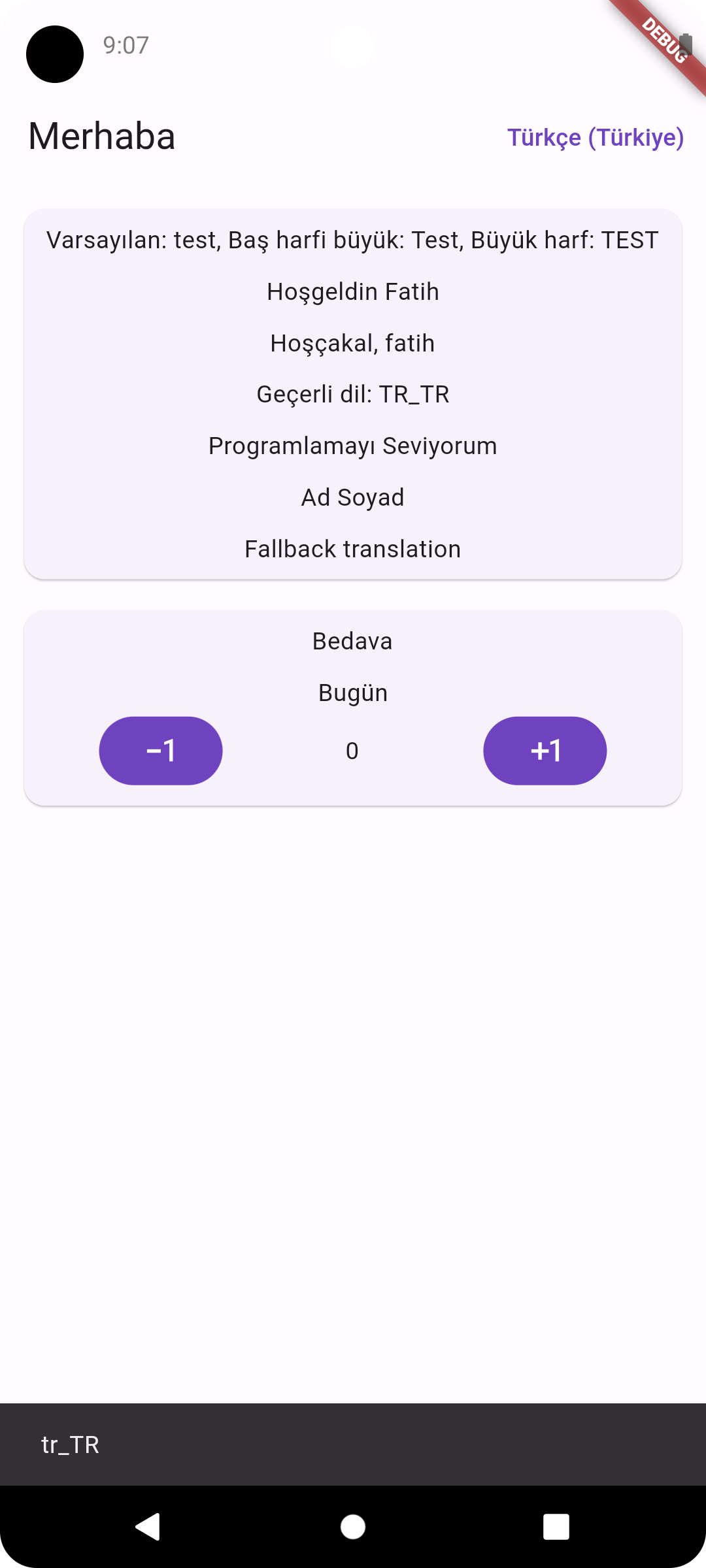
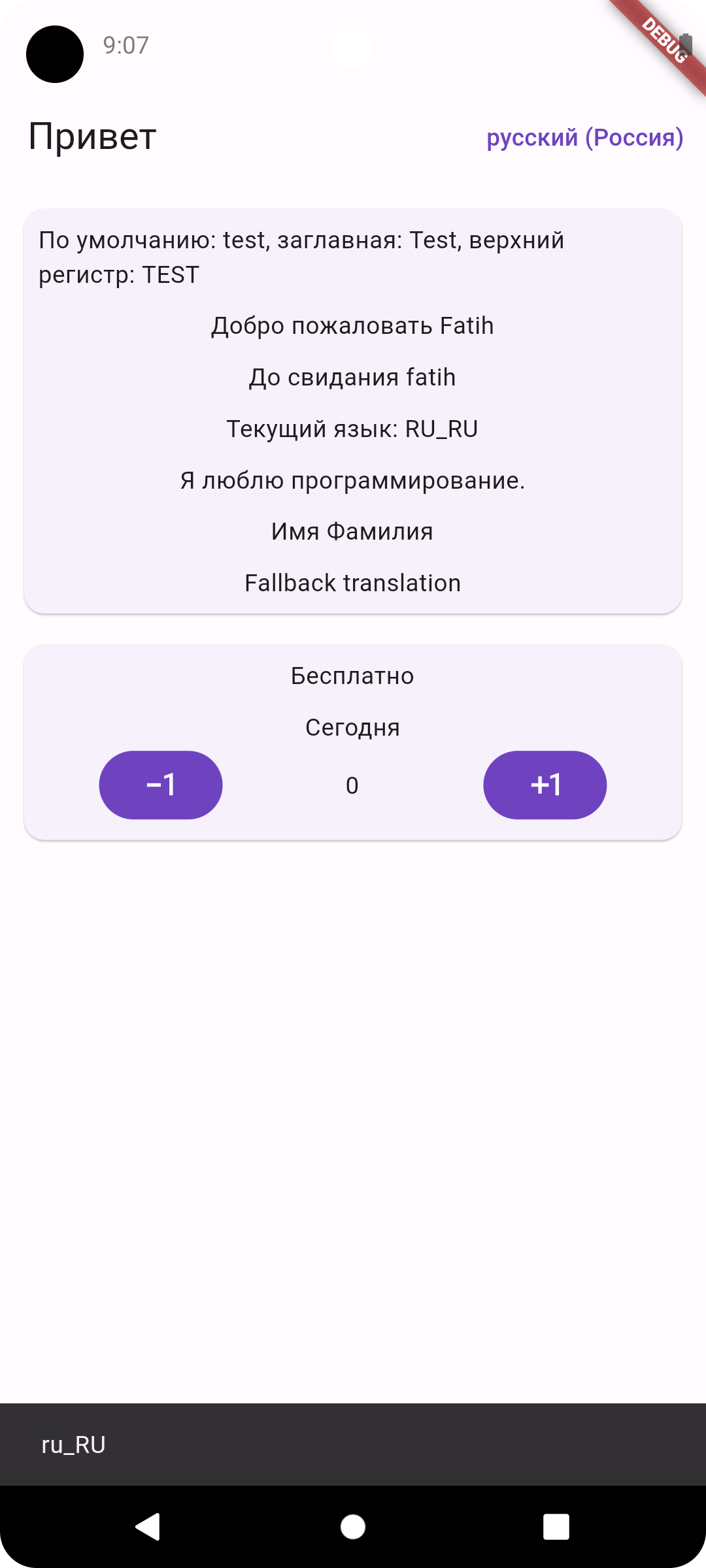
| Arabic RTL | English LTR | Turkish LTR | Russian LTR |
|----------------------------------------------------------------------------------------------------------------------| ----------------------------------------------------------------------------------------------------------------------------- |------------------------------------------------------------------------------------------------------------------------|------------------------------------------------------------------------------------------------------------------------|
|  |  |  |  |