https://github.com/aylur/marble-shell
My personal Wayland Desktop Shell
https://github.com/aylur/marble-shell
ags gnim gtk-layer-shell gtk4 gtk4-layer-shell layer-shell unixporn wayland
Last synced: 10 months ago
JSON representation
My personal Wayland Desktop Shell
- Host: GitHub
- URL: https://github.com/aylur/marble-shell
- Owner: Aylur
- License: other
- Created: 2025-09-22T21:14:32.000Z (10 months ago)
- Default Branch: main
- Last Pushed: 2025-10-04T12:51:33.000Z (10 months ago)
- Last Synced: 2025-10-04T14:38:05.296Z (10 months ago)
- Topics: ags, gnim, gtk-layer-shell, gtk4, gtk4-layer-shell, layer-shell, unixporn, wayland
- Language: TypeScript
- Homepage:
- Size: 93.8 KB
- Stars: 6
- Watchers: 1
- Forks: 0
- Open Issues: 0
-
Metadata Files:
- Readme: README.md
- License: LICENSE.md
Awesome Lists containing this project
README
# Marble Shell
A Wayland Desktop Shell.
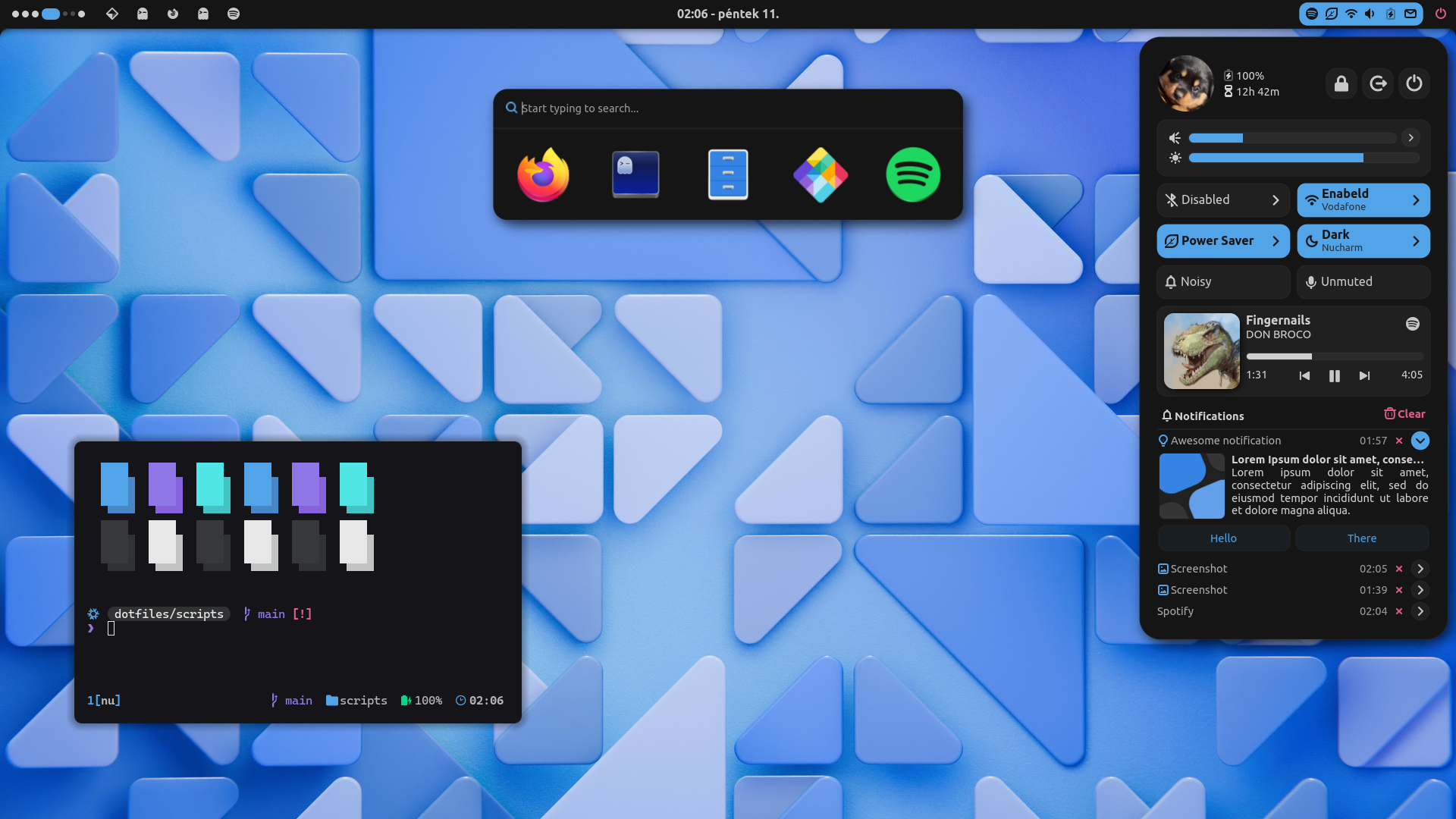
> [!IMPORTANT]
>
> ## Sponsorware Notice
>
> Although _this repository_ is open source, it depends on
> [Marble Kit](https://marble-shell.pages.dev/), which is a paid project. To run
> this project, you will need access to Marble, which you can obtain by becoming
> a [sponsor](https://github.com/sponsors/Aylur). Make sure to read the
> [license](https://marble-shell.pages.dev/license) and
> [prerequisites](https://marble-shell.pages.dev/guide#prerequisites) before
> sponsoring.
## Supported Compositors
Supported Compositors
Currently, it primarily targets Hyprland but works on any compositor that
supports the layer shell protocol.
Some bar components only support Hyprland, namely: the workspace indicator,
client list, and keyboard layout indicator. Support for Niri is a work in
progress.
## Installation
Arch-based distributions and Nix are supported out of the box. On other
distributions, you may need to compile some dependencies from source.
> [!NOTE]
>
> Currently some components are only supported on **Hyprland**. Support for
> other compositors are **WIP**.
### Arch
1. Install dependencies
```sh
yay -S aylurs-gtk-shell-git libastal-meta fzf brightnessctl pnpm \
libadwaita gtk4-layer-shell glycin glycin-gtk4 evolution-data-server
```
2. Clone this repository
```sh
git clone https://github.com/aylur/marble-shell
cd marble-shell
```
3. Install npm dependencies
```sh
pnpm install
```
4. Run with `ags`
```sh
ags run app.ts
```
Optionally, you can bundle it and install system/user wide:
```sh
out="$HOME/.local"
mkdir -p $out/bin
mkdir -p $out/share
cp -r data/* $out/share
ags bundle app.ts $out/bin/marble -d "import.meta.PKG_DATADIR='$out/share'"
# make sure "$HOME/.local/bin" is in $PATH
marble --help
```
To install system wide you can set `$out` to `/usr`. This is generally not
recommended though, as you should let your package manager to manage system wide
packages. Instead install to `/usr/local` and make sure `/usr/local/bin` is in
`$PATH`.
> [!IMPORTANT]
>
> ## Marble License Reminder
>
> Don't publish bundles and don't publish the `node_modules/marble` directory.
### Nix
1. Include this repo as an input to your flake.
```nix
# flake.nix
{
inputs = {
marble-shell.url = "git+ssh://git@github.com/Aylur/marble-shell";
};
}
```
2. Override the package and include your ssh key.
```nix
inputs: let
{ pkgs, inputs, ... }: let
marble = inputs.marble-shell.packages.${pkgs.system}.default;
marble-shell = marble.overrideAttrs (prev: {
pnpmDeps = prev.pnpmDeps.overrideAttrs {
sshKey = ./path/to/sshkey;
};
});
in {
# using home-manager
home.packages = [marble-shell];
# using configuration.nix
environment.systemPackages = [marble-shell];
}
```
> [!TIP]
>
> If your flake is in a public repo, you can hide your ssh key by pushing it
> into a private repo and having it as another input to your public flake.