https://github.com/ayushsgithub/grouple_task
A modern and user-friendly weather application built with React, Tailwind CSS, and JavaScript.
https://github.com/ayushsgithub/grouple_task
iconscout-unicons netlify openweathermap-api reactjs tailwindcss vite
Last synced: 2 months ago
JSON representation
A modern and user-friendly weather application built with React, Tailwind CSS, and JavaScript.
- Host: GitHub
- URL: https://github.com/ayushsgithub/grouple_task
- Owner: ayushsgithub
- Created: 2023-09-19T13:11:35.000Z (over 2 years ago)
- Default Branch: main
- Last Pushed: 2023-09-24T09:17:08.000Z (over 2 years ago)
- Last Synced: 2025-02-28T09:12:02.970Z (over 1 year ago)
- Topics: iconscout-unicons, netlify, openweathermap-api, reactjs, tailwindcss, vite
- Language: JavaScript
- Homepage: https://grouple-task.netlify.app/
- Size: 356 KB
- Stars: 0
- Watchers: 1
- Forks: 0
- Open Issues: 0
-
Metadata Files:
- Readme: README.md
Awesome Lists containing this project
README
# Weather App Project for Grouple
A modern and user-friendly weather application built with React, Tailwind CSS, and JavaScript.
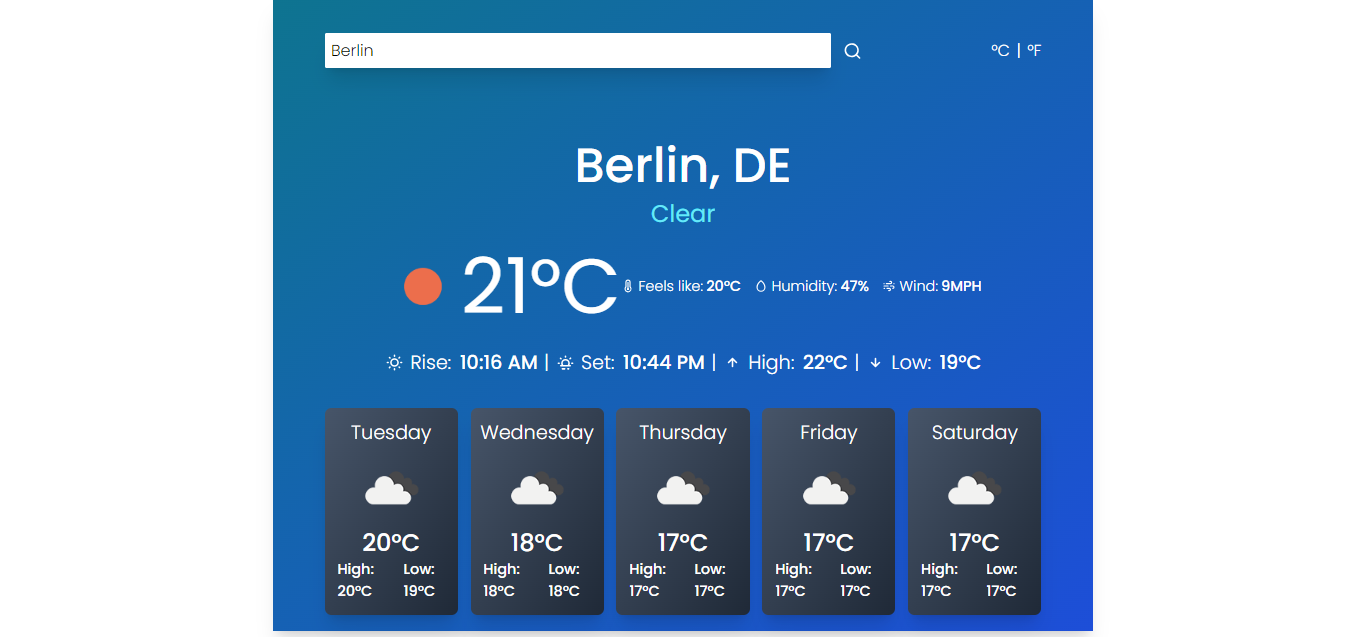
[Deployed Link](https://grouple-task.netlify.app/)
## Table of Contents
- [Getting Started](#getting-started)
- [Prerequisites](#prerequisites)
- [Installation](#installation)
- [Configuration](#configuration)
- [Running the Application](#running-the-application)
- [Usage](#usage)
- [Credits](#credits)
## Getting Started
### Prerequisites
Before you begin, ensure you have the following prerequisite installed:
- Git
- NPM
### Installation
1. **Clone the Repository**:
```bash
git clone https://github.com/ayushsgithub/grouple_task.git
```
2. **Navigate to the Project Directory**:
```bash
cd grouple_task
```
3. **Install Dependencies**:
```bash
npm install
```
### Configuration
1. **Obtain an API Key from [OpenWeatherMap](https://openweathermap.org/api)**.
2. **Create a `.env` File**:
- In the project root directory, create a `.env` file if it doesn't already exist.
3. **Add Your API Key to the `.env` File**:
```bash
VITE_API_KEY=
```
### Running the Application
To start the development server and run the application, use the following command:
```bash
npm run dev
```
### Usage
- Enter a city name or zip code.
- Choose between Celsius (°C) and Fahrenheit (°F).
- Click the search icon to fetch weather data.
## Credits
- Weather data from [OpenWeatherMap](https://openweathermap.org/).
- React + Vite
This template provides a minimal setup to get React working in Vite with HMR and some ESLint rules.
Currently, two official plugins are available:
- [@vitejs/plugin-react](https://github.com/vitejs/vite-plugin-react/blob/main/packages/plugin-react/README.md) uses [Babel](https://babeljs.io/) for Fast Refresh
- [@vitejs/plugin-react-swc](https://github.com/vitejs/vite-plugin-react-swc) uses [SWC](https://swc.rs/) for Fast Refresh