https://github.com/aziham/obsidian-dark
An Elegant yet practical dark theme for VSCode
https://github.com/aziham/obsidian-dark
dark-mode dark-theme elegant-theme theme vscode vscode-extension vscode-theme
Last synced: 6 months ago
JSON representation
An Elegant yet practical dark theme for VSCode
- Host: GitHub
- URL: https://github.com/aziham/obsidian-dark
- Owner: aziham
- License: mit
- Created: 2021-11-26T18:03:38.000Z (over 4 years ago)
- Default Branch: main
- Last Pushed: 2022-05-20T17:40:16.000Z (about 4 years ago)
- Last Synced: 2025-09-18T13:33:55.607Z (9 months ago)
- Topics: dark-mode, dark-theme, elegant-theme, theme, vscode, vscode-extension, vscode-theme
- Homepage:
- Size: 837 KB
- Stars: 17
- Watchers: 0
- Forks: 3
- Open Issues: 0
-
Metadata Files:
- Readme: README.md
- Changelog: CHANGELOG.md
- License: LICENSE.txt
Awesome Lists containing this project
README
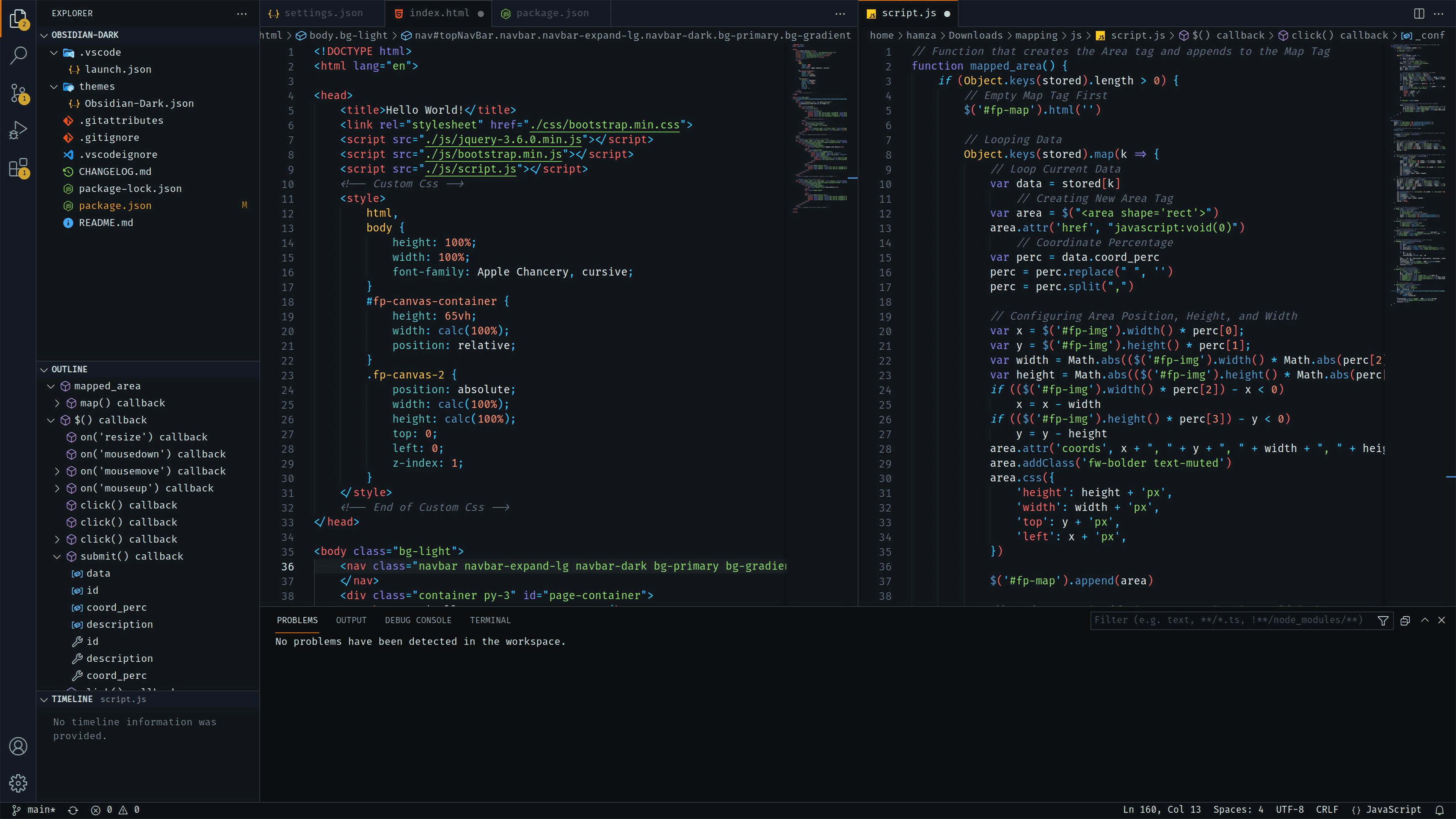
# Obsidian Dark Theme for VS Code
# Installation
1. Open **Extensions** sidebar panel in VS Code. `View → Extensions`
2. Search for `Obsidian Dark` - find the one by **Hamza Aziane** - there maybe other ones with the same name so make sure you have the right one!
3. Click **Install** to install it.
4. Click **Reload** to reload the your editor
5. Code > Preferences > Color Theme > **Obsidian Dark**