An open API service indexing awesome lists of open source software.

https://github.com/azizlike29/lab2web

Hasil Tugas Praktikum 2 Pemrograman Web 2
https://github.com/azizlike29/lab2web

Last synced: 27 days ago
JSON representation

Hasil Tugas Praktikum 2 Pemrograman Web 2

Awesome Lists containing this project

README


Hasil Tugas Praktikum 2 Pemrograman Web 2

Nama : Abdul Aziz Firdaus

Kelas : TI.21.A.3

Nim : 312110262

Mata Kuliah : Pemrograman Web 2

1. Install Xampp


Download Xampp pada situs resminya, lalu ekstrak filenya dan simpan di directory yang diinginkan, simpan pada OS(C:)
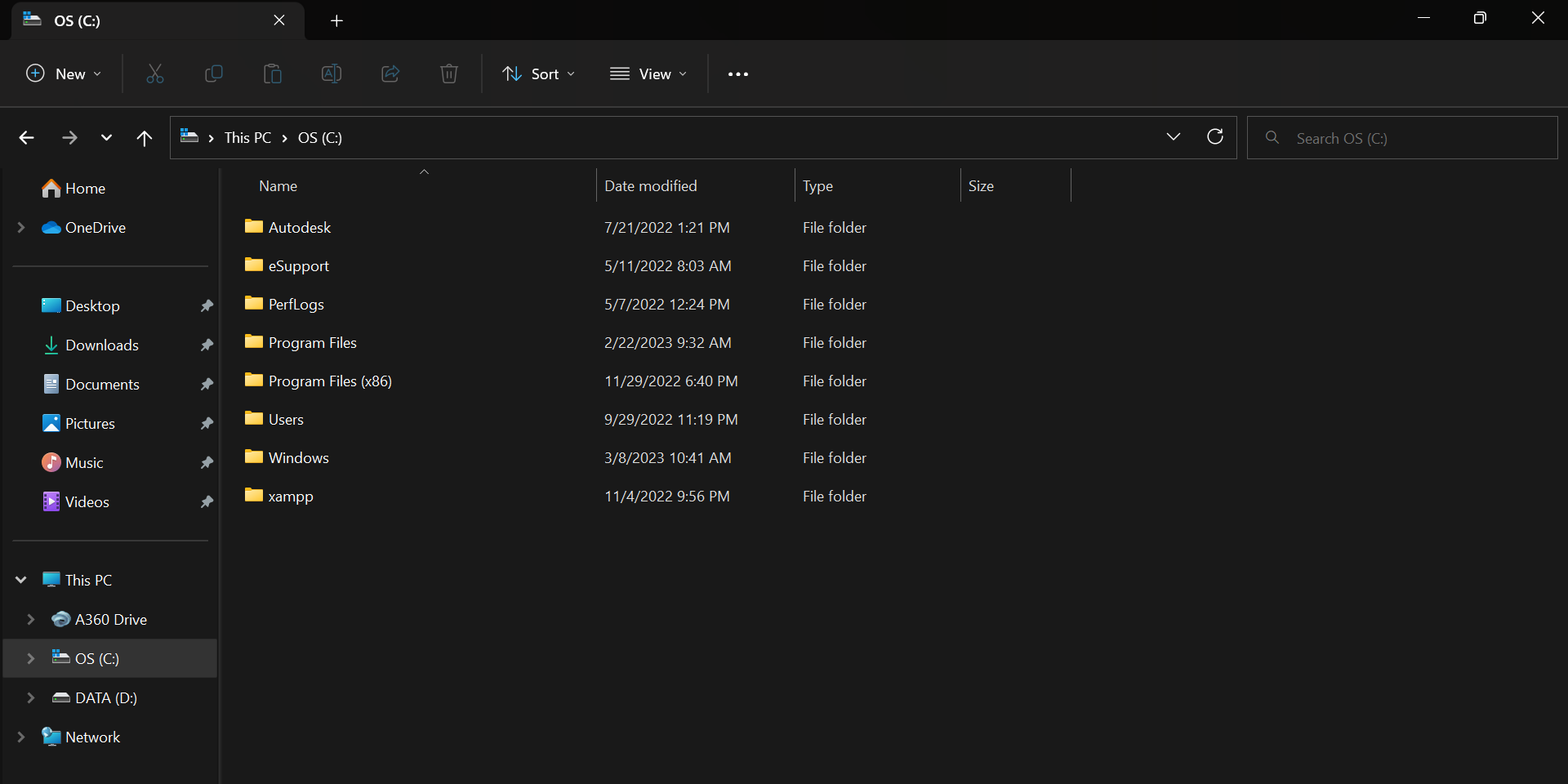
![Xampp](https://user-images.githubusercontent.com/119909214/224665206-460aab00-2369-4e2c-9529-9c1cd10fa222.png)

2. Menjalankan Xampp


Tekan tombol start pada action apache seperti pada gambar dibawah ini :
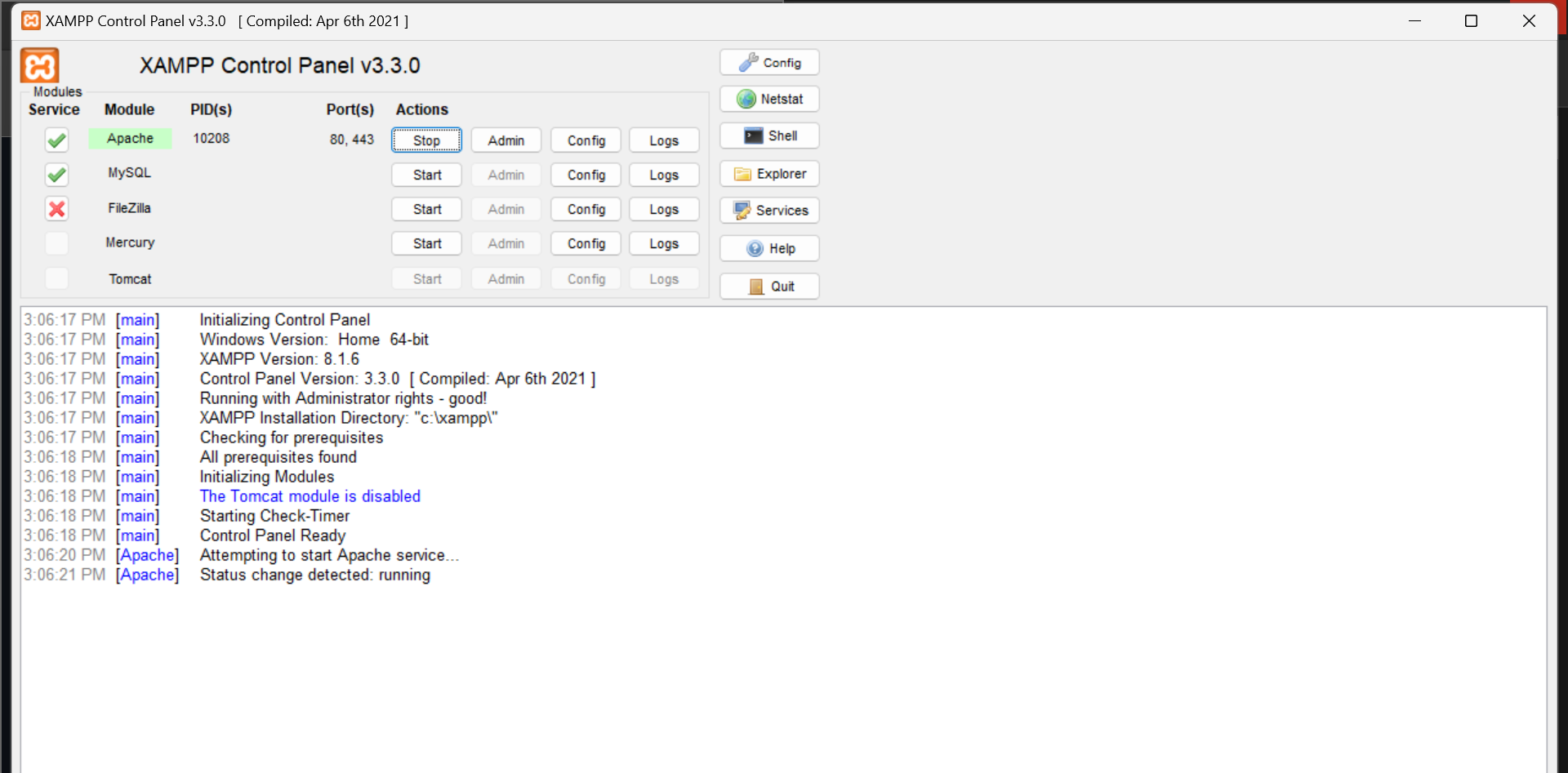
![Masuk Xampp](https://user-images.githubusercontent.com/119909214/224665634-de187b93-eca6-4dd3-a49e-35e0191a8a62.png)

3. Memulai PHP


Buatlah folder lab2_php_dasar pada (C:\xampp\htdocs) seperti gambar dibawah :
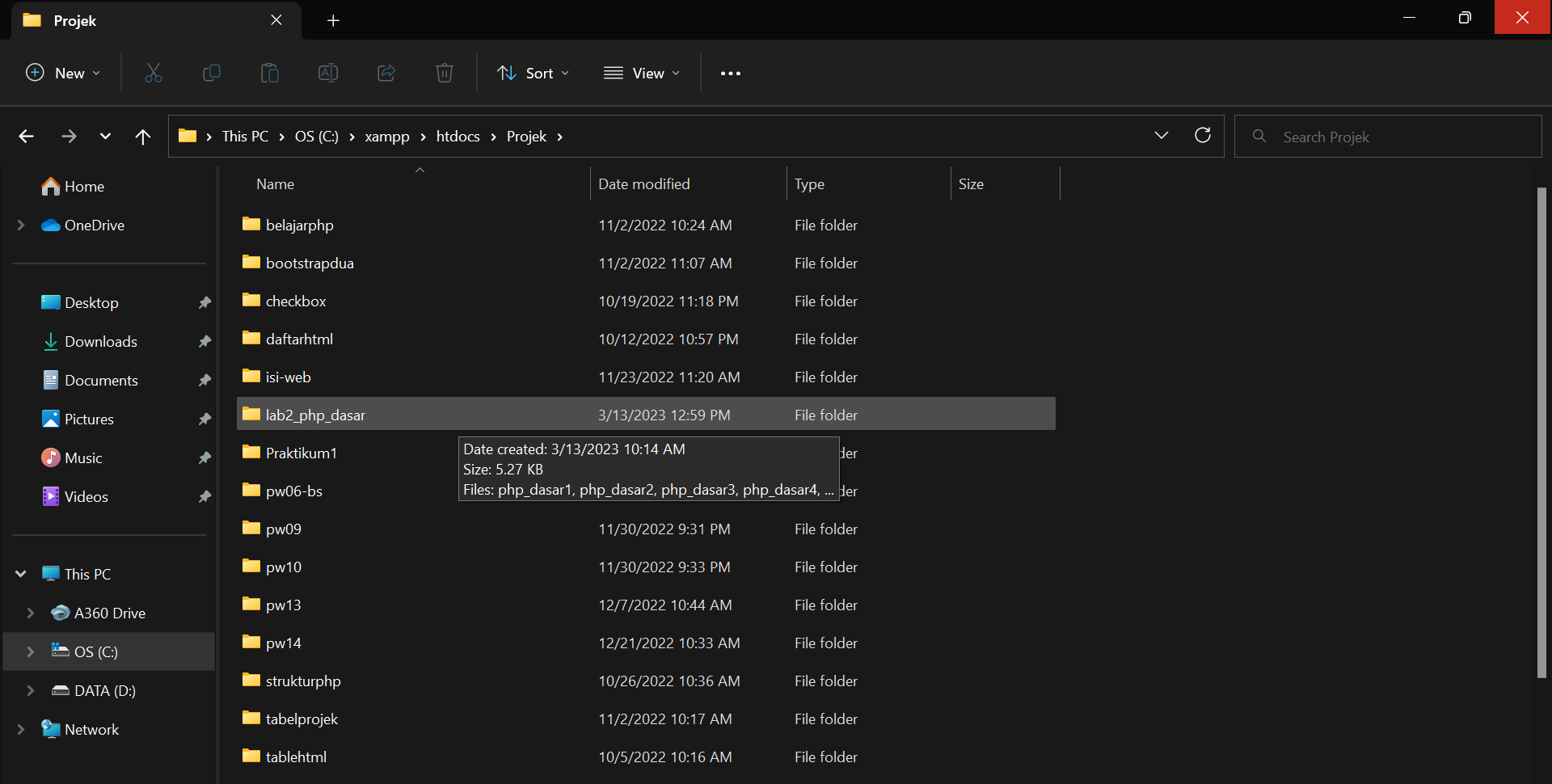
![Mulai Projek](https://user-images.githubusercontent.com/119909214/224666149-4b31c4b3-9f64-4d60-b333-3eaef445e083.png)

kemudian untuk mengakses directory tersebut pada web server dengan mengakses url http://localhost/projek/lab2_php_dasar/
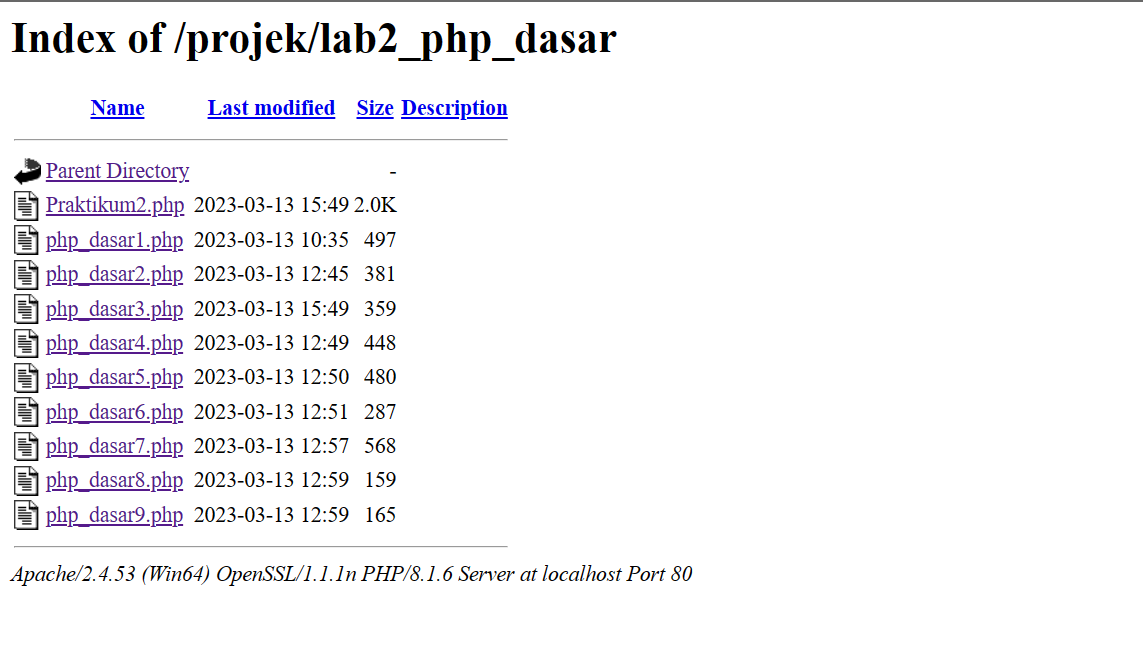
![web server](https://user-images.githubusercontent.com/119909214/224667049-d707f812-2df6-490b-b9ca-f43f36952fa5.png)

4. Program Dasar dan Variable PHP


Buatlah file baru dengan nama php_dasar1.php pada directory tersebut.
Kemudian buatlah kode sebagai berikut :
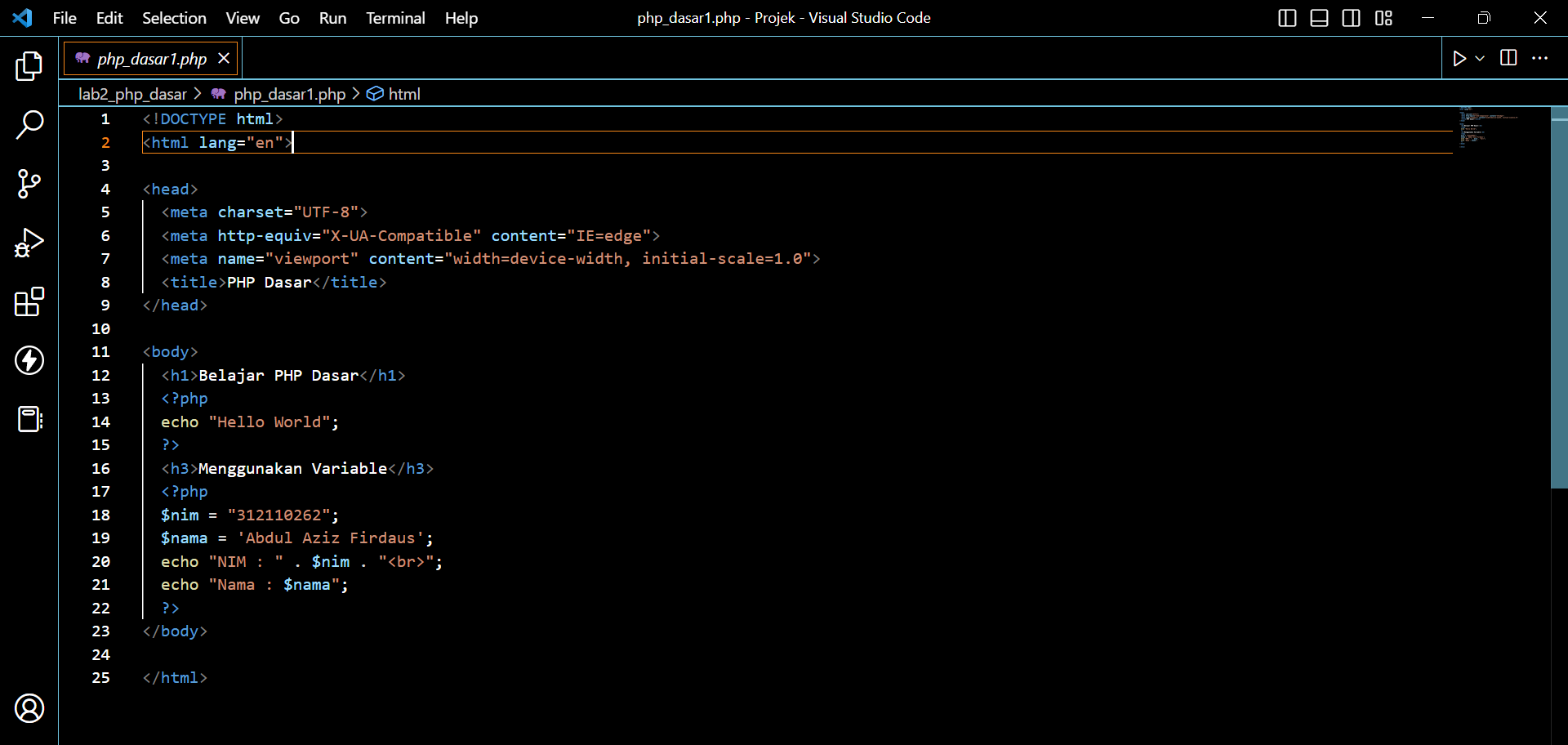
![Input 1](https://user-images.githubusercontent.com/119909214/224667629-ca72e338-5f4d-44a4-b1ee-1d499b18ac46.png)

Kemudian hasil ouputnya seperti ini :
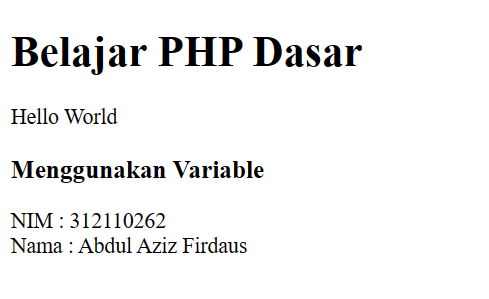
![output 1](https://user-images.githubusercontent.com/119909214/224667774-d1c46159-f937-4b1b-b285-baadfc171b22.png)

5. Predifine Variable $_GET


Buatlah file baru dengan nama php_dasar2.php di dalam directory lab2_php_dasar
kemudian tambahkan kode seperti berikut :
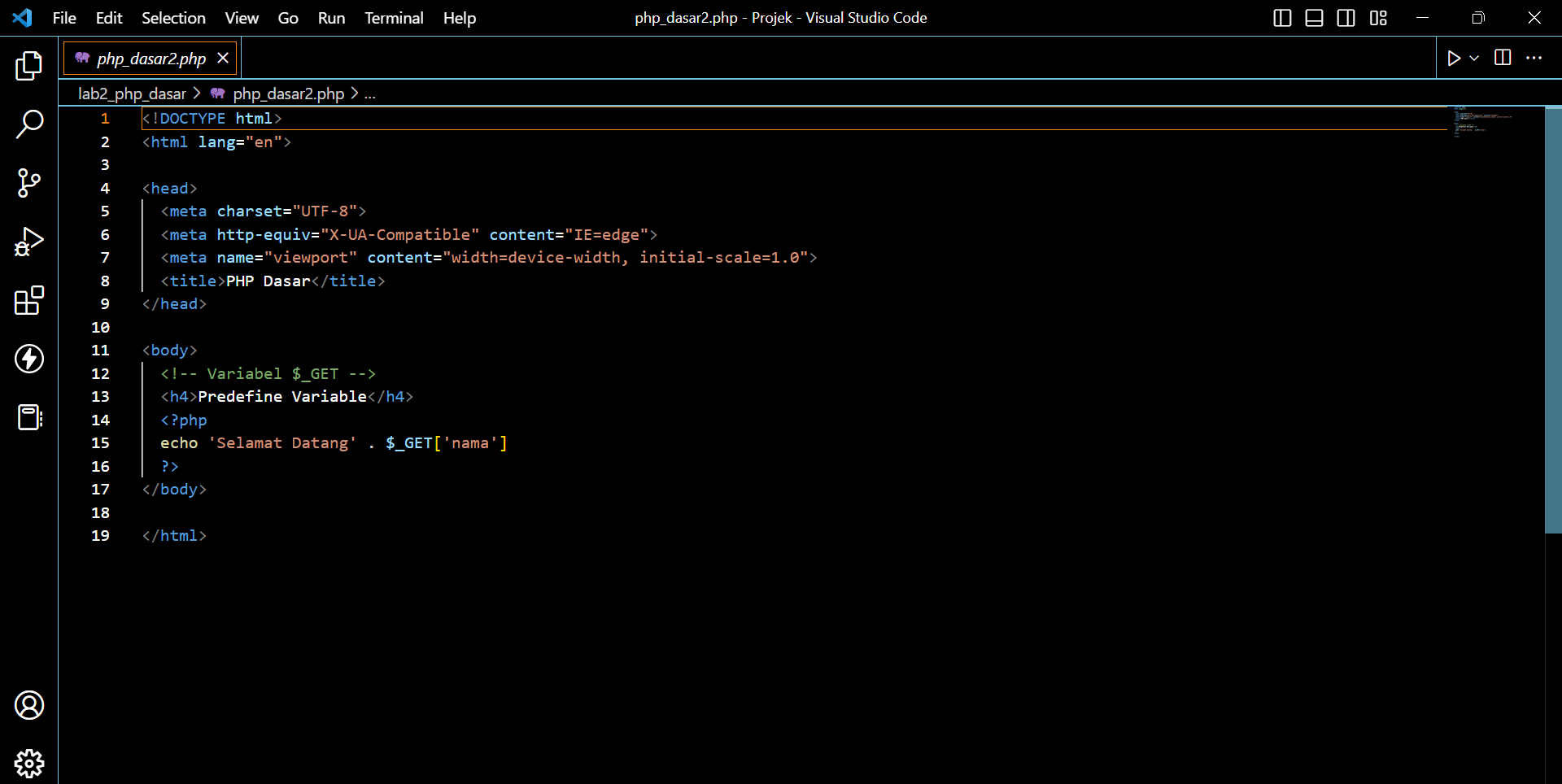
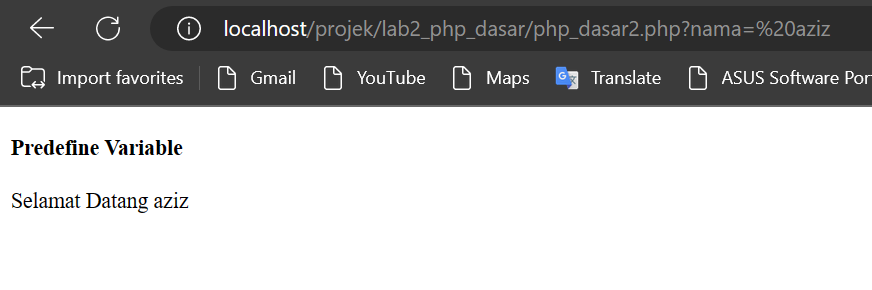
![Input 2](https://user-images.githubusercontent.com/119909214/224668628-e2c9bb9d-bcc0-487a-98dc-ee2802185e61.png)

![output 2](https://user-images.githubusercontent.com/119909214/224668726-c8bf23d0-b8f3-4e2e-9f2b-7304cd4c9f41.png)

6. Membuat Form Input


Buatlah file baru dengan nama php_dasar3.php di dalam directory lab2_php_dasar
kemudian tambahkan kode seperti berikut :
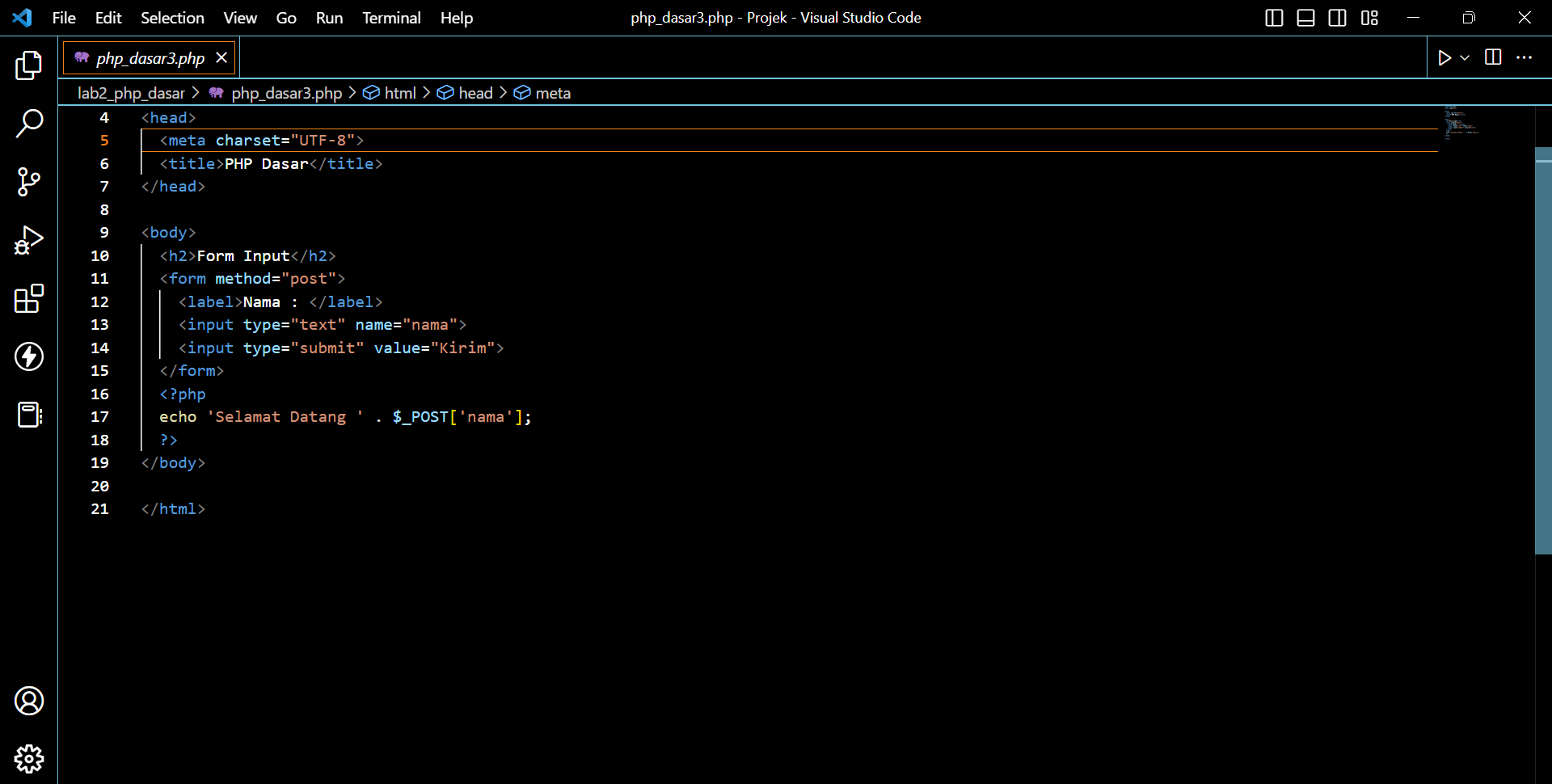
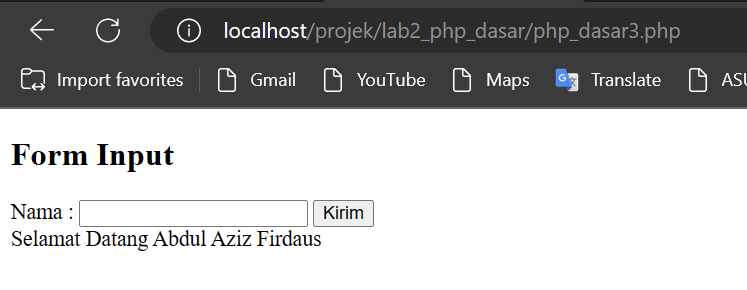
![Input 3](https://user-images.githubusercontent.com/119909214/224669103-b625e9f8-5e26-4dd8-9121-befdc0b62159.png)

![output 3](https://user-images.githubusercontent.com/119909214/224669204-02b06bc1-bfd5-46f3-b20d-91a9dfaf0e19.png)

7. Operator


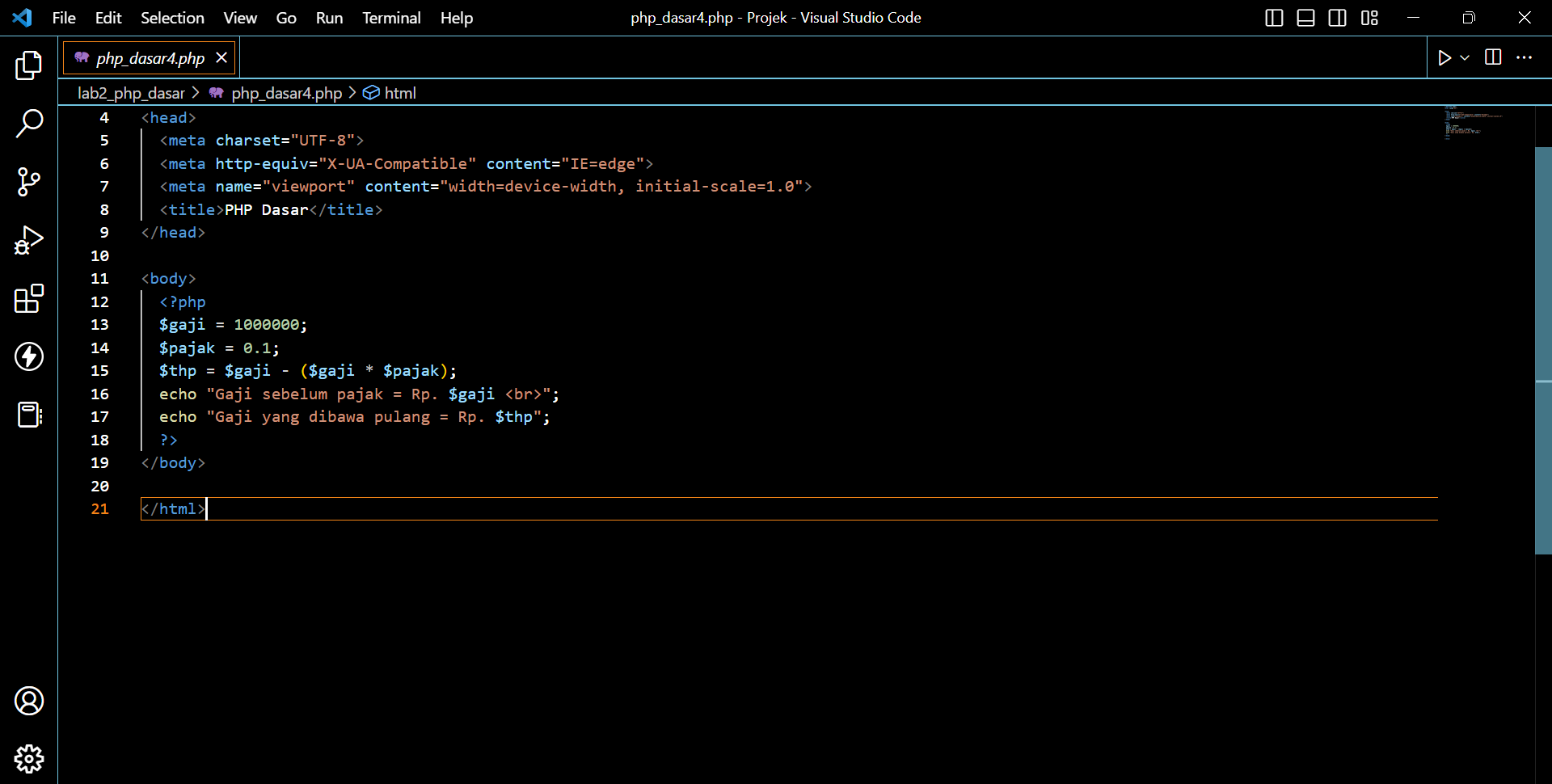
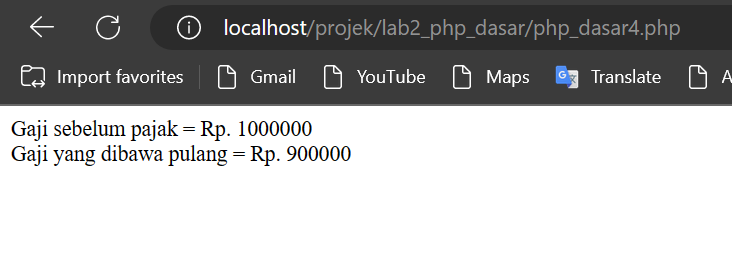
Buatlah file baru dengan nama php_dasar4.php di dalam directory lab2_php_dasar
kemudian tambahkan kode seperti berikut :
![Input 4](https://user-images.githubusercontent.com/119909214/224669419-f83cd64b-b27c-47c6-ac79-80cebadcc4d4.png)

![Ouput 4](https://user-images.githubusercontent.com/119909214/224669454-ece3e8c5-4b2d-4095-bad4-7430440bc8dc.png)

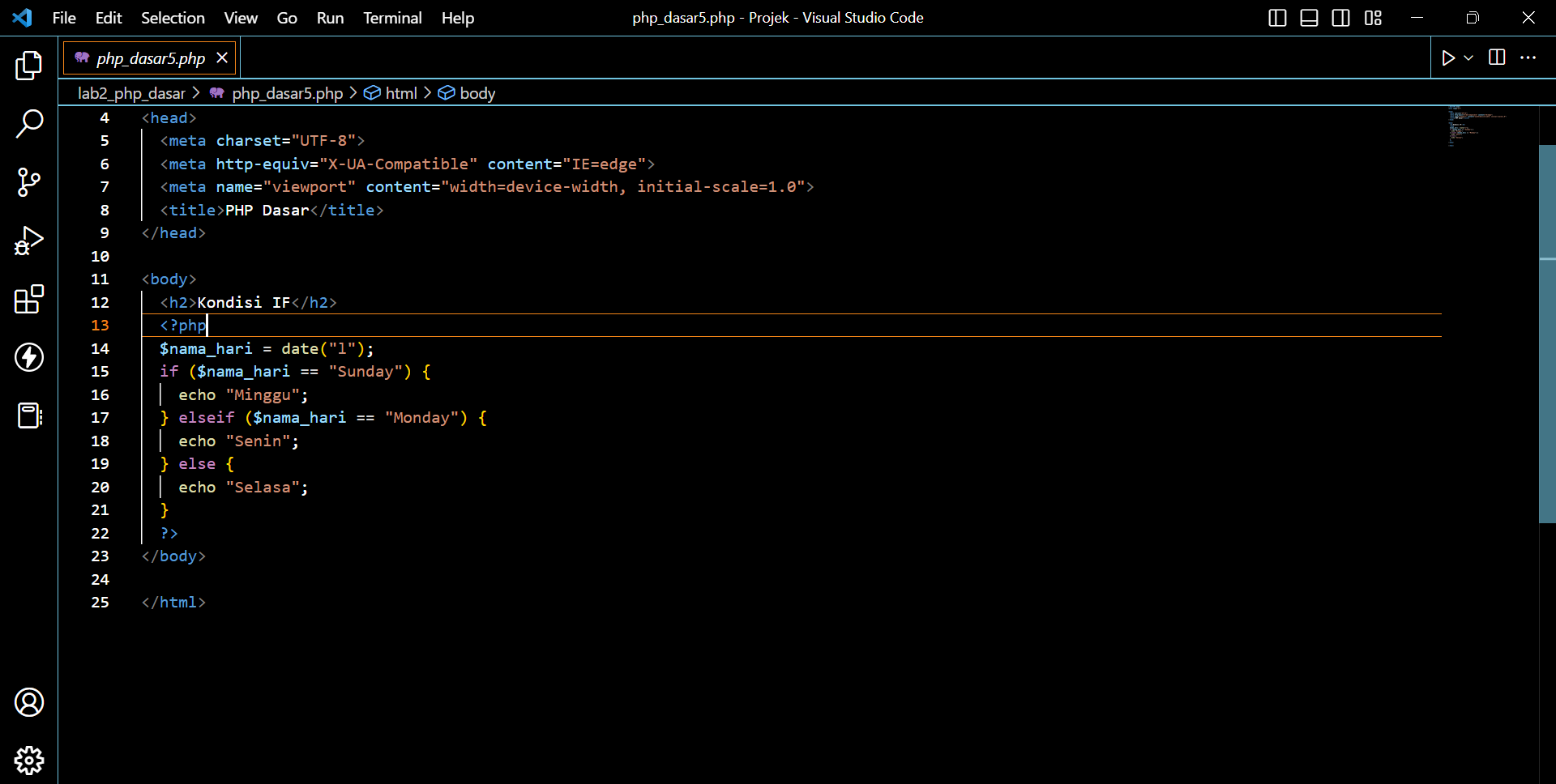
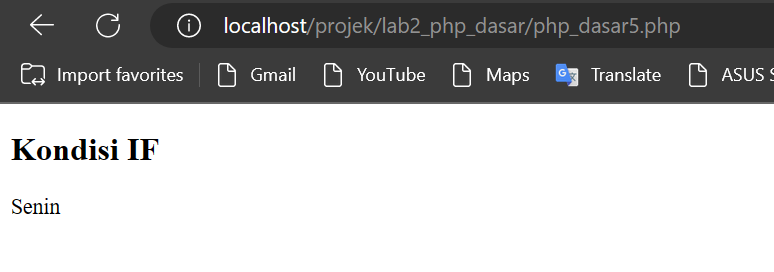
8. Kondisi IF


Buatlah file baru dengan nama php_dasar5.php di dalam directory lab2_php_dasar
kemudian tambahkan kode seperti berikut :
![Input 5](https://user-images.githubusercontent.com/119909214/224669643-c2c0652f-4420-4281-90d9-38fc69017a5b.png)

![output 5](https://user-images.githubusercontent.com/119909214/224669675-fee5825d-bf4b-42c3-a48a-a1a5e15872bf.png)

9. Kondisi Switch


Buatlah file baru dengan nama php_dasar6.php di dalam directory lab2_php_dasar
kemudian tambahkan kode seperti berikut :
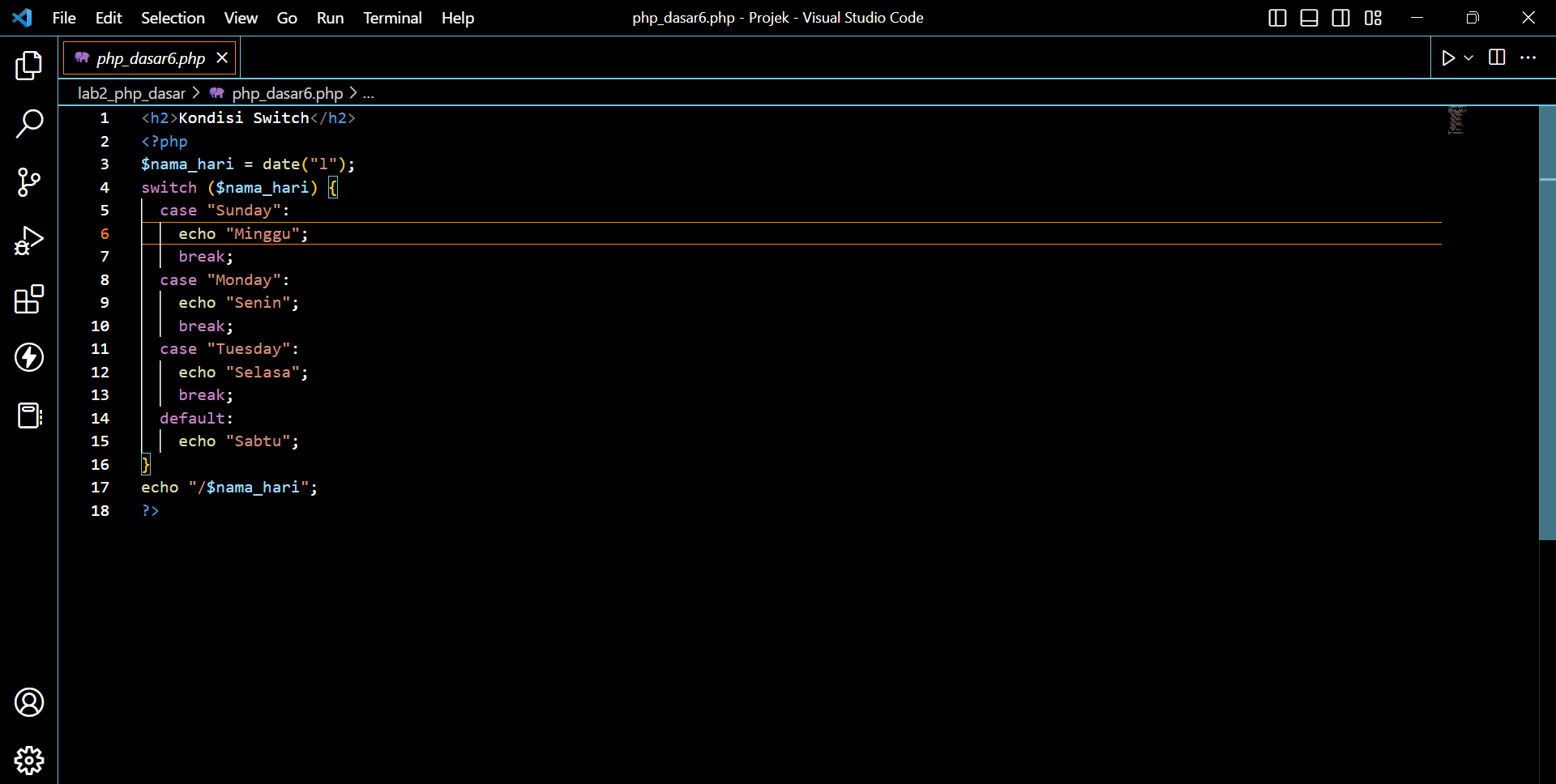
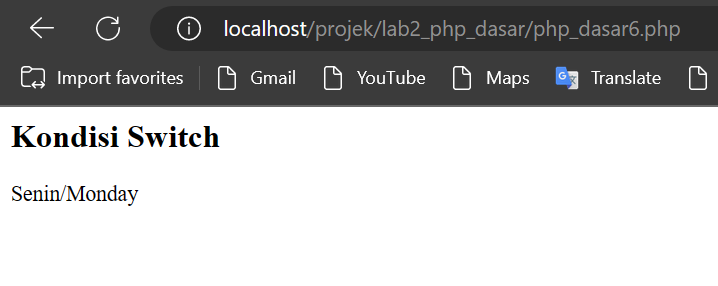
![Input 6](https://user-images.githubusercontent.com/119909214/224669816-2d97cbb9-ed78-4372-8034-8f5a6f32db10.png)

![output 6](https://user-images.githubusercontent.com/119909214/224669868-e5e0a31c-9092-40d6-85d7-65e1753fb3d9.png)

10. Perulangan


Buatlah file baru dengan nama php_dasar7.php di dalam directory lab2_php_dasar
kemudian tambahkan kode seperti berikut :
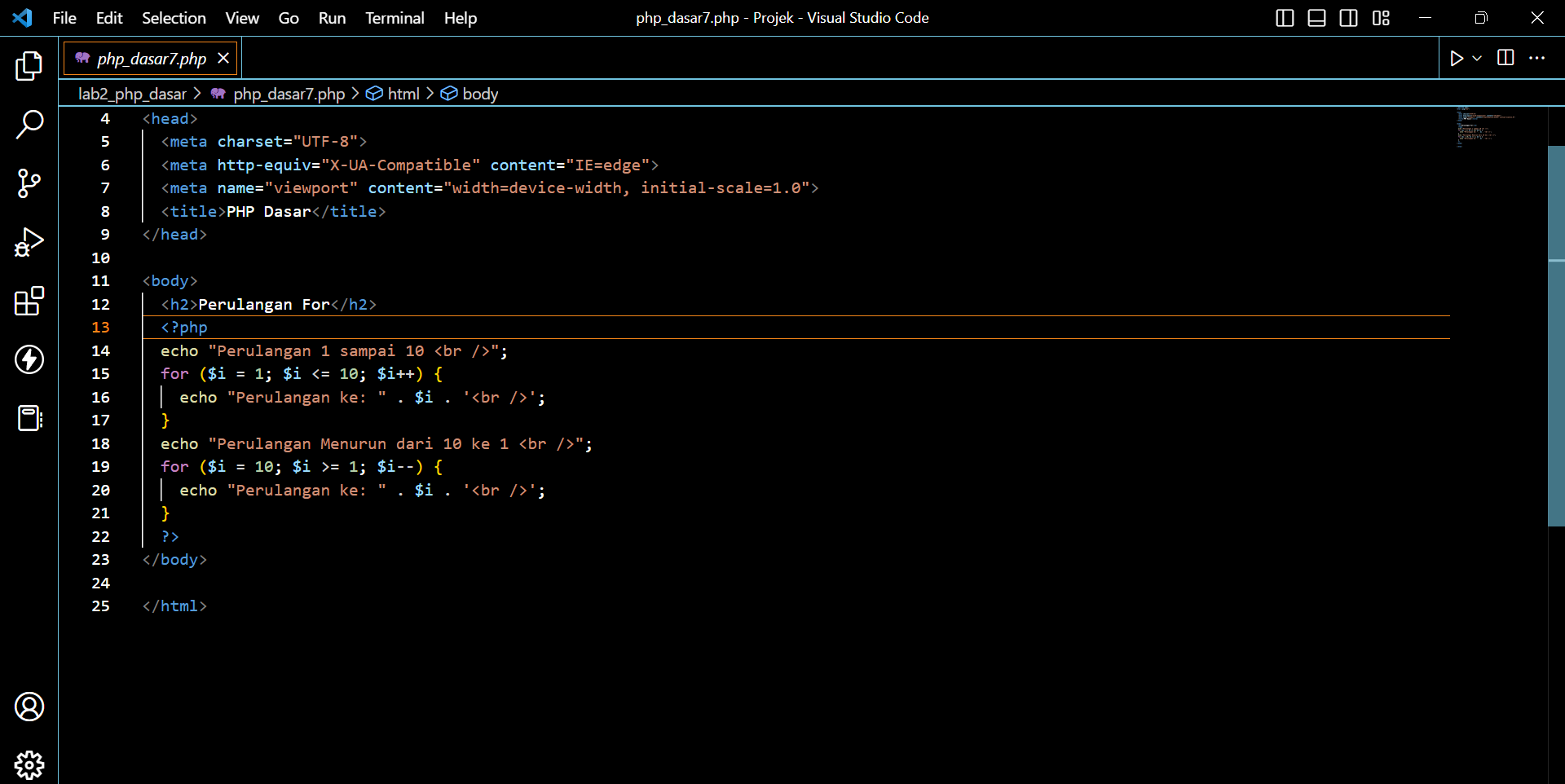
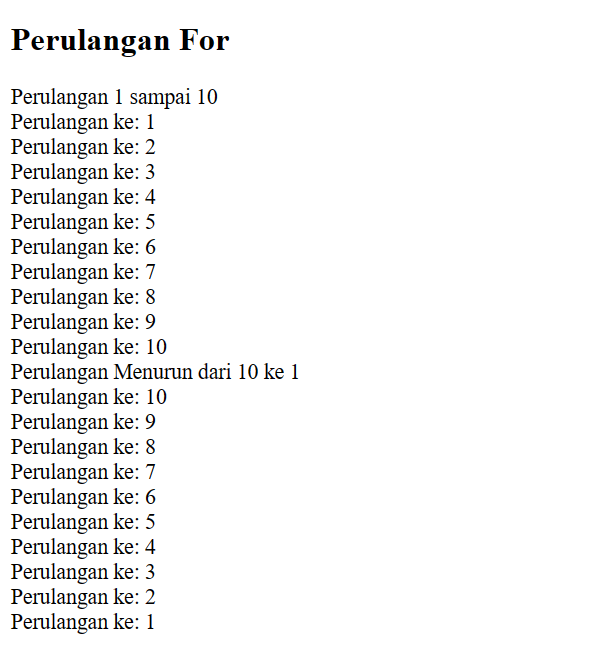
![Input 7](https://user-images.githubusercontent.com/119909214/224670105-16741bbe-29d8-4ef4-8564-e57d9a3c907c.png)

![output 7](https://user-images.githubusercontent.com/119909214/224670166-6ae6d529-6b5d-41e2-963c-9b3bcf025968.png)

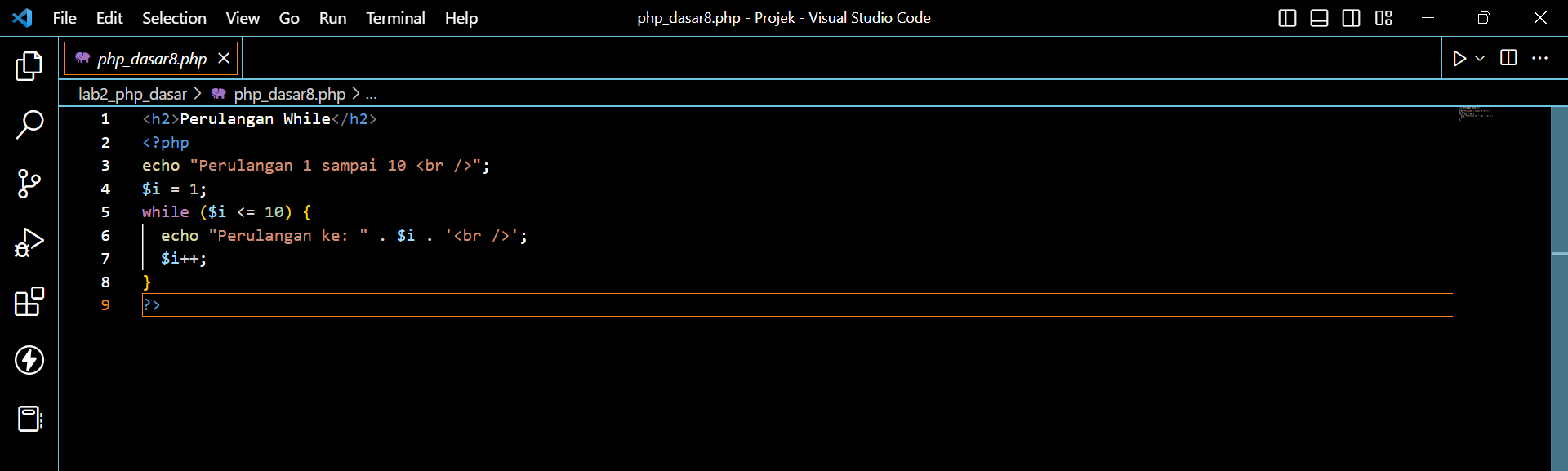
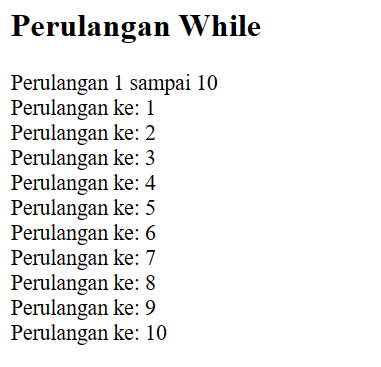
11. Perulangan While


Buatlah file baru dengan nama php_dasar8.php di dalam directory lab2_php_dasar
kemudian tambahkan kode seperti berikut :
![Input 8](https://user-images.githubusercontent.com/119909214/224670339-3edac233-5687-45bb-b5d5-b58433104088.png)

![output 8](https://user-images.githubusercontent.com/119909214/224670386-98f4d550-048d-46d5-b504-130cd7a8aaf3.png)

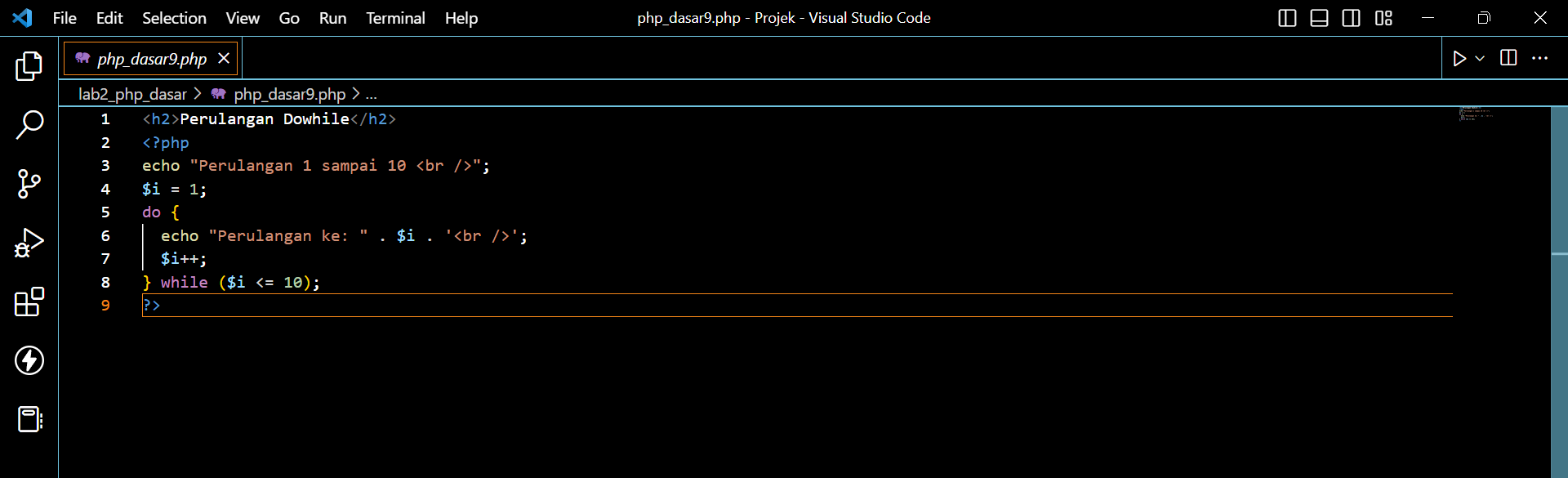
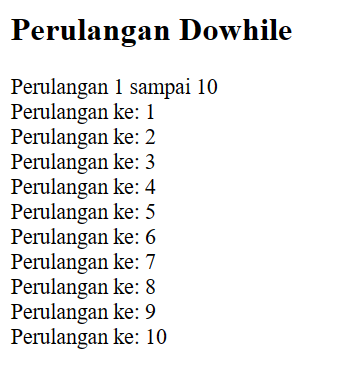
12. Perulangan doWhile


Buatlah file baru dengan nama php_dasar9.php di dalam directory lab2_php_dasar
kemudian tambahkan kode seperti berikut :
![Input 9](https://user-images.githubusercontent.com/119909214/224670530-fd39ac31-f2c0-428d-aa37-7bc16077f1f6.png)

![output 9](https://user-images.githubusercontent.com/119909214/224670574-35b67584-decd-493b-86b6-01cf7b74cc82.png)

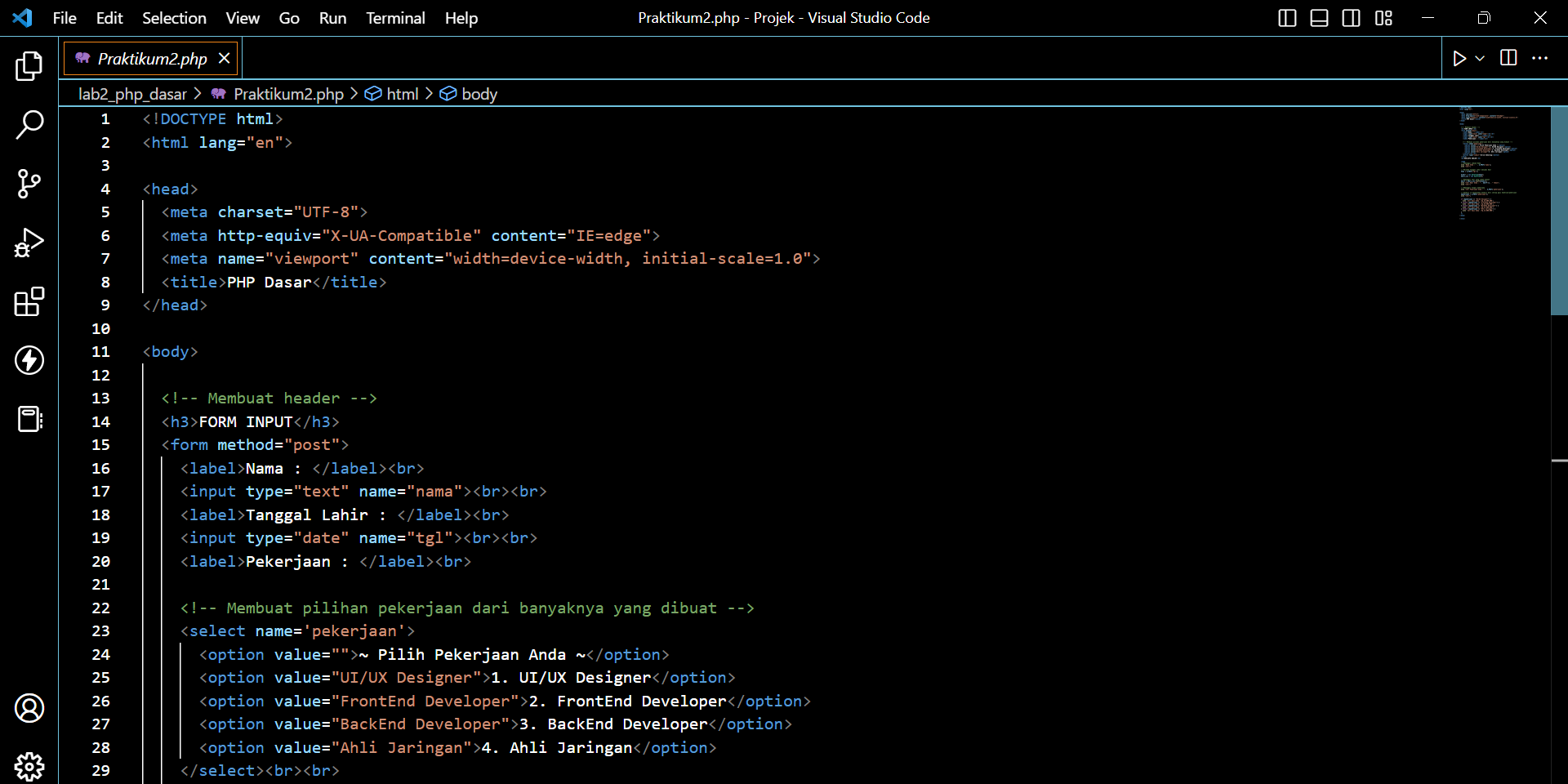
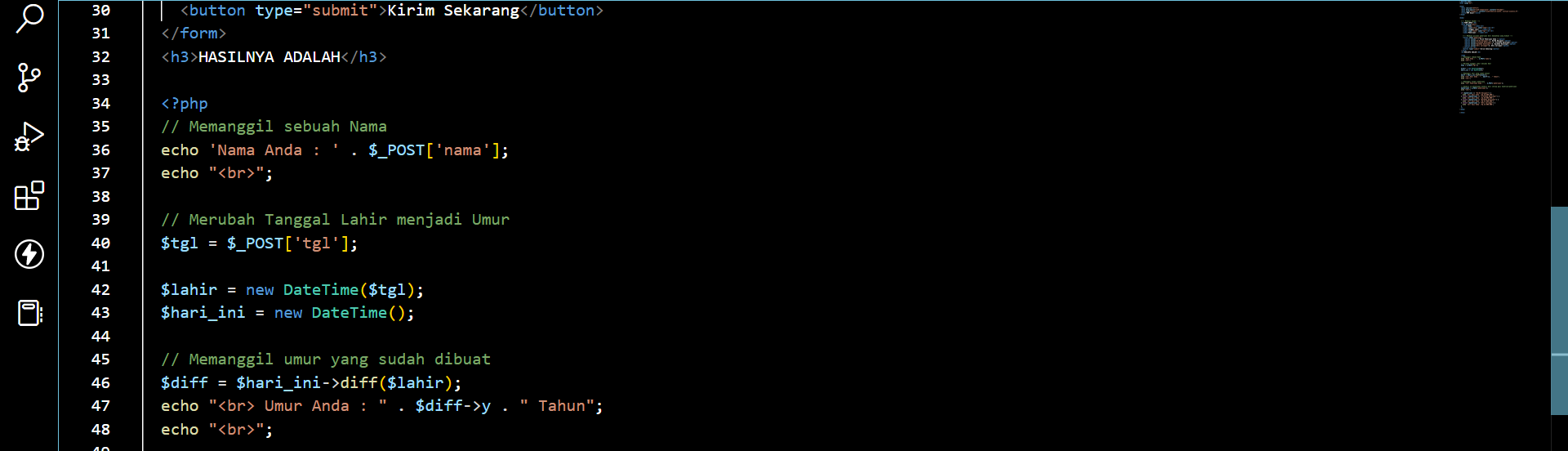
12. Praktikum 2


Buatlah file baru dengan nama praktikum2.php di dalam directory lab2_php_dasar
kemudian tambahkan kode seperti berikut :
![Input 10-1](https://user-images.githubusercontent.com/119909214/224670825-a812c9de-33d3-4a68-8697-ab655945cccb.png)

![Input 10-2](https://user-images.githubusercontent.com/119909214/224670874-c4157aaa-d3ad-4bcd-9545-2396e06316be.png)

![Input 10-3](https://user-images.githubusercontent.com/119909214/224670911-b6055807-f6a6-4b6c-8388-db5650381308.png)

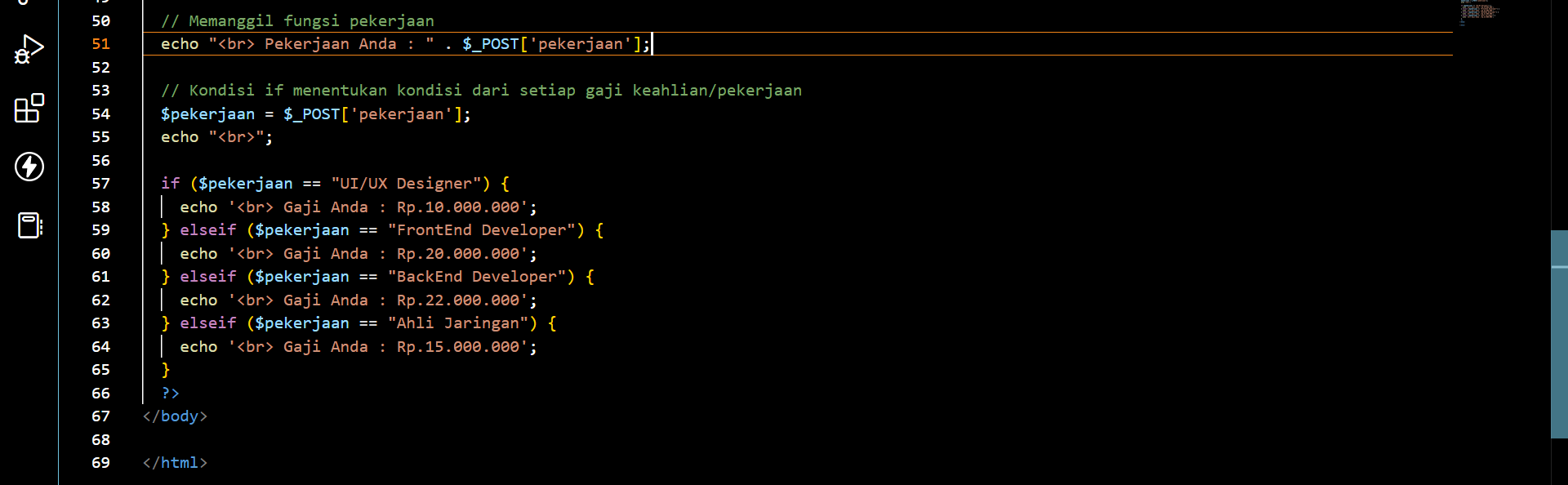
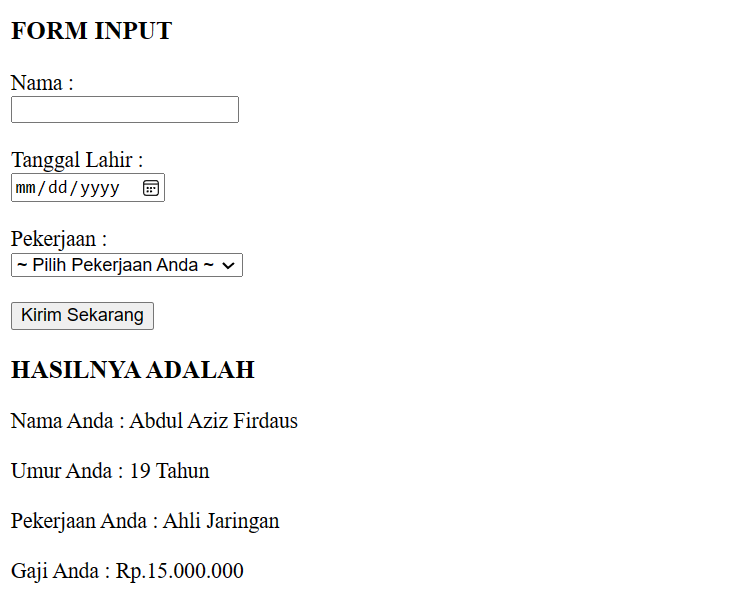
![output 10](https://user-images.githubusercontent.com/119909214/224670944-bac1c7a2-d5ff-4163-9c54-008f6a0b176e.png)