https://github.com/azure99/rsstokindle
🔧个性化抓取RSS资讯, 生成易于阅读的文档并推送到Kindle
https://github.com/azure99/rsstokindle
Last synced: about 1 year ago
JSON representation
🔧个性化抓取RSS资讯, 生成易于阅读的文档并推送到Kindle
- Host: GitHub
- URL: https://github.com/azure99/rsstokindle
- Owner: Azure99
- License: gpl-3.0
- Created: 2018-08-08T07:05:16.000Z (almost 8 years ago)
- Default Branch: master
- Last Pushed: 2018-08-22T13:09:43.000Z (almost 8 years ago)
- Last Synced: 2025-05-04T11:43:50.129Z (about 1 year ago)
- Language: C#
- Homepage:
- Size: 712 KB
- Stars: 24
- Watchers: 1
- Forks: 1
- Open Issues: 0
-
Metadata Files:
- Readme: README.md
- License: LICENSE
Awesome Lists containing this project
README
# RssToKindle
RssToKindle是一款开源、跨平台、免费的Kindle资讯推送工具,支持自定义抓取RSS资讯,并每天定时推送到您的Kindle。
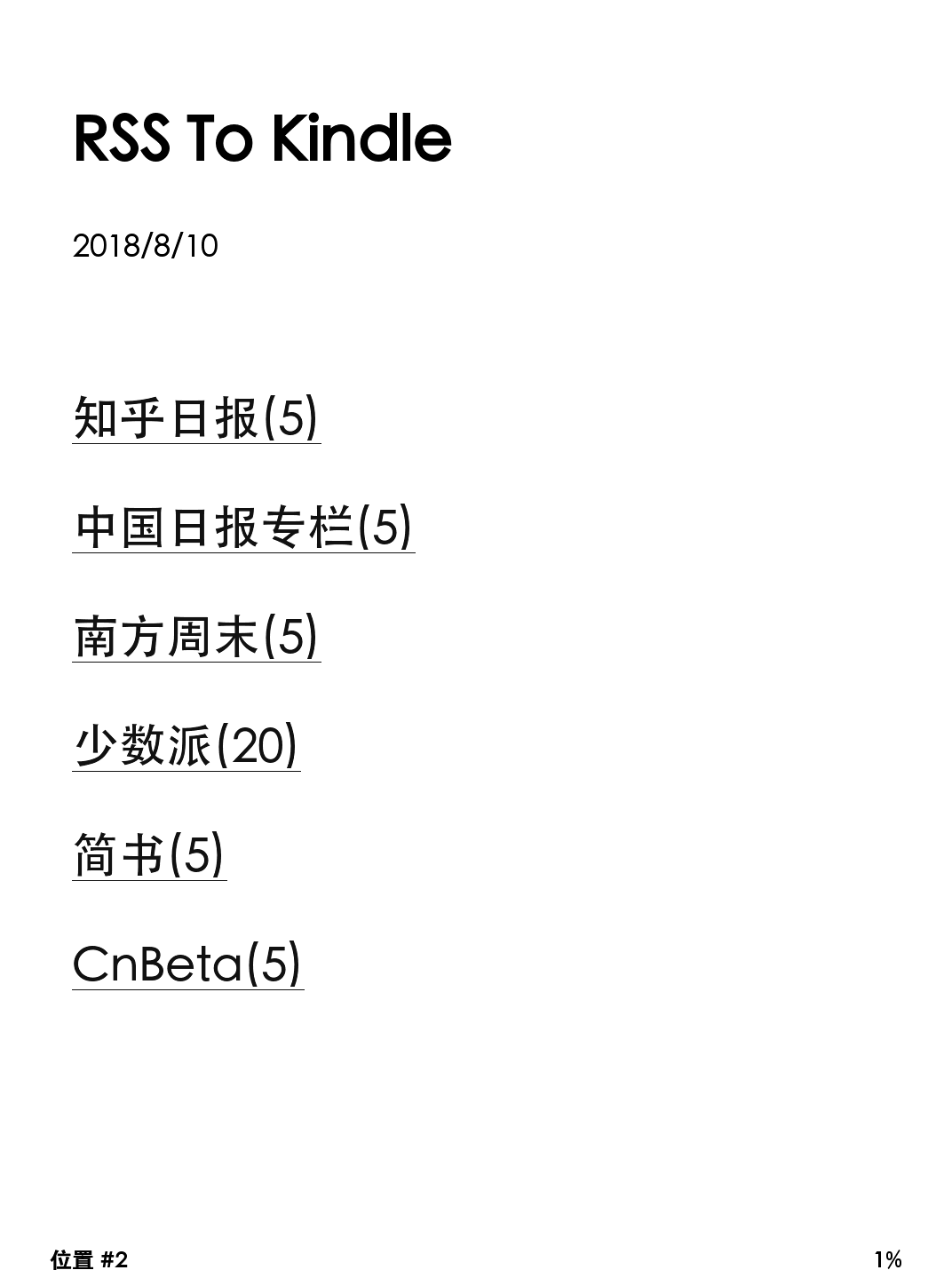
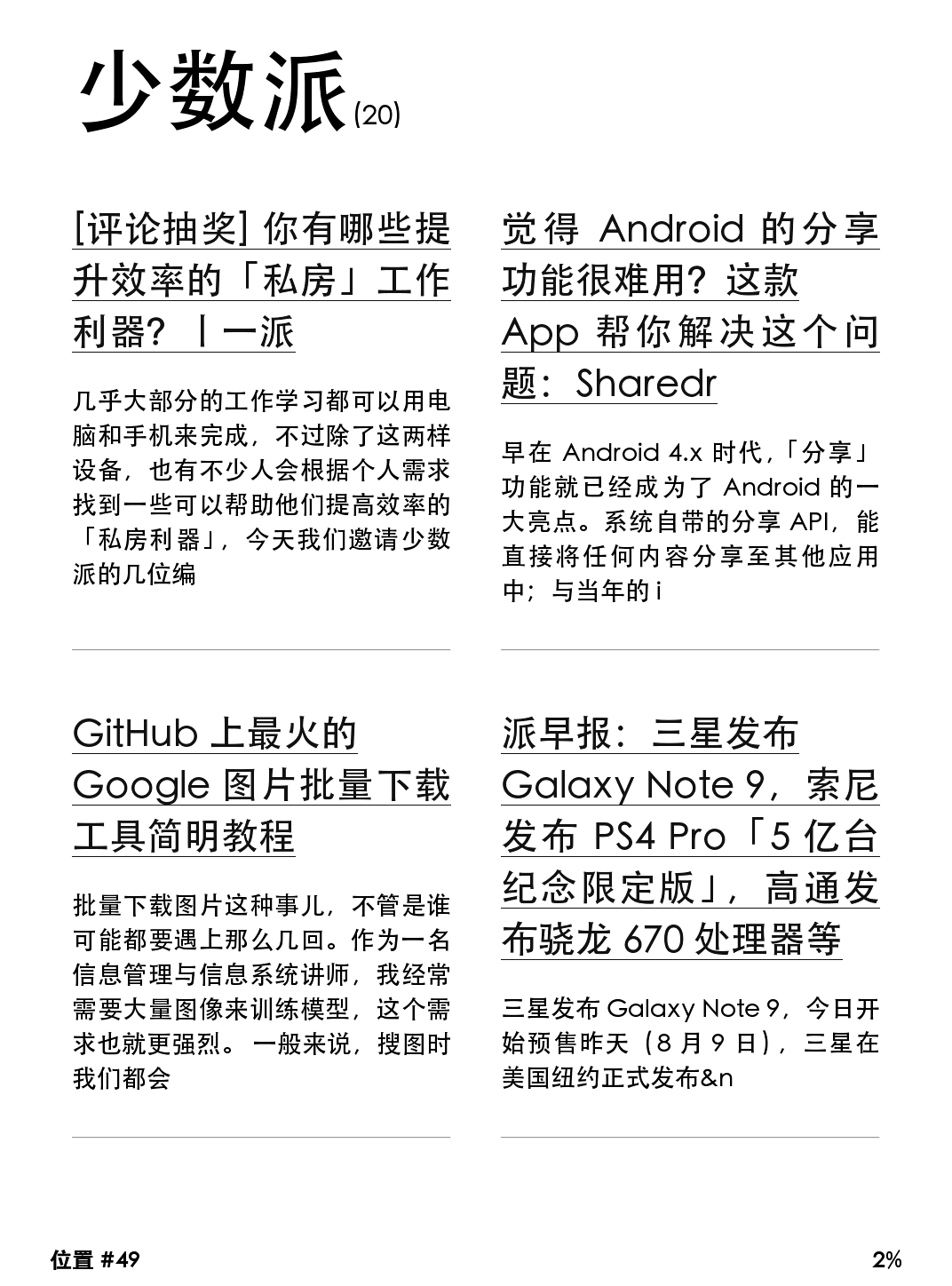
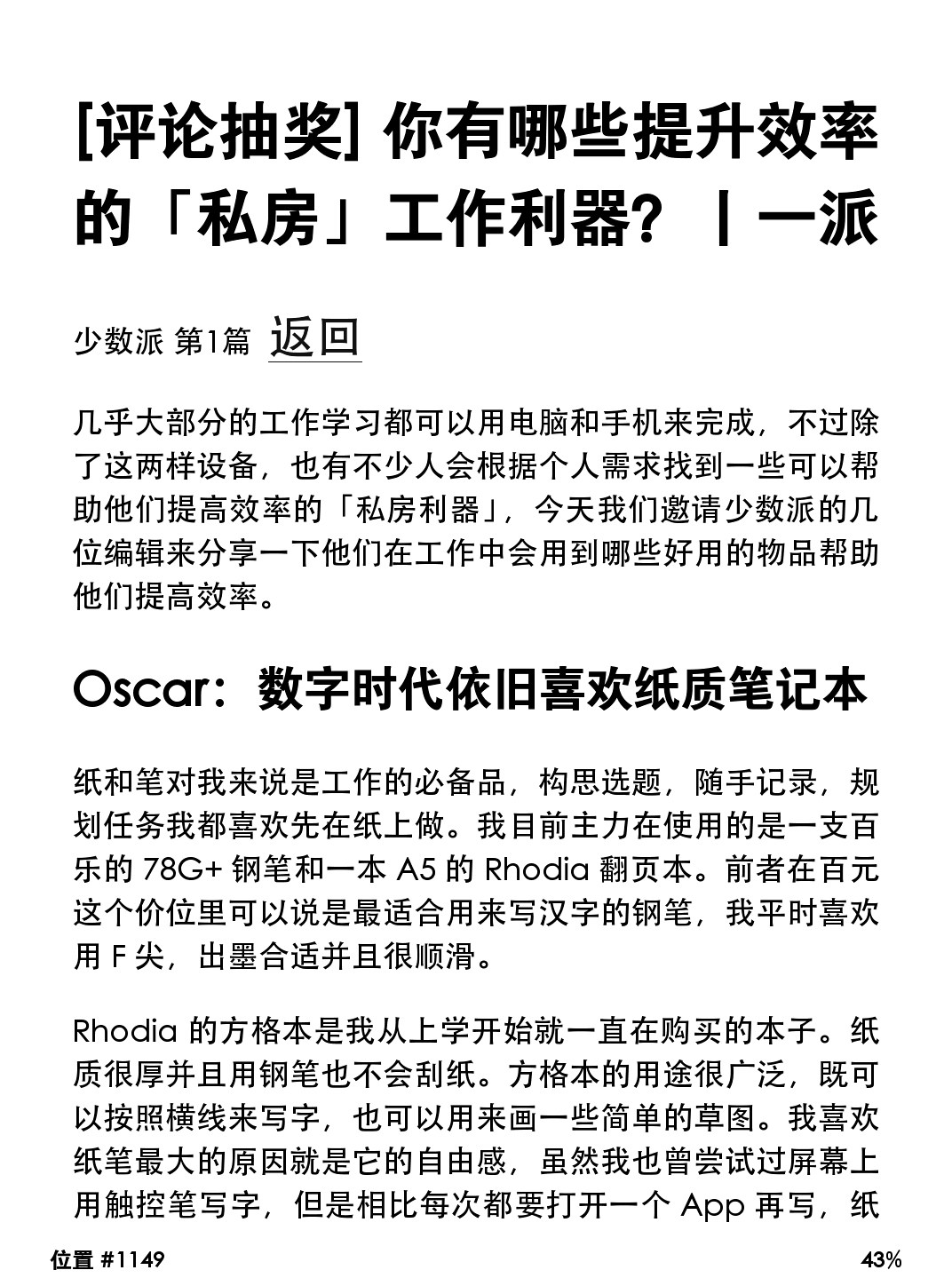
# 基于最新源码简易安装
1. 根据[微软官方教程](https://www.microsoft.com/net/learn/get-started-with-dotnet-tutorial)安装.netcore sdk
2. 执行下列代码,克隆并运行
```Bash
git clone https://github.com/Azure99/RssToKindle.git
cd RssToKindle/RssToKindle
dotnet run -c Release
```
您可以在screen中启动服务以使其不被关闭,先运行命令[Screen](http://man.linuxde.net/screen) -S RssToKindle
# 首次使用
您可以先启动一次程序,它会自动创建配置模板。
随后请关闭程序,编辑根目录下的config.json,修改您的个人信息。
您必须在config.json中配置正确的**ReceiverAddress**、**SenderAddress**、**SenderPassword**字段,程序才可以正常工作。详情参见[配置说明](https://github.com/Azure99/RssToKindle/wiki/Config)
修改完成后,再次启动程序即可正常使用。
# 教程文档
[安装教程](https://github.com/Azure99/RssToKindle/wiki/Install)
[配置说明](https://github.com/Azure99/RssToKindle/wiki/Config)
[解析规则说明](https://github.com/Azure99/RssToKindle/wiki/ParseRules)
[站点适配教程](https://github.com/Azure99/RssToKindle/wiki/Adapt)