https://github.com/b-amir/realtime-playground
Real-time financial data visualization using 3 different communication protocols.
https://github.com/b-amir/realtime-playground
socket-io sse websocket
Last synced: about 2 months ago
JSON representation
Real-time financial data visualization using 3 different communication protocols.
- Host: GitHub
- URL: https://github.com/b-amir/realtime-playground
- Owner: b-amir
- Created: 2025-04-19T22:15:00.000Z (about 1 year ago)
- Default Branch: main
- Last Pushed: 2025-04-19T22:51:41.000Z (about 1 year ago)
- Last Synced: 2025-04-19T23:24:57.276Z (about 1 year ago)
- Topics: socket-io, sse, websocket
- Language: JavaScript
- Homepage:
- Size: 264 KB
- Stars: 0
- Watchers: 1
- Forks: 0
- Open Issues: 0
-
Metadata Files:
- Readme: README.md
Awesome Lists containing this project
README
# Realtime Playground
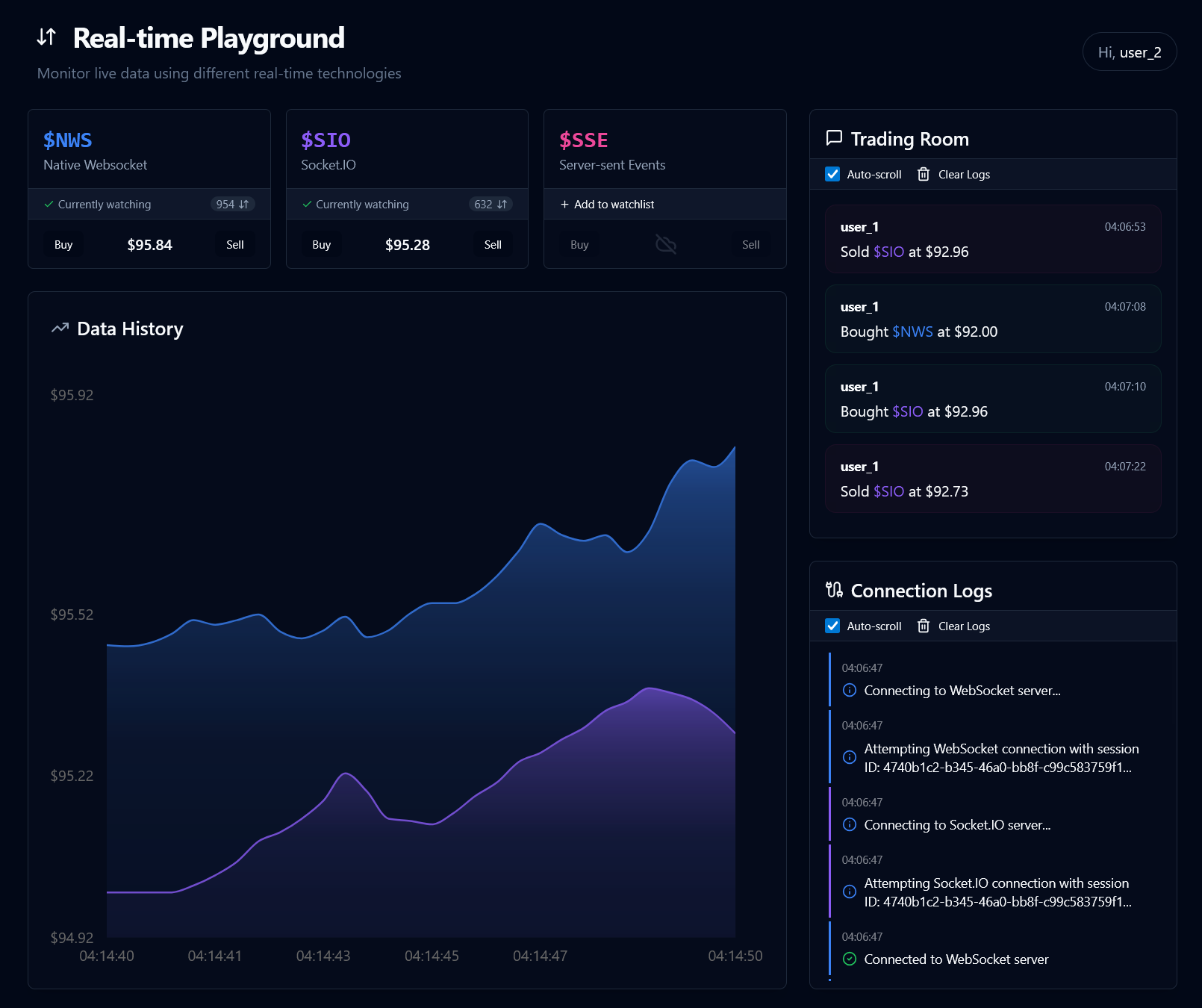
This project demonstrates real-time financial data visualization using three different communication protocols: WebSocket, Socket.IO, and Server-Sent Events (SSE). Compare them side-by-side!
- **WebSocket (`ws`)**: 🚀 Direct, low-latency, bi-directional.
- **Socket.IO**: ✨ Feature-rich wrapper with fallbacks.
- **Server-Sent Events (SSE)**: unidirectional (server-to-client).
## 🏗️ Project Structure
This is an [Nx](https://nx.dev) monorepo using npm workspaces. It contains two main packages:
- **`backend/`**: Node.js/Express server handling data simulation and real-time communication.
- **`frontend/`**: React/Vite client application for visualizing data and managing connections.
Nx manages task running (like starting, building, linting) across the packages.
## ✨ Features
- **📊 Real-time Data Viz**: View simulated stock price movements using Recharts.
- **↔️ Protocol Comparison**: Connect/disconnect streams individually.
- **🎛️ Connection Toggles**: Easy UI controls for each protocol.
- **📝 Transaction Logging**: Monitor connection events and data flow.
- **📱 Responsive Design**: Built with Tailwind CSS.
- **🔌 Auto-reconnection**: Attempts to reconnect dropped connections.
- **❤️ Health Check**: Backend `/health` endpoint.
## 📊 UI and Workflow
The UI provides several components to help visualize and compare the real-time protocols:
### 1. Protocol Control Cards
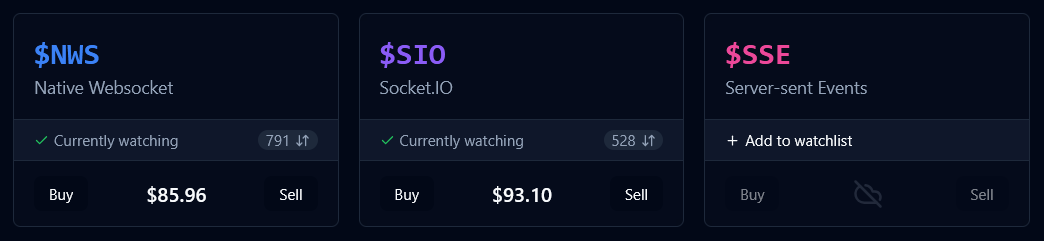
👉 Individual cards for each protocol (WebSocket, Socket.IO, SSE) displaying the current simulated price, number of watchers, and connection status.
- Allows you to individually connect/disconnect ("watch"/"unwatch") each protocol stream. Observe differences in connection stability, price update frequency (if configured differently), and how quickly watcher counts update. Notice the "Buy"/"Sell" buttons simulate user interaction, possible with bi-directional protocols like WebSocket and Socket.IO, but typically not directly initiated via SSE.
### 2. Trading Room Log
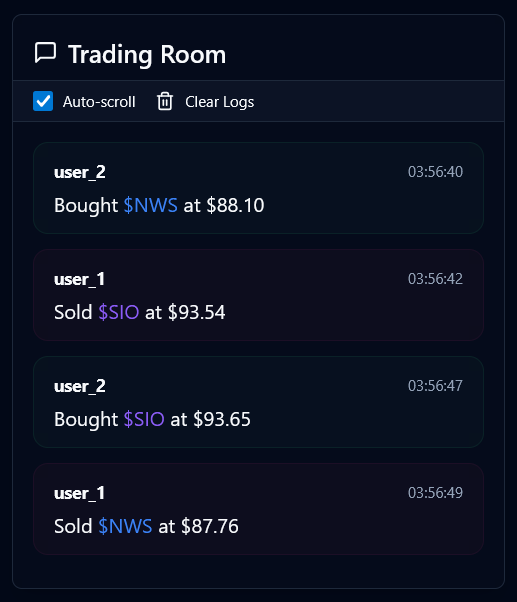
👉 A log of simulated buy/sell actions performed by different users on the different "stocks" (protocols).
- Demonstrates the bi-directional capability. Actions sent from the client (like a buy/sell request) are processed by the server and broadcast back to connected clients via WebSocket and Socket.IO. SSE, being unidirectional (server-to-client), wouldn't typically show client-initiated actions like this reflected back in the same stream.
### 3. Connection Logs
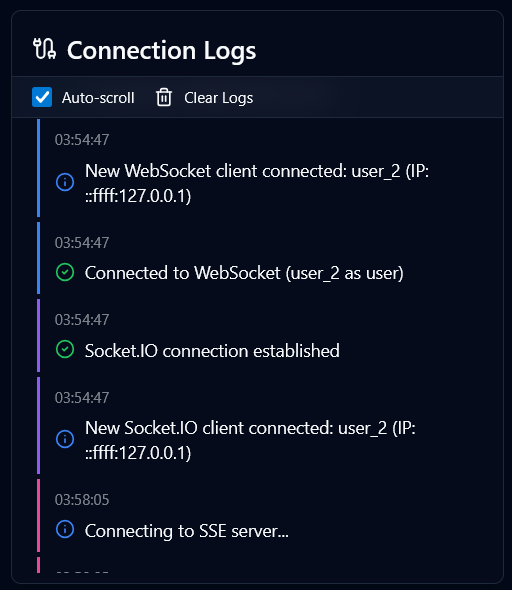
👉 Detailed logs of connection lifecycle events: establishing connections, client joins/leaves, IP addresses, and connection status messages for each protocol.
- Provides insight into the underlying mechanics. You can see specific connection events for WebSocket and Socket.IO. Socket.IO might show more initial setup messages due to its handshake and potential fallback mechanisms. SSE connection events might appear simpler. This log helps debug connection issues and understand the verbosity of each protocol's connection management.
### 4. Data History Chart
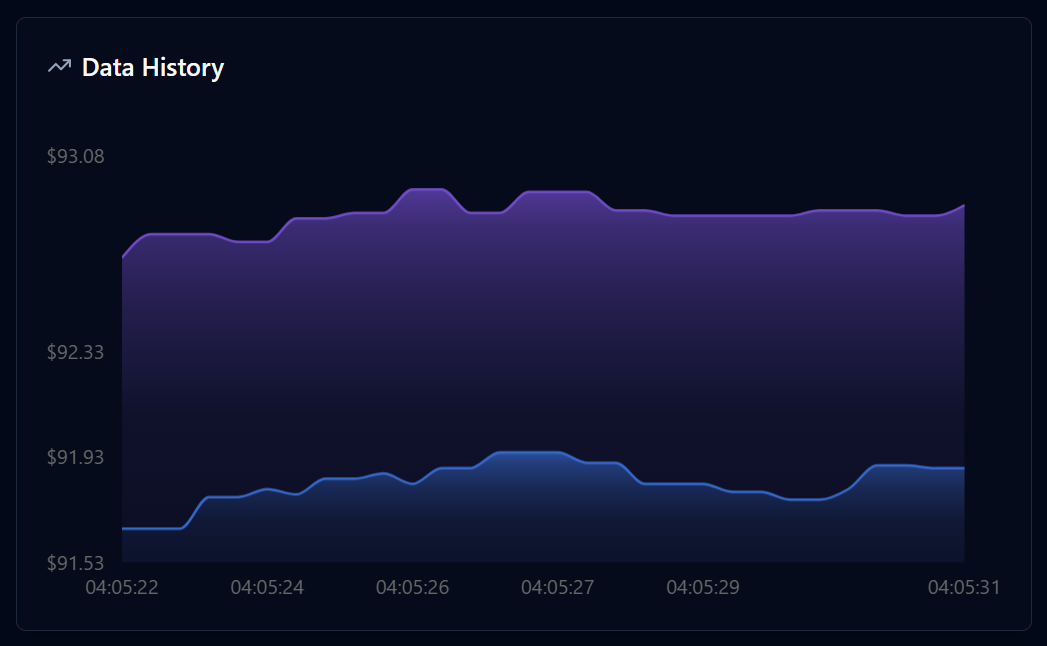
👉 A line chart visualizing the price history for the currently "watched" protocols.
- Allows for a visual comparison of the data streams received. If the backend simulates slight variations or delays for different protocols, you might observe differences in the chart lines, illustrating potential latency or data delivery nuances between WebSocket, Socket.IO, and SSE.
## 🛠️ Tech Stack
**Backend:**
- Node.js, Express.js
- WebSocket (`ws`), Socket.IO
- Dotenv, CORS
**Frontend:**
- React 18, Vite
- Recharts 📈
- Tailwind CSS, Shadcn UI / Radix UI 🎨
- Socket.IO Client
- Lucide Icons ✨
**Development:**
- Nx, npm Workspaces
- ESLint, Prettier, Nodemon, Vitest
## 🚀 Getting Started
### Prerequisites
- Node.js 18+ and npm
### Installation & Running
1. **Clone**:
```bash
git clone https://github.com/b-amir/realtime-playground.git
cd realtime-playground
```
2. **Setup Environment**:
- Copy `.env.example` to `.env` in both `backend` and `frontend`.
```bash
cp backend/.env.example backend/.env
cp frontend/.env.example frontend/.env
```
- Adjust URLs/ports if needed (defaults should work, backend uses 3001, frontend uses 5173).
3. **Install Dependencies** (from root):
```bash
npm install
```
_(This uses npm workspaces to install for both packages)_
4. **Start Both Servers** (from root):
```bash
npm start
```
_(This uses `nx run-many --target=dev`)_
5. **Access**: Open your browser to `http://localhost:5173` (or the port Vite specifies).
## ⚙️ Configuration
- Environment variables control ports, origins, and update intervals. See the `.env.example` files in `backend/` and `frontend/` for details.
## ▶️ Available Scripts (Run from Root)
Nx handles running tasks defined in `project.json` for each package.
- `npm start`: Starts both backend (`dev`) and frontend (`dev`) concurrently.
- `npm run server`: Starts only the backend (`dev`).
- `npm run client`: Starts only the frontend (`dev`).
- `npm run build`: Builds both backend and frontend (if build targets exist).
- `npm run lint`: Lints both backend and frontend.
- `npm run test`: Runs tests for both backend and frontend (if test targets exist).
_Individual package scripts (like `format` in frontend) can still be run by navigating to the package directory (`cd frontend`) and running `npm run `._