https://github.com/backbase/rating-request-android
https://github.com/backbase/rating-request-android
Last synced: 2 months ago
JSON representation
- Host: GitHub
- URL: https://github.com/backbase/rating-request-android
- Owner: Backbase
- Created: 2025-01-21T09:01:24.000Z (over 1 year ago)
- Default Branch: master
- Last Pushed: 2025-01-22T16:41:00.000Z (over 1 year ago)
- Last Synced: 2025-03-16T08:59:42.477Z (over 1 year ago)
- Language: Kotlin
- Size: 104 KB
- Stars: 1
- Watchers: 6
- Forks: 0
- Open Issues: 0
-
Metadata Files:
- Readme: README.md
Awesome Lists containing this project
README
# InApp Rating and Review journey (Android)
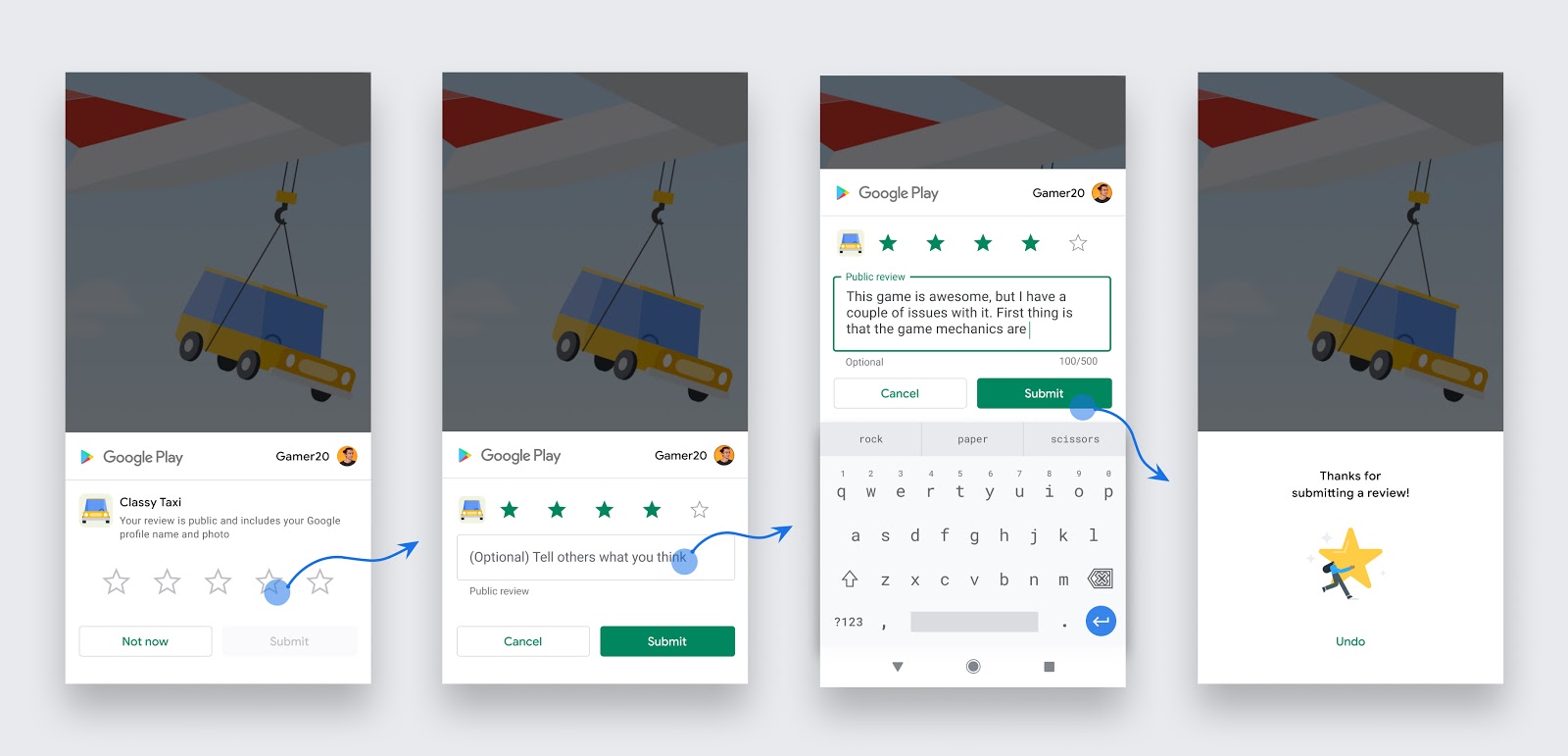
This repository contains the components and documentation of the Android Version of `InApp Rating and Review journey`.
## Description
This journey lets you trigger dialog to add rating & review on the App's Google PlayStore account.
## Table of Contents
- [Device Requirements](#device-requirements)
- [Environment Setup](#environment-setup)
- [Troubleshooting](#troubleshooting)
- [Assumptions](#assumptions)
- [LTS Support](#lts-support)
- [License](#license)
## Device requirements
In-app reviews only work on the following devices:
Android devices (phones and tablets) running Android 5.0 (API level 21) or higher that have the Google Play Store installed.
## When to request an in-app review
Follow these guidelines to help you decide when to request in-app reviews from users:
Trigger the in-app review flow after a user has experienced enough of your app to provide useful feedback.
To provide a great user experience, Google Play enforces a time-bound quota on how often a user can be shown the review dialog. Because of this quota, invoking the dialog more than once during a short period of time (for example, less than a month) might not always display a dialog.
## Environment Setup
### 1. Setup gradle dependency
In your app's build.gradle file:
```...
dependencies {
implementation("com.google.android.play:review:2.0.2")
...
}
```
### 2. Invoke context extension function to trigger review dialog
```
Context.launchInAppReview{ isSuccessful -> }
```
## TroubleShooting
Test in-app reviews with guidelines from [Google developer docs](https://developer.android.com/guide/playcore/in-app-review/test)
## Assumptions
The trigger logic is app specific and is not handled by the journey.
Boolean ```isSuccessful``` on invoking ```launchInAppReview{ isSuccessful -> }``` gives status if the process has finished. The API does not indicate whether the user
reviewed or not, or even whether the review dialog was shown. Thus, no matter the result, we continue our app flow.
## LTS Support
No restrictions
## License
Backbase License. See [LICENSE](https://github.com/Backbase/backbase-micro-frontends/blob/main/LICENSE) for more info.