https://github.com/bakyazi/gopass
password database manager. It uses Google Sheets as a database.
https://github.com/bakyazi/gopass
password password-store sheets-api
Last synced: 5 months ago
JSON representation
password database manager. It uses Google Sheets as a database.
- Host: GitHub
- URL: https://github.com/bakyazi/gopass
- Owner: bakyazi
- License: mit
- Created: 2022-10-15T17:43:53.000Z (over 3 years ago)
- Default Branch: main
- Last Pushed: 2022-10-16T08:57:12.000Z (over 3 years ago)
- Last Synced: 2024-06-20T17:43:57.702Z (about 2 years ago)
- Topics: password, password-store, sheets-api
- Language: Go
- Homepage:
- Size: 40 KB
- Stars: 1
- Watchers: 1
- Forks: 0
- Open Issues: 0
-
Metadata Files:
- Readme: README.md
- License: LICENSE
Awesome Lists containing this project
README
# gopass
gopass is a password database manager. It uses Google Sheets as a database.
## 1. Setup
1. Create a new Google Sheet: https://sheets.new.
2. Add three columns, first column is "site", second one is "username" and last one is "password"
3. Save the ID of your Sheet from URL (it’s a random string that looks like `1SMeoyesCaGHRlYdGj9VyqD-qhXtab1jrcgHZ0irvNDs`)
4. Save credentials of this account as a json file
5. Create `.gopass` folder in `$HOME` directory.
6. Move `credentials.json` to `$HOME/.gopass/`
7. Create a json file named `conf.json` in same folder, and paste your Sheet ID like `{"sheetId":"YOUR_SHEET_ID"}`
8. Go to https://console.cloud.google.com/apis/credentials, Create new Service Account.
9. Go to your Google Sheets, click "Share" and give this email address "Editor" access on your sheet.
10. Go to https://console.developers.google.com/apis/api/sheets.googleapis.com/overview and make sure the Google Sheets API is enabled.
## 2. Usage
### 2.1 Commands
#### 2.1.1 Create new password
You can create by giving password
`gopass create --site="github.com" --username="bakyazi" --password=MY_PASSWORD`
or you can create by generating random password
`gopass create --site="github.com" --username="bakyazi" --auto="16/lsun"`
After this command is executed successfully, your password is copied into your clipboard.
#### 2.1.2 Update password
You can update by giving password
`gopass update --site="github.com" --username="bakyazi" --password=MY_PASSWORD`
or you can update by generating random password
`gopass update --site="github.com" --username="bakyazi" --auto="16/lsun"`
After this command is executed successfully, your password is copied into your clipboard.
#### 2.1.3 Get password
You can fetch your
`gopass get --site="github.com" --username="bakyazi"`
After this command is executed successfully, your password is copied into your clipboard.
#### 2.1.4 List all passwords
You can fetch your
`gopass list`
#### 2.1.5 Delete a password
You can update by giving password
`gopass delete --site="github.com" --username="bakyazi"`
#### 2.1.6 Delete all passwords
You can update by giving password
`gopass clear`
### 2.2 Password Generation
You can manage password generation with `--auto` flag
The format of this flag is `/`
| Char Set Option | Meaning |
|-------------------|----------------------------- |
| l or L | Lowercase Letter Characters |
| u or U | Uppercase Letter Characters |
| s or S | Special Characters |
| n or N | Number |
**Examples**
| Option | Result |
|--------- |---------------------------------- |
| 8/sun | V0$$T7LH |
| 16/lsun | r@C95!q4O1l640d! |
| 32/lun | 4rFV5ZP844piFE8UWjLbDFr45Us7IOF6 |
| 12/un | C9E2W4E38OUO |
| 6/n | 328218 |
| 32/lsun | K0b*s2QQ62ft@g$h8Rpc0%3G@3!80O#! |
## Demo
[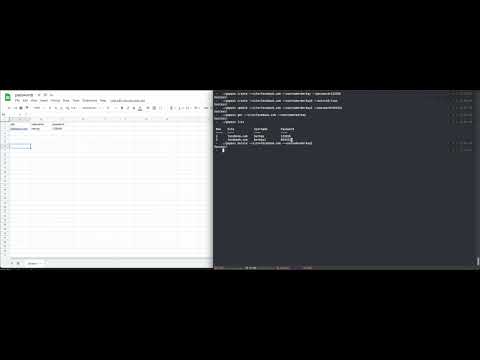](https://www.youtube.com/watch?v=gLtd0f_lEhA)