https://github.com/balassy/simple-cam-viewer
A single HTML page that allows you to view and pan the image of a remote Foscam IP camera.
https://github.com/balassy/simple-cam-viewer
camera-preview javascript materializecss static-website
Last synced: 9 months ago
JSON representation
A single HTML page that allows you to view and pan the image of a remote Foscam IP camera.
- Host: GitHub
- URL: https://github.com/balassy/simple-cam-viewer
- Owner: balassy
- License: mit
- Created: 2018-01-07T06:44:26.000Z (over 8 years ago)
- Default Branch: master
- Last Pushed: 2018-01-07T06:49:06.000Z (over 8 years ago)
- Last Synced: 2025-06-06T10:04:24.871Z (about 1 year ago)
- Topics: camera-preview, javascript, materializecss, static-website
- Language: HTML
- Size: 501 KB
- Stars: 1
- Watchers: 2
- Forks: 0
- Open Issues: 0
-
Metadata Files:
- Readme: README.md
- License: LICENSE
Awesome Lists containing this project
README
# Simple camera viewer
A single HTML page that allows you to view and pan the image of a remote Foscam IP camera.
Note: This is a quick and dirty solution that works as-is. Not rocket science at all.
## Usage
Download the `index.html` file and open it in your browser locally. Or upload it to your webserver, so it can be available anytime for you.
## Features
Functional:
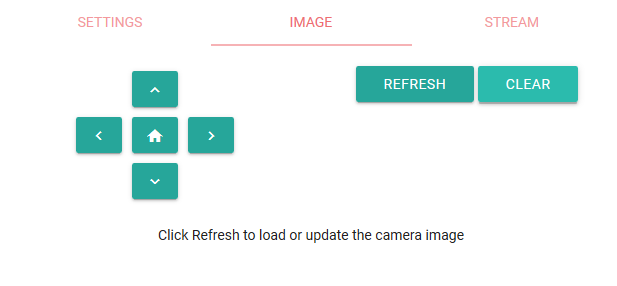
- Viewing and refreshing the current image of the remote Foscam IP camera.
- Moving the camera left, right, up and down (pan).
- Moving the camera to the Home position.
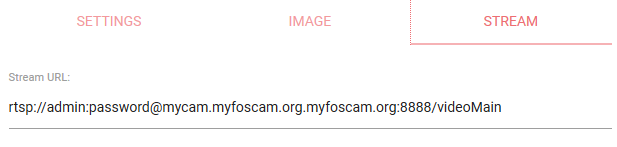
- Calculating the Stream URL to open it in external application (e.g. VLC).
Technical:
- Complete implementation in one HTML file (downloads additional third-party styles and libraries from CDNs).
- Material Design with [Materialize](http://materializecss.com/).
- Saving the connection parameter to the browser's local storage (except password), and cleared on demand.
- Responsive layout works on mobile.
## Privacy
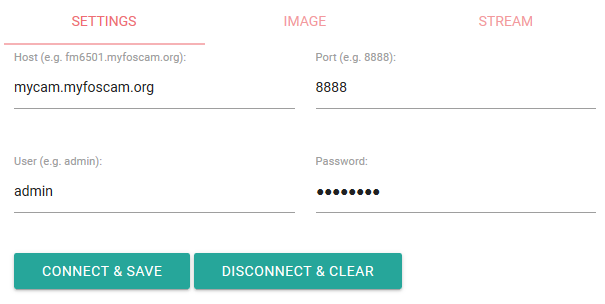
This page requires you to specify the host name and port to connect, and the user name and password to log in to the remote IP camera. When you click the **Connect & Save** button the host name, the port and the user name are saved to the browser's storage without any encryption. Note that the password is never saved, you have to enter it manually every time you open this page. Click the **Disconnect & Clear** button to delete the connection parameters from the browser's storage.
The Foscam camera I used to test this page has an invalid TLS certificate (with expired CA certificate), and the vendor does not provide an updated firmware. Although I can configure my browser (I used Firefox for this) to ignore the invalid HTTPS certificate, it does not protect from malicious third parties eavesdropping on the network.
## Screenshots
### Settings tab
### Image tab
### Stream tab
## About the author
This project is maintaned by [György Balássy](https://www.linkedin.com/in/balassy).