https://github.com/bamlab/go_router_url_params
Easily keep your state in the url when using go_router in Flutter
https://github.com/bamlab/go_router_url_params
Last synced: 27 days ago
JSON representation
Easily keep your state in the url when using go_router in Flutter
- Host: GitHub
- URL: https://github.com/bamlab/go_router_url_params
- Owner: bamlab
- License: mit
- Created: 2026-01-09T17:26:42.000Z (6 months ago)
- Default Branch: main
- Last Pushed: 2026-06-02T21:55:51.000Z (about 1 month ago)
- Last Synced: 2026-06-02T23:11:27.570Z (about 1 month ago)
- Language: Dart
- Size: 5.02 MB
- Stars: 0
- Watchers: 0
- Forks: 0
- Open Issues: 0
-
Metadata Files:
- Readme: README.md
- Changelog: CHANGELOG.md
- License: LICENSE
Awesome Lists containing this project
README
# go_router_url_params
Type the path and query parameters of your [go_router](https://pub.dev/packages/go_router) URLs, read them as plain Dart objects, and write them back — without keeping a second copy of that state anywhere else.
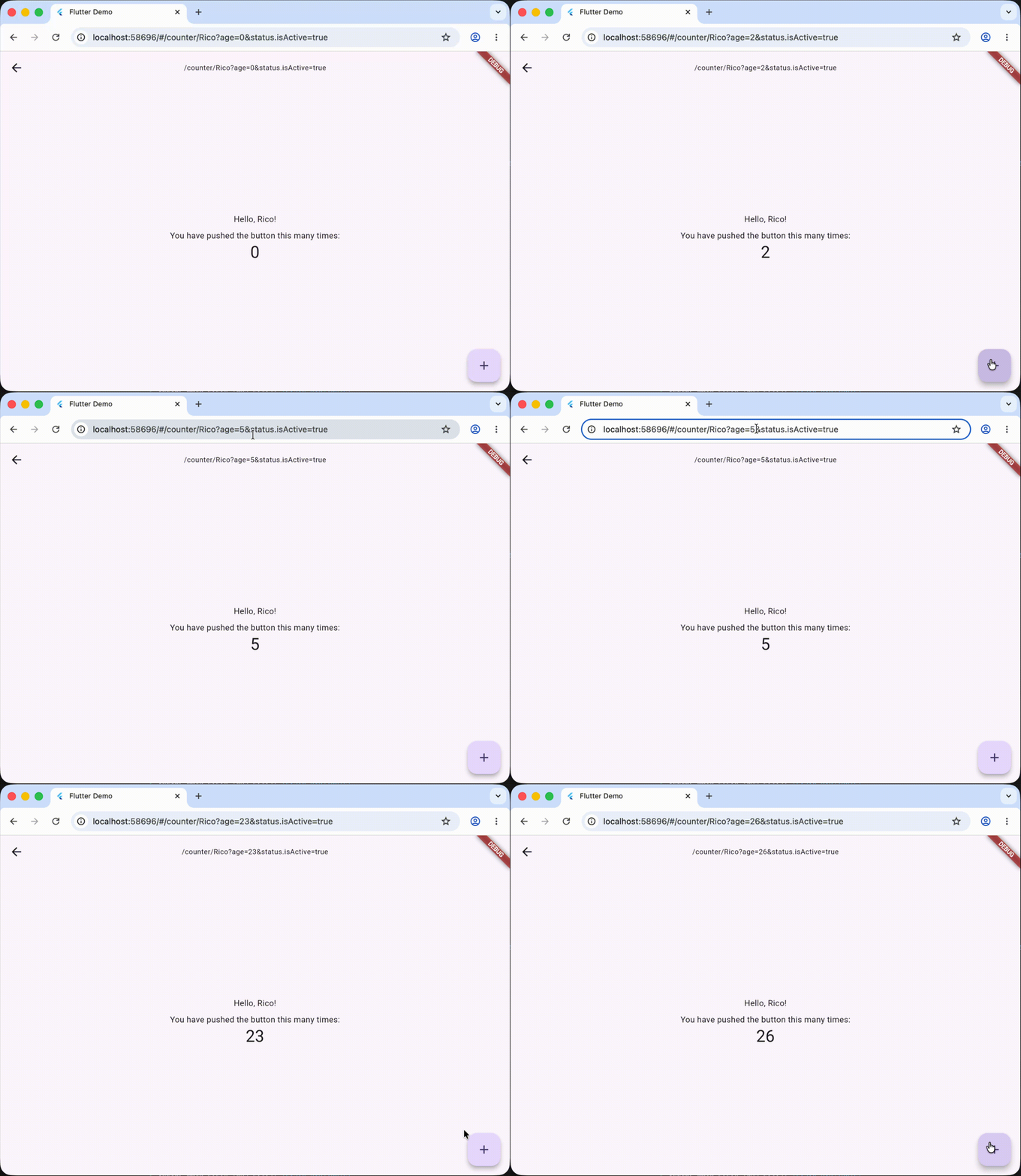
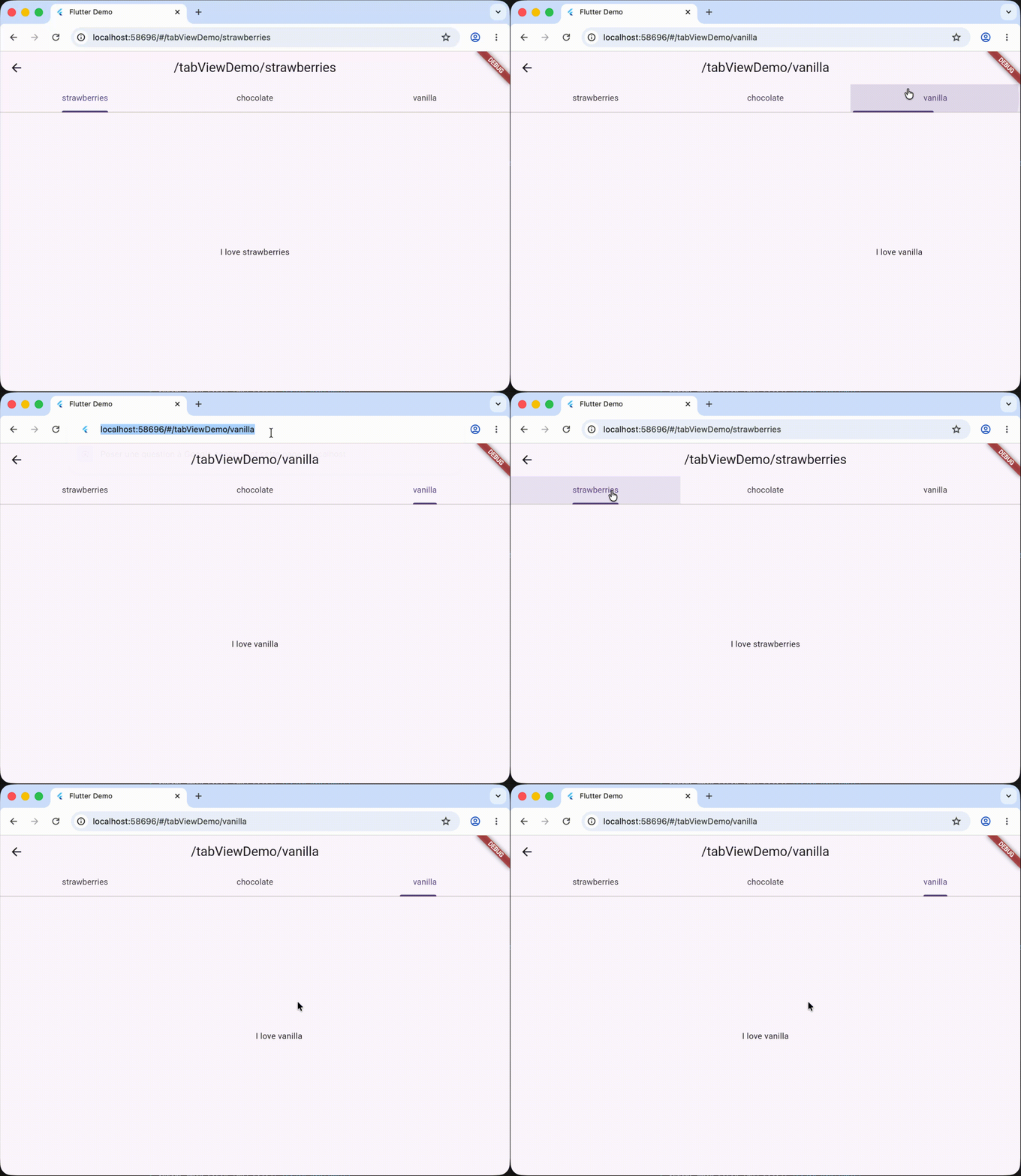
## Motivation
The URL already holds part of your application state: the current route, its path parameters, and its query string.
- First problem: this state is often awkward to read in a typed way, because a URL is entirely a string, and dart doesn't support reflection at runtime for performance reasons, which makes it hard to parse any string into a typed object like javascript does.
- Second problem: this state doesn't belong to the state management library that you probably use (riverpod, bloc, provider, etc.), so manipulating the URL as state management requires its own project standards, which are often complex yet implicit.
For these reasons, it is tempting to replicate it into your state management and keep the two in sync by hand. That duplication introduces boilerplate, imperativeness (one variable "name" in your state management, one query param "initialName", side effects between the two), and unnecessary complexity.
In short, bugs.
**go_router_url_params** fills that gap by reusing the `fromMap`/`toMap` methods that a data class often exposes, and defining a simple, performant interface to read and write the URL as typed objects. The URL becomes the single source of truth, and your widgets read it as typed objects. No boilerplate, no duplicated state.
## Installation
Use `flutter pub add go_router_url_params`, or add `go_router_url_params` to the `dependencies` of your `pubspec.yaml` manually. You also need [go_router](https://pub.dev/packages/go_router) itself.
---
# Basic usage
## 1. Make your data classes serializable
A class participates by mixing in `UrlParamsData` and providing `toMap()` plus a `fromMap` factory:
```dart
class Person with UrlParamsData {
const Person({this.name, this.age = 0, PersonStatus? status})
: status = status ?? const PersonStatus();
final String? name;
final int age;
final PersonStatus status;
factory Person.fromMap(Map map) => Person(
name: map['name'] as String?,
age: int.tryParse(map['age']?.toString() ?? '') ?? 0,
status: map['status'] != null
? PersonStatus.fromMap(map['status'] as Map)
: null,
);
@override
Map toMap() => {
'name': name,
'age': age,
'status': status.toMap(),
};
Person copyWith({String? name, int? age, PersonStatus? status}) => Person(
name: name ?? this.name,
age: age ?? this.age,
status: status ?? this.status,
);
}
class PersonStatus with UrlParamsData {
const PersonStatus({this.isActive = true, this.labels = const []});
final bool isActive;
final List labels;
factory PersonStatus.fromMap(Map map) => PersonStatus(
isActive: bool.tryParse(map['isActive']?.toString() ?? '') ?? true,
labels: (map['labels'] as List?)?.cast() ?? const [],
);
@override
Map toMap() => {'isActive': isActive, 'labels': labels};
}
```
Sounds complex? Ok that's fair.
But `toMap`/`fromMap`/`copyWith` are exactly the methods code generators produce, so you don't have to write them by hand. The `example/lib/model_examples/` folder shows the same model generated with `dart_mappable`, `freezed`, and `json_serializable`.
## 2. Add the scope below `MaterialApp.router`
`UrlParamsScope` subscribes to the router and republishes its parameters. Register one `UrlParamBuilder` per type any widget will read:
```dart
MaterialApp.router(
routerDelegate: router.routerDelegate,
routeInformationParser: router.routeInformationParser,
routeInformationProvider: router.routeInformationProvider,
builder: (context, child) => UrlParamsScope(
router: router,
builders: [
UrlParamBuilder(Person.fromMap),
],
child: child!,
),
)
```
## 3. Read and write typed params
```dart
// Read. Rebuilds only when the Person slice of the URL changes.
final person = context.watchUrlParams();
// Write. Updates the URL, which rebuilds the widgets that read it.
context.setUrlParams(person.copyWith(age: person.age + 1));
```
`watchUrlParams()` returns `null` when no `Person` can be parsed from the current URL, so you should pay attention to that case.
Globally, you can consider that anything can be in the URL (especially in web). Be really careful with nullability and default values.
## How rebuilds are scoped
A widget that uses `watchUrlParams()` to read a type `T` rebuilds only when the parsed `T` changes; it does not rebuild when an unrelated field changes, even though both live in the same URL. Parsing is cached per type for the lifetime of a URL, so a registered builder runs at most once per URL change regardless of how many widgets read that type.
---
# Advanced usage
## Building a URL to navigate to
`UrlParamsData.toQueryParamsString` turns a `UrlParamsData` into a query string for `context.go`. Use `keysToIgnore`/`keysToInclude` to control which fields are serialized (for instance, to drop a field that is already a path parameter), and pass `currentUri` to merge with the query params already present, if you don't want the rest of your state to be lost:
```dart
context.go(
'/counter/${person.name}'
'${person.toQueryParamsString(keysToIgnore: ["name"], currentUri: context.uri)}',
);
```
`context.uri` is a shortcut for the router's current `Uri`.
## One limitation: avoid using the same name for a path param and a query param
Path parameters and query parameters share one flat namespace when written. Do not give a path parameter the same name as a query parameter: if both exist, the value is assigned to the path parameter and the query parameter stays empty. If you genuinely need overlapping names, drop down to the lower-level API below.
## Disambiguating types with `prefixKey`
If two registered types expose colliding field names, or if you want to register to a sub-slice of a type, you can give a `prefixKey` in the `UrlParamBuilder`.
Example:
```dart
UrlParamsScope(
router: router,
builders: [
UrlParamBuilder(Person.fromMap),
UrlParamBuilder(PersonStatus.fromMap, prefixKey: "status"),
],
child: child!,
),
```
With `prefixKey: "status"`, `PersonStatus.isActive` is written as `?status.isActive=true` instead of `?isActive=true`.
## Lower level: Reading a single key
When you do not want to model a whole object, read one parameter at a time. These also require a `UrlParamsScope` ancestor and rebuild only when that specific key changes:
```dart
final age = context.watchQueryParamFromKey('age');
final personName = context.watchPathParamFromKey('name');
final favoriteFlavor = context.watchQueryParamFromKey('flavor', parseFromString: (value) => Flavor.values.byName(value));
```
Supported types by default: `String`, `int`, `double`, `bool`, `DateTime`, and (for query params) a `List` of these. For other types, you can provide a `parseFromString` function to parse the value from String to the requested type.
A value that cannot be parsed to the requested type returns `null` rather than throwing — reading `age` as a `bool` gives `null`.
### Lists (query params only)
go_router exposes repeated query keys (`?tag=a&tag=b`) as a list. Read them with a `List` type to get every value; reading a scalar type keeps the last value:
```dart
final tags = context.watchQueryParamFromKey>('tag'); // ['a', 'b']
final ids = context.watchQueryParamFromKey>('id'); // null if any value isn't an int
```
## Lower-level: writes
`setUrlParamsFromMap` writes raw query and path maps, bypassing the typed object layer. Pair it with the single-key readers when you need full control:
```dart
context.setUrlParamsFromMap(
queryParams: {'tag': ['a', 'b']},
pathParams: {'name': 'Rico'},
);
```