https://github.com/banesullivan/localtileserver
🌐 dynamic tile server for visualizing rasters in Jupyter with ipyleaflet or folium
https://github.com/banesullivan/localtileserver
dynamic-tiling folium geospatial gis ipyleaflet jupyter large-image localtileserver map-tiles python raster satellite-imagery visualization
Last synced: 2 months ago
JSON representation
🌐 dynamic tile server for visualizing rasters in Jupyter with ipyleaflet or folium
- Host: GitHub
- URL: https://github.com/banesullivan/localtileserver
- Owner: banesullivan
- License: mit
- Created: 2021-11-18T04:47:16.000Z (over 4 years ago)
- Default Branch: main
- Last Pushed: 2025-04-01T21:22:43.000Z (over 1 year ago)
- Last Synced: 2025-05-12T15:13:50.785Z (about 1 year ago)
- Topics: dynamic-tiling, folium, geospatial, gis, ipyleaflet, jupyter, large-image, localtileserver, map-tiles, python, raster, satellite-imagery, visualization
- Language: Python
- Homepage: https://localtileserver.banesullivan.com
- Size: 112 MB
- Stars: 324
- Watchers: 11
- Forks: 29
- Open Issues: 16
-
Metadata Files:
- Readme: README.md
- License: LICENSE
Awesome Lists containing this project
- Awesome-Geospatial - localtileserver - A Python package for serving tiles from large raster files in the Slippy Maps standard (i.e., `/zoom/x/y.png`) for visualization in Jupyter with `ipyleaflet` or `folium`. (Python)
- awesome-open-geoscience - localtileserver
- awesome-gis - localtileserver - Easily visualize large geospatial images with ipyleaflet or folium in Jupyter or in a web browser with CesiumJS. (Geospatial Library / Python)
README
### 🚀 Support This Project
If localtileserver saves you time, powers your work, or you need direct help, please consider supporting the project and my efforts:
[](https://github.com/sponsors/banesullivan)
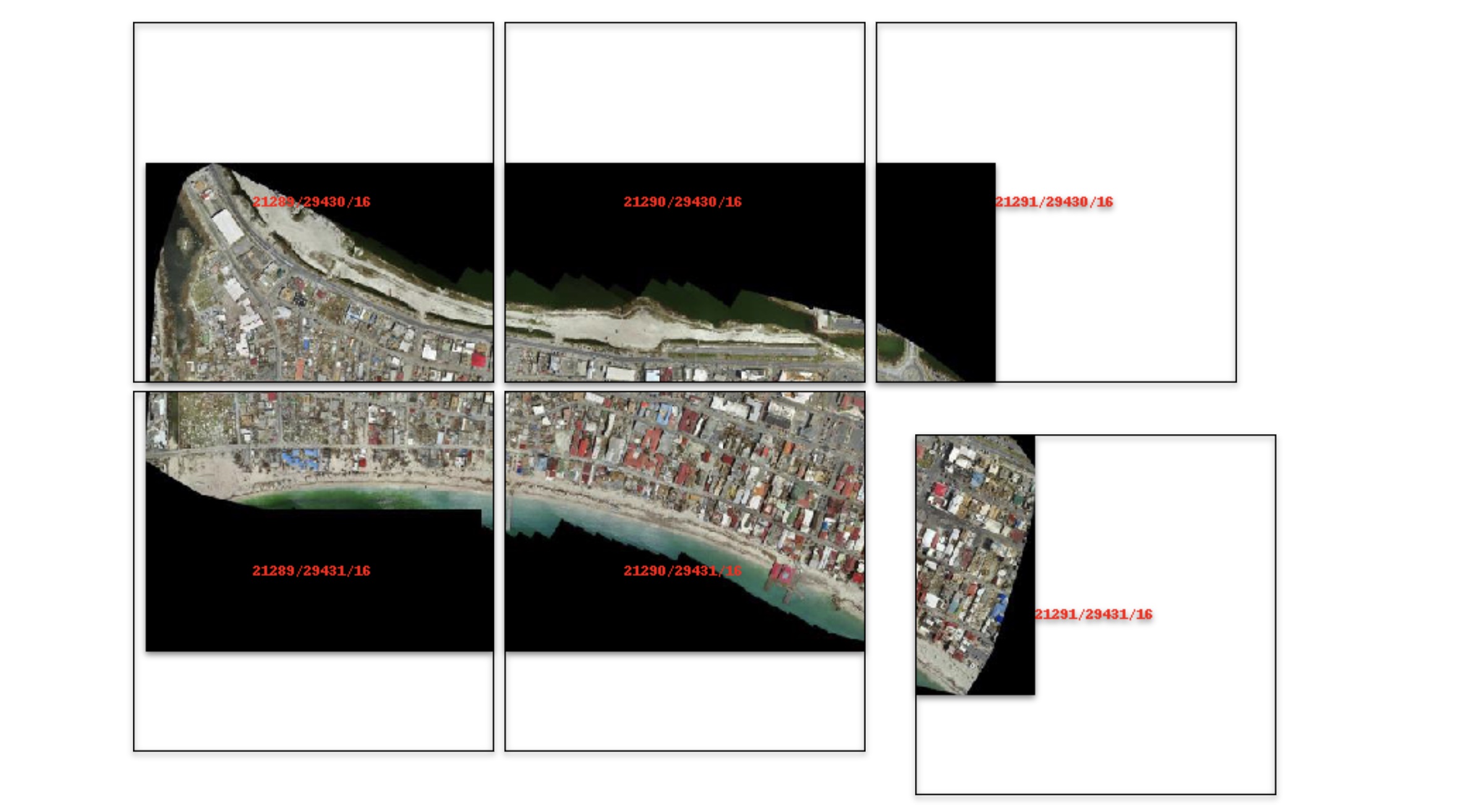
# 🌐 Local Tile Server for Geospatial Rasters
[](https://codecov.io/gh/banesullivan/localtileserver)
[](https://pypi.org/project/localtileserver/)
[](https://anaconda.org/conda-forge/localtileserver)
_Need to visualize a rather large (gigabytes+) raster?_ **This is for you.**
A Python package for serving tiles from large raster files in
the [Slippy Maps standard](https://wiki.openstreetmap.org/wiki/Slippy_map_tilenames)
(i.e., `/zoom/x/y.png`) for visualization in Jupyter with `ipyleaflet` or `folium`.
Try it live on MyBinder: [](https://mybinder.org/v2/gh/banesullivan/localtileserver/HEAD?labpath=examples/example.ipynb) (more demos in [`examples/`](examples/))
Documentation: https://localtileserver.banesullivan.com/
Built on [rio-tiler](https://github.com/cogeotiff/rio-tiler) and [FastAPI](https://fastapi.tiangolo.com/)
## 🌟 Highlights
- Launch a tile server for large geospatial images
- View local or remote raster files with `ipyleaflet` or `folium` in Jupyter
- Band math expressions for on-the-fly computed imagery (e.g., NDVI)
- Per-band statistics and multiple image stretch modes
- Multiple output formats: PNG, JPEG, WebP, GeoTIFF, NPY
- Spatial subsetting via bounding box crops and GeoJSON masks
- [STAC](https://stacspec.org/) item support for multi-asset catalogs
- [Xarray](https://xarray.dev/) DataArray tile serving (NetCDF, Zarr, etc.)
- Virtual mosaics from multiple raster files
- View rasters with CesiumJS with the built-in web application
- Full REST API powered by FastAPI with auto-generated OpenAPI docs
## 🚀 Usage
Usage details and examples can be found in the documentation: https://localtileserver.banesullivan.com/
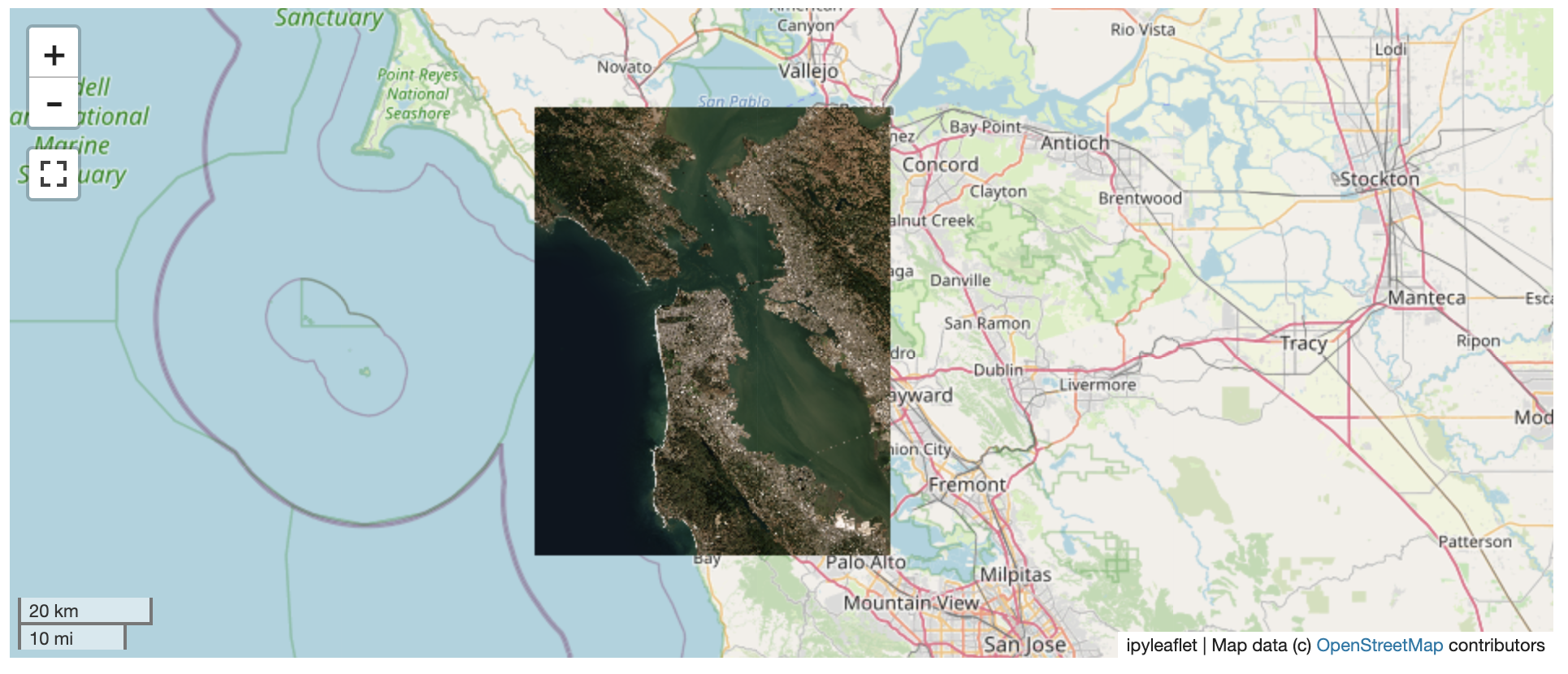
The following is a minimal example to visualize a local raster file with
`ipyleaflet`:
```py
import localtileserver as lts
from ipyleaflet import Map
# First, create a tile server from local raster file
client = lts.open('path/to/geo.tif')
# Create ipyleaflet tile layer from that server
t = lts.get_leaflet_tile_layer(client)
m = Map(center=client.center(), zoom=client.default_zoom)
m.add(t)
m
```
### Band Math Expressions
Compute derived imagery on the fly using band math expressions:
```py
client = lts.open('path/to/multispectral.tif')
# NDVI: (NIR - Red) / (NIR + Red) where NIR=b4, Red=b1
t = lts.get_leaflet_tile_layer(client, expression='(b4-b1)/(b4+b1)',
vmin=-1, vmax=1, colormap='RdYlGn')
```
### STAC Support
Visualize assets from STAC catalogs:
```py
import requests
# Fetch tiles from a STAC item's assets
resp = requests.get('http://localhost:PORT/api/stac/tiles/10/512/512.png',
params={'url': 'https://example.com/stac/item.json',
'assets': 'visual'})
```
### Xarray DataArrays
Serve tiles directly from xarray DataArrays (NetCDF, Zarr, etc.):
```py
import xarray as xr
ds = xr.open_dataset('temperature.nc')
da = ds['temperature']
da = da.rio.write_crs('EPSG:4326')
# Register and serve tiles through the REST API
```
### VS Code, Colab, and other webview notebooks
`localtileserver` works out of the box in JupyterLab, Notebook 7, JupyterHub,
and Binder because those frontends let the browser reach the jupyter-server
origin directly. VS Code Jupyter (including Remote-SSH), Google Colab, Shiny
for Python, Solara, and marimo render notebook outputs in a sandboxed webview
whose origin is **not** the jupyter-server — so root-relative tile URLs never
reach the proxy, and `http://127.0.0.1:/…` fails to resolve.
To cover those frontends, `localtileserver` integrates with
[`jupyter-loopback`](https://github.com/banesullivan/jupyter-loopback). When
you call `get_leaflet_tile_layer(...)` or `get_folium_tile_layer(...)`, the
helper automatically routes that client's tile URLs through the comm bridge.
No install step or notebook changes required — `jupyter-loopback[comm]` is
pulled in by the core `pip install localtileserver`.
If you use a `TileClient` outside those helpers (e.g. embedding raw tile
URLs in a custom HTML output), call the method explicitly:
```py
client = lts.open('path/to/geo.tif')
client.enable_jupyter_loopback()
```
Or, for a specific port you're managing yourself:
```py
import localtileserver
localtileserver.enable_jupyter_loopback(port)
```
Opt out globally by setting `LOCALTILESERVER_DISABLE_JUPYTER_LOOPBACK=1` in
your environment before importing `localtileserver`.
## ℹ️ Overview
The `TileClient` class can be used to launch a tile server in a background
thread which will serve raster imagery to a viewer (usually `ipyleaflet` or
`folium` in Jupyter notebooks).
This tile server can efficiently deliver varying resolutions of your
raster imagery to your viewer; it helps to have pre-tiled,
[Cloud Optimized GeoTIFFs (COGs)](https://www.cogeo.org/).
There is an included, standalone web viewer leveraging
[CesiumJS](https://cesium.com/platform/cesiumjs/).
### REST API
The server exposes a comprehensive REST API built on FastAPI:
| Endpoint | Description |
| ----------------------------------------- | ----------------------- |
| `GET /api/tiles/{z}/{x}/{y}.{fmt}` | Raster tiles |
| `GET /api/thumbnail.{fmt}` | Thumbnail preview |
| `GET /api/metadata` | Raster metadata |
| `GET /api/bounds` | Geographic bounds |
| `GET /api/statistics` | Per-band statistics |
| `GET /api/part.{fmt}` | Bounding box crop |
| `POST /api/feature.{fmt}` | GeoJSON mask extraction |
| `GET /api/stac/tiles/{z}/{x}/{y}.{fmt}` | STAC item tiles |
| `GET /api/xarray/tiles/{z}/{x}/{y}.{fmt}` | Xarray DataArray tiles |
| `GET /api/mosaic/tiles/{z}/{x}/{y}.{fmt}` | Mosaic tiles |
| `GET /swagger/` | Interactive API docs |
All tile/thumbnail endpoints support `expression`, `stretch`, `indexes`, `colormap`, `vmin`, `vmax`, and `nodata` query parameters.
## ⬇️ Installation
Get started with `localtileserver` to view rasters in Jupyter or deploy as your
own FastAPI application.
### 🐍 Installing with `conda`
Conda makes managing `localtileserver`'s dependencies across platforms quite
easy and this is the recommended method to install:
```bash
conda install -c conda-forge localtileserver
```
### 🎡 Installing with `pip`
If you prefer pip, then you can install from PyPI: https://pypi.org/project/localtileserver/
```
pip install localtileserver
```
### Optional Dependencies
For xarray/DataArray support:
```
pip install localtileserver[xarray]
```
For Jupyter widget integration:
```
pip install localtileserver[jupyter]
```
For additional colormaps:
```
pip install localtileserver[colormaps]
```
## 💭 Feedback
Please share your thoughts and questions on the [Discussions](https://github.com/banesullivan/localtileserver/discussions) board.
If you would like to report any bugs or make feature requests, please open an issue.
If filing a bug report, please share a scooby `Report`:
```py
import localtileserver as lts
print(lts.Report())
```