https://github.com/basemax/typescriptchatwebsocket
This is a real-time chat application built with TypeScript and WebSocket, allowing users to communicate through direct messages, group messages, and channels. The application offers bidirectional communication between clients and the server, providing a seamless chat experience.
https://github.com/basemax/typescriptchatwebsocket
chat javascript js ts typescript web-socket websocket ws
Last synced: about 1 year ago
JSON representation
This is a real-time chat application built with TypeScript and WebSocket, allowing users to communicate through direct messages, group messages, and channels. The application offers bidirectional communication between clients and the server, providing a seamless chat experience.
- Host: GitHub
- URL: https://github.com/basemax/typescriptchatwebsocket
- Owner: BaseMax
- License: gpl-3.0
- Created: 2023-07-17T10:41:30.000Z (almost 3 years ago)
- Default Branch: main
- Last Pushed: 2024-06-18T11:30:18.000Z (about 2 years ago)
- Last Synced: 2025-05-04T21:45:55.959Z (about 1 year ago)
- Topics: chat, javascript, js, ts, typescript, web-socket, websocket, ws
- Language: TypeScript
- Homepage:
- Size: 801 KB
- Stars: 3
- Watchers: 2
- Forks: 1
- Open Issues: 2
-
Metadata Files:
- Readme: README.md
- License: LICENSE
Awesome Lists containing this project
README
# TypeScript WebSocket Project
This is a real-time chat application built with TypeScript and WebSocket, allowing users to communicate through direct messages, group messages, and channels. The application offers bidirectional communication between clients and the server, providing a seamless chat experience.
## Features
- **User-to-User Direct Messaging:** Users can send direct messages to each other privately.
- **Group Messaging:** Users can participate in group conversations with multiple participants.
- **Channels:** Users can join and send messages to public channels.
## Screenshots
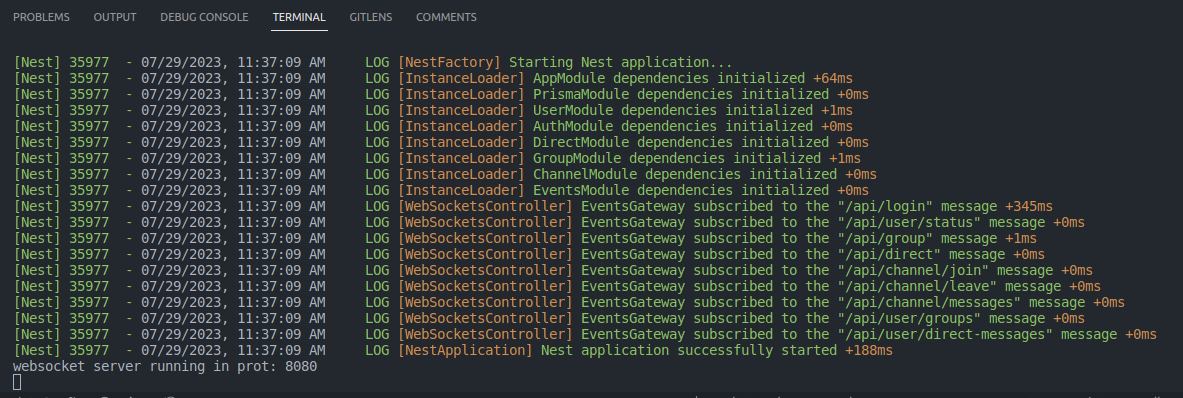
#### Start server
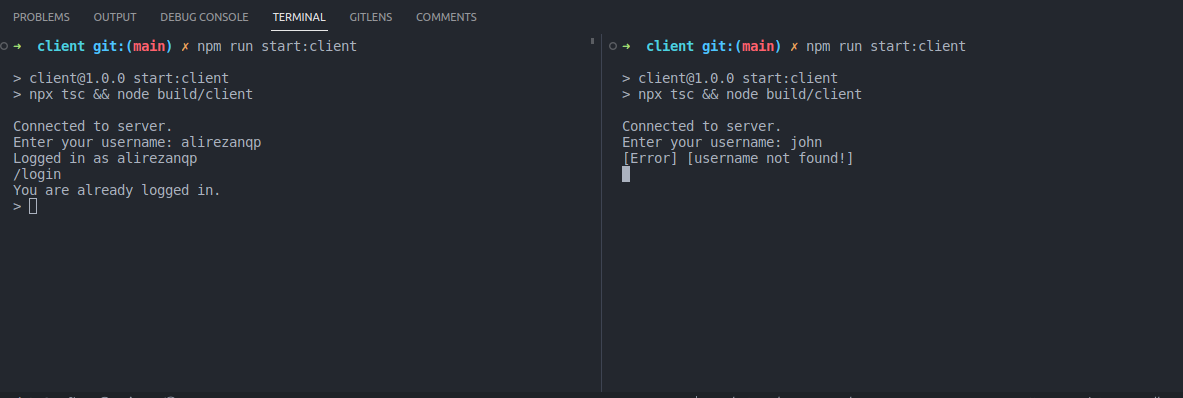
#### Login user
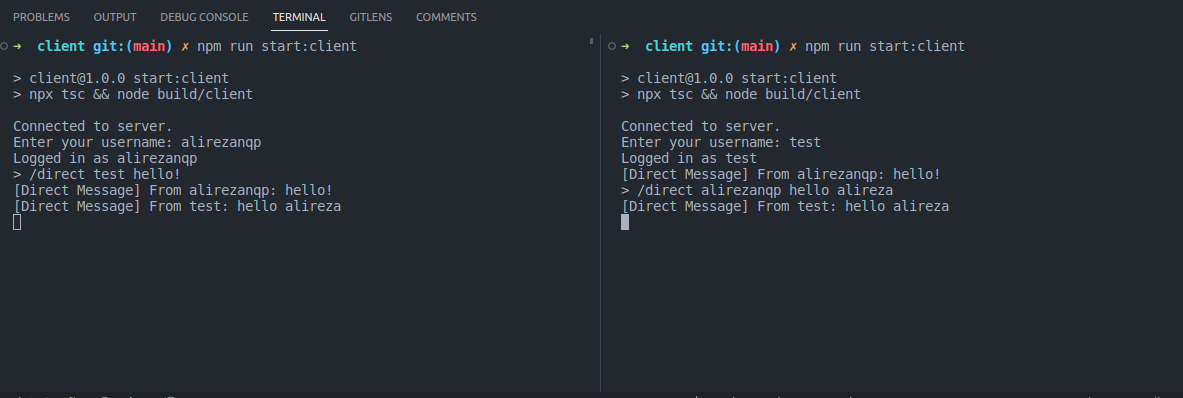
#### Send direct messages
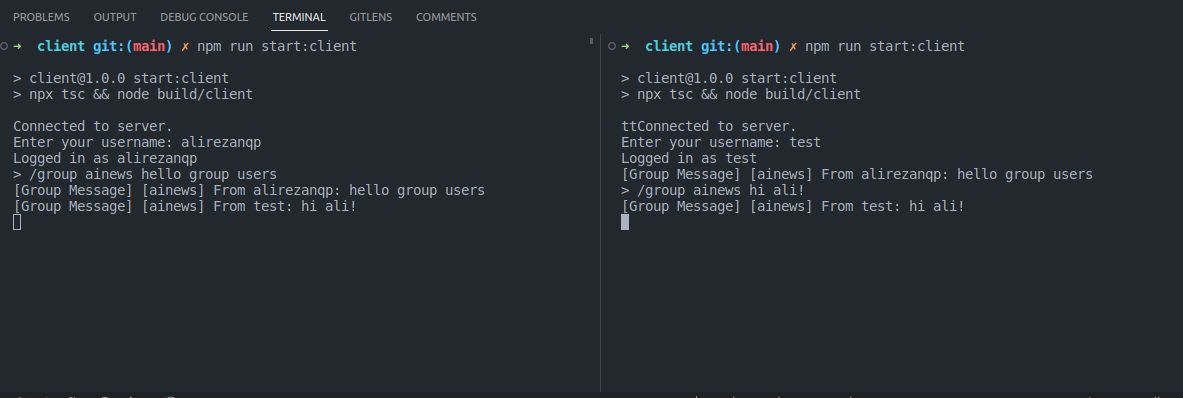
#### Send group messages
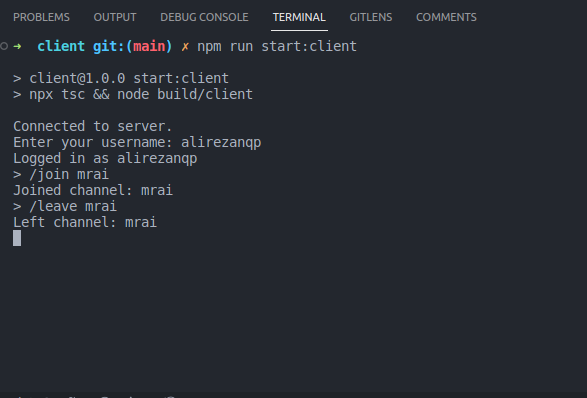
#### Join and leave public channel
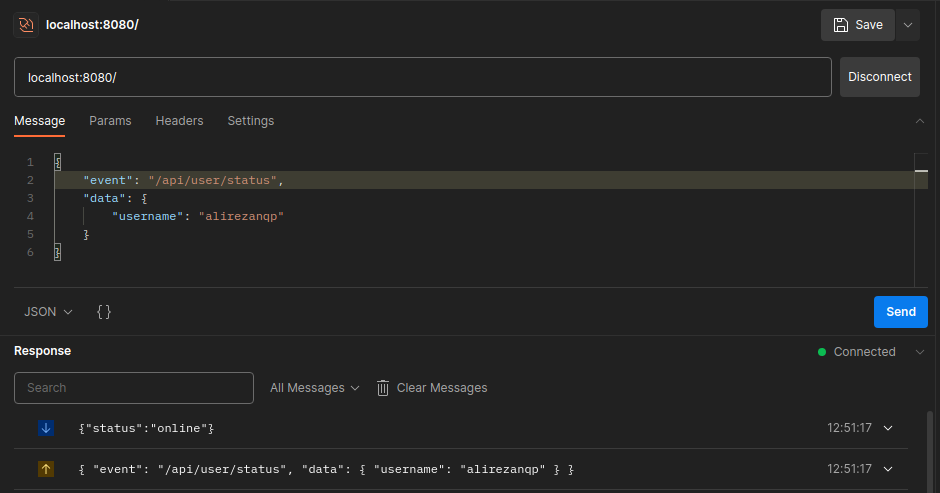
#### Retrieves user status (onilne, offline)
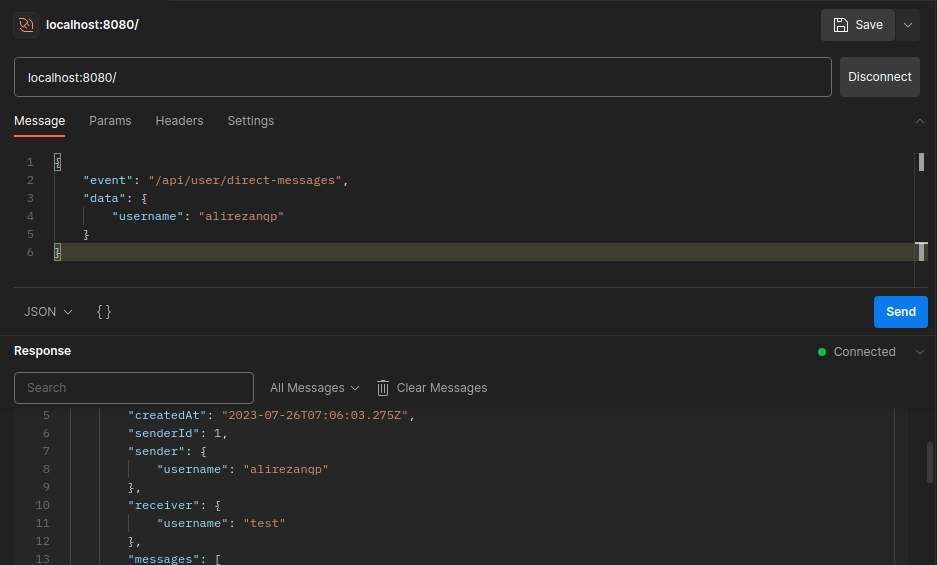
#### Retrieves user direct messages
## Prerequisites
Before running this project, ensure you have the following prerequisites installed on your system:
- Node.js (>=14.x)
- npm (Node Package Manager)
## Getting Started
Clone this repository to your local machine:
```bash
git clone https://github.com/BaseMax/TypeScriptWebSocket
cd TypeScriptWebSocket
```
Install project dependencies:
```bash
npm install
```
## Usage
### Starting the WebSocket Server
To start the WebSocket server, run the following command:
```bash
npm run start:server
```
This will launch the server and bind it to a specified port (default is 8080). The server will be ready to accept WebSocket connections from clients.
### Starting the WebSocket Client
To start the WebSocket client, run the following command:
```bash
cd client
```
```bash
npm run start:client
```
The client will attempt to connect to the WebSocket server running on the specified host and port. You can adjust the server host and port in the `src/client.ts` file.
## Chat Commands
Once the WebSocket client is running, you can use the following commands:
- `/login `: Log in with your desired username to join the chat.
- `/direct `: Send a direct message to another user using their username.
- `/group `: Send a message to a specific group of users.
- `/join `: Join a public chat channel to send and receive messages.
- `/leave `: Leave a public chat channel.
### Socket commands or maybe routes:
-`/api/login`: Handles user login. Expects a JSON payload with the username.
- `/api/direct`: Sends a direct message. Expects a JSON payload with the recipient username and the message.
- `/api/group`: Sends a message to a group. Expects a JSON payload with the group_name and the message.
- `/api/channel/join`: Joins a public channel. Expects a JSON payload with the channel_name.
- `/api/channel/leave`: Leaves a public channel. Expects a JSON payload with the channel_name.
- `/api/channel/messages`: Retrieves the message history for a specific public channel.Expects a JSON payload with the channel_name.
- `/api/user/status`: Retrieves the status (online, offline, etc.) of a specific user. Expects a JSON payload with the username.
- `/api/user/direct-messages`: Retrieves the direct message history between the logged-in user and another user (:username).
- `/api/user/groups`: Retrieves a list of groups that the logged-in user belongs to.
### Handling WebSocket Events
Both the WebSocket server and client have event handlers for the following events:
- `open`: Triggered when the WebSocket connection is successfully established.
- `message`: Triggered when a message is received from the other party.
- `close`: Triggered when the WebSocket connection is closed.
You can customize the behavior of these event handlers in the respective src/server.ts and src/client.ts files.
## Configuration
You can modify the WebSocket server settings in the src/server.ts file:
- `PORT`: The port on which the WebSocket server will listen for incoming connections.
You can adjust the WebSocket client settings in the src/client.ts file:
- `SERVER_HOST`: The hostname or IP address of the WebSocket server.
- `SERVER_PORT`: The port on which the WebSocket server is running.
## Contributing
Contributions to this project are welcome. If you find any issues or have suggestions for improvements, feel free to open an issue or submit a pull request.
## License
This project is licensed under the GPL-3.0 License.
Copyright 2023, Max Base