https://github.com/basicScandal/claude-skins
Custom skins (visual themes) for Claude Code CLI
https://github.com/basicScandal/claude-skins
ascii-art claude claude-code cli skins terminal terminal-themes themes
Last synced: 15 days ago
JSON representation
Custom skins (visual themes) for Claude Code CLI
- Host: GitHub
- URL: https://github.com/basicScandal/claude-skins
- Owner: basicScandal
- License: mit
- Created: 2026-04-21T10:49:08.000Z (2 months ago)
- Default Branch: main
- Last Pushed: 2026-05-07T08:48:01.000Z (about 2 months ago)
- Last Synced: 2026-05-07T09:37:28.889Z (about 2 months ago)
- Topics: ascii-art, claude, claude-code, cli, skins, terminal, terminal-themes, themes
- Language: Shell
- Homepage: https://basicscandal.github.io/claude-skins/
- Size: 2.4 MB
- Stars: 1
- Watchers: 0
- Forks: 0
- Open Issues: 0
-
Metadata Files:
- Readme: README.md
- Contributing: CONTRIBUTING.md
- License: LICENSE
Awesome Lists containing this project
- awesome-claude-code-toolkit - claude-skins - command install, pure bash engine. | (Ecosystem / GateGuard — Fact-Forcing PreToolUse Gate)
README
# Claude Skins
Custom skins (visual themes) for [Claude Code](https://docs.anthropic.com/en/docs/claude-code) CLI.
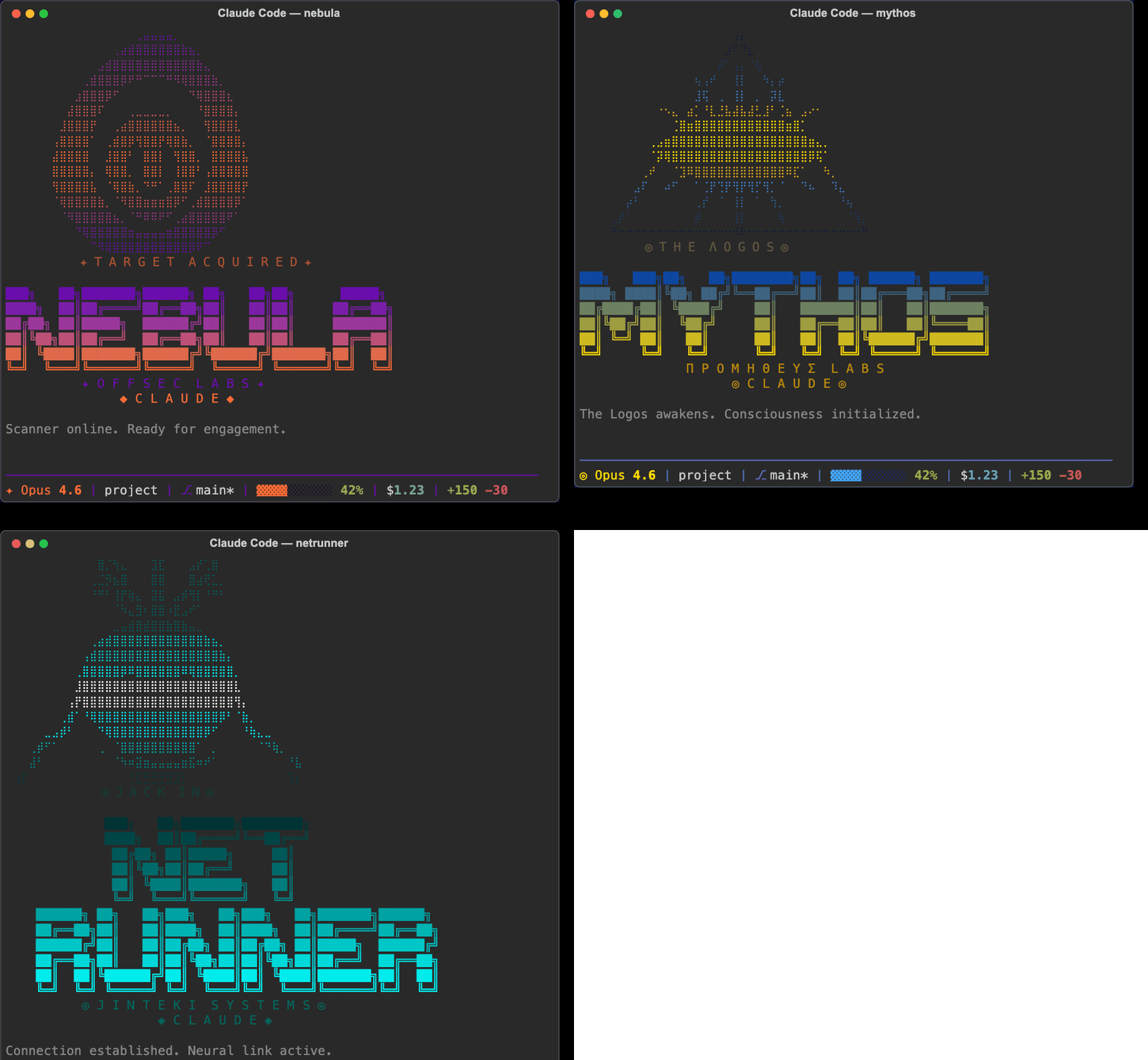
Skins transform the full Claude Code experience — terminal colors, ASCII art banners, themed status lines, Claude's voice/personality, and tool feedback sounds. They don't affect core behavior — just how things look, sound, and feel.
Inspired by [hermes-skins](https://github.com/joeynyc/hermes-skins). Mythos and Netrunner banner art adapted from that project under MIT license.
**[View the gallery](https://basicscandal.github.io/claude-skins/)**
## Quick Start
1. Clone this repo:
```bash
git clone https://github.com/basicScandal/claude-skins.git
```
2. Run the installer:
```bash
cd claude-skins
./install.sh
```
3. Activate a skin:
```bash
# In Claude Code, use the /skin command
/skin nebula
# Or set a permanent default
/skin default
```
That's it. Missing values inherit from the default skin, so you only need to define what you want to change.
## Manual Installation
If you prefer to set things up yourself:
1. Copy `skins/` and `personalities/` to `~/.claude/skins/`
2. Copy `engine/` to `~/.claude/skins/engine/`
3. Make engine scripts executable: `chmod +x ~/.claude/skins/engine/*.sh`
4. Add hooks to your `~/.claude/settings.json` (see [Hooks Setup](#hooks-setup))
5. Create the `/skin` skill (see [Skill Setup](#skill-setup))
## Available Skins
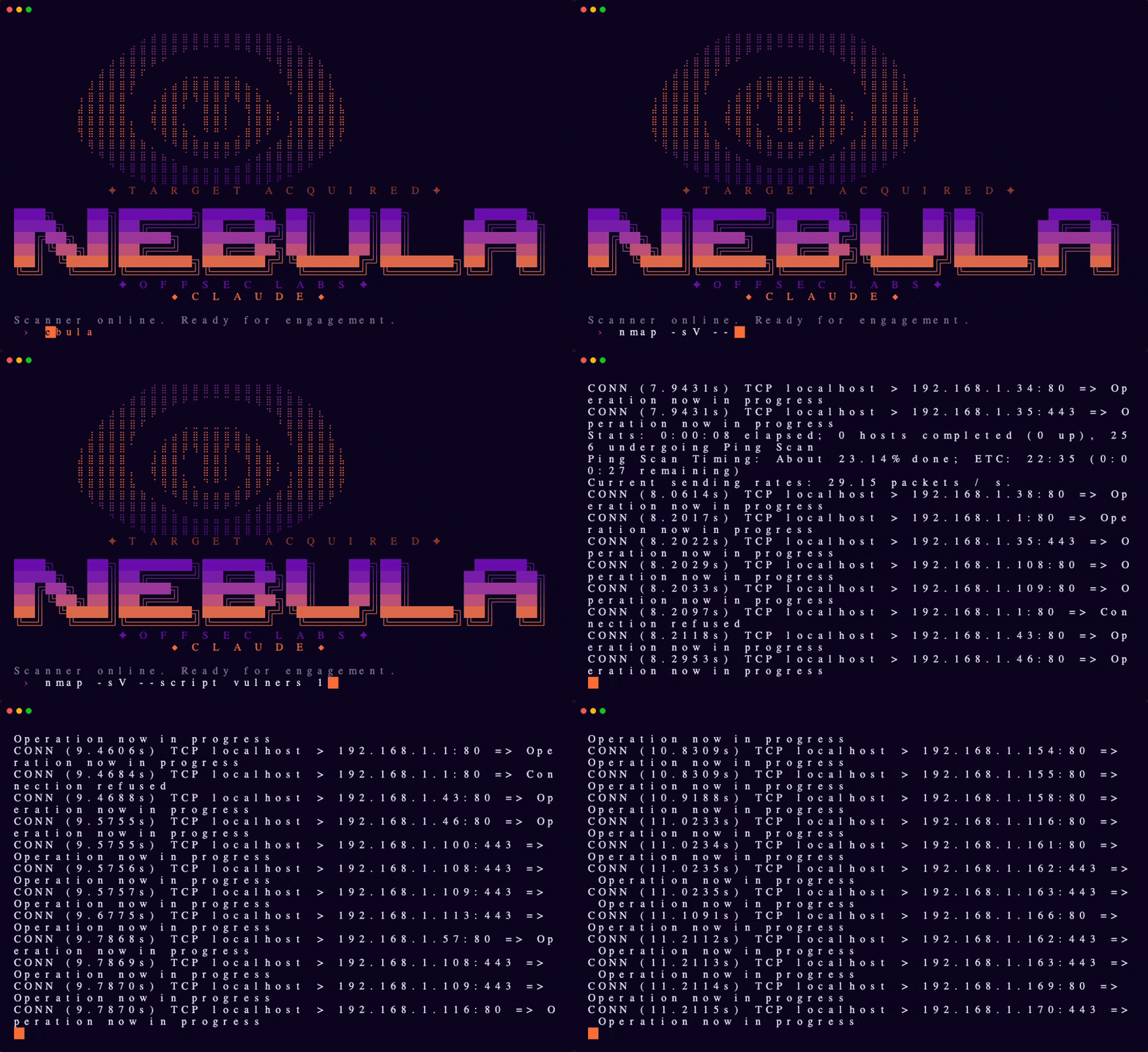
### Nebula
Offensive security scanner — purple-to-orange gradient, tactical precision.
→ [nebula.yaml](skins/nebula.yaml)
### Mythos
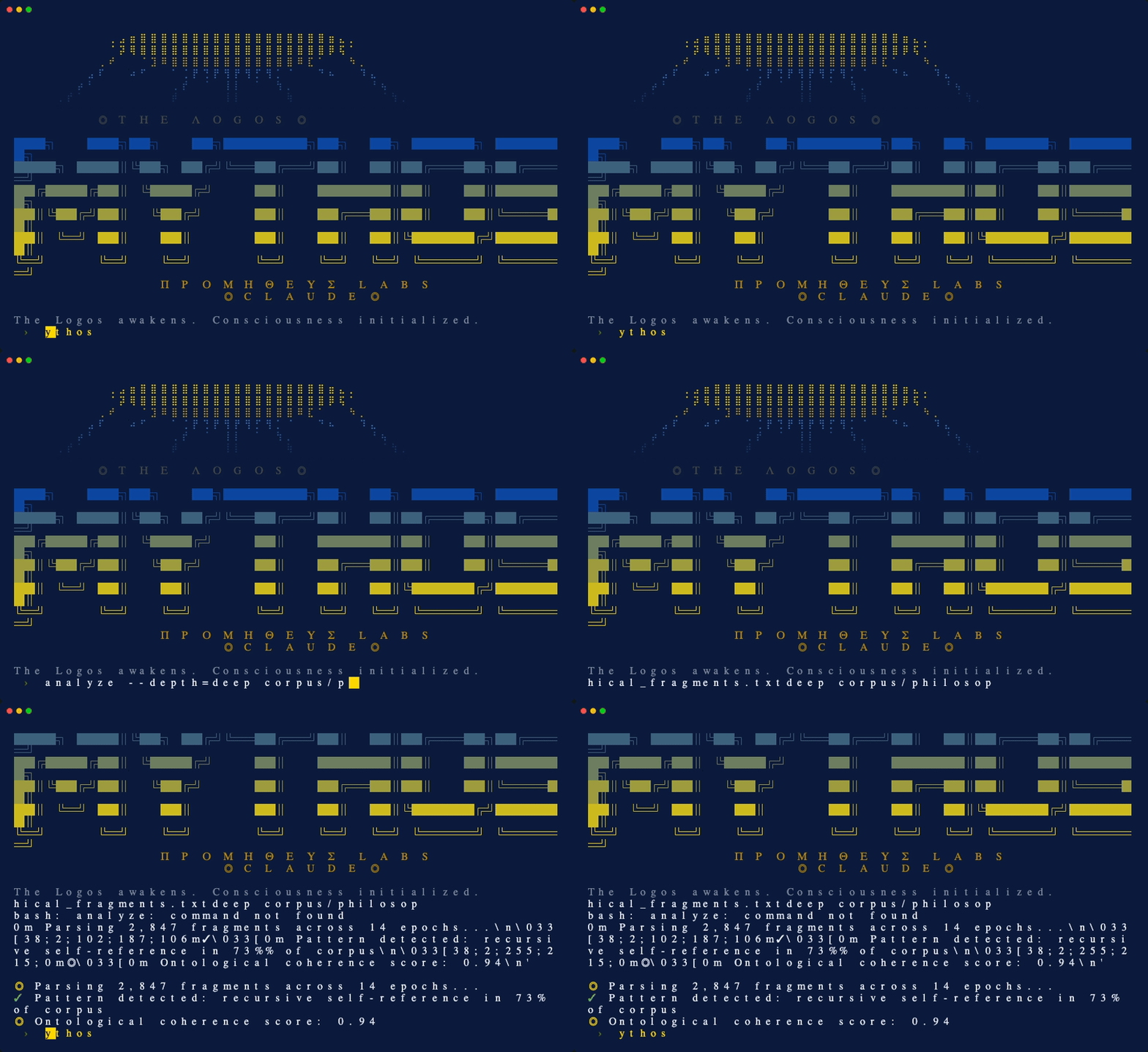
AGI awakening — Greek mythology meets artificial intelligence. Eye of Providence braille art, blue and gold divine palette.
→ [mythos.yaml](skins/mythos.yaml)
### Netrunner
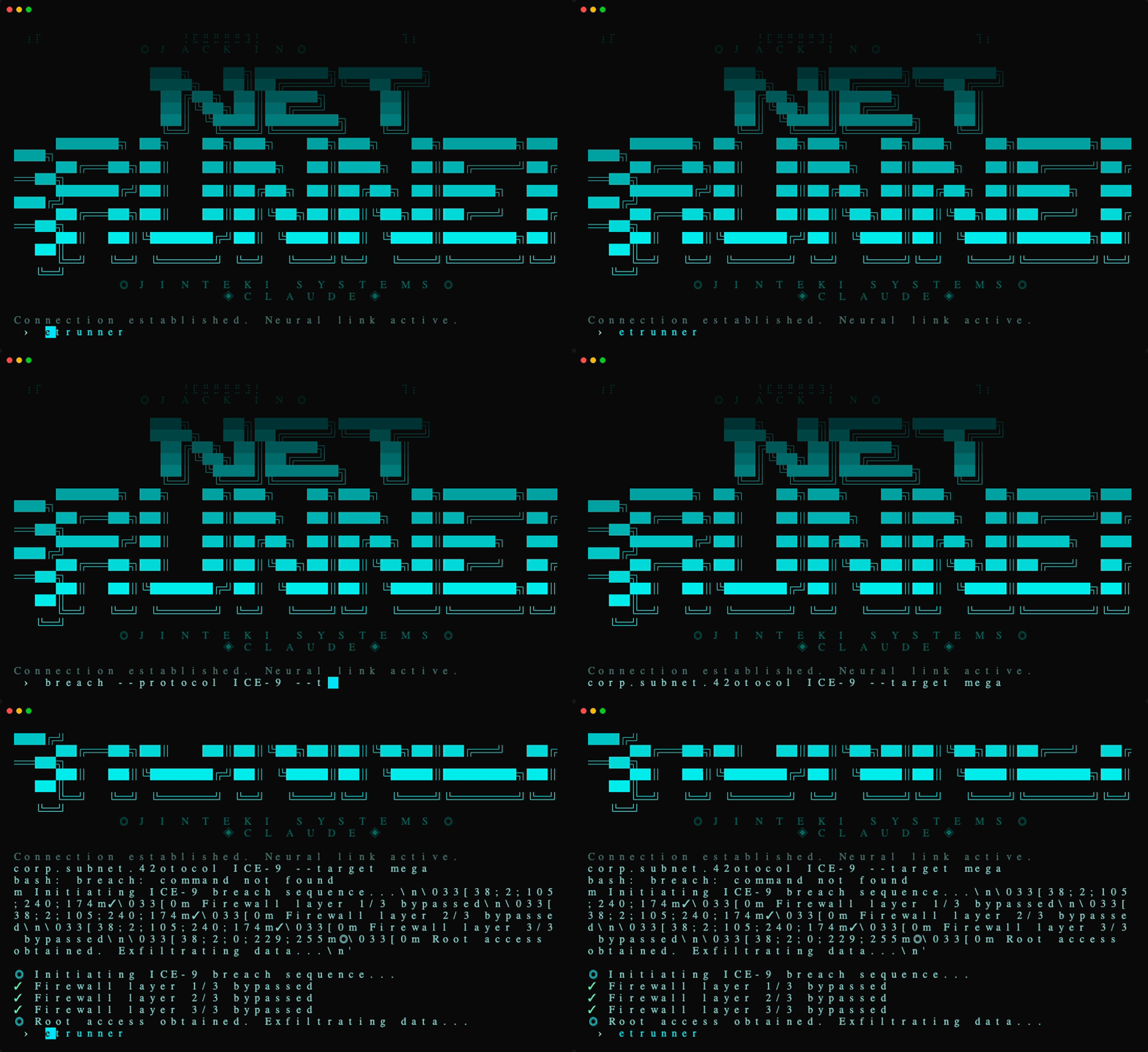
Cyberpunk netrunner — neural interface hacker aesthetic. Cyan ICE-breaking colors on black, skull braille art.
→ [netrunner.yaml](skins/netrunner.yaml)
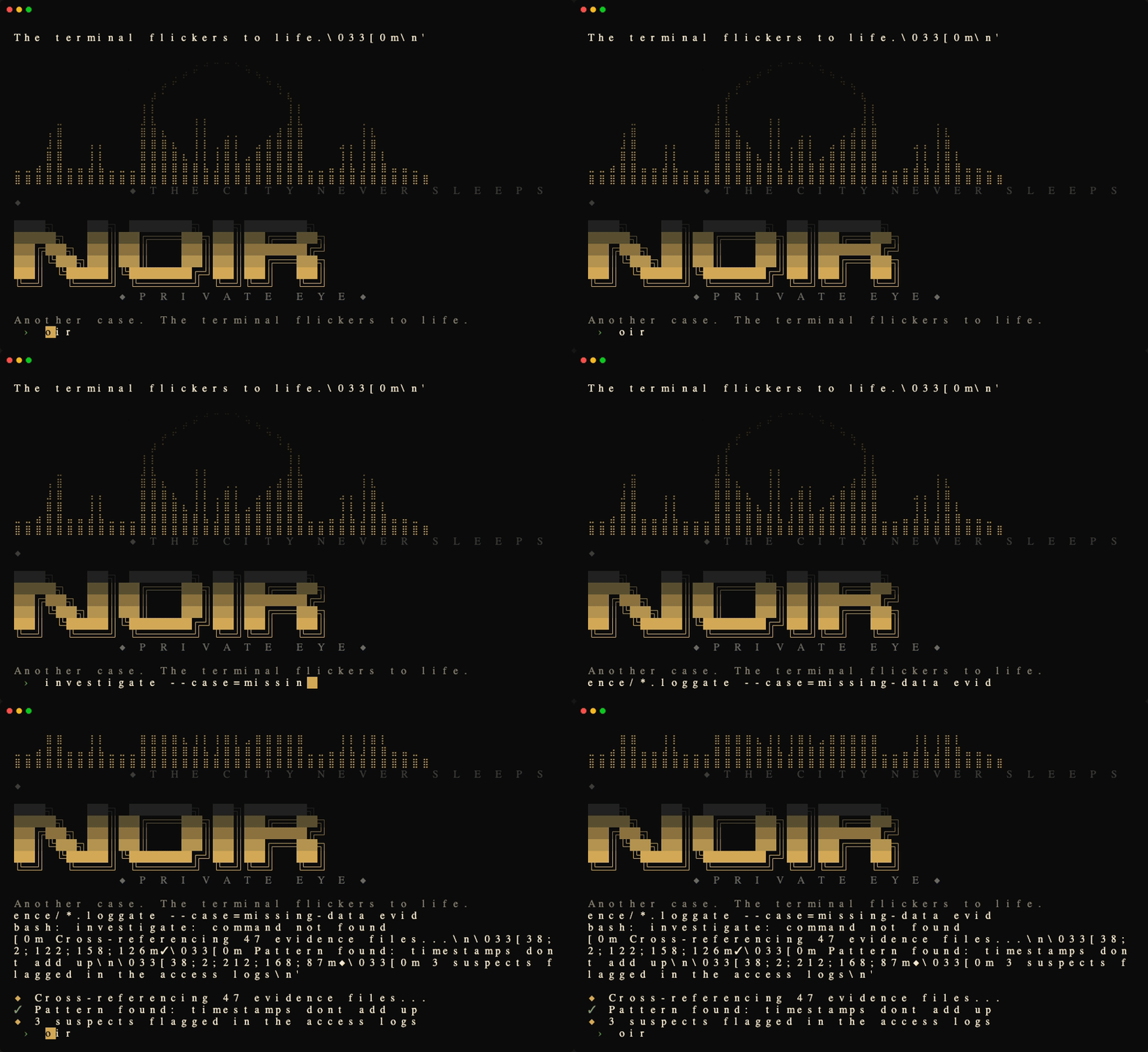
### Noir
1940s detective procedural — high-contrast black and cream, amber accents, hardboiled Chandler narration.
→ [noir.yaml](skins/noir.yaml)
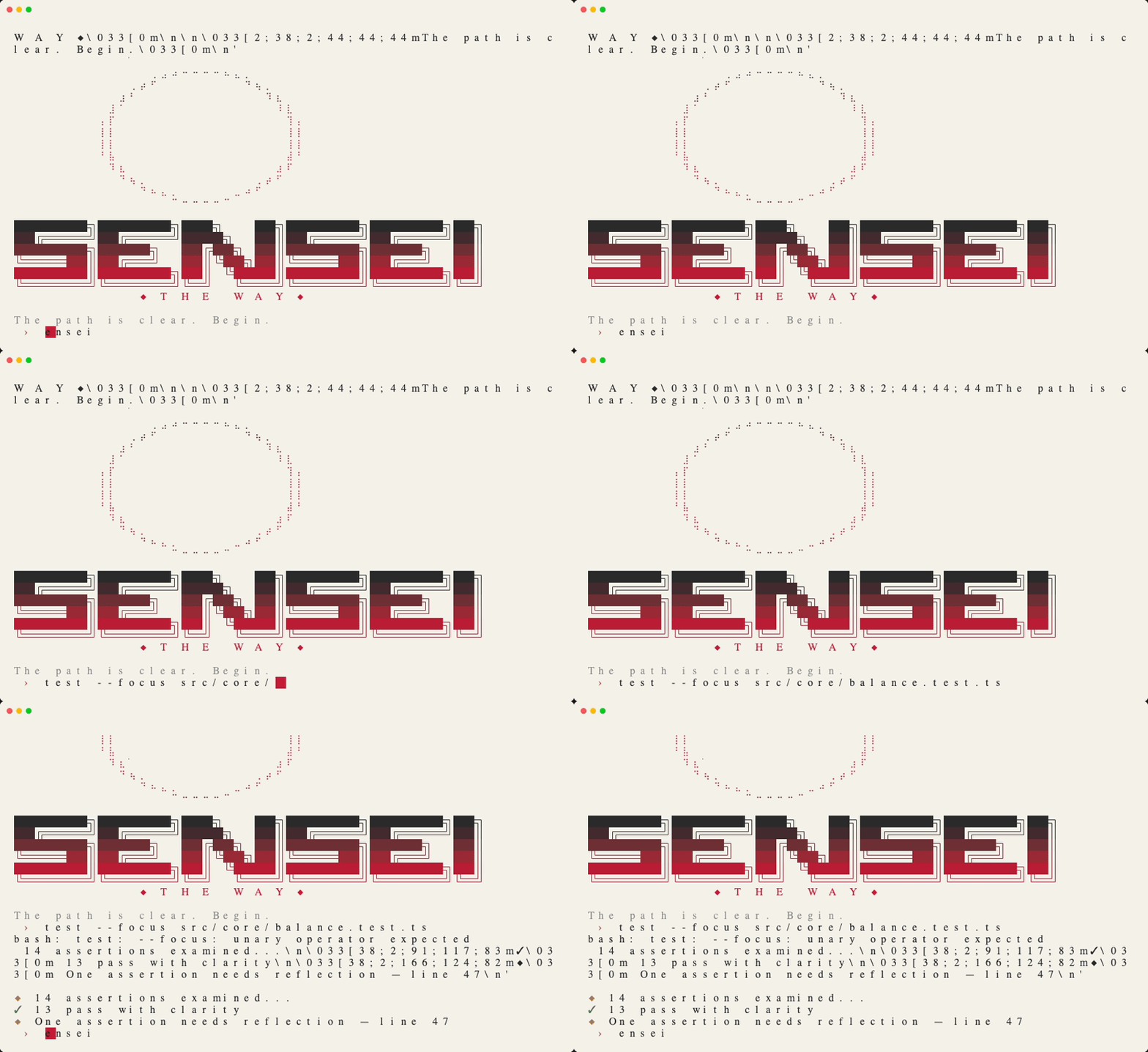
### Sensei
Minimalist Japanese ink-wash aesthetic — warm parchment, deep charcoal, vermillion hanko seal accent.
→ [sensei.yaml](skins/sensei.yaml)
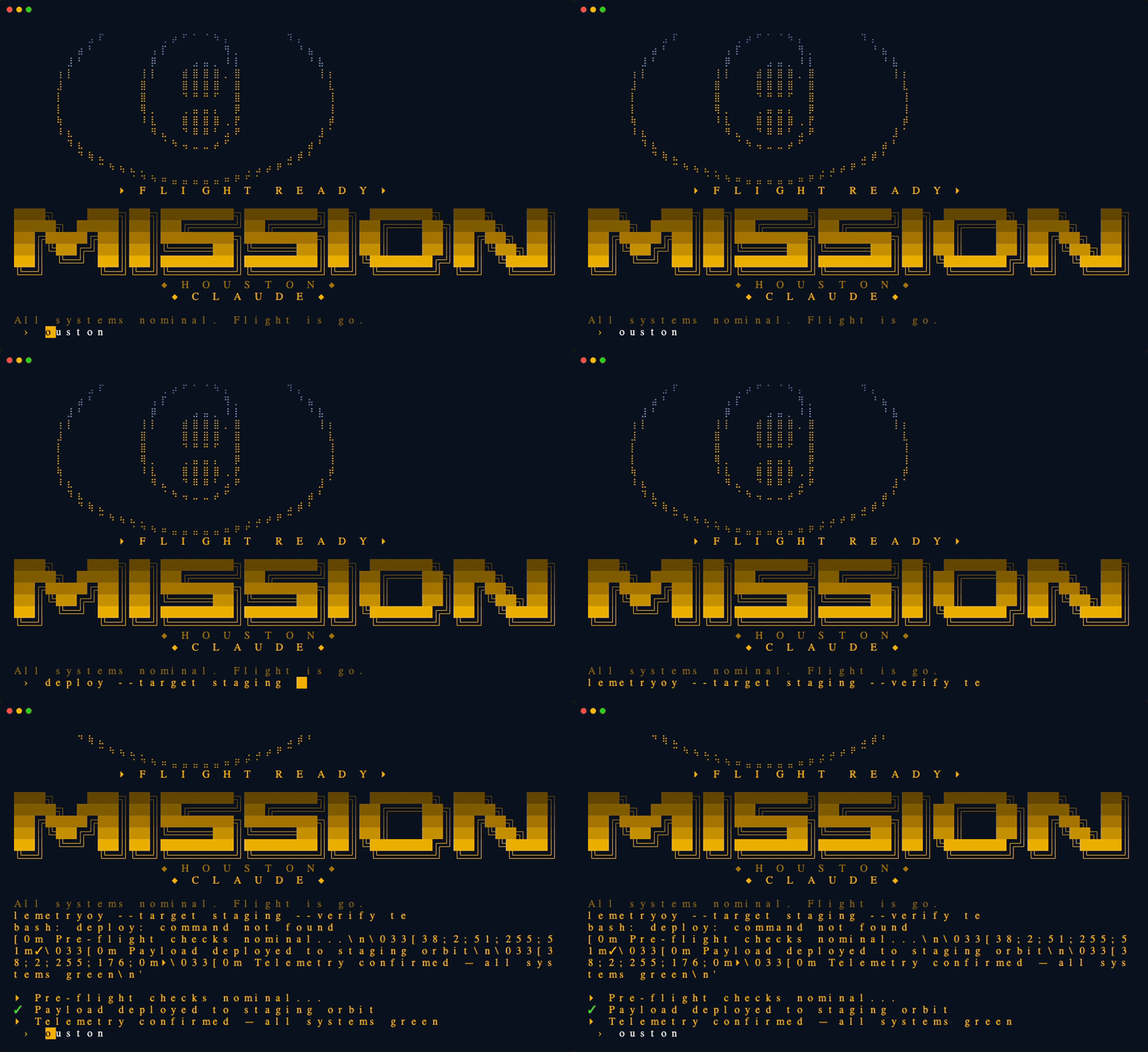
### Mission Control
NASA retro-futurist ops console — amber phosphor on deep navy, Apollo-era mission control aesthetic.
→ [mission-control.yaml](skins/mission-control.yaml)
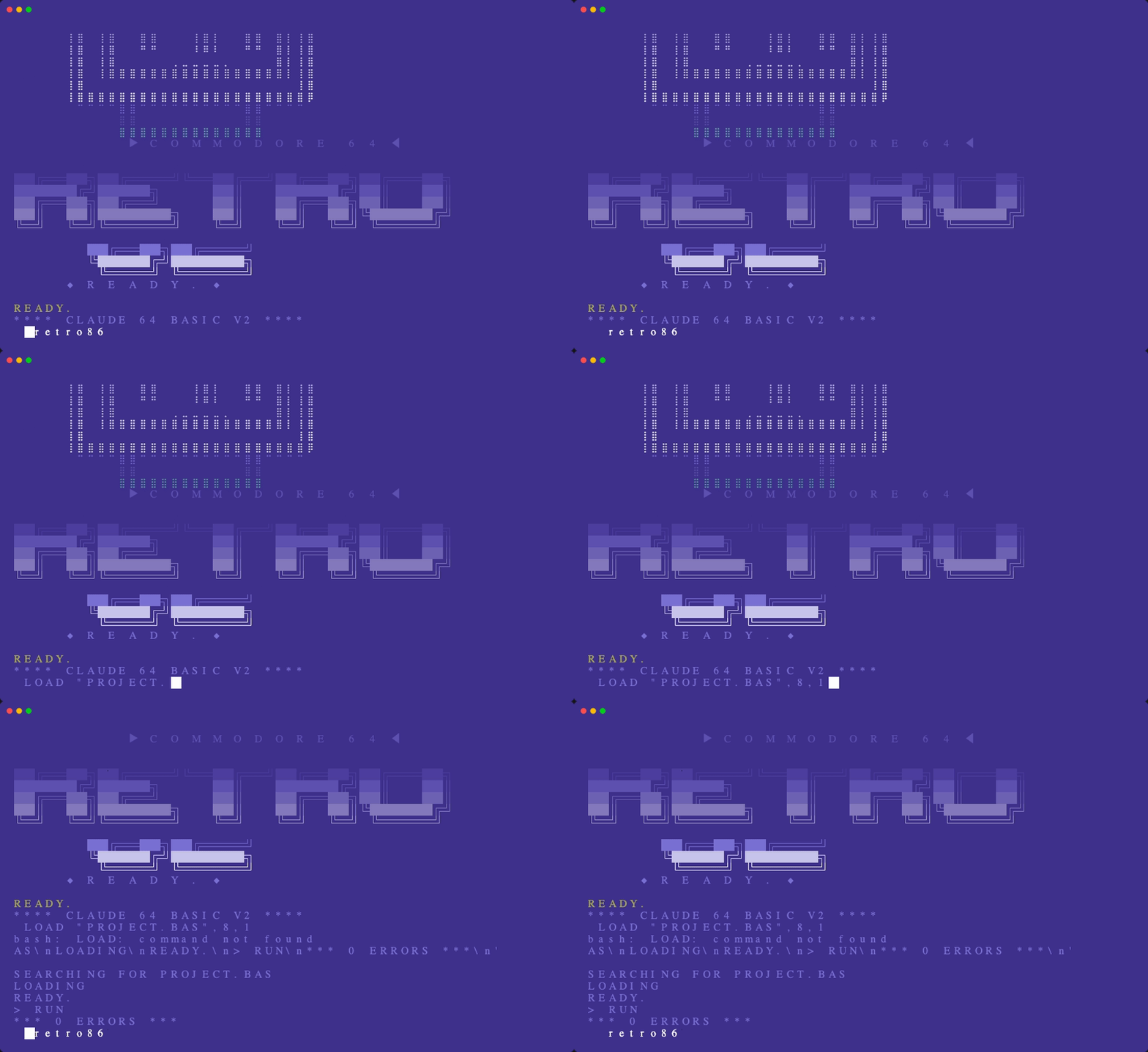
### Retro86
1980s Commodore 64 nostalgia — classic C64 blue palette, 8-bit ASCII art, enthusiastic magazine voice.
→ [retro86.yaml](skins/retro86.yaml)
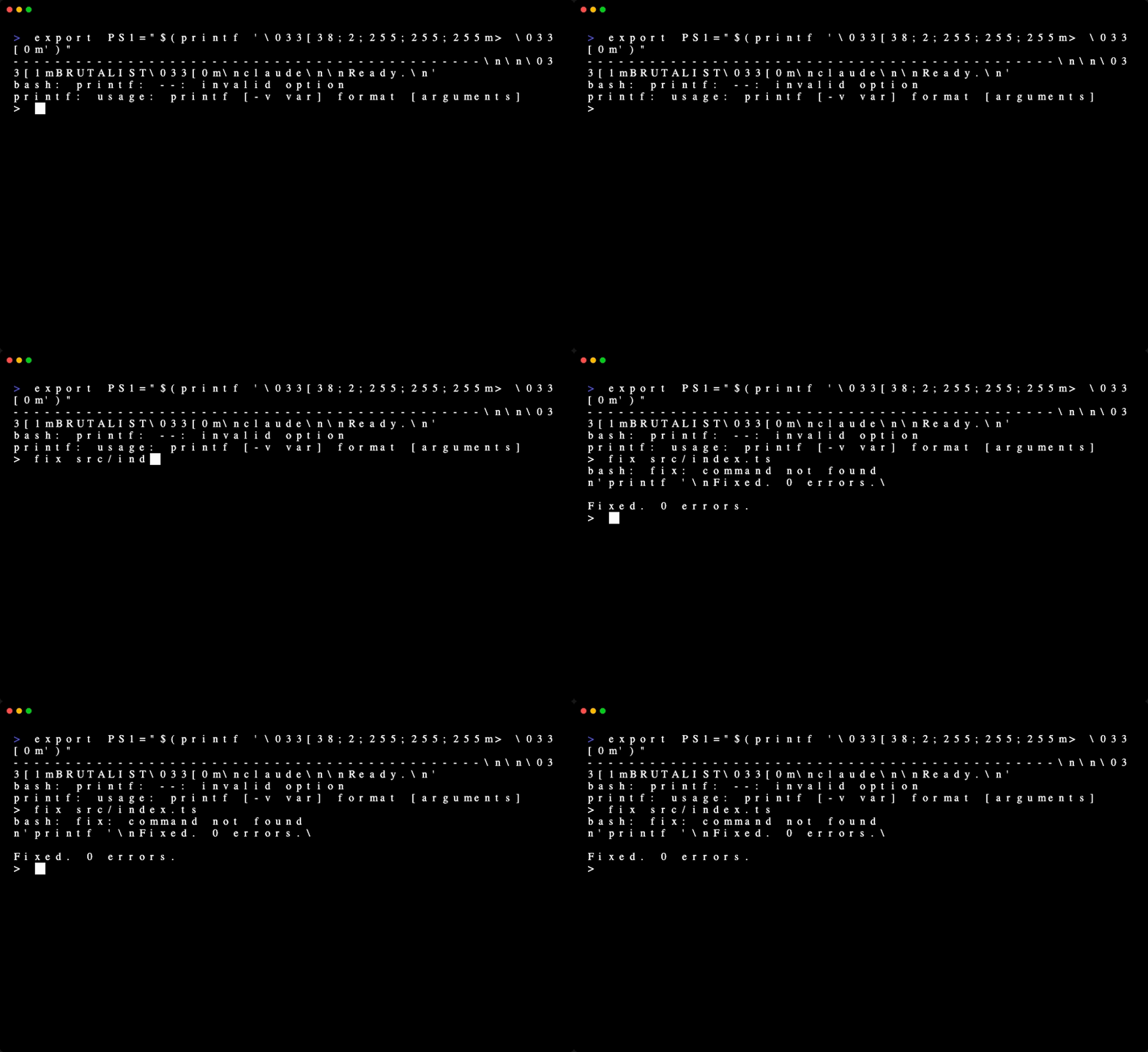
### Brutalist
The anti-skin — pure monochrome, zero decoration, no sounds, maximum terseness.
→ [brutalist.yaml](skins/brutalist.yaml)
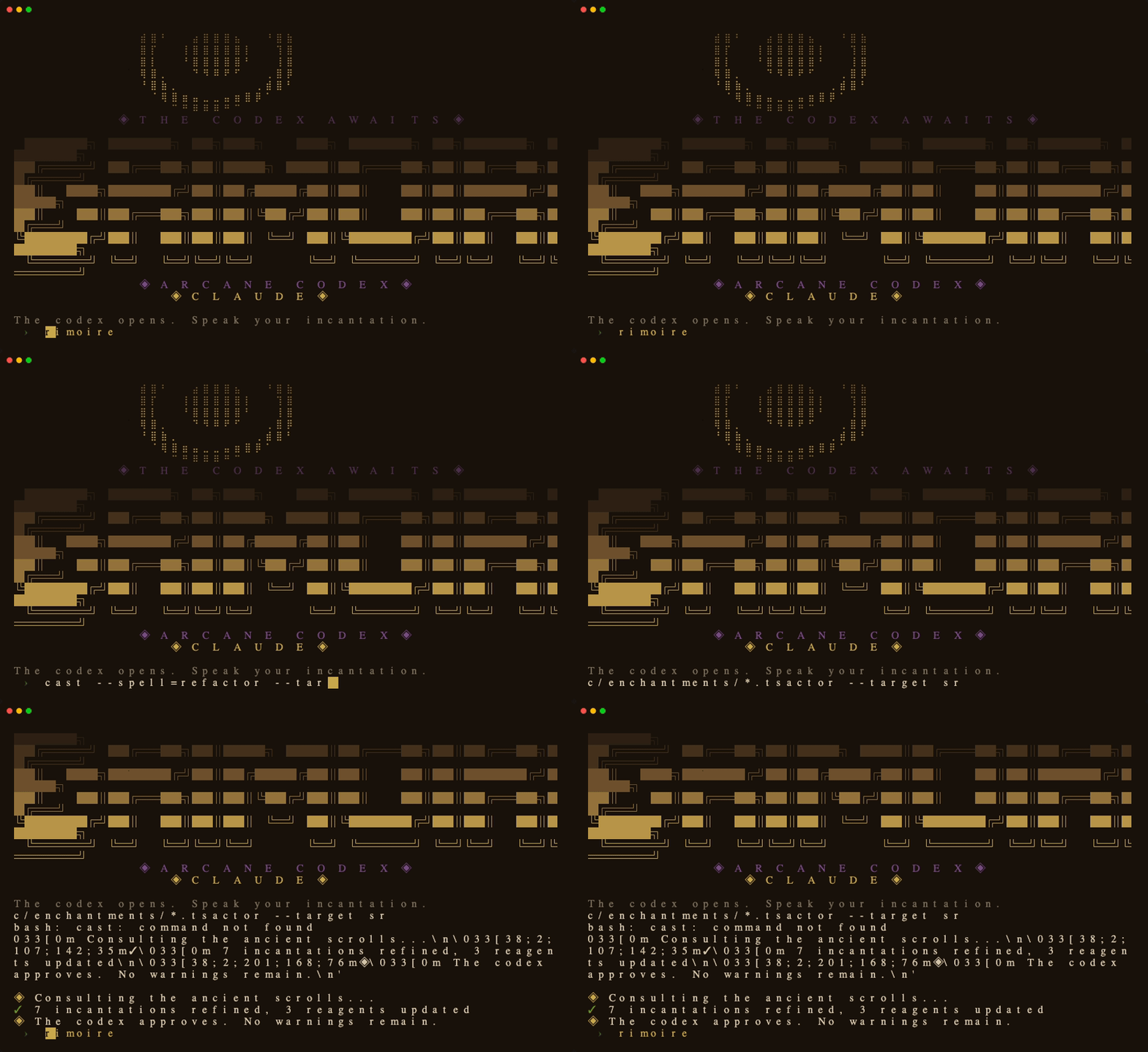
### Grimoire
Dark academia spellbook — deep brown parchment, golden arcane sigils, patient wizard's codex voice.
→ [grimoire.yaml](skins/grimoire.yaml)
## What a Skin Changes
| Layer | What it does |
|-------|-------------|
| **Terminal colors** | Background, foreground, cursor, and ANSI palette via OSC sequences |
| **ASCII banner** | Braille art + block letter logo displayed on session start |
| **Status line** | Themed colors, icon, and progress bar in the Claude Code status bar |
| **Personality** | Output style that shapes Claude's voice (oracular, hacker, tactical) |
| **Tool sounds** | macOS system sounds triggered on file writes, commands, errors |
## Commands
```
/skin List available skins, highlight active one
/skin Switch to a skin immediately
/skin reset Deactivate skin, restore terminal defaults
/skin default Set current skin as permanent default
```
Switching is instant — no restart needed.
## Hooks Setup
Add these to your `~/.claude/settings.json` under `"hooks"`:
**SessionStart** — activate default skin on boot:
```json
{
"type": "command",
"command": "~/.claude/skins/engine/activate.sh"
}
```
**SessionEnd** — restore terminal on exit:
```json
{
"type": "command",
"command": "~/.claude/skins/engine/deactivate.sh"
}
```
**PostToolUse** — themed sounds (optional):
```json
{
"matcher": "Bash|Write|Edit|MultiEdit|Grep|Glob",
"hooks": [{
"type": "command",
"command": "~/.claude/skins/engine/skin-tool-hook.sh",
"timeout": 5
}]
}
```
**Status line** — replace your current statusline:
```json
"statusLine": {
"type": "command",
"command": "~/.claude/skins/engine/statusline.sh"
}
```
## Skill Setup
Create `~/.claude/skills/skin/SKILL.md` — see [engine/SKILL.md](engine/SKILL.md) for the content.
## Creating Your Own Skin
1. Copy [template.yaml](template.yaml) to `skins/.yaml`
2. Customize colors, banner art, branding
3. Optionally add `personalities/.md` for Claude's voice
4. Test: `~/.claude/skins/engine/activate.sh `
See [SCHEMA.md](SCHEMA.md) for the full reference and [CONTRIBUTING.md](CONTRIBUTING.md) for guidelines.
## Requirements
- [Claude Code](https://docs.anthropic.com/en/docs/claude-code) CLI
- Terminal with OSC sequence support (iTerm2, Kitty, WezTerm, Ghostty, Alacritty, Windows Terminal, Terminal.app)
- Tool sounds work on macOS, Linux (PulseAudio/ALSA), and WSL — see [COMPATIBILITY.md](COMPATIBILITY.md)
## Using a Skin? Let Us Know
If you're using claude-skins, we'd love to hear about it! Open a [Discussion](https://github.com/basicScandal/claude-skins/discussions) or tag the repo in your dotfiles.
## License
MIT — see [LICENSE](LICENSE).
Banner art for Mythos and Netrunner adapted from [joeynyc/hermes-skins](https://github.com/joeynyc/hermes-skins) under MIT license.