https://github.com/basnijholt/lovelace-ios-light-mode-theme
🏠🤖 Theme based on iOS Light Mode for Lovelace Home Assistant
https://github.com/basnijholt/lovelace-ios-light-mode-theme
hacs home-assistant ios light-mode lightmode lovelace lovelace-ui theme
Last synced: 11 months ago
JSON representation
🏠🤖 Theme based on iOS Light Mode for Lovelace Home Assistant
- Host: GitHub
- URL: https://github.com/basnijholt/lovelace-ios-light-mode-theme
- Owner: basnijholt
- License: mit
- Created: 2020-01-18T14:53:31.000Z (over 6 years ago)
- Default Branch: master
- Last Pushed: 2020-01-20T19:48:02.000Z (over 6 years ago)
- Last Synced: 2025-07-30T16:29:56.664Z (11 months ago)
- Topics: hacs, home-assistant, ios, light-mode, lightmode, lovelace, lovelace-ui, theme
- Homepage:
- Size: 5.41 MB
- Stars: 9
- Watchers: 3
- Forks: 2
- Open Issues: 2
-
Metadata Files:
- Readme: README.md
- Funding: .github/FUNDING.yml
- License: LICENSE
Awesome Lists containing this project
README
# iOS Light Mode Theme
[](https://github.com/basnijholt/lovelace-ios-light-mode-theme/actions)
[](https://github.com/custom-components/hacs)
[](https://community.home-assistant.io/t/ios-light-mode-theme/149136)
[](https://github.com/basnijholt/lovelace-ios-light-mode-theme)
> The iOS Light Mode Theme by @basnijholt and modified from @kalkih's [Gist](https://gist.github.com/kalkih/fbe84b371ef7f992c3bd51b235e2c299)
An alternative to the [**iOS Dark Mode Theme**](https://github.com/basnijholt/lovelace-ios-dark-mode-theme)!
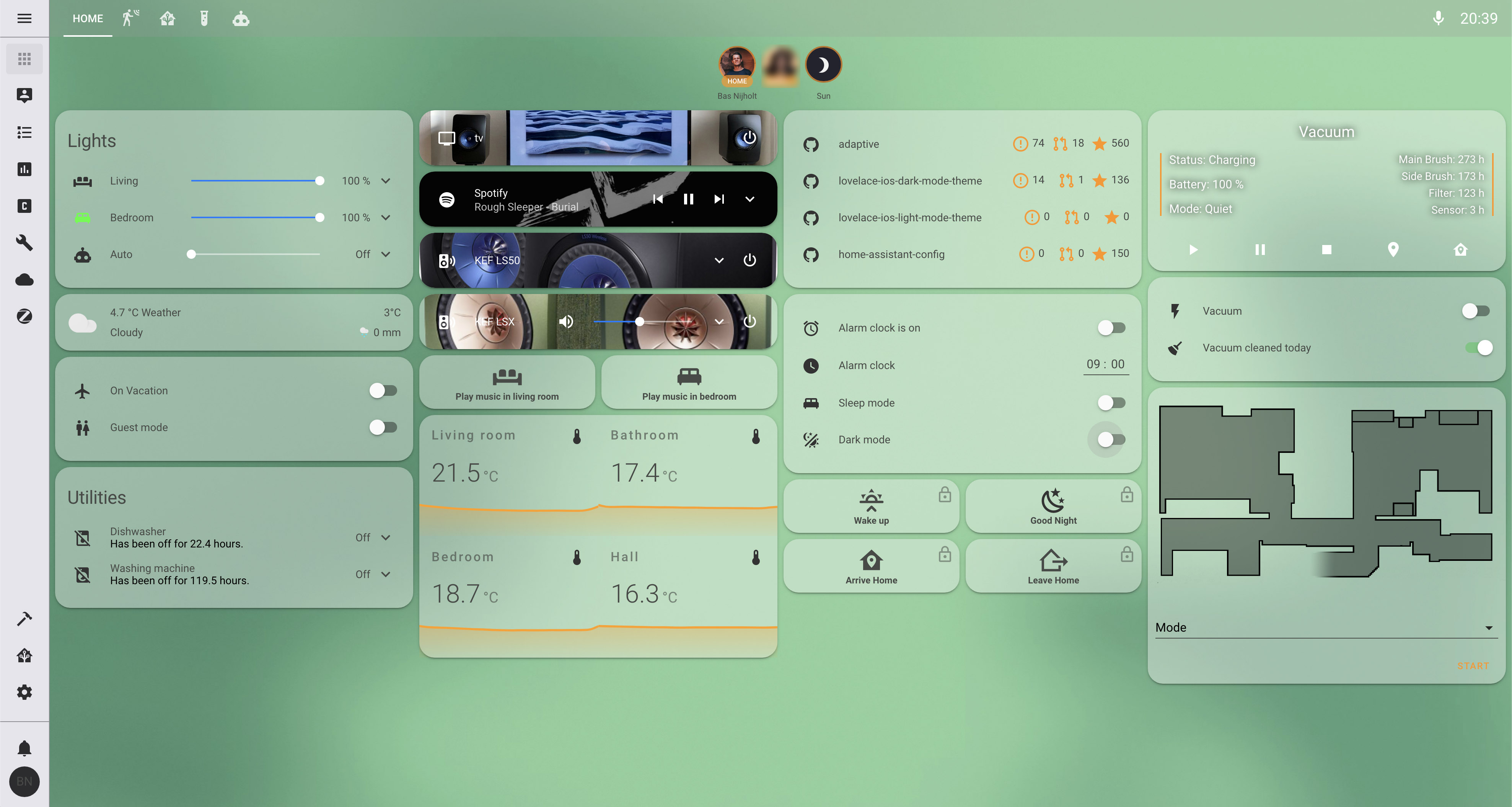
## Screenshots
### Overview
## Installation
1. Add the following code to your `configuration.yaml` file (reboot required).
```yaml
frontend:
... # your configuration.
themes: !include_dir_merge_named themes
... # your configuration.
```
2. Add the following line to your `lovelace-ui.yaml` or use the RAW editor:
```yaml
background: var(--background-image)
```
3. (Optional) add the following to the same file to make the header smaller (you need to install [`custom-header`](https://github.com/maykar/custom-header) too):
```yaml
custom_header:
background: 'rgba(155, 155, 155, 0.25)'
swipe_animate: fade
swipe_prevent_default: true
compact_mode: true
button_text:
options: '{{ hours24 }}:{{ minutesLZ }}'
```
4. (Optional) change the background to a different one, see [`backgrounds/README.md`](https://github.com/basnijholt/lovelace-ios-light-mode-theme/tree/master/backgrounds).
### HACS
1. Go to the Community Store.
2. Search for `iOS Light Mode`.
3. Navigate to `iOS Light Mode` theme.
4. Press `Install`.
### Manual
Clone this repository in your existing (or create it) `themes/` folder.
```bash
cd themes/
git clone https://github.com/basnijholt/lovelace-ios-light-mode-theme.git
```
Or using submodules:
```bash
cd themes/
git submodule add https://github.com/basnijholt/lovelace-ios-light-mode-theme.git
```