https://github.com/bastiangx/wordserve
Prefix completion engine, designed for any msgpack clients in need of a fast and minimal Go server!
https://github.com/bastiangx/wordserve
autocomplete client-server golang ipc messagepack msgpack prefix words
Last synced: 6 months ago
JSON representation
Prefix completion engine, designed for any msgpack clients in need of a fast and minimal Go server!
- Host: GitHub
- URL: https://github.com/bastiangx/wordserve
- Owner: bastiangx
- License: mit
- Created: 2025-02-24T16:59:16.000Z (over 1 year ago)
- Default Branch: main
- Last Pushed: 2025-08-24T12:17:08.000Z (11 months ago)
- Last Synced: 2025-08-24T17:30:24.543Z (11 months ago)
- Topics: autocomplete, client-server, golang, ipc, messagepack, msgpack, prefix, words
- Language: Go
- Homepage: https://pkg.go.dev/github.com/bastiangx/wordserve
- Size: 7.67 MB
- Stars: 3
- Watchers: 1
- Forks: 0
- Open Issues: 0
-
Metadata Files:
- Readme: README.md
- Changelog: CHANGELOG.md
- Contributing: .github/CONTRIBUTING.md
- Funding: .github/FUNDING.yml
- License: LICENSE
- Code of conduct: .github/CODE_OF_CONDUCT.md
- Security: .github/SECURITY.md
Awesome Lists containing this project
README
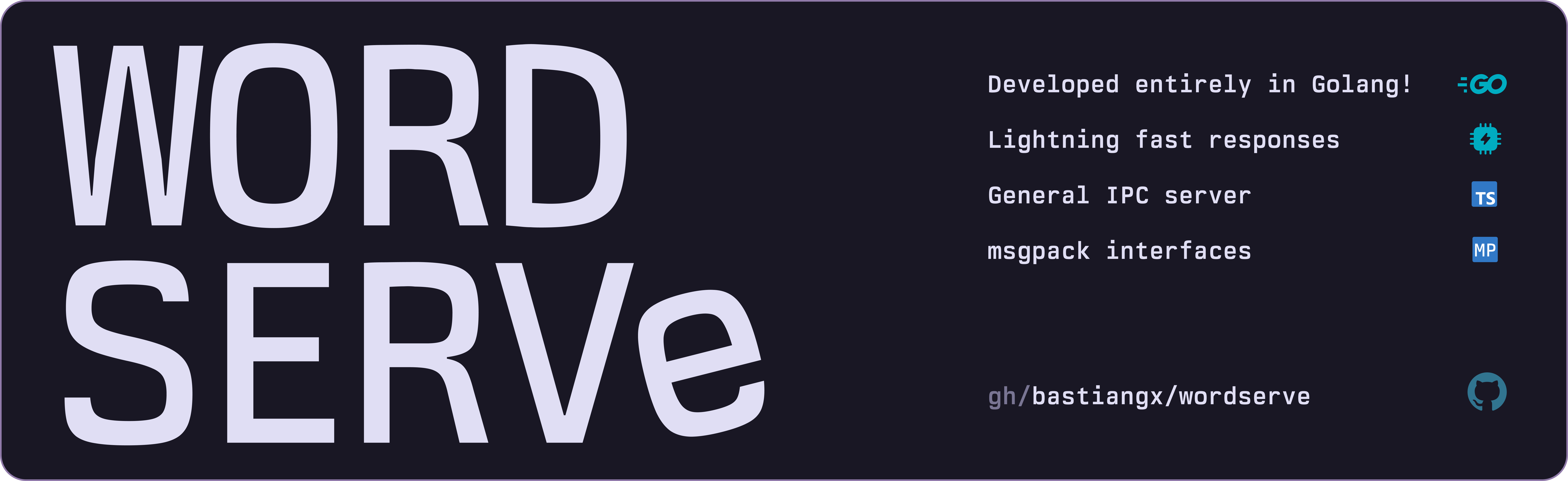
Lightweight prefix completion library | server, designed for any MessagePack clients


#### What's it about?
WordServe is a minimalistic and high performance **prefix completion library** with a server executable written in Go.
Its designed to provide auto-completion for various clients, especially those using [MessagePack](https://msgpack.org/index.html) as a serialization format.
#### Why?
So many tools and apps I use on daily basis do not offer any form of word completion, AI/NLP driven or otherwise, there are times when I need to quickly find a word or phrase that I know exists in my vocabulary, but I have no idea how to spell it or don't feel like typing for _that_ long.
Why not make my own tool that can power any TS/JS/etc clients with a completion server?
#### Similar to?
Think of this as a elementary nvim-cmp or vscode Intellisense daemon, but for any plugin/app that can use a MessagePack client. (which is super [easy to implement](https://www.npmjs.com/package/@msgpack/msgpack) and use compared to JSON parsing btw, in fact, about **411%** [improvement in speed](https://halilibrahimkocaoz.medium.com/message-queues-messagepack-vs-json-for-serialization-749914e3d0bb) and **40%** reduction in payload sizes)
> This is my first attempt on creating a small scaled but usable Go server/library. Expect unstable or incomplete features, as well as some bugs.
> I primarily made this for myself so I can make a completion plugin for [Obsidian](https://obsidian.md) but hey, you might find it useful too!
### Prerequisites
- [Go 1.22](https://go.dev/doc/install) or later
- [Luajit 2.1](https://luajit.org/install.html) _(only for dictionary build scripts)_
- A simple `words.txt` file for building the dictionary with most used words and their corresponding frequencies -- see [dictionary](#dictionary) for more info
## Installation
### Go
using `go install` _(Recommended)_:
```sh
go install github.com/bastiangx/wordserve/cmd/wordserve@latest
```
#### Library Dependency
use `go get` to add `wordserve` as a dependency in your project:
```sh
go get github.com/bastiangx/wordserve
```
and then import it in your code:
```go
import "github.com/bastiangx/wordserve/pkg/suggest"
```
### Releases
Download the latest precompiled binaries from the [releases page](https://github.com/bastiangx/wordserve/releases/latest).
- `wordserve` automatically downloads and initializes the needed dictionary files from GitHub releases
- The dictionary files (`dict_*.bin`) are packaged in `data.zip` and the word list (`words.txt`) is available as a separate download
- If automatic download fails, you can manually download `data.zip` and `words.txt` from the [releases page](https://github.com/bastiangx/wordserve/releases/latest) and extract them to the `data/` directory
> If you're not sure, use 'go install'.
### Building from source
You can also clone via git and build the old fashioned way:
```sh
git clone https://github.com/bastiangx/wordserve.git
cd wordserve
# -w -s strips debug info & symbols | alias wserve
go build -ldflags="-w -s" -o wserve ./cmd/wordserve/main.go
```
The build process for the dict files is handled by the `wordserve` binary, If you encounter any issues, you can manually run the build script located in `scripts/build-data.lua` using [LuaJIT](https://luajit.org/).
> Make sure the `data/` directory exists and has the `words.txt` file in it before running this.
```sh
luajit scripts/build-data.lua
```
## What can it do?
### Batched Word Suggestions
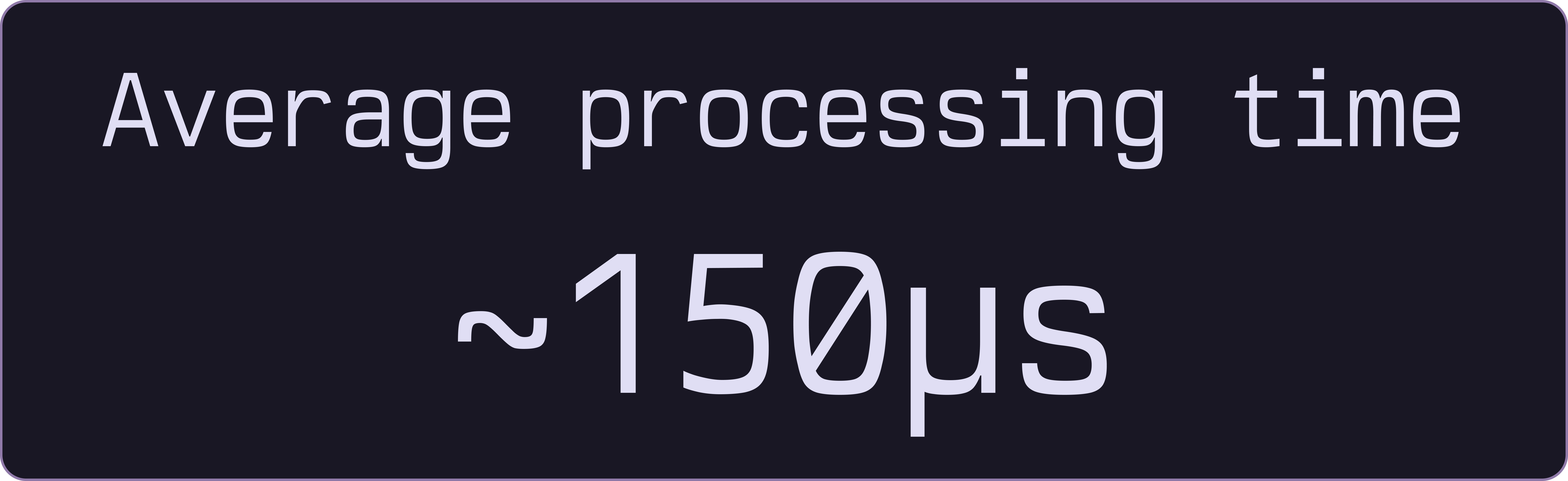
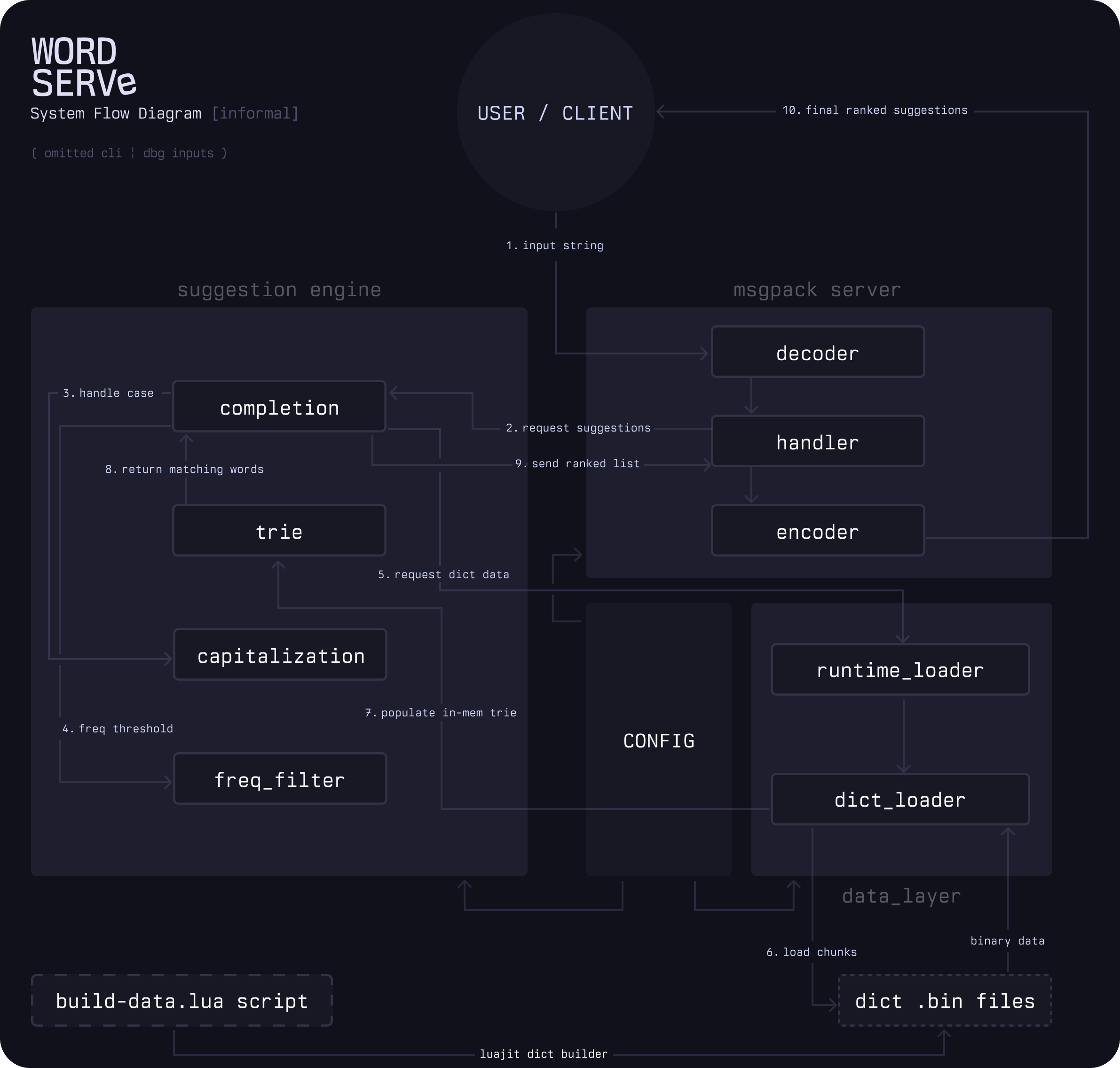
WordServe returns suggestions in batches using a radix trie. Memory pools handle rapid queries without triggering garbage collection.
### Responsive
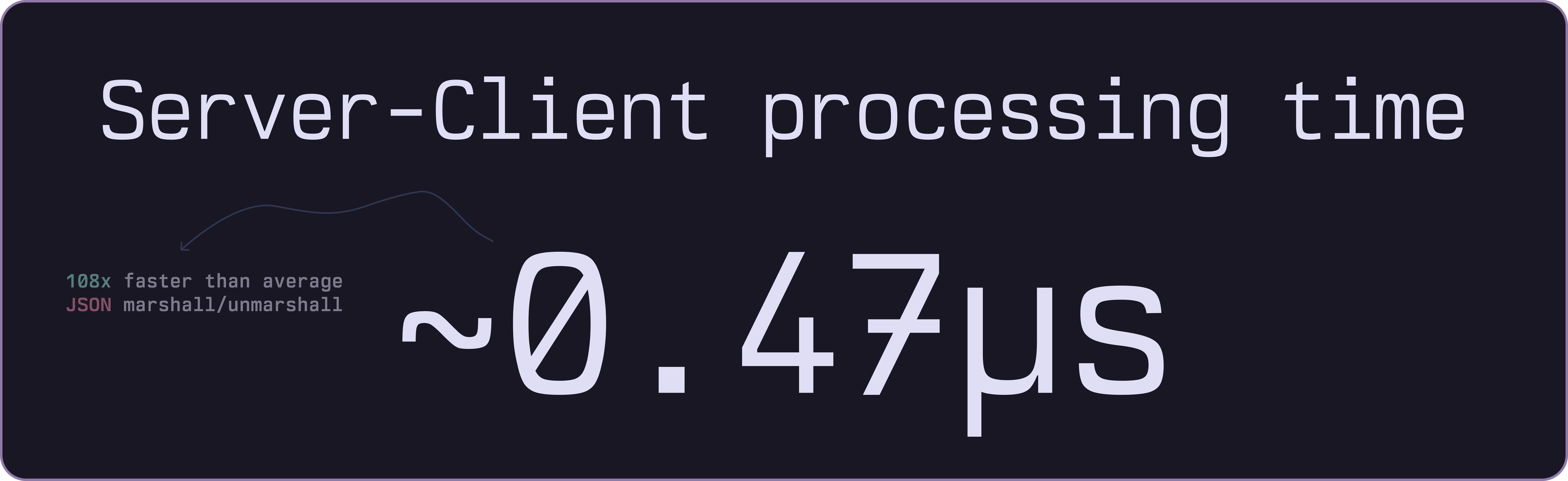
The IPC server communicates through stdin/stdout channels with minimal protocol overhead.
- Goroutines handle multiple client connections simultaneously.
### Capital letters

It just works!
### Compact MessagePack Protocol
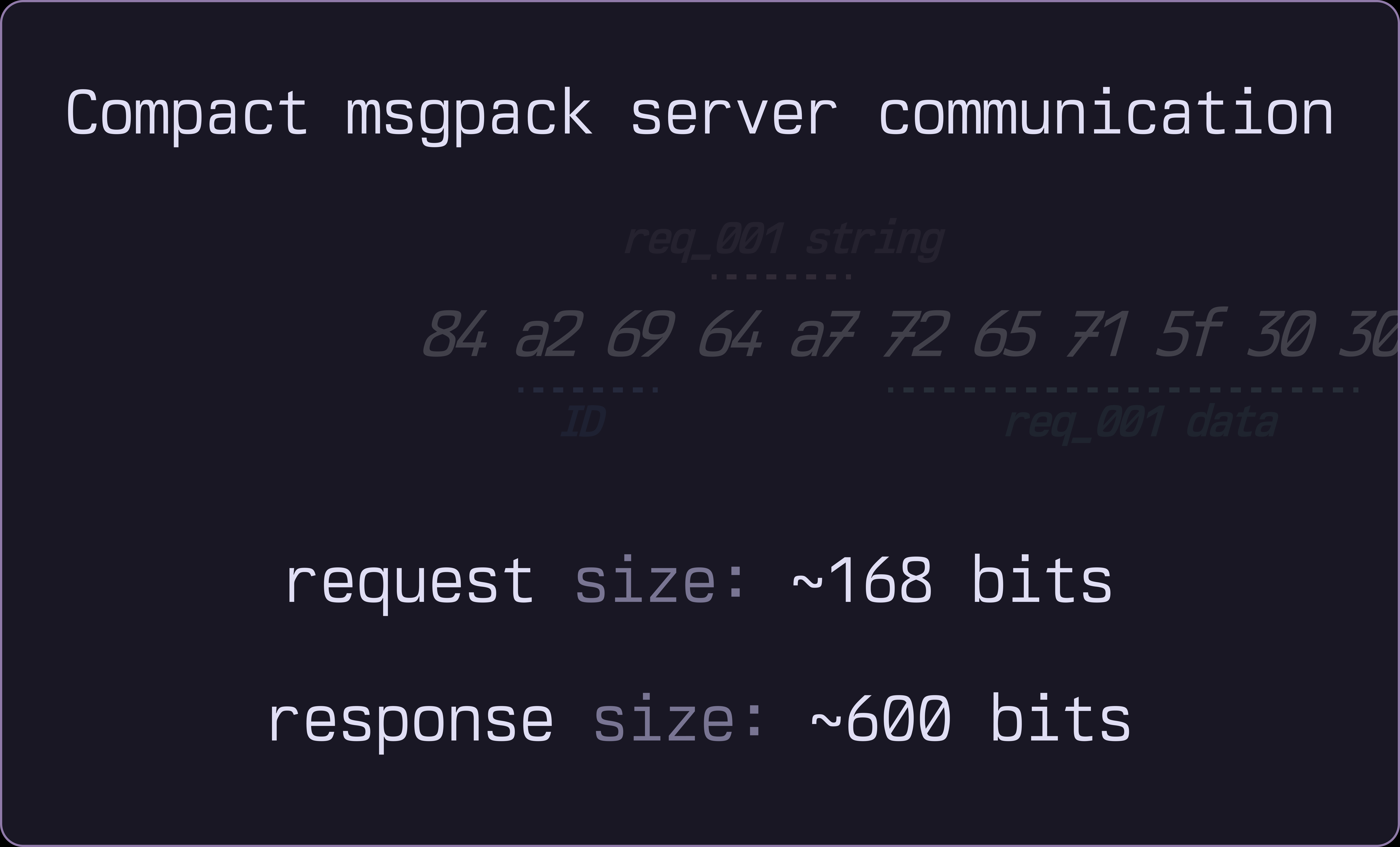
Binary MessagePack encoding keeps request and response payloads as small as possible.
### Many Many Words
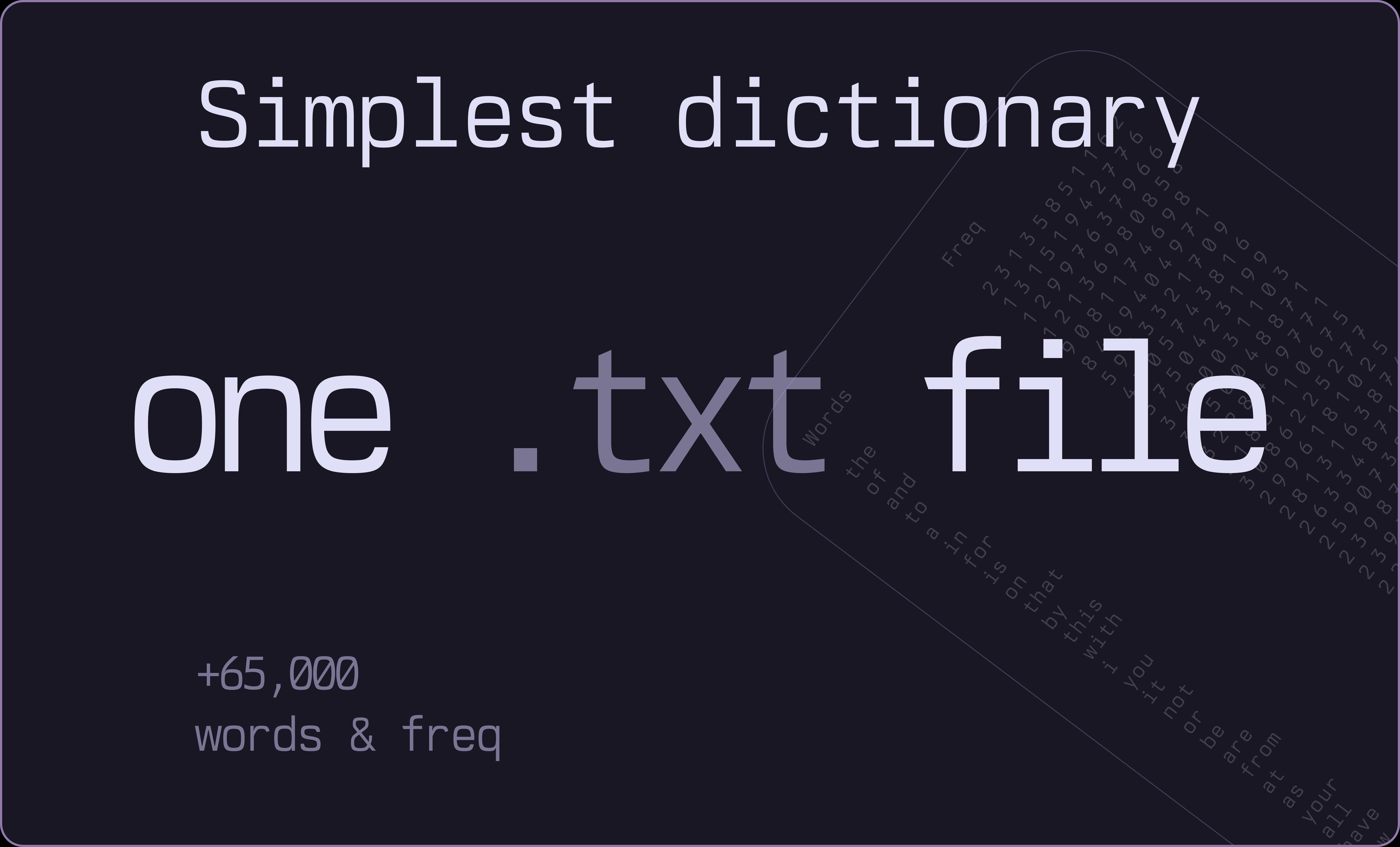
Start with a simple `words.txt` file containing 65,000+ entries.
- WordServe chunks the dictionary into binary trie files and loads only what's needed, dynamically managing memory based on usage patterns.
### Small memory usage

WordServe's memory usage remains low even with large dictionaries, typically around 20MB for 50,000 words default.
Even after expanding many nodes and normal usage for few hours, it stays under 60MB and has checks to shrink periodically.
## What can it _not_ do?
As this is the early version and Beta, there are _many_ features that are yet not implemented
- simple fuzzy matching
- string searching algo (haystack-needle)
- integrated spelling correction (aspell)
- support conventional dict formats like `.dict`
Will monitor the issues and usage to see if enough people are interested.
## Usage
### Standalone server
you can run `wordserve` as a dependency in your Go project, a standalone IPC server.
A simple CLI is also provided for testing and debugging.
### Library
The library provides simple to use API for prefix completion requests and dictionary management.
Read all about using them in the [API doc](docs/api.md)
More comprehensive and verbose [Go Package docs](https://pkg.go.dev/github.com/bastiangx/wordserve/pkg/suggest)
```go
completer := suggest.NewLazyCompleter("./data", 10000, 50000)
if err := completer.Initialize(); err != nil {
log.Fatalf("Failed to initialize: %v", err)
}
suggestions := completer.Complete("amer", 10)
```
or for static check:
```go
completer := suggest.NewCompleter()
completer.AddWord("example", 500)
completer.AddWord("excellent", 400)
suggestions := completer.Complete("ex", 5)
```
> You can inspect the _informal_ flow diagram on the core internals:
### Client Integration
The [Client doc](docs/client.md) gives some guide on how to use WordServe in your TS/JS app.
```ts
import { spawn, ChildProcess } from "child_process";
import { encode, decode } from "@msgpack/msgpack";
class WordServeClient {
private process: ChildProcess;
private requestId = 0;
constructor(binaryPath: string = "wordserve") {
this.process = spawn(binaryPath, [], {
stdio: ["pipe", "pipe", "pipe"],
});
}
async getCompletions(
prefix: string,
limit: number = 20,
): Promise {
const request = {
id: `req_${++this.requestId}`,
p: prefix,
l: limit, // (optional)
};
const binaryRequest = encode(request);
this.process.stdin!.write(binaryRequest);
return new Promise((resolve, reject) => {
this.process.stdout!.once("data", (data: Buffer) => {
try {
const response = decode(data) as CompletionResponse;
const suggestions = response.s.map((s, index) => ({
word: s.w,
rank: s.r,
frequency: 65536 - s.r, // Convert rank back to freq score
}));
resolve(suggestions);
} catch (error) {
reject(error);
}
});
});
}
}
```
### CLI
Learn how to use it in the [CLI doc](docs/cli.md)

##### Flags
```sh
wordserve [flags]
```
| Flag | Description | Default Value |
| :--------- | :-------------------------------------------------------------------------------------------- | :-----------: |
| -version | Show current version | false |
| -config | Path to custom config.toml file | "" |
| -data | Directory containing the binary files | "data/" |
| -v | Toggle verbose mode | false |
| -c | Run CLI -- useful for testing and debugging | false |
| -limit | Number of suggestions to return | 10 |
| -prmin | Minimum Prefix length for suggestions (1 < n <= prmax) | 3 |
| -prmax | Maximum Prefix length for suggestions | 24 |
| -no-filter | Disable input filtering (DBG only) - shows all raw dictionary entries (numbers, symbols, etc) | false |
| -words | Maximum number of words to load (use 0 for all words) | 100,000 |
| -chunk | Number of words per chunk for lazy loading | 10,000 |
## Dictionary
Read more about the [dictionary design](docs/dictionary.md) and how it works.
## Configuration
Refer to the [config doc](docs/config.md) on how to manage server, send commands to it and change dictionary on runtime.
## Development
See the [open issues](https://github.com/bastiangx/wordserve/issues) for a list of proposed features (and known issues).
Contributions are welcome! Refer to the [contributing guidelines](.github/CONTRIBUTING.md)
## License
WordServe is licensed under the **MIT license**.
Feel free to edit and distribute this library as you like.
See [LICENSE](LICENSE)
---
#### Acknowledgements
- The _Beautiful_ [Rosepine theme](https://rosepinetheme.com/) used for graphics and screenshots throughout the readme.
- The Incredible mono font, Berkeley Mono by [U.S. Graphics](https://usgraphics.com/products/berkeley-mono) used in screenshots, graphics, gifs and more.