https://github.com/bastibl/gnuradio-android
GNU Radio Android Toolchain
https://github.com/bastibl/gnuradio-android
android gnuradio sdr
Last synced: 8 months ago
JSON representation
GNU Radio Android Toolchain
- Host: GitHub
- URL: https://github.com/bastibl/gnuradio-android
- Owner: bastibl
- License: gpl-3.0
- Created: 2020-04-23T15:27:51.000Z (about 6 years ago)
- Default Branch: main
- Last Pushed: 2025-01-02T11:54:21.000Z (over 1 year ago)
- Last Synced: 2025-04-09T20:14:44.998Z (about 1 year ago)
- Topics: android, gnuradio, sdr
- Language: C++
- Homepage:
- Size: 353 KB
- Stars: 202
- Watchers: 19
- Forks: 42
- Open Issues: 5
-
Metadata Files:
- Readme: Readme.md
- License: LICENSE
Awesome Lists containing this project
README
# GNU Radio Android Toolchain

This is a development environment for [GNU Radio](https://www.gnuradio.org/) on Android. It provides a real-time stream-data processing framework for Android, targeted towards (but not limited to) software defined radio systems. More detailed information is available in [the accompanying paper](https://www.bastibl.net/bib/bloessl2020hardware/).
## Features
- Supports the most recent GNU Radio version (v3.8).
- Supports 32-bit and 64-bit ARM architectures (i.e., `armeabi-v7a` and `arm64-v8a`).
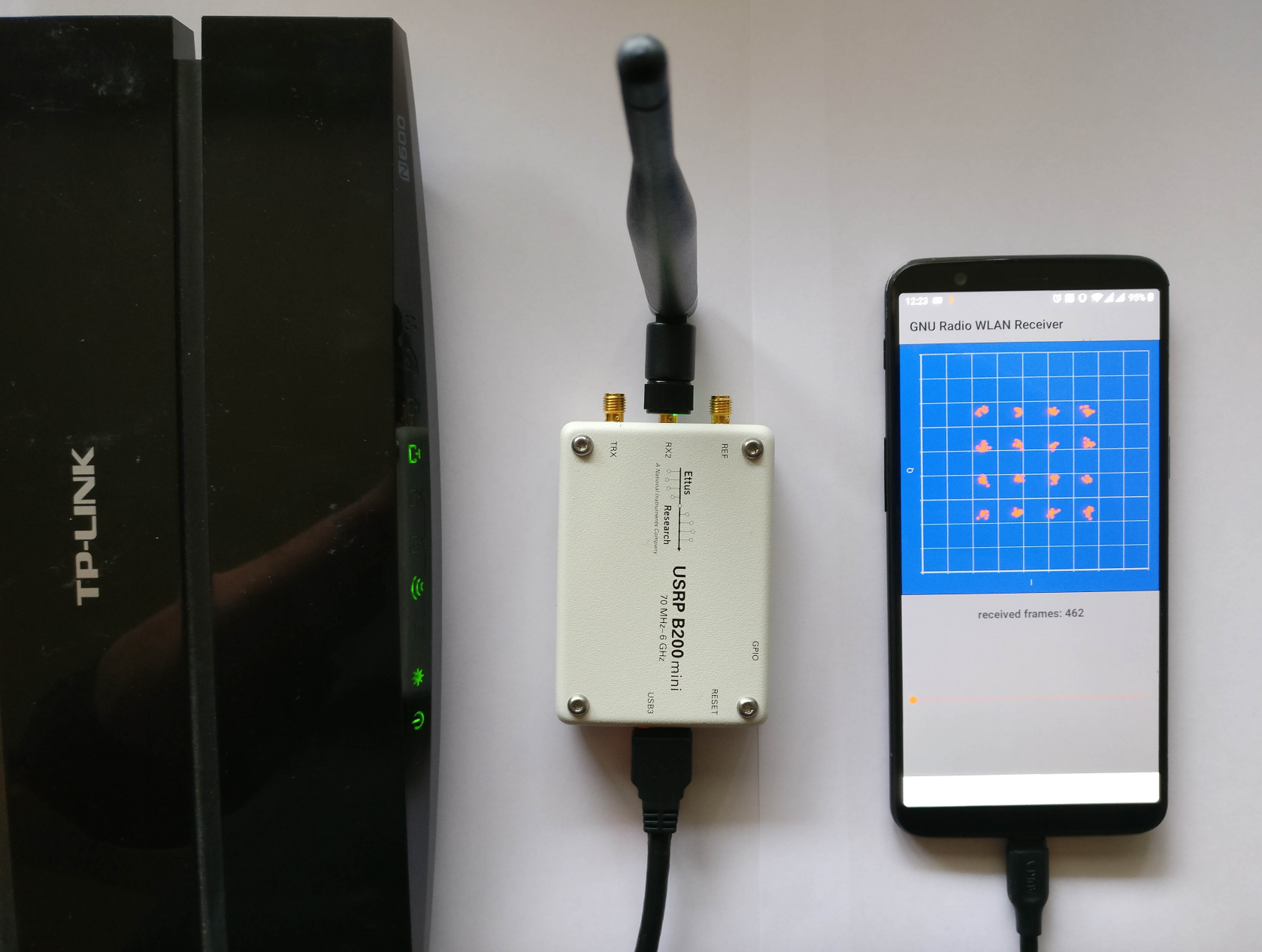
- Supports popular hardware frontends (RTL-SDR, HackRF, Ettus B2XX).
- Supports interfacing Android hardware (mic, speaker, accelerometer, ...) through [gr-grand](https://github.com/trondeau/gr-grand).
- No need to root the device.
- All signal processing happens in C++ domain.
- Various means to interact with a flowgraph from Java-domain (e.g., Control Port, PMTs, ZeroMQ, TCP/UDP).
- A custom GNU Radio double-mapped circular buffer implementation, using Android shared memory.
- SIMD acceleration through [VOLK](https://www.libvolk.org/), including a custom [profiling app for android](https://github.com/bastibl/android-volk/).
- OpenCL support through [gr-clenabled](https://github.com/ghostop14/gr-clenabled).
- Android [app to benchmark](https://github.com/bastibl/android-benchmark) GNU Radio runtime, VOLK, and OpenCL.
- Example applications for [WLAN](https://github.com/bastibl/android-wlan) and [FM](https://github.com/bastibl/android-fm).
## Requirements
- Android phone or tablet that supports Android API level 29, introduced with Android 10 *Q*.
- ~18Gb disk space for the Docker container.
- USB-OTG adapter to connect an SDR. (Some USB-C multi-adapters work as well.)
## Building the Toolchain
The easiest way to get started is to setup a development environment in Docker. The [Dockerfile](docker/Dockerfile) also serves as documentation on how to set up a native environment. There is also a pre-built image [available on DockerHub](https://hub.docker.com/layers/drewbug/android-gnuradio/latest/images/sha256-33bc7c3e60d1be96aa04e3db98352d1b5947d25c1d65ac8c94489705c0801990).
- [Install Docker](https://www.docker.com/). Some installations seem to restrict the maximum container size. This container requires ~18Gb.
- Checkout the repository (mainly to get the `Dockerfile`)
``` shell
git clone --depth=1 https://github.com/bastibl/gnuradio-android.git
cd gnuradio-android/docker
```
- Build the container. *Please note that the scripts accepts several Android licenses during the build process.*
``` shell
docker build -t gnuradio-android .
```
- Run the Docker container. The `privileged` flag and the `/dev/bus/usb` mount seem to be required to access the phone from the container. The `DISPLAY` variable and the `Xauthority` mount allow to start GUI applications in the container.
``` shell
docker run -it --privileged -v /dev/bus/usb:/dev/bus/usb --net=host --env="DISPLAY" --volume="$HOME/.Xauthority:/home/android/.Xauthority:rw" gnuradio-android
```
- Start Android Studio.
``` shell
~/src/android-studio/bin/studio.sh
```
- Put your phone in developer mode ([see instructions](https://developer.android.com/studio/debug/dev-options)).
- Now the phone should show up in Android Studio. If it does not work, check if the host auto-started `adb` and, in case, kill it, since the phone can only be connected to one adb server at a time.
- The container comes with several example projects, e.g., an FM receiver in `~/src/android-fm`. Open the project in Android Studio to test the toolchain.
- The application is a proof-of-concept and doesn't come with a comprehensive lists of USB vendor and product IDs for SDRs. So, you'll likely have to make some manual adjustments.
- Set the USB Product and Vendor Id:
[https://github.com/bastibl/android-fm/blob/master/app/src/main/java/net/bastibl/fmrx/MainActivity.kt#L113](https://github.com/bastibl/android-fm/blob/master/app/src/main/java/net/bastibl/fmrx/MainActivity.kt#L113)
- Specify if it is a HackRF (`hackrf=0`) or an RTL-SDR (`rtl=0`):
[https://github.com/bastibl/android-fm/blob/master/app/src/main/cpp/native-lib.cpp#L93](https://github.com/bastibl/android-fm/blob/master/app/src/main/cpp/native-lib.cpp#L93)
- Build the app and install it to your phone. When you connect the phone to Android Studio for the first time, the phone will ask for permissions.
- Close the app, disconnect the phone from the PC, enable OTG mode on your phone, connect your SDR to the phone, and start the application.
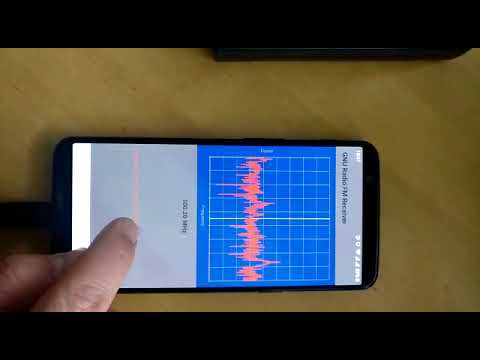
If everything is working, it should like in this demo video:
[](https://www.youtube.com/watch?v=8ReyVzUyppA)
## Using the Toolchain
While the Android applications should work out-of-the-box in the Docker container, native installations require to adapt some paths to link correctly against the toolchain.
### Setting the Architecture
The 32-bit `armeabi-v7a` toolchain is built with the `build.sh` script. The 64-bit `arm64-v8a` toolchain is built with `build_aarch64.sh` script. These scripts have to know the location of the Android Native Development Kit (NDK), so you might have to adapt the `TOOL_CHAIN_ROOT` variable.
Libraries, headers, and other build artifacts are installed in the `toolchain` directory. It will create subdirectories for the different architectures, resulting, for example, in `toolchain/armeabi-v7a/lib/libgnuradio-runtime.so`.
Android Studio requires a different directory layout to link to external libraries (e.g. `armeabi-v7a/libgnuradio-runtime.so`). This structure is created through symlinks in the `toolchain/jni` directory.
Apps can be built for multiple architectures. For development purposes, you might want to limit to a particular one. This can be configured in `app/build.gradle`, which includes a section like:
``` gradle
ndk {
abiFilters "armeabi-v7a", "arm64-v8a"
}
```
## Linking to the Toolchain
The path to the toolchain needs to be adapted in two places. The `TOOLCHAIN` variable in the `CMakeLists.txt` file that builds the native library, which is usually at `app/src/main/cpp`. In the `jniLibs.srcDirs` variable in `apps/build.gradle`. It should point to the `jni` directory, described in the previous section.
## SIMD Acceleration through Volk
The Docker container includes an Android application to profile the kernels of the Volk library. The project is at `~/src/android-volk` in the container and also [available on GitHub](https://github.com/bastibl/android-volk/). Running the application generates a config file with the fastest implementation for the architecture and stores it on Android's External Storage (this can be a SD card or an internal partition). Running this benchmark can speed-up your GNU Radio flowgraphs.
## GPU Acceleration
Android lacks native support for OpenCL. Yet, many smartphone processors have capable GPUs and come with the corresponding drivers. For example, the 2017 OnePlus 5T features a Snapdragon 835 processor with an Adreno 540 GPU that supports OpenCL 2.0.
To create Android applications that use OpenCL, the libraries have to be copied from the phone into the `toolchain//lib` directory. `libopenCL.so` (and its dependencies) are in the `/system/lib(64)` and `/vendor/lib(64)` directories. In case of runtime errors due to missing libraries (i.e., dependencies of `libopenCL.so`), the missing libraries have to be added to the toolchain directory as well.
## SDR Drivers
USB-based SDRs like the RTL-SDR, the HackRF, and the Ettus B2XX series are interesting options for smartphones and tablets. Their drivers are based on `libusb`. On Linux, these drivers traverse the *usbfs* device tree to find and initialize supported devices. Android does not support this kind of direct access to *usbfs*. Instead, the app has to interact with Android's *UsbManager*, which provides a file descriptor to talk to the device. All hardware drivers were, therefore, adapted to support initialization with a file descriptor.
## Ettus B2XX SDRs
The B2XX series of devices uses a rather complicated initialization procedure: the device attaches to the host, the host uploads firmware, the device reattaches (as a different device), the host uploads the FPGA image. On Android, this is supported through a [dedicated app](https://github.com/bastibl/android-hw). It registers a service that is called whenever a B2XX is attached and uploads the firmware. The actual GNU Radio application uses the reattached device directly and only uploads the FPGA image.
## Related Applications
- [android-wlan](https://github.com/bastibl/android-wlan): WLAN Receiver
- [android-fm](https://github.com/bastibl/android-fm): FM Receiver
- [android-hw](https://github.com/bastibl/android-hw): Android service to load Ettus B2XX firmware.
- [android-benchmark](https://github.com/bastibl/android-benchmark): Benchmark GNU Radio runtime, VOLK, and OpenCL.
- [android-volk](https://github.com/bastibl/android-volk): VOLK profiling app for Android.
## Credits
This toolchain is based on an earlier [Android port by Tom Rondeau](http://www.trondeau.com/home/2016/4/1/better-android-support).
## Publication
If you use this toolchain, we would appreciate a reference to:
-
 Bastian Bloessl, Lars Baumgärtner and Matthias Hollick, “Hardware-Accelerated Real-Time Stream Data Processing on Android with GNU Radio,” Proceedings of 14th International Workshop on Wireless Network Testbeds, Experimental evaluation & Characterization (WiNTECH’20), London, UK, September 2020.
[DOI, BibTeX, PDF and Details…]