https://github.com/bastienlc/pdf-watermark
A python CLI tool to add watermarks to a PDF
https://github.com/bastienlc/pdf-watermark
pdf pdf-watermark python watermark watermark-pdf watermark-pdf-files watermarking
Last synced: 10 days ago
JSON representation
A python CLI tool to add watermarks to a PDF
- Host: GitHub
- URL: https://github.com/bastienlc/pdf-watermark
- Owner: bastienlc
- License: mit
- Created: 2023-06-26T22:00:16.000Z (about 3 years ago)
- Default Branch: master
- Last Pushed: 2026-06-06T16:48:59.000Z (about 1 month ago)
- Last Synced: 2026-06-06T18:16:14.484Z (about 1 month ago)
- Topics: pdf, pdf-watermark, python, watermark, watermark-pdf, watermark-pdf-files, watermarking
- Language: Python
- Homepage:
- Size: 1.03 MB
- Stars: 78
- Watchers: 3
- Forks: 12
- Open Issues: 2
-
Metadata Files:
- Readme: README.md
- License: LICENSE
Awesome Lists containing this project
- awesome - bastienlc/pdf-watermark
README
# pdf-watermark
A python CLI tool to add watermarks to a PDF. Allows for processing whole directories while keeping the directory structure.
## Description
There are multiple similar tools out there but I couldn't find one that really suited my needs. This project also serves as an excuse to play with building and distributing a python CLI tool.
With this tool you can add a watermark to a PDF file. The watermark can either be a text string that you provide, or an image (PNG being the recommanded format).
This tool provides two commands.
- **insert**: The watermark is placed once on each page at a specific position.
- **grid**: The watermark is repeated multiple times on each page in a grid pattern.
Below is an example of a PDF before using this tool, after using this tool with the _grid_ command and a text watermark, and after using this tool with the _grid_ command and an image watermark.
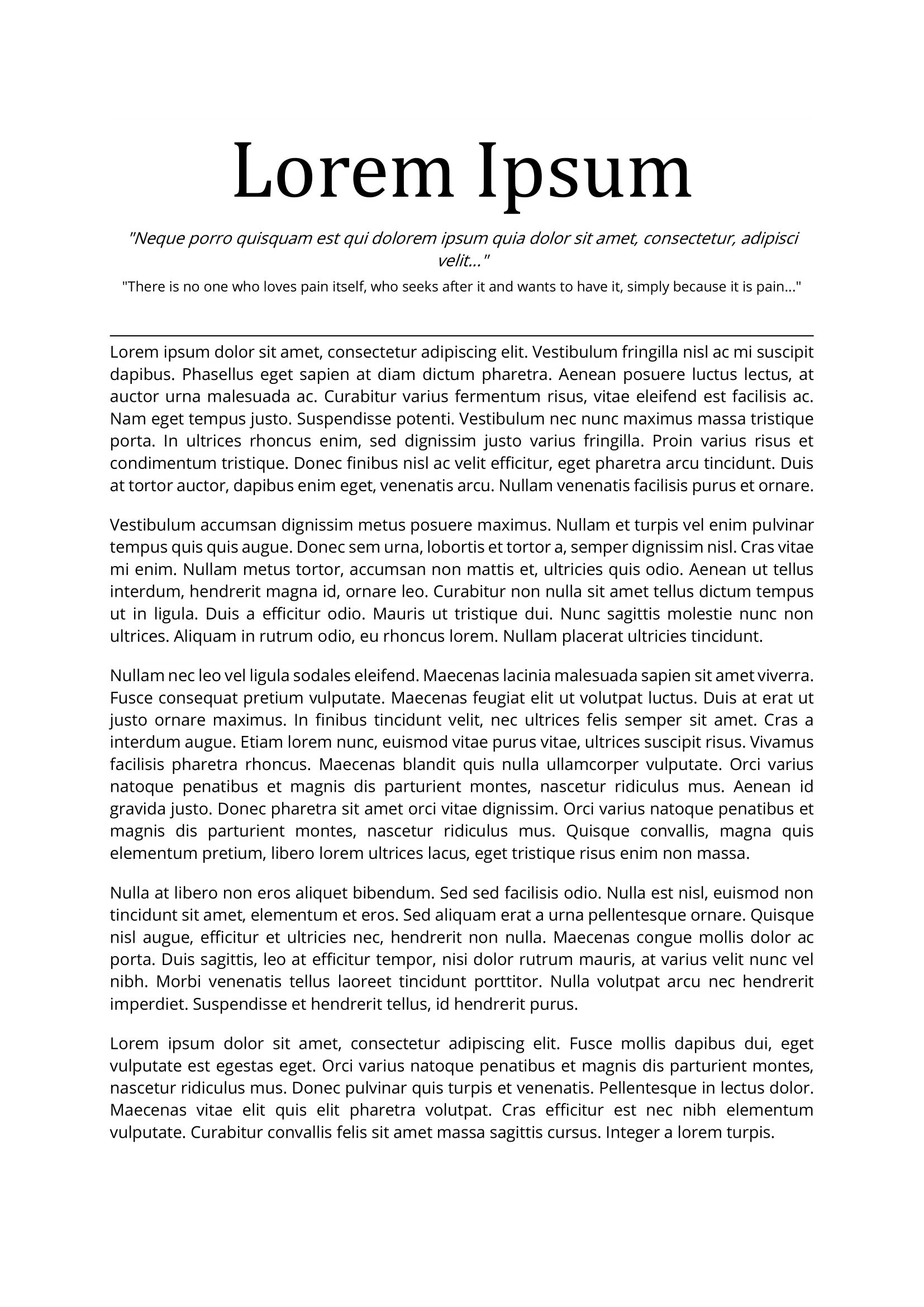
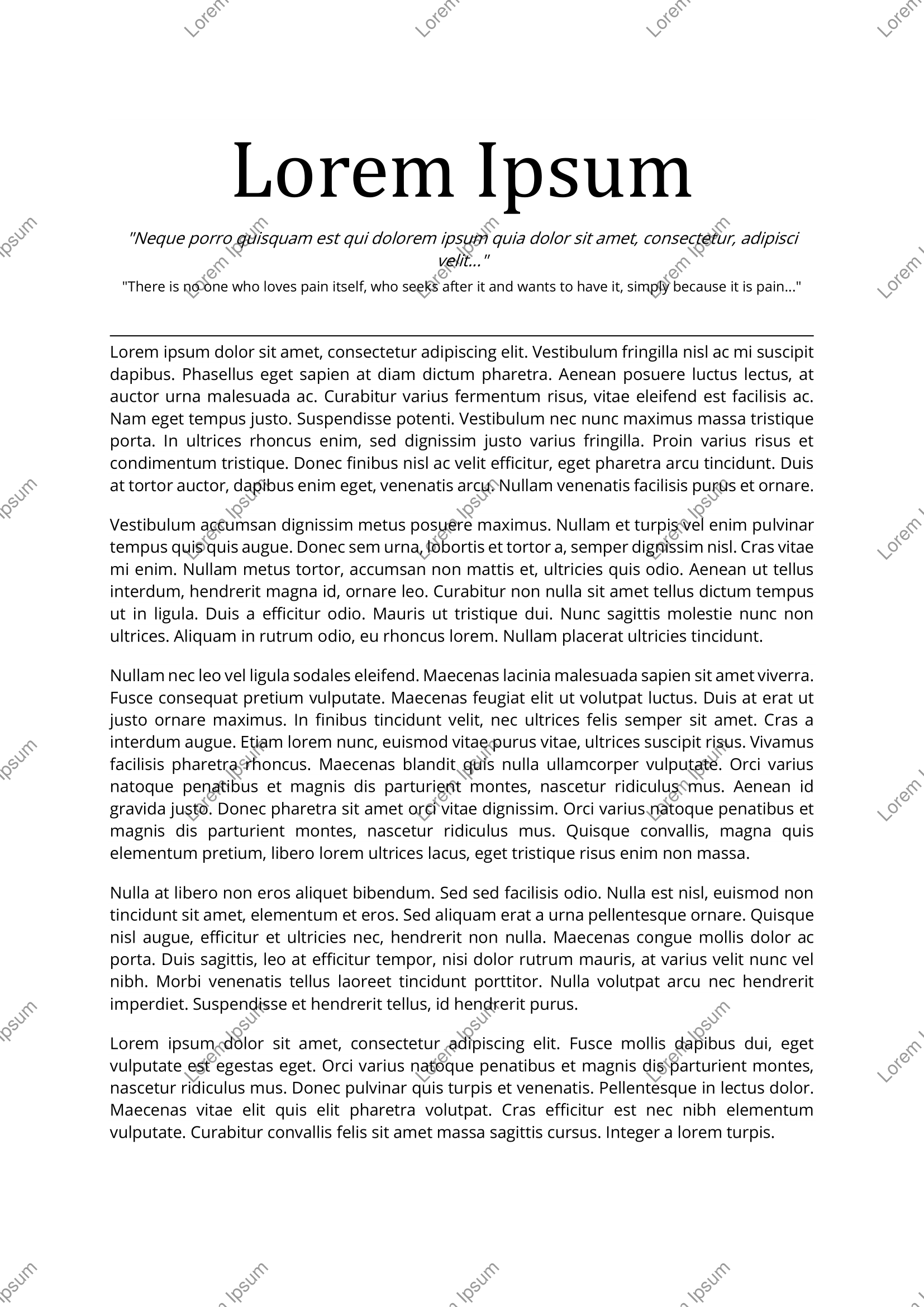
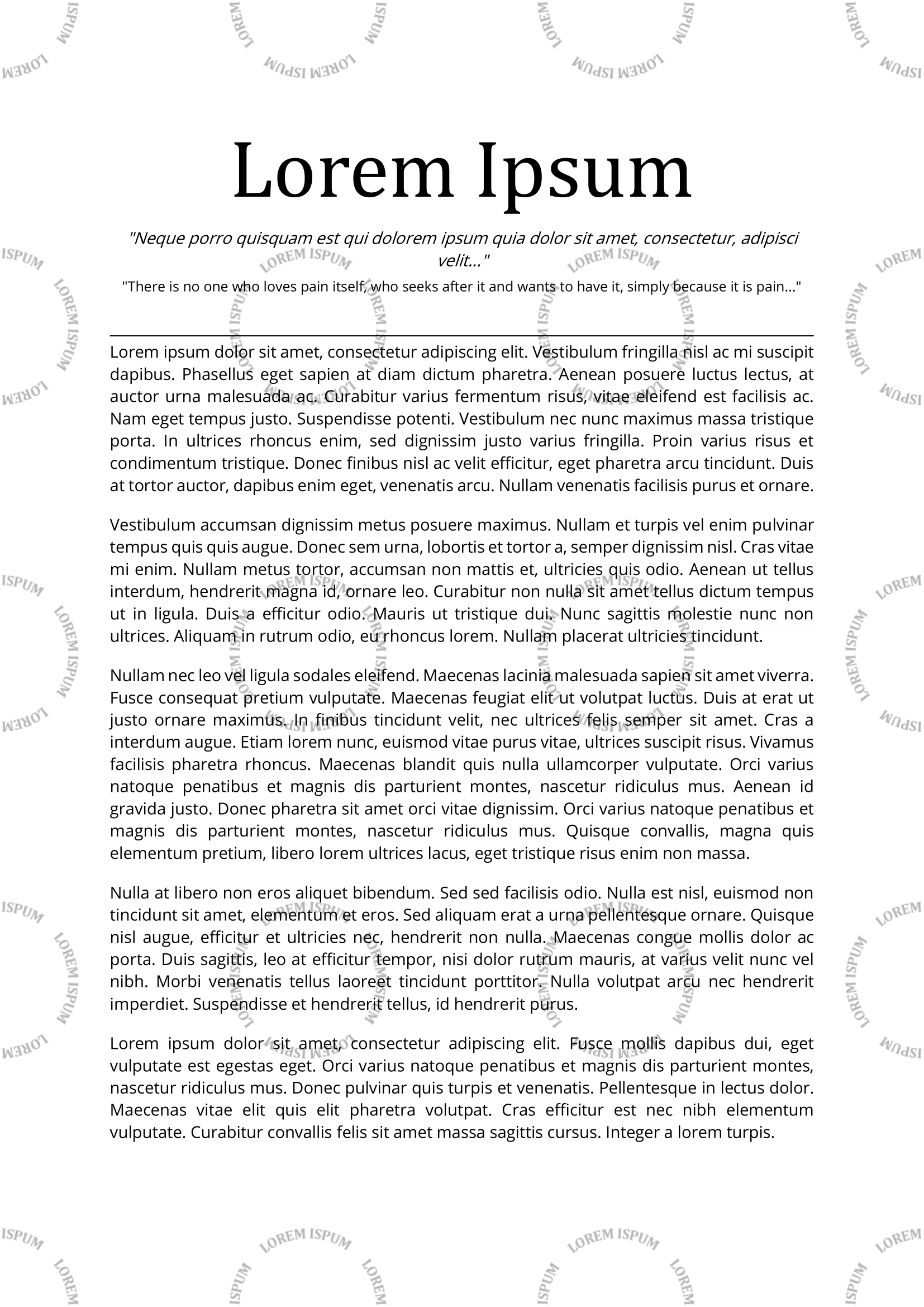
Many options are available to customize the watermark, such as the position, the opacity, the angle, the color, the font, the size, etc. A detailed list of options is available below.
## Getting Started
### Dependencies
- This project was built with python 3.11. However it should also run just fine with older versions.
- See `requirements.txt` for the list of dependencies.
- Some options require parts of the `poppler` library to be installed (--save-as-image and --unselectable). Please refer to the [pdf2image](https://pypi.org/project/pdf2image/) or [poppler](https://poppler.freedesktop.org/) documentation for installation instructions.
### Installing
This package is available on PyPi.
```
pip install pdf-watermark
```
The project can also be used with `uvx` without installing it manually:
```
uvx run pdf-watermark
```
### Usage
**TLDR**
```bash
watermark grid input.pdf "watermark text" -s output.pdf # Grid pattern for a single file
watermark insert input_folder "watermark_image.png" # Insert image for a whole directory, overwriting the input files
```
**Detailed usage**
```
Usage: watermark [OPTIONS] COMMAND [ARGS]...
Add a watermark to one or more PDF files.
The watermark can be repeated in a grid pattern using the grid command, or
inserted at a specific position using the insert command.
Options:
--help Show this message and exit.
Commands:
grid Add a watermark in a grid pattern.
insert Add a watermark at a specific position.
```
**insert** command:
```
Usage: watermark insert [OPTIONS] FILE WATERMARK
Add a watermark at a specific position.
Add a WATERMARK to one or more PDF files referenced by FILE. WATERMARK can
be either a string or a path to an image file. FILE can be a single file or
a directory, in which case all PDF files in the directory will be
watermarked.
Options:
-s, --save PATH File or folder to save results to. By
default, the input files are overwritten.
--dry-run Enumerate affected files without modifying
them.
--workers INTEGER Number of parallel workers to use. This can
speed up processing of multiple files.
[default: 1]
--verbose BOOLEAN Print information about the files being
processed. [default: True]
-y, --y FLOAT Position of the watermark with respect to
the vertical direction. Must be between 0
and 1. [default: 0.5]
-x, --x FLOAT Position of the watermark with respect to
the horizontal direction. Must be between 0
and 1. [default: 0.5]
-ha, --horizontal-alignment TEXT
Alignment of the watermark with respect to
the horizontal direction. Can be one of
'left', 'right' and 'center'. [default:
center]
-o, --opacity FLOAT Watermark opacity between 0 (invisible) and
1 (no transparency). [default: 0.1]
-a, --angle FLOAT Watermark inclination in degrees. [default:
45]
-tc, --text-color TEXT Text color in hexadecimal format, e.g.
#000000. [default: #000000]
-tf, --text-font TEXT Text font to use. Supported fonts are those
supported by reportlab, or available on the
system or in the custom fonts folder.
[default: Helvetica]
-ts, --text-size INTEGER Text font size. [default: 12]
--unselectable Make the watermark text unselectable. This
works by drawing the text as an image, and
thus results in a larger file size.
-is, --image-scale FLOAT Scale factor for the image. Note that before
this factor is applied, the image is already
scaled down to fit in the boxes. [default:
1]
--save-as-image Convert each PDF page to an image. This
makes removing the watermark more difficult
but also increases the file size.
--dpi INTEGER DPI to use when saving the PDF as an image.
[default: 300]
--custom-fonts-folder PATH Folder path containing custom font files
(TTF, OTF, etc.) to search for non-standard
fonts.
--help Show this message and exit.
```
**grid** command:
```
Usage: watermark grid [OPTIONS] FILE WATERMARK
Add a watermark in a grid pattern.
Add a WATERMARK to one or more PDF files referenced by FILE. WATERMARK can
be either a string or a path to an image file. FILE can be a single file or
a directory, in which case all PDF files in the directory will be
watermarked.
Options:
-s, --save PATH File or folder to save results to. By
default, the input files are overwritten.
--dry-run Enumerate affected files without modifying
them.
--workers INTEGER Number of parallel workers to use. This can
speed up processing of multiple files.
[default: 1]
--verbose BOOLEAN Print information about the files being
processed. [default: True]
-h, --horizontal-boxes INTEGER Number of repetitions of the watermark along
the horizontal direction. [default: 3]
-v, --vertical-boxes INTEGER Number of repetitions of the watermark along
the vertical direction. [default: 6]
-m, --margin Wether to leave a margin around the page or
not. When False (default), the watermark
will be cut on the PDF edges.
-o, --opacity FLOAT Watermark opacity between 0 (invisible) and
1 (no transparency). [default: 0.1]
-a, --angle FLOAT Watermark inclination in degrees. [default:
45]
-tc, --text-color TEXT Text color in hexadecimal format, e.g.
#000000. [default: #000000]
-tf, --text-font TEXT Text font to use. Supported fonts are those
supported by reportlab, or available on the
system or in the custom fonts folder.
[default: Helvetica]
-ts, --text-size INTEGER Text font size. [default: 12]
--unselectable Make the watermark text unselectable. This
works by drawing the text as an image, and
thus results in a larger file size.
-is, --image-scale FLOAT Scale factor for the image. Note that before
this factor is applied, the image is already
scaled down to fit in the boxes. [default:
1]
--save-as-image Convert each PDF page to an image. This
makes removing the watermark more difficult
but also increases the file size.
--dpi INTEGER DPI to use when saving the PDF as an image.
[default: 300]
--custom-fonts-folder PATH Folder path containing custom font files
(TTF, OTF, etc.) to search for non-standard
fonts.
--help Show this message and exit.
```
### Fonts
The default fonts provided by reportlab are available, including non-Latin fonts for Chinese, Japanese and Korean characters.
- Helvetica
- Helvetica-Bold
- Helvetica-BoldOblique
- Helvetica-Oblique
- Times-Roman
- Times-Bold
- Times-BoldItalic
- Times-Italic
- Courier
- Courier-Bold
- Courier-BoldOblique
- Courier-Oblique
- Symbol
- ZapfDingbats
- STSong-Light
- MSung-Light
- HYGothic-Medium
- HeiseiMin-W3
- HeiseiKakuGo-W5
You can also provide your own fonts in two ways:
- Either by placing the font files (TTF, OTF, etc.) in a default folder where reportlab can find them (depending on the values in `reportlab.rl_config.TTFSearchpath`, e.g. on Linux it can be `/usr/share/fonts`, on Windows it can be `C:\Windows\Fonts`, on MacOS it can be `~/Library/Fonts`, etc.).
- Or by providing a custom folder containing the font files using the `--custom-fonts-folder` option.
In either case, note that the `--text-font` option must be set to the exact name of the font (without the file extension). For example, if you have a font file named `MyFont-BoldItalic.ttf`, you should set `--text-font "MyFont-BoldItalic"`. There is no support for loading font family files at the moment. The recommended approach to provided custom fonts is to use TTF or OTF files.
## Contributing
Contributions are always welcome, whether it is for bug fixes, new features or just to improve the documentation and code quality. Feel free to open an issue or a pull request.
### Building the package
This project relies on [uv](https://github.com/astral-sh/uv).
```
pip install uv
make install
```
### Checklist before opening a pull request
- The code is formatted with `ruff`.
- The tests pass.
- The readme is updated if necessary (especially if the command line interface changes).
## Authors
[@bastienlc](https://github.com/bastienlc)
## Version History
- 1.0.0
- Add text watermark support.
- Add image watermark support.
- Add CLI.
- Add complex directories support.
- 2.0.0
- Move tool to subcommand **grid**.
- Add **insert** command.
- 2.1.0
- Add --unselectable and --save-as-image options.
- Fix bug with temporary files on Windows.
- 2.1.2
- Fix missing Poppler dependancy.
- Add test and lint to CI.
- 2.2.0
- Support PDFs with pages of different sizes.
- 2.2.1
- Support line breaks in text watermark.
- 2.2.2
- Support uppercase PDF extension.
- 2.2.3
- Improve tooling and CI
- Add --dry-run option
- Add --verbose option
- Add parallel processing with --workers option
- 3.0.0
- Add support for uvx execution
- Extend font support, enabling custom fonts and non-latin characters
- Migrate to dataclass-click, refactor codebase
- 3.0.1
- Fix `TypeError: Cannot use PosixPath as a filename or file`
## License
This project is licensed under the MIT License - see the LICENSE file for details.
## Acknowledgments
- [dataclass-click](https://github.com/couling/dataclass-click): Great tool to create click command line interfaces from dataclasses.
- [readme template](https://gist.github.com/DomPizzie/7a5ff55ffa9081f2de27c315f5018afc)