https://github.com/bauripalash/tkhtmlview
Display HTML with Tkinter ;)
https://github.com/bauripalash/tkhtmlview
gui gui-library html python tkinter webview
Last synced: 5 months ago
JSON representation
Display HTML with Tkinter ;)
- Host: GitHub
- URL: https://github.com/bauripalash/tkhtmlview
- Owner: bauripalash
- License: mit
- Created: 2020-01-07T13:45:13.000Z (over 6 years ago)
- Default Branch: main
- Last Pushed: 2025-10-01T05:05:39.000Z (10 months ago)
- Last Synced: 2026-01-27T18:38:43.788Z (6 months ago)
- Topics: gui, gui-library, html, python, tkinter, webview
- Language: Python
- Homepage: https://pypi.org/project/tkhtmlview/
- Size: 127 KB
- Stars: 88
- Watchers: 3
- Forks: 22
- Open Issues: 8
-
Metadata Files:
- Readme: README.md
- Funding: .github/FUNDING.yml
- License: LICENSE
Awesome Lists containing this project
README
# tkhtmlview

[](https://github.com/bauripalash/tkhtmlview/actions/workflows/publish-to-pypi.yml)
HTML widgets for tkinter
> Fork of [tk_html_widgets](https://github.com/paolo-gurisatti/tk_html_widgets)
## Overview
This module is a collection of tkinter widgets whose text can be set in HTML format.
A HTML widget isn't a web browser frame, it's only a simple and lightweight HTML parser that formats the tags used by the tkinter Text base class.
The widgets behaviour is similar to the PyQt5 text widgets (see the [PyQt5 HTML markup subset](http://doc.qt.io/qt-5/richtext-html-subset.html)).
## Installation
`pip install tkhtmlview`
## Requirements
- [Python 3.10 or later](https://www.python.org/downloads/) with tcl/tk support
- [Pillow 11 or later](https://github.com/python-pillow/Pillow)
- requests
## Example
```python
import tkinter as tk
from tkhtmlview import HTMLLabel
root = tk.Tk()
html_label = HTMLLabel(root, html='
Hello World
')
html_label.pack(fill="both", expand=True)
html_label.fit_height()
root.mainloop()
```
You can also save html in a separate .html file and then use `RenderHTML` to render html for widgets.
- _index.html_
```html
Orange is so Orange
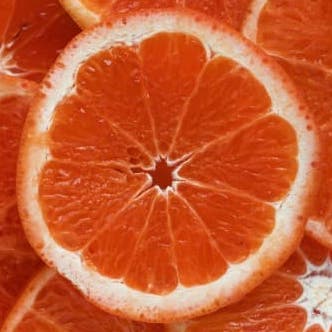
The orange is the fruit of various citrus species in the family Rutaceae;
it primarily refers to Citrus × sinensis, which is also called sweet
orange, to distinguish it from the related Citrus × aurantium, referred to
as bitter orange.
```
- _demo.py_
```python
import tkinter as tk
from tkhtmlview import HTMLText, RenderHTML
root = tk.Tk()
html_label = HTMLText(root, html=RenderHTML('index.html'))
html_label.pack(fill="both", expand=True)
html_label.fit_height()
root.mainloop()
```
## Documentation
### Classes
All widget classes inherits from the tkinter.Text() base class.
#### class HTMLScrolledText(tkinter.Text)
> Text-box widget with vertical scrollbar
#### class HTMLText(tkinter.Text)
> Text-box widget without vertical scrollbar
#### class HTMLLabel(tkinter.Text)
> Text-box widget with label appearance
#### class RenderHTML
> RenderHTML class will render HTML from .html file for the widgets.
### Methods
#### def set_html(self, html, strip=True)
> **Description:** Sets the text in HTML format.
> **Args:**
>
> - _html_: input HTML string
> - _strip_: if True (default) handles spaces in HTML-like style
#### def fit_height(self)
> **Description:** Fit widget height in order to display all wrapped lines
### HTML support
Only a subset of the whole HTML tags and attributes are supported (see table below).
Where is possibile, I hope to add more HTML support in the next releases.
| **Tags** | **Attributes** | **Notes** |
| -------- | ------------------ | -------------------------------------- |
| a | style, href |
| b | style |
| br | |
| code | style |
| div | style |
| em | style |
| h1 | style |
| h2 | style |
| h3 | style |
| h4 | style |
| h5 | style |
| h6 | style |
| i | style |
| img | src, width, height | experimental support for remote images |
| li | style |
| mark | style |
| ol | style, type | 1, a, A list types only |
| p | style |
| pre | style |
| span | style |
| strong | style |
| u | style |
| ul | style | bullet glyphs only |
| table,tr,th,td | - | basic support|
> Note: All styles are not supported;
> align with justify is not supported; it falls back to left align
## License
[](https://app.fossa.io/projects/git%2Bgithub.com%2Fbauripalash%2Ftkhtmlview?ref=badge_large)