https://github.com/bbc/codext
VS Code's editor shipped as a browser extension.
https://github.com/bbc/codext
browser-extension chrome-extension editor firefox-addon monaco-editor source-code
Last synced: over 1 year ago
JSON representation
VS Code's editor shipped as a browser extension.
- Host: GitHub
- URL: https://github.com/bbc/codext
- Owner: bbc
- License: apache-2.0
- Created: 2018-04-27T12:37:42.000Z (over 8 years ago)
- Default Branch: master
- Last Pushed: 2023-04-17T21:11:52.000Z (over 3 years ago)
- Last Synced: 2025-03-22T06:51:15.747Z (over 1 year ago)
- Topics: browser-extension, chrome-extension, editor, firefox-addon, monaco-editor, source-code
- Language: JavaScript
- Homepage:
- Size: 2.51 MB
- Stars: 48
- Watchers: 4
- Forks: 10
- Open Issues: 4
-
Metadata Files:
- Readme: README.md
- License: LICENSE
Awesome Lists containing this project
README

# Codext

**View and edit code from within your browser!**

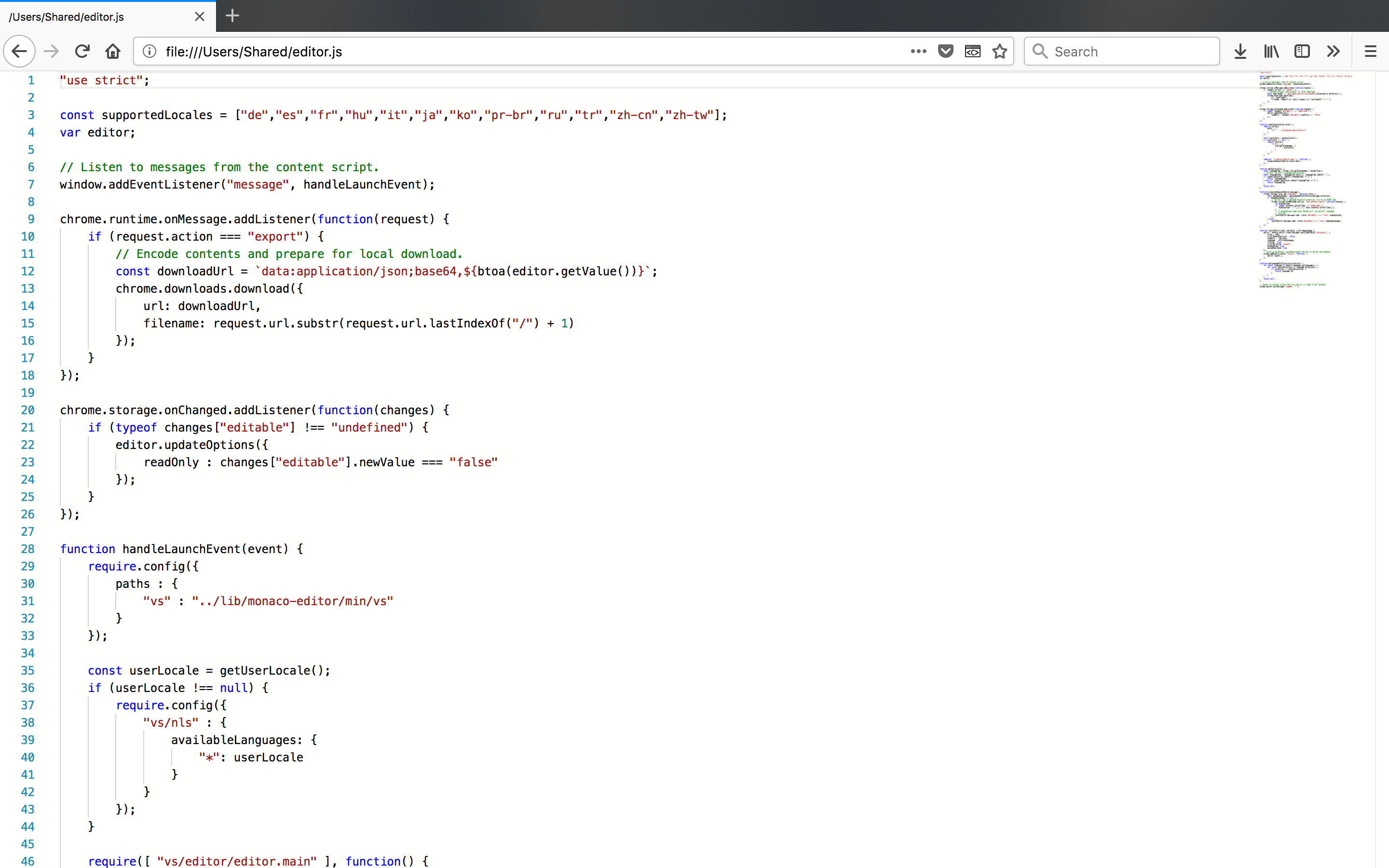
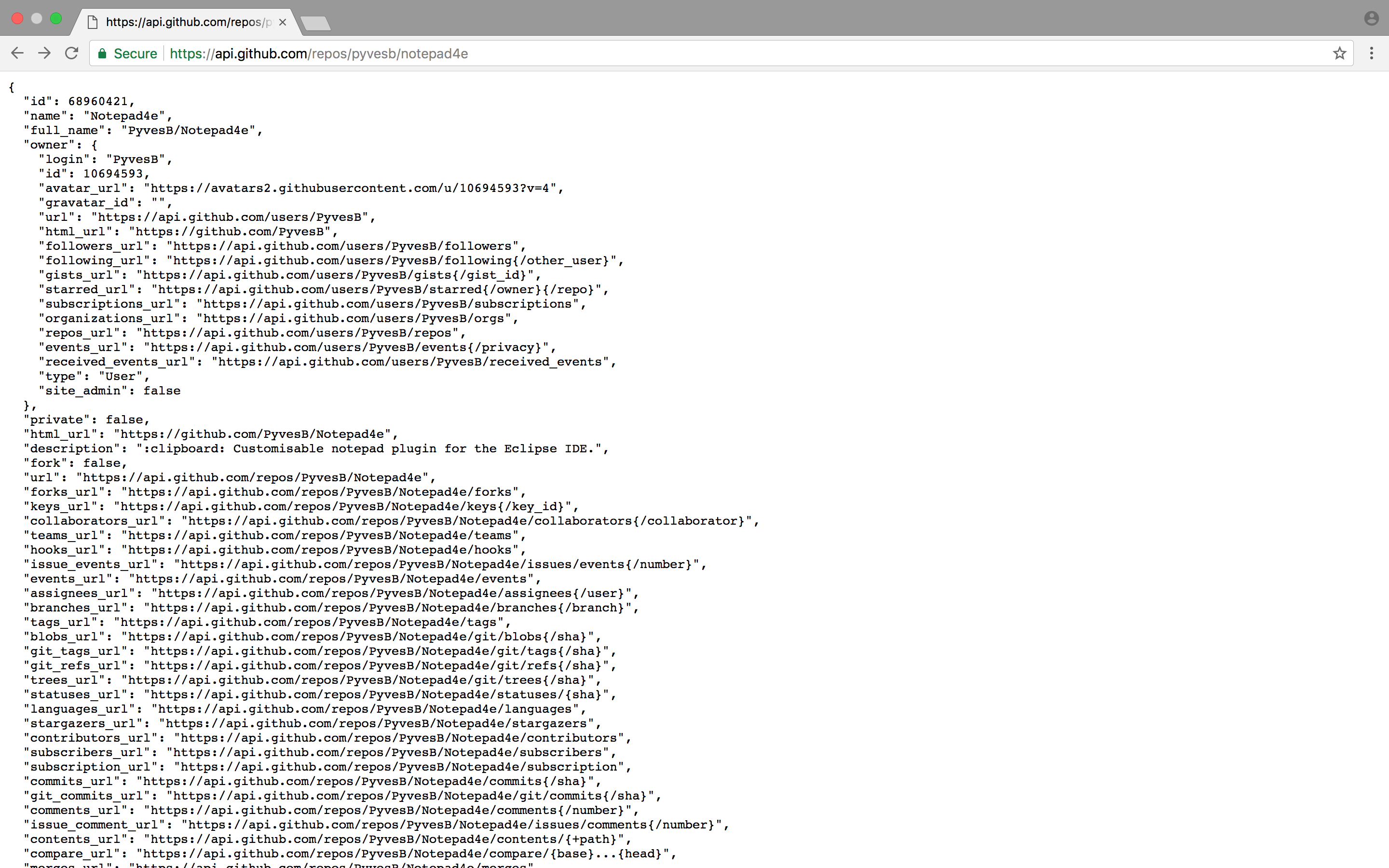
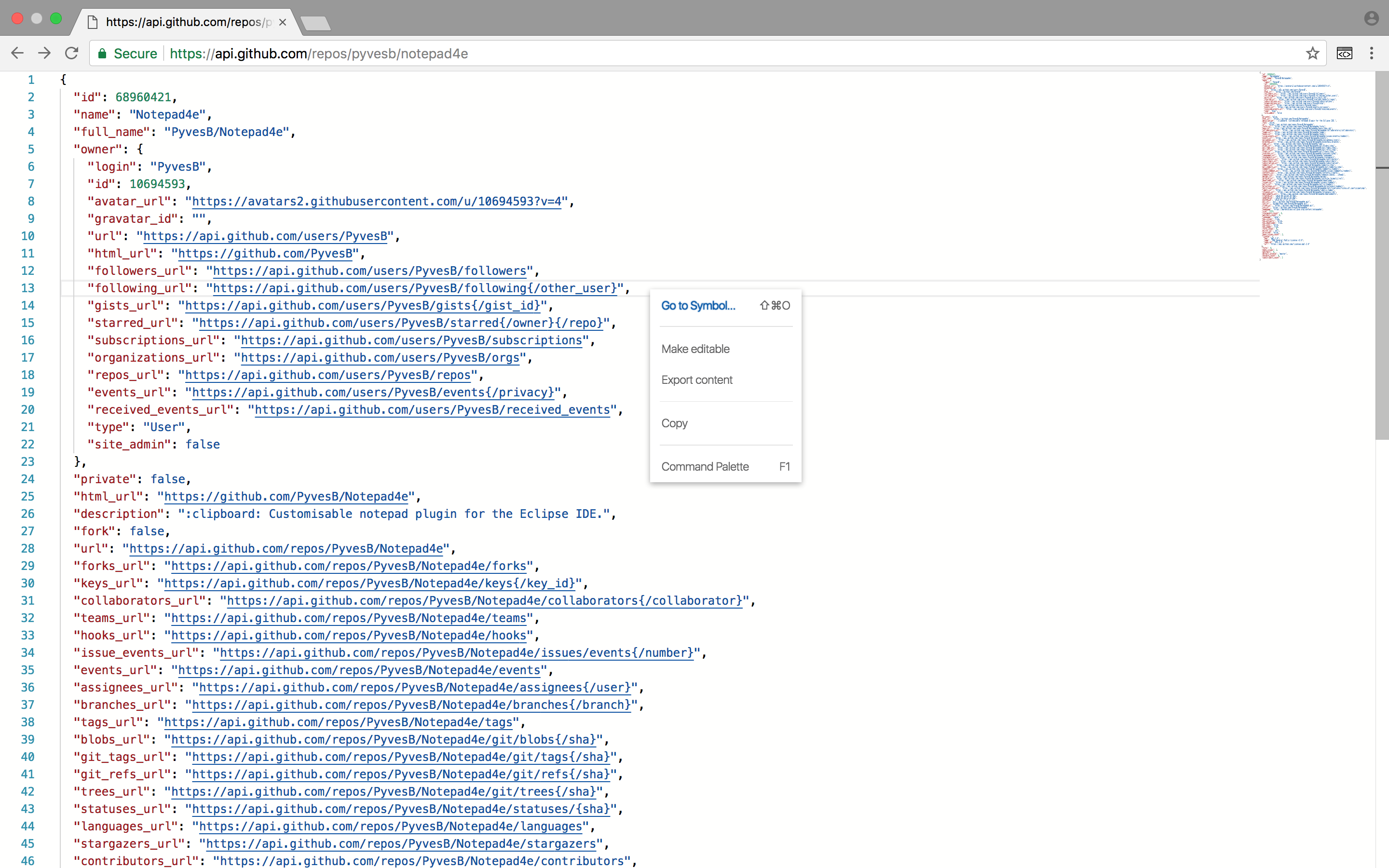
On the left: Firefox and Chrome without Codext. On the right: same webpages with Codext enabled!
# Installation
This plugin is available for installation on the  [Chrome Web Store](https://chrome.google.com/webstore/detail/codext/mghlpehggoiecmpcdadkdbeofcheghcc) and the  [Firefox Add-ons Store](https://addons.mozilla.org/firefox/addon/codext/).
# Features at a glance
**Codext** harnesses the power of the [Monaco Editor](https://github.com/Microsoft/monaco-editor) by dynamically inserting it into webpages. The extension targets preformatted text (i.e. pages containing a unique `
` tag) and determines the programming language to use by looking at the URL's extension and/or the returned `Content-Type` header. An editor instance is fully configured on the fly and in addition to standard features such as syntax highlighting, section folding and code formatting, Codext allows users to interact with documents and export changes locally.
Codext will help you out with the following tasks:
* displaying code from online file systems or repositories.
* opening and viewing local files in your browser.
* prettifying API responses (e.g. GET requests returning YAML).
* making quick changes to files and downloading those changes locally.
* viewing GitLab/Bitbucket raw files in a proper editor.
* and any use-case you can think of!
Right-click anywhere in a loaded editor to display additional options such as code formatting. To temporarily turn Codext off, right-click on its icon in the browser's toolbar, select _Disable extension_ and refresh the page!
# Getting started as a developer
Make sure you're using a recent version of Node.js (latest build successfully performed with release 16.13.1).
[npm](https://github.com/npm/cli) is used to handle dependencies. Install them by running `npm i` in the root directory of the project.
[gulp](https://github.com/gulpjs/gulp) is required for the steps listed below. Use `npm install gulp-cli -g` to install the gulp command line tool.
#### :cd: Building the project
Simply run `gulp build`. The command will generate the following in the _build_ folder:
* a minified version of all the files required to run the extension. To load the extension in developer mode, point the browser to _manifest.json_ in the _build_ folder.
* a zip archive that can be used to publish the extension to the Chrome Web Store or to the Firefox Add-Ons Store.
#### :hammer: Running the tests
The [jasmine](https://github.com/jasmine/jasmine) and [sinon-chrome](https://github.com/acvetkov/sinon-chrome) libraries are used for the tests. All tested files are injected in a Jasmine spec runner document, which can be opened in a web browser to assert that the code is behaving as intended.
* to launch the test suite in Chrome, run `gulp test`.
* to launch the test suite in Firefox, run `gulp test-firefox`.
#### :chart_with_upwards_trend: Running the reporter
[ESLint](https://github.com/eslint/eslint) can be run with the `gulp lint` command.
#### :pencil2: Formatting the code
[Prettier](https://github.com/prettier/prettier) can be run with the `gulp prettify` command.
# Contributing
#### `$ code`
Codext was built by [Pierre-Yves](https://github.com/PyvesB) and [Mika](https://github.com/MikaLeppala) during a BBC hackaton. Want to make the project better, faster, stronger? Contributions are more than welcome, open a **pull request** and share your code! Simply **fork** the repository by clicking on the icon on the top right of this page and you're ready to go!
#### :speech_balloon: Support
Thought of a cool idea? Found a problem or need some help? Simply open an [**issue**](https://github.com/bbc/Codext/issues)!
#### :star: Thanks
Find the project useful, fun or interesting? **Star** the repository by clicking on the icon on the top right of this page!
# Known issues
* Codext may not load in pages that have a CSP sandbox policy (for instance GitHub raw pages). In Chrome and Opera, this is due to a regression introduced in Chromium 64 (see [816121](https://bugs.chromium.org/p/chromium/issues/detail?id=816121)). In Firefox, a similar bug affects most recent versions of the browser (see [1267027](https://bugzilla.mozilla.org/show_bug.cgi?id=1267027)).
# Acknowledgements
The following open-source projects are used to power Codext:
* [monaco-editor](https://github.com/Microsoft/monaco-editor), released by Microsoft under the [MIT License](https://github.com/Microsoft/monaco-editor/blob/master/LICENSE.md).
* [requirejs](https://github.com/requirejs/requirejs), released under the [MIT License](https://github.com/requirejs/requirejs/blob/master/LICENSE).
# License and copyright
Apache License 2.0, see [LICENSE](https://github.com/bbc/Codext/blob/master/LICENSE) for more details.
Copyright 2020 British Broadcasting Corporation