https://github.com/bearlike/rpi-landing-page
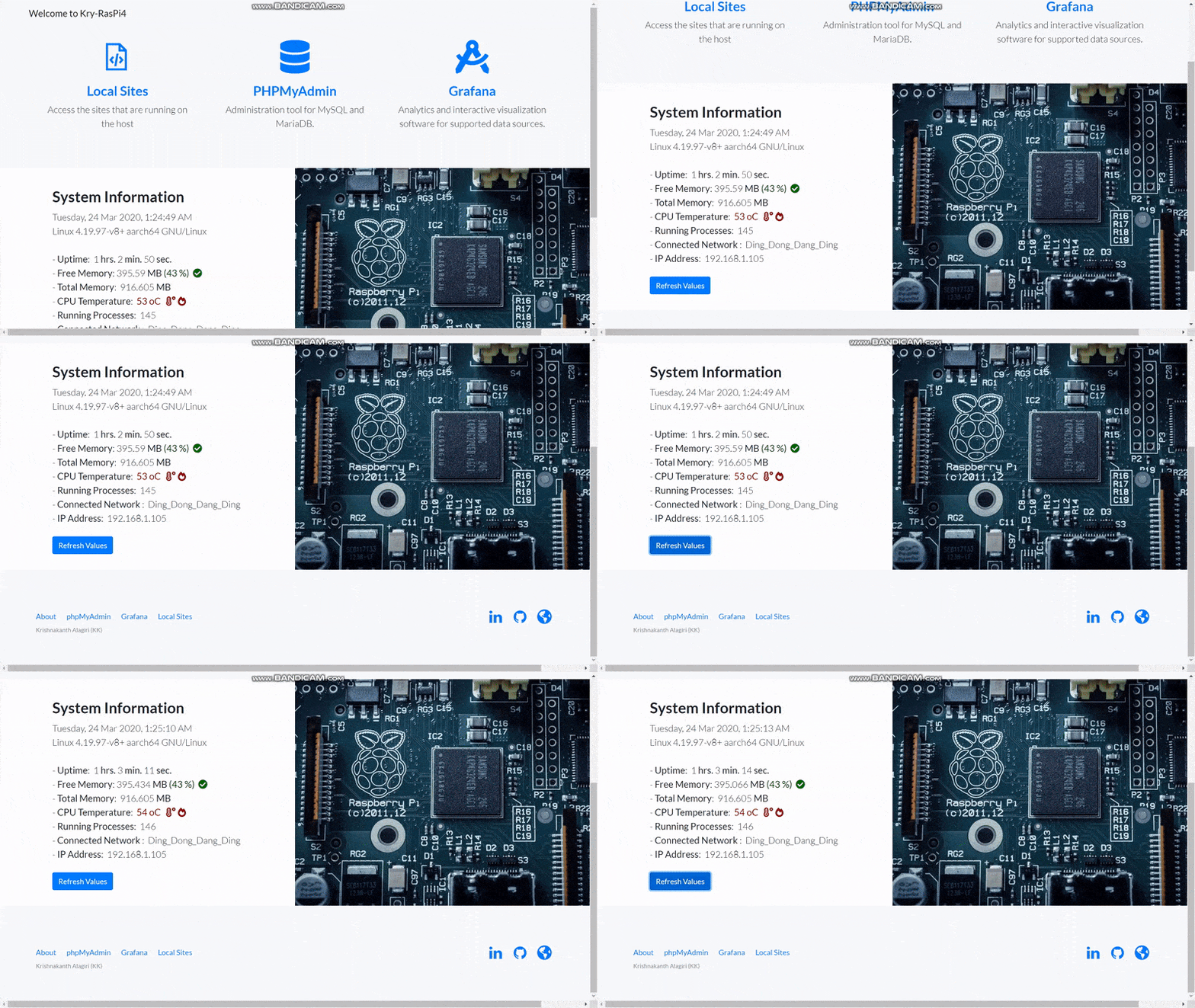
A Minimalistic Landing page that displays system information for you Raspberry Pi and redirects you to your favorite pages.
https://github.com/bearlike/rpi-landing-page
favorite-pages landing-page php raspberry-pi rpi system-information
Last synced: 2 months ago
JSON representation
A Minimalistic Landing page that displays system information for you Raspberry Pi and redirects you to your favorite pages.
- Host: GitHub
- URL: https://github.com/bearlike/rpi-landing-page
- Owner: bearlike
- License: mit
- Created: 2020-03-23T19:14:12.000Z (over 6 years ago)
- Default Branch: master
- Last Pushed: 2021-09-17T11:50:47.000Z (almost 5 years ago)
- Last Synced: 2025-01-04T19:25:00.507Z (over 1 year ago)
- Topics: favorite-pages, landing-page, php, raspberry-pi, rpi, system-information
- Language: PHP
- Homepage:
- Size: 2.55 MB
- Stars: 2
- Watchers: 2
- Forks: 0
- Open Issues: 0
-
Metadata Files:
- Readme: README.md
- License: LICENSE
Awesome Lists containing this project
README
Raspberry Pi Landing Page
A Landing page that displays system information for you Raspberry Pi and pin your favorite local pages/apps.


### Why do I do it?
This removes the necessity to just open a console/ssh to just view basic information such as Local IP, Uptime etc. This also easily gives me easy redirect access to other hosted applications.
### Screenshot
```bash
Tested on Raspberry Pi 4, running
PHP Version 7.3.14-1~deb10u1 on Apache/2.4.38 (Raspbian)
```
## Getting Started
### Prerequisites
What things you need to run the program:
- A web server preferably Apache2 and PHP.
- Install the following from APT package manager:
- ```bash
sudo apt update
sudo apt upgrade
sudo apt install apache2
sudo apt install php php-mbstring
```
- For detailed instructed on setting up [Apache2 and PHP](https://howtoraspberrypi.com/how-to-install-web-server-raspberry-pi-lamp/)
## Features
* Displays the following System Information:
- System Time
- Kernel and OS Information
- Uptime
- Free Memory (in MB and in Percentage)
- Total Memory (in MB)
- CPU Temperature (in oC)
- Number of Running Processes
- Connected Network
- Local IP Address
* Ability to pin sites
## Acknowledgments
* Hat tip to anyone whose code was used.
* Raspberry Pi itself
Made with ❤️ by bearlike
