https://github.com/beeblebrox3/vscode-behat-checker
VSCode extension to support behat
https://github.com/beeblebrox3/vscode-behat-checker
behat vscode-extension
Last synced: 9 months ago
JSON representation
VSCode extension to support behat
- Host: GitHub
- URL: https://github.com/beeblebrox3/vscode-behat-checker
- Owner: beeblebrox3
- License: mit
- Created: 2016-11-15T21:04:03.000Z (over 9 years ago)
- Default Branch: master
- Last Pushed: 2023-03-03T08:17:22.000Z (over 3 years ago)
- Last Synced: 2024-04-15T07:15:01.374Z (about 2 years ago)
- Topics: behat, vscode-extension
- Language: TypeScript
- Homepage:
- Size: 17.1 MB
- Stars: 13
- Watchers: 3
- Forks: 2
- Open Issues: 37
-
Metadata Files:
- Readme: readme.md
- Contributing: contributing.md
- License: LICENSE.md
Awesome Lists containing this project
README
# Behat Checker
[](https://sonarcloud.io/dashboard?id=beeblebrox3_vscode-behat-checker)
[](https://sonarcloud.io/dashboard?id=beeblebrox3_vscode-behat-checker)
This is a vscode extension to work with [Behat](http://behat.org). It aims to allow people that doesn't use PHPStorm to have a decent tool to write features ;)
It depends of `Cucumber (Gherkin) Syntax and Snippets` extension. For now ;)
> It is still in active development. If you found a bug or want request a feature, please open an issue.
## Features
### Highlight steps without definition
This extension will mark the step with an error if there's no implementation.

We detect implementantion using behat CLI (something like `behat -di`).
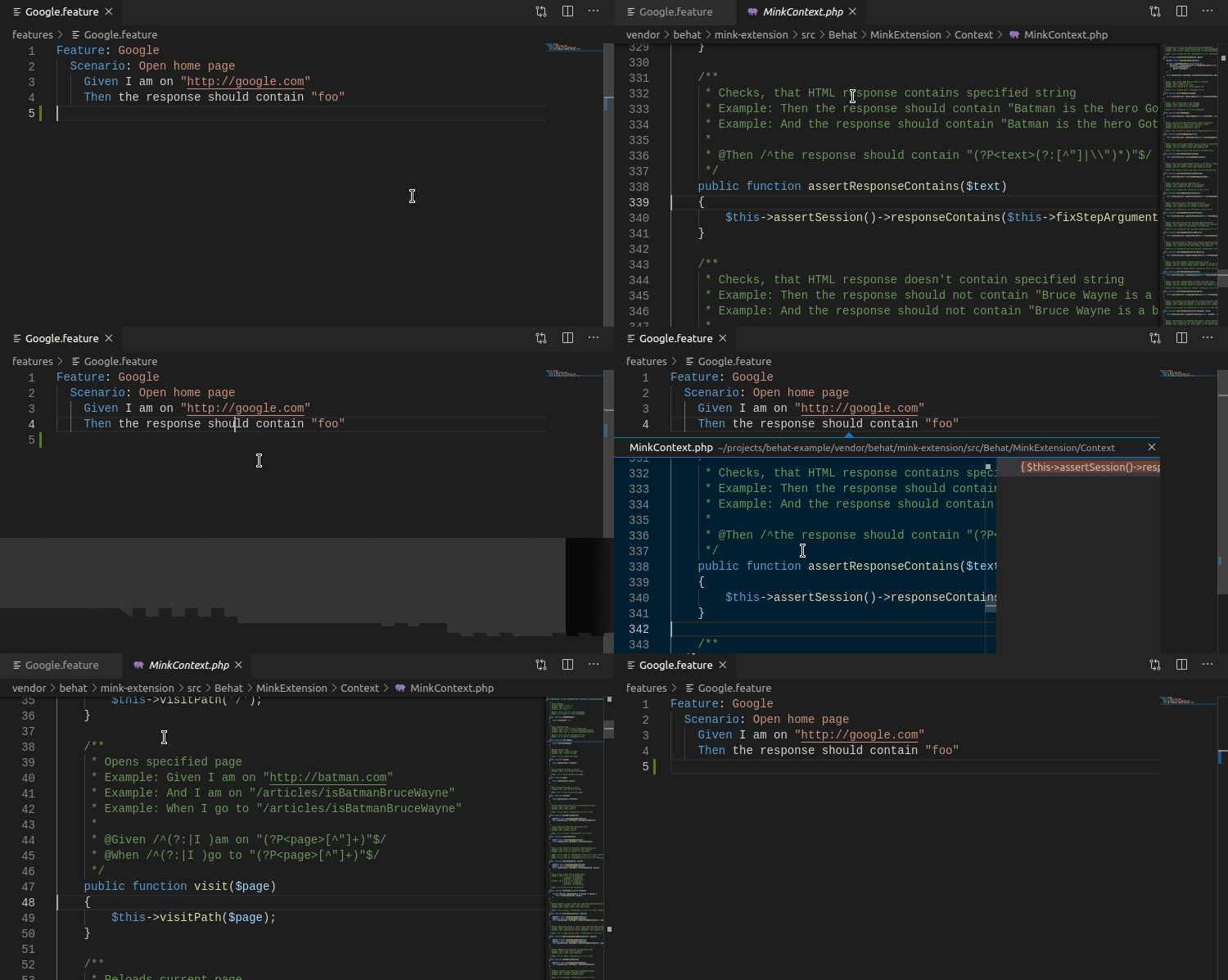
### Go to definition
When using behat >= 3.4.0 this extension can provide "go to definiton" feature (as it depends of a change on the CLI available only after that version).
## Prerequisites
The extension requires `Cucumber (Gherkin) Syntax and Snippets` or similar installed.
Also your project must have behat available under `/vendor/bin/behat` or [bin-dir composer's config](https://getcomposer.org/doc/articles/vendor-binaries.md) correctly setted.
## Configuration options
- `behatChecker.configFile` - the path of the configuration file from the project root. Examples: `behat.yml` or `config/behat.yml`.
- `behatChecker.trigger` - configures when to check the feature file. By default is when the file is saved for performance. You can change it to `onChange`, so the validation will be trigger on every change.
- `behatChecker.debug` - if is set to true, the extension will show a lot of messages about whats going on.
- `behatChecker.behatPath` - the path to behat in your environment (defaults to `vendor/bin/behat`).
## Commands
- `behatChecker.updateCache` - the extension communicate with behat and ask for step definitions. If you change your php code, run this command to update de cache, so the extension will know about your new/updated steps;
- `behatChecker.reload` - will reload the extension server internal state.
Page on vscode marketplace: https://marketplace.visualstudio.com/items?itemName=beeblebrox3.behat-checker