https://github.com/beeper/mac-registration-provider
A small service that generates iMessage registration data on a Mac
https://github.com/beeper/mac-registration-provider
Last synced: 3 months ago
JSON representation
A small service that generates iMessage registration data on a Mac
- Host: GitHub
- URL: https://github.com/beeper/mac-registration-provider
- Owner: beeper
- License: agpl-3.0
- Created: 2023-10-09T10:47:57.000Z (over 2 years ago)
- Default Branch: main
- Last Pushed: 2024-07-04T01:10:02.000Z (almost 2 years ago)
- Last Synced: 2024-08-04T04:04:15.939Z (almost 2 years ago)
- Language: Go
- Homepage:
- Size: 94.7 KB
- Stars: 134
- Watchers: 6
- Forks: 28
- Open Issues: 17
-
Metadata Files:
- Readme: README.md
- License: LICENSE
Awesome Lists containing this project
README
# mac-registration-provider
A small service that generates iMessage registration data on a Mac. If you do
not have access to Beeper Cloud, you can use this to generate an iMessage
registration code and use it in Beeper Mini.
## Supported MacOS versions
The tool is currently quite hacky, so it only works on specific versions of macOS.
* Intel: 10.14.6, 10.15.1 - 10.15.7, 11.5 - 11.7, 12.7.1, 13.3.1, 13.5 - 13.6.4, 14.0 - 14.3
* Apple Silicon: 12.7.1, 13.3.1, 13.5 - 13.6.4, 14.0 - 14.3
On unsupported versions, it will tell you that it's unsupported and exit.
A future version may work in less hacky ways to support more OS versions.
## Usage
1. On your Mac, download the latest `mac-registration-provider` file from the
latest [release](https://github.com/beeper/mac-registration-provider/releases)
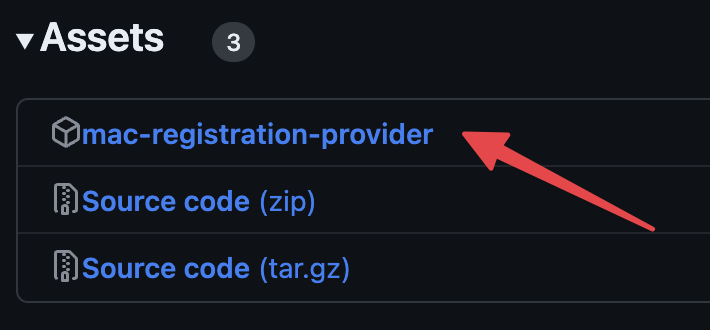
Alternatively, you can download the latest build from GitHub actions
([direct link](https://nightly.link/beeper/mac-registration-provider/workflows/go/main/mac-registration-provider-universal.zip)).
2. Open Terminal app (⌘ + space -> Terminal), type `cd Downloads`, hit enter
3. Type `chmod +x mac-registration-provider`, hit enter
4. Type `./mac-registration-provider`, hit enter
5. If you get a popup saying "the developer cannot be verified", go to
Settings -> Privacy & Security and scroll down. There should be an entry
for mac-registration-provider and a button to "Allow Anyway".
## Future improvements
If anyone wants to package this into an app that lives in your dock and runs at startup, we'd appreciate it!
## Modes of operation
The service has three different modes of operation, and various flags associated
with each mode. Only one mode can be used at a time. The only mode that works
with Beeper is Relay, which is the default.
* Relay (default) - connect to a websocket and return registration data when the server requests it.
* `-relay-server` Use a different relay server (defaults to `https://registration-relay.beeper.com`).
* Submit - periodically generate registration data and push it to a server.
* The list of addresses to submit to must be provided as arguments after the flags.
* `-submit-interval` - The interval to submit data at (required).
* `-submit-token` - A bearer token to include when submitting data (defaults to no auth).
* `-once` - generate a single registration data, print it to stdout and exit